Freelancers are using ChatGPT to help them work - and then charging more
Businesses are still saving money by paying freelancers over employees
Policies must be revised to "support this new way of working"
Freelancers are now able to earn more thanks to AI, according to research from Fiverr comparing UK-based freelancers with business decision-makers in Britain.
The data claims one in five UK business leaders also relies on freelancers to fill AI kills gaps, with two in five (38%) businesses actively seeking workers with AI expertise.
Despite the productivity gains freelancers are seeing from artificial intelligence, many (44%) are charging more for AI-driven work, boosting their income while simultaneously reducing their workloads.
Freelancers are unlocking more money with AI
More than half of the freelancers surveyed said they wouldn't be able to work without AI – many can now save several hours per week on their work, with some boasting that they're saving two full working days every week.
More than two in five say they're able to set their own hours, with around three-quarters also setting their own rates. Nearly as many (70%) claim to be earning more than they were in full-time roles as a result.
ChatGPT was found to be the most popular tool (70%), with Google (38%), Gemini (33%) and Microsoft Copilot (24%) also widely used.
Despite the considerable boosts, a significant proportion of freelancers (36%) expressed concerns that AI could eventually automate parts of their role.
Fiverr also explored the shift away from traditional workers, revealing that most businesses (87%) plan to hire freelancers up to 10 times in the next six months. Two in five UK businesses claim to be using more freelancers in 2025 than ever before, with companies saving on average £33,000 per month by favoring freelancers over in-house employees.
However, with the added flexibility come increased financial complications – more than half (55%) stated that current tax laws deter businesses from hiring freelancers, and only two in five (39%) freelancers feel supported by the government.
Reduced worker protections and rights have also caused freelancers to have to consider diversifying their income – 70% now have more than two.
Looking ahead, there's a clear need for some readjustments to be made to accommodate the shifting worker patterns.
Fiverr UK Country Manager Michele Tropeano summarized: "Portfolio careers are moving mainstream and becoming the backbone of the UK workforce."
"To truly harness this potential, we need modern policies and systems that support this new way of working, not hold it back."
We are living through one of the most significant shifts in retail point-of-sale (POS) technology since the introduction of the chip-and-PIN terminal.
After years of relying on rubber-buttoned, specialist PEDs (PIN Entry Devices) from manufacturers like Ingenico and Verifone, the retail sector is now embracing generic Android devices that accept payments using downloadable software.
This shift is more than a change in hardware—it’s a full-blown operating system revolution. But as Android becomes increasingly embedded in our in-store shopping experiences, a bigger question looms: are we handing over control of this multi-billion-dollar ecosystem to a single platform? Is Android now the new kingmaker in retail POS?
From Proprietary Hardware to Programmable Platforms
Until recently, the POS hardware market was tightly controlled. Devices ran customized versions of Linux, and software applications were typically monolithic, expensive to build, and hard to update. Developing or modifying software on these systems required specialist engineering skills, long certification cycles, and intimate knowledge of closed systems.
Innovation under this model was stifled. Only the boldest players attempted to build their own apps for PEDs—and many failed. As a result, the pace of progress in in-store payment gateways lagged behind online and mobile commerce, where new features and updates could be deployed instantly.
That legacy model is now crumbling. Android, originally developed for smartphones, is increasingly used to power POS devices that are more flexible, easier to develop for, and significantly cheaper to deploy. This has paved the way for a new era of programmable retail terminals that run on open platforms and offer the same agility as app-based ecosystems.
The Rise of Android POS
Over the past 18 months, we’ve seen a surge in software-only payment services from major fintech players. Stripe introduced its Stripe Reader S700, which not only processes payments but also runs custom business apps, giving merchants the ability to fully customize the checkout experience. Revolut has also launched its own Android-based retail POS terminal designed for high-speed environments.
This shift is being driven by Android’s flexibility. The OS runs on everything from ruggedized tablets used in queue-busting or pay-at-table scenarios to consumer-grade phones used by mobile merchants. Android has already displaced Windows-based till systems in many cafes, bars, and restaurants due to its lower cost and broader developer base.
This transformation isn’t limited to startups or small merchants. Large-scale retailers and payment providers are building their own custom apps using Android, allowing them to tailor checkout flows to their exact operational needs. At the same time, the smallest merchants—like plumbers or stallholders—can now download a basic Android app to accept payments on their personal phones, with no extra hardware required.
Projections suggest this is only the beginning. The global Android POS market was valued at $7 billion in 2024 and is forecast to grow at a CAGR of 29.4%, reaching over $71 billion by 2033. The low licensing costs, massive developer pool, and ability to create customized hardware configurations all make Android the preferred choice over Apple or Windows alternatives in the retail world.
Specialist SaaS providers like Toast are already bundling Android devices with vertical-specific software tailored to restaurants, and other niche segments. As Android continues to expand its footprint, its influence on the hardware ecosystem is undeniable.
But Who Really Holds the Power?
Despite Android’s rapid ascent, the notion that it is becoming the “kingmaker” in POS is flawed. In reality, merchants aren’t choosing operating systems—they’re choosing the SaaS platforms that best meet their business needs. These platforms, not the OS, will ultimately determine which hardware gets deployed, how app stores are curated, and how secure the payment environment is.
Android simply enables more flexibility. It gives SaaS providers the tools to innovate—whether by enabling tap-to-pay on a handheld device or deploying self-checkout kiosks in fast food restaurants. The OS is the enabler, but the strategic control lies with the platform operators.
What we are witnessing is the fragmentation of the POS landscape into a marketplace of thousands of SaaS providers, each making their own decisions about hardware, app design, and consumer experience. These platforms vary not just by country or language, but by sector. A fast-fashion retailer and a sports store may both sell clothes, but the software they use to manage inventory, payments, and loyalty programs can be vastly different.
This market diversity means that no single OS—Android included—can dictate how the retail world functions. The analogy to Nokia’s decline is striking. Just as Android and Apple reshaped the smartphone industry by empowering app developers and creating open ecosystems, they are now unlocking similar creativity and value in physical retail.
What follows could be a renaissance in the in-store experience. With open systems and software-based interfaces, retailers are no longer tied to generic, inflexible terminals. They can experiment, personalize, and streamline—making checkout faster, more intuitive, and more aligned to their brand.
Android Is the Platform, Not the Power
Android is clearly becoming the operating system of choice for the next generation of POS devices. Its versatility, affordability, and openness make it a natural successor to the locked-down Linux boxes of the past. But that doesn’t mean Android is the new kingmaker.
The real power will lie with the SaaS platforms that orchestrate the entire merchant experience—from inventory and customer engagement to payments and reporting. These platforms are the new center of gravity in retail, and they will continue to shape how we shop in-store.
So yes, Android may well be the plumbing of the new POS world—but it’s the platforms that will design the taps.
This article was produced as part of TechRadarPro's Expert Insights channel where we feature the best and brightest minds in the technology industry today. The views expressed here are those of the author and are not necessarily those of TechRadarPro or Future plc. If you are interested in contributing find out more here:https://www.techradar.com/news/submit-your-story-to-techradar-pro
from Latest from TechRadar US in News,opinion https://ift.tt/U7CmAXV
0
coment�rios:
Many companies, including some of the UK’s largest banks, major retailers, and government departments, are still grappling with the fallout...
Time’s up for Teams: Why the end of Teams Classic support demands immediate enterprise action
Many companies, including some of the UK’s largest banks, major retailers, and government departments, are still grappling with the fallout from legacy software. Compatibility issues and security risks tied to aging platforms remain widespread. This familiar pattern means migration projects are often postponed until the last minute, increasing the risk of costly disruptions and avoidable security vulnerabilities.
Microsoft’s decision to end support for Microsoft Teams Classic on 1st July is more than just a routine update deadline; it represents a critical juncture for enterprise IT teams. For many organizations, this is a firm cutoff with serious operational and security implications.
Stopgap measures bring their own challenges
The impact of these delays is already evident. Many enterprises are paying for Extended Security Updates (ESUs) to buy extra time, while others are accelerating hardware refresh cycles, replacing laptops and desktops earlier than planned just to keep pace. Yet these stopgap measures bring their own challenges. Rushed rollouts often trigger user frustration, operational hiccups, and technical setbacks, complicating what should be a straightforward upgrade.
Security concerns are particularly acute. Recent breaches at major UK retailers such as Marks & Spencer and the Co-op were directly linked to weaknesses in legacy systems. These incidents underline a stark reality that running unsupported software is a liability that can have serious consequences for both security and reputation.
Windows 10 complications
The October deadline for Windows 10 support compounds the challenge. While Microsoft will continue offering paid ESUs for Windows 10, these only provide a temporary patch rather than a long-term solution. Organizations relying on extended support risk developing a false sense of security. Without a full platform upgrade, vulnerabilities pile up, documentation becomes obsolete, and the loss of staff familiar with legacy systems makes future migrations more complex and expensive.
For IT teams facing the double challenge of migrating both Teams and Windows 10 within months, the situation is stressful. Budgets are tight, resources limited, and the window to complete a compliant and smooth transition is rapidly closing.
Often, delaying migration comes down to competing priorities, constrained budgets, and a lack of clear understanding about how legacy systems interact with current business processes. Legacy environments are typically poorly documented, and over time, institutional knowledge is lost as experienced staff leave. This makes migration projects time-consuming and costly, not only in terms of software upgrades but also in mapping the impact on security and compliance.
Postponing these migrations carries hidden costs too. Every month that passes increases the risk of security breaches, operational failures, and regulatory penalties. Delaying upgrades becomes an increasingly risky gamble.
Successfully navigating this challenge
Successfully navigating this challenge demands urgent action and careful planning. One lesson from past migrations is clear in that scheduling rollouts thoughtfully and having robust rollback alternatives in place are crucial to minimize disruption. The old adage “plan for success but prepare for failure” rings especially true here. Working closely with users throughout the process helps manage expectations and surface issues early on.
Another key priority is capturing institutional knowledge before critical staff move on. Documenting legacy configurations, workflows, and vendor agreements is vital to maintain continuity and enable effective troubleshooting during migration. Testing compatibility thoroughly in controlled environments is also crucial to spot potential problems before they affect users. Planning phased rollouts with clear fallback procedures helps manage risk and keeps disruptions to a minimum.
At the same time, clear communication and user training can’t be overlooked. Engaging with end users early reduces resistance and confusion, helping teams adapt smoothly to the new platform without unnecessary setbacks.
End of support
The end of Teams Classic support should serve as a clear warning that last-minute fixes and reliance on extended support aren’t sustainable. In an era where digital transformation and cyber threats are accelerating, organizations need to take control of their technology lifecycles. Early, comprehensive planning combined with cross-team collaboration is the only way to ensure timely migration while maintaining security and operational stability.
Those organizations that act now will not only meet critical deadlines but will also reduce risks and build resilience for the future. For those that continue to delay, the risks of costly disruptions, breaches, and compliance failures will only grow.
With time running out on both Teams Classic and Windows 10 support, the path forward requires decisive, well-coordinated action to safeguard security and prepare organizations for the challenges ahead.
This article was produced as part of TechRadarPro's Expert Insights channel where we feature the best and brightest minds in the technology industry today. The views expressed here are those of the author and are not necessarily those of TechRadarPro or Future plc. If you are interested in contributing find out more here:https://www.techradar.com/news/submit-your-story-to-techradar-pro
from Latest from TechRadar US in News,opinion https://ift.tt/5ejlmNO
0
coment�rios:
Reports of various Nvidia GPU scams keep surfacing, and scammers find new ways to trick shoppers Some buyers claim to have received old G...
Nvidia GPU scams are rampant right now – here's what to do to stay safe
Reports of various Nvidia GPU scams keep surfacing, and scammers find new ways to trick shoppers
Some buyers claim to have received old GPUs or a bag of rice instead of the card they expected to get
Shopping and selling second-hand is riddled with tricky situations, too — my friend got scammed out of $1,900
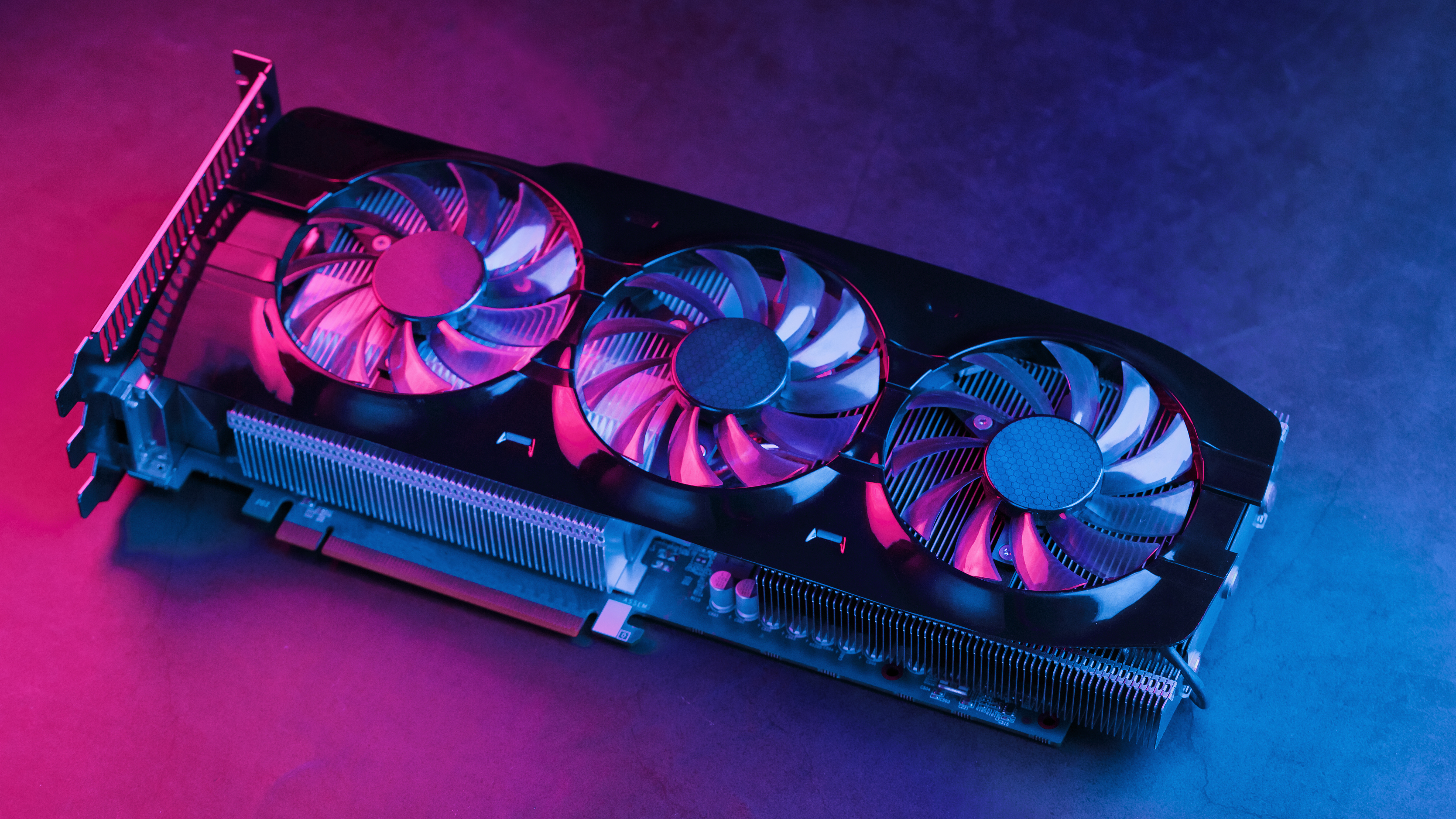
It's definitely not a buyer's market for GPUs right now, which might explain why scams are running rampant. I keep hearing about new ways in which scammers target buyers (and sellers) of the best graphics cards, and honestly, some of them are truly baffling.
Some people are getting bags of rice and pasta instead of a high-end GPU; others get a backpack; and some get what looks like a graphics card, but the insides reveal that it'll never work.
To help you navigate the obstacle course of buying and selling GPUs right now, here's a guide to all of the main scams to watch out for – and how to avoid the fate of two of my unfortunate friends.
What kind of GPU scams are out there?
I started noticing the scams in the early days following the launch of the RTX 5090. While trying to find one for sale on eBay, I noticed a lot of listings at MSRP – but checking those listings revealed that people weren't selling the GPU, but rather a printed photo of the card. Yes, a photo, for $2,000 and up.
Since then, I've heard of over a dozen innovative scams. Our sister site Tom's Hardware recently reported on an Amazon customer who ordered a Gigabyte Aorus RTX 5090 graphics card, but upon arrival, found the box to be filled with pasta, rice, and an old, dusty GPU.
Meanwhile, an unlucky Micro Center customer got several backpacks instead of the Zotac Gaming RTX 5090 Solid OC they expected to receive.
Northwest Computer Repair recently shared another scam that seems to have migrated from the RTX 4090 to the RTX 5090. The repair shop is receiving cards that have been stripped of the GPU and the memory die, leaving behind an empty shell that looks convincing enough … up until you try to use it, that is.
Another hardware repair YouTuber, this time based in China, was sent four RTX 4090 graphics cards that were reportedly in need of repair, but opening them up revealed modded RTX 3090 and RTX 3080s; three of the cards were beyond saving (via Tom's Hardware).
Buying second-hand isn't a lot easier. A friend of mine recently tried to buy an open-box RTX 5080 from a local Facebook group. He met up with the seller, paid the full price, and went home with a GPU that didn't work. He's now having to turn to the authorities for help in recovering his money.
Even selling your GPU makes you vulnerable to scams. Another friend once tried to sell his RTX 3090 during the GPU shortage of 2021.
The person he met up with reportedly didn't have cash and instead showed him their banking app, confirming the transfer of £1,400 (around $1,900). It looked legitimate, so he believed it, but it was a fake app, and the money obviously never arrived. Checking Reddit shows me that this scam still exists to this day.
How to stay safe and get a legitimate GPU
Many of the scams I outlined above originated from platforms you'd normally trust. Amazon and Micro Center are both trustworthy, and yet, things like this can happen, so it's important to stay vigilant.
On Amazon, I recommend buying from sellers you know and trust (or directly from Amazon). Smaller sellers, especially those with unintelligible names, are best avoided if the listing sounds too good to be true. The same rule applies to retailers: look into return policies and don't buy suspiciously cheap GPUs.
(Image credit: Shutterstock / Aleksandr Grechanyuk)
Given the rising number of scams that involve the GPU box containing something other than what you ordered, make sure to film the whole unboxing process. Ideally, start filming the moment you receive the package, then show step-by-step as you open it. A photo won't suffice, as that's too easy to tamper with. If buying in store, open the box in front of an employee and inspect the contents.
Buying second-hand can be a nightmare. Even meeting up with sellers doesn't always mean that you'll get a GPU that actually works and is real. Your best bet is to meet up at a place that lets you test the GPU before picking it up, but that opens a whole new can of worms, as you'll need to enter a stranger's home. An easier way is to buy through platforms that offer buyer protection and film yourself receiving and opening the GPU.
As a seller, don't be fooled by legit-looking banking apps or promises of sending you money when they get home. Use a platform that protects both you and the buyer. It can be a hassle, but it's wild out there right now, so it's truly for the best.
Analog keyboards are more popular than ever, providing gamers with greater tactility and nuance. They allow for modulated presses and customizable actuation points, and come with exclusive features – such as the all-important Rapid Trigger – that make them ideal for elite-level play.
There are plenty of analog boards to choose from, but the best, in my view, is the SteelSeries Apex Pro. We’ve included the 2023 version in our best gaming keyboard guide, and the updated Gen 3 model is no less impressive. So let's dive into what makes the Apex Pro such a fantastic analog keyboard.
Best in class
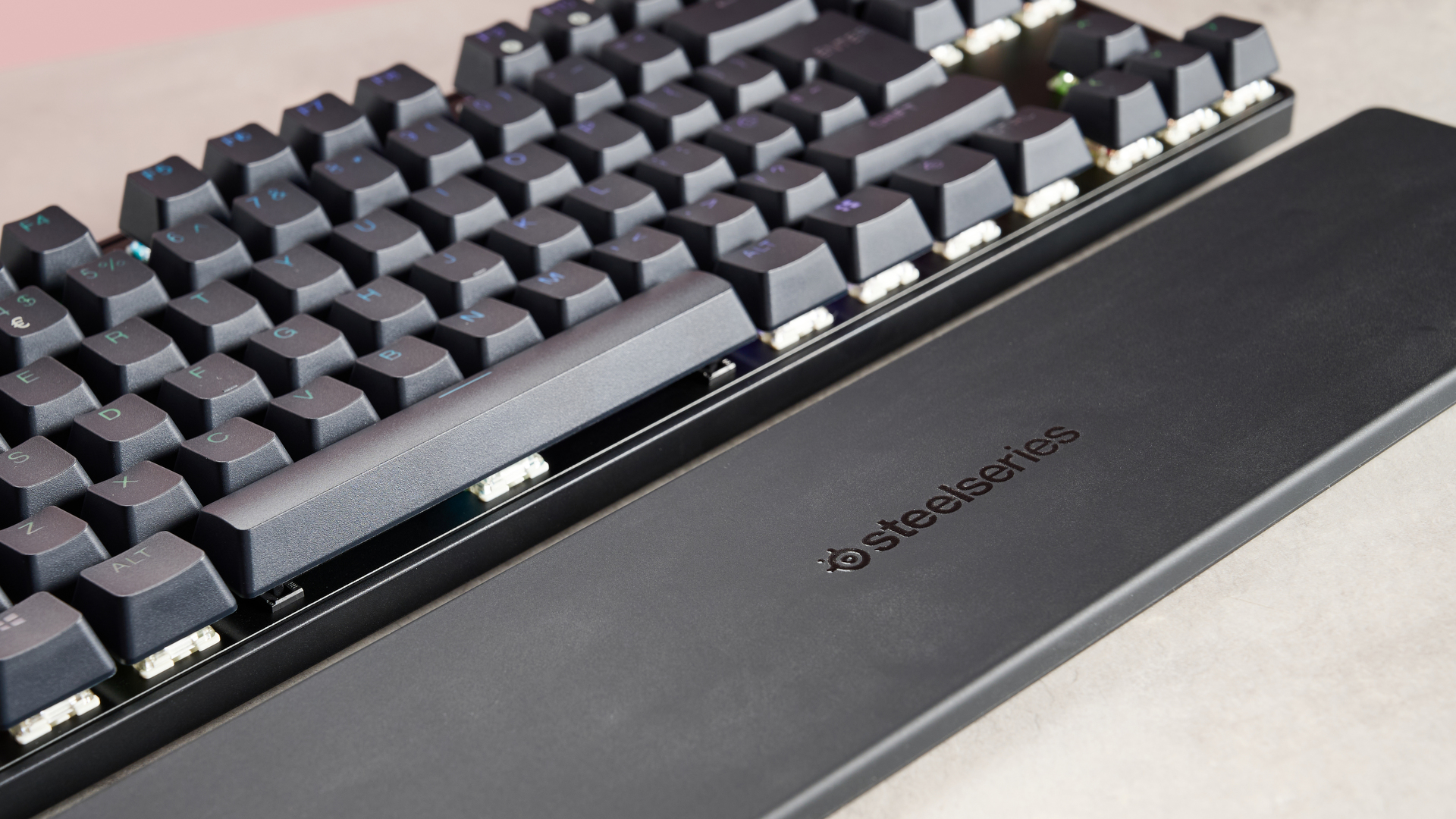
Let’s start with the build quality: you won’t find many other keyboards built to such exacting standards. Every inch of the Apex Pro looks and feels premium and durable.
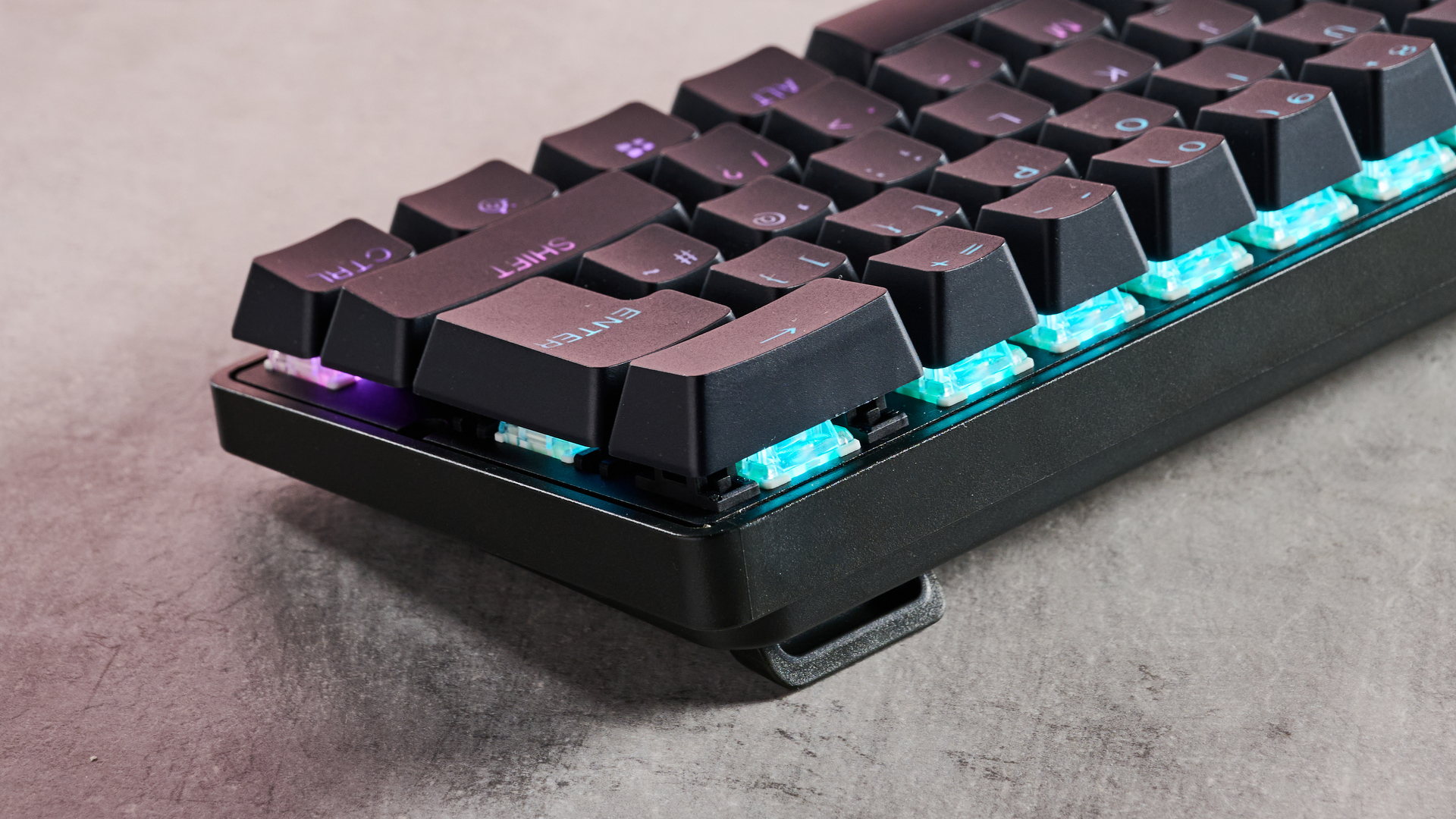
The chassis is solid yet not too heavy, making it relatively easy to get into position. As you would expect, it also comes equipped with double-shot PBT keycaps – the gold standard material. These feel great in use, thanks to their subtle but noticeable texture that makes them tactile.
The TKL models and bigger even feature a small screen in the top-right corner. This can be customized to display all manner of content, from pictures and GIFs to vital in-game information for popular titles, such as Counter-Strike 2 and League of Legends. It also has a menu where you can alter various settings, including the global actuation point and Rapid Trigger toggle.
The insane brightness of the G5 OLED allows colorful movies such as Wicked to really pop.(Image credit: Future)
It might not be the most eye-catching gaming keyboard, but beneath that restrained exterior lurks an incredibly high-performing machine. In my SteelSeries Apex Pro TKL Gen 3 review, I noted how great those analog switches feel: they’re satisfyingly damped, yet still provide plenty of snap, which makes the Apex Pro ideal for gaming and typing.
What’s more, the keys provide enough feedback and travel to make hitting certain actuation points easier than on other analog keyboards I’ve experienced. The indentations of the keycaps help to get a secure and comfortable position, while the bottom row is easy to use when adopting the WASD position – which isn’t something I can say about every gaming keyboard I’ve tried.
SteelSeries GG software can be used to customize the Apex Pro. You’ll find a multitude of rebinding options, although the selection isn’t quite as vast as you’ll find in other apps, such as Razer’s Synapse. Still, the media and system shortcuts that are available should suffice for most users.
The Hisense C2 Ultra projector delivers excellent colors, but needs a darkened room to really shine.(Image credit: Future)
Naturally, there are various actuation adjustments and features, too. You can set the activation point between 0.1mm and 4mm for each key individually, and you can also choose whether a key activates on its down or upstroke. Along with Rapid Trigger, there’s a dual-actuation mode that lets you bind two inputs to a single key.
GG is quick to run and has an easy layout to navigate, although I wish it provided more visual feedback for actuation, as other analog keyboard software provides.
The wireless variant of the Apex Pro has excellent connectivity, providing both 2.4GHz and Bluetooth methods for greater versatility, and both performed with aplomb on the devices I tested. As I noted in my SteelSeries Apex Pro TKL Wireless Gen 3 review, battery life is also quite good, living up to its 40-hour claim according to my experience.
Even with light coming in through the windows to the right of the screen, there's barely a reflection in sight.(Image credit: Future)
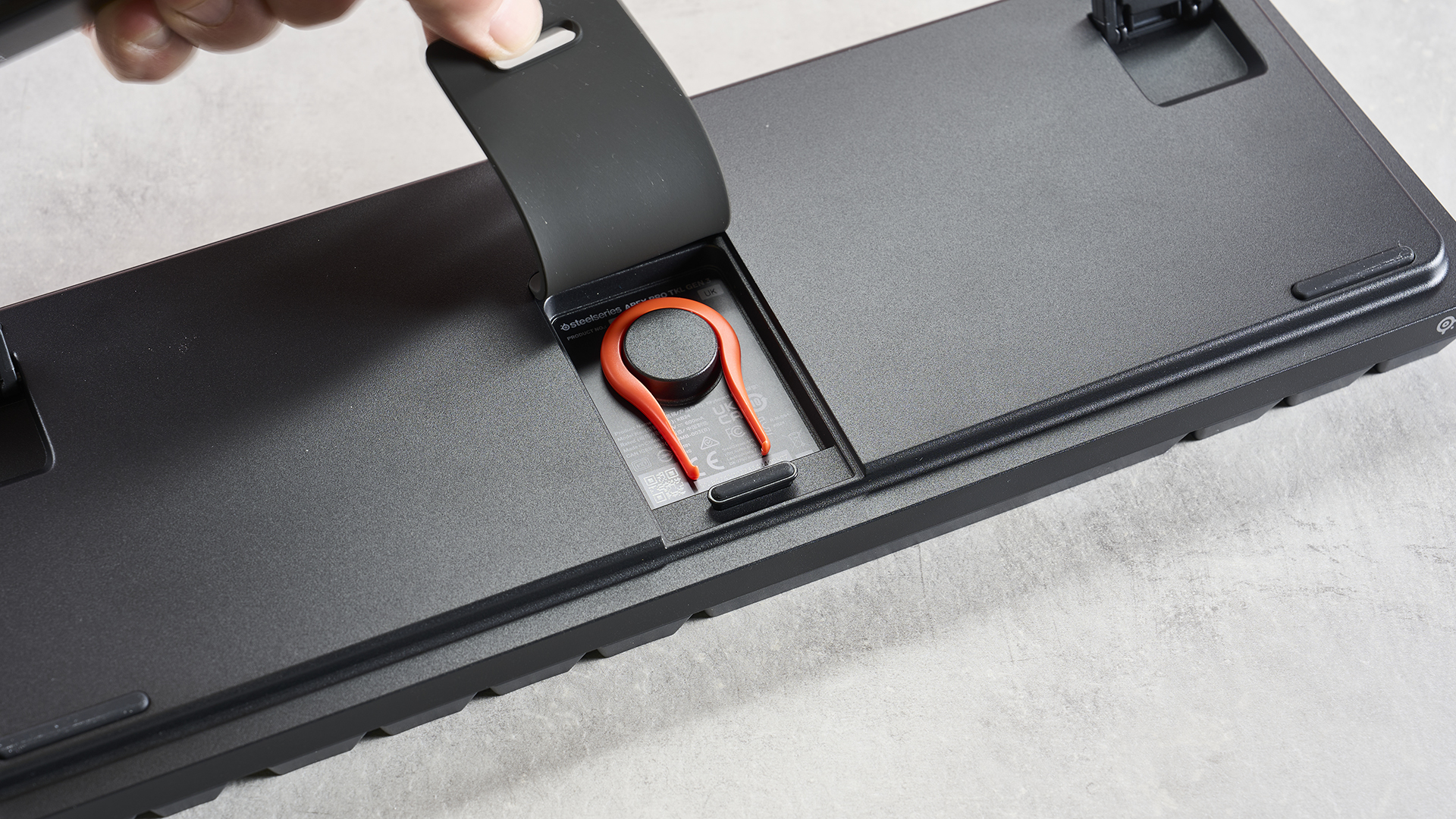
About the only drawback I can find with the Apex Pro, aside from its eye-watering price tag, is the wrist rest: it lacks padding, and I didn’t find it wide enough to accommodate my whole wrist – and I don’t have big hands. What’s more, it has an annoying tendency to flip upwards when exerting too much pressure in the wrong place.
Yes, the Apex Pro costs a lot of money, but you’re getting one of the best-made and best-performing gaming keyboards on the market. Also, there are TKL and Mini variants that help to bring the cost down. The latter in particular does a sterling job of compensating for its lack of keys with some useful second-layer shortcuts.
There are wired models that are cheaper too, although the price difference isn’t that great, which is why I would recommend the wireless models (although the Mini is currently wired-only). But no matter which variant you go with, the Apex Pro offers a superlative analog experience.
While 2027 makes sense for the usual new console cycle, which tends to be around every seven years - the PlayStation 5 and Xbox Series X (and S) both launched in November 2020, so that amount of time will have elapsed come 2027 - I think it’s way too early to start thinking about next-gen consoles (unless you’re looking at snagging a Nintendo Switch 2 restock).
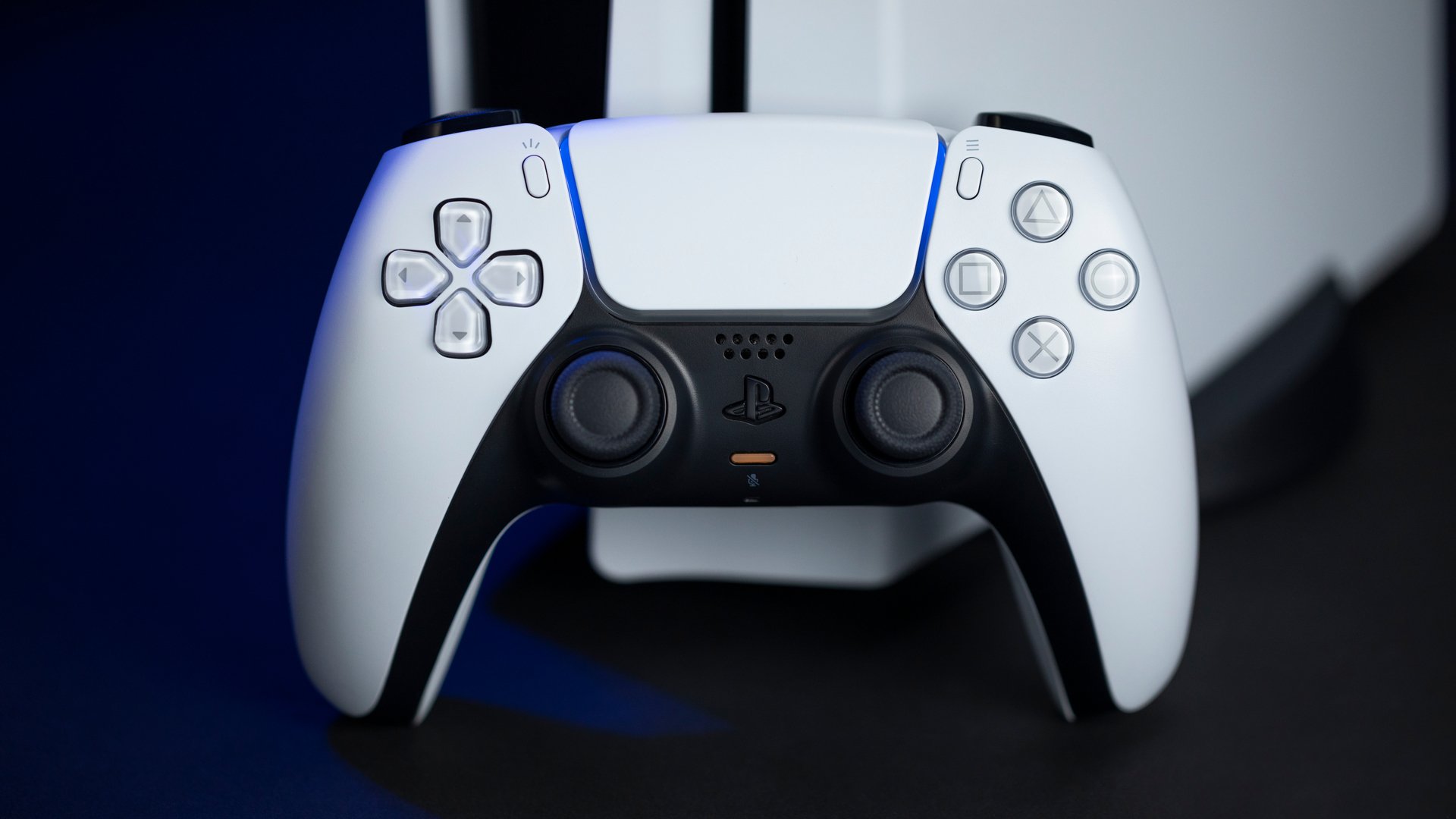
I was lucky enough to put both current-gen PlayStation and Xbox flagship consoles through their paces when they launched. And both are excellent bits of hardware; the Series X is the ultimate expression of Xbox, while the PS5 offered a neat suite of innovations and the immersion-heightening DualSense controller.
But the disruption of the COVID-19 pandemic not only made it hard to get either of the consoles close to launch, but also saw huge delays to games. This had the knock-on effect of more games being cross-generation than I’d have usually expected.
While that’s no bad thing, especially as I rather enjoyed playing games like God of War and The Last of Us Part 2 at 60 frames per second (fps), I felt it didn’t really give the proper next-generation console vibe I’d hoped for.
None of this is surprising, as of course there’ll be a new console generation; that’s unless Microsoft really does eschew hardware and go fully into Xbox Cloud Gaming, but that’s another topic of discussion. However, I think it's way too early for even the most hardcore of gamers to be thinking too much about what’s next for Xbox and PlayStation hardware.
The crux of this is, I reckon, we only really started to get proper ‘next-gen’ games in 2022, perhaps even 2023 - when the term ‘next-gen’ started to feel irrelevant. Perhaps ‘current-gen’ was more appropriate by then.
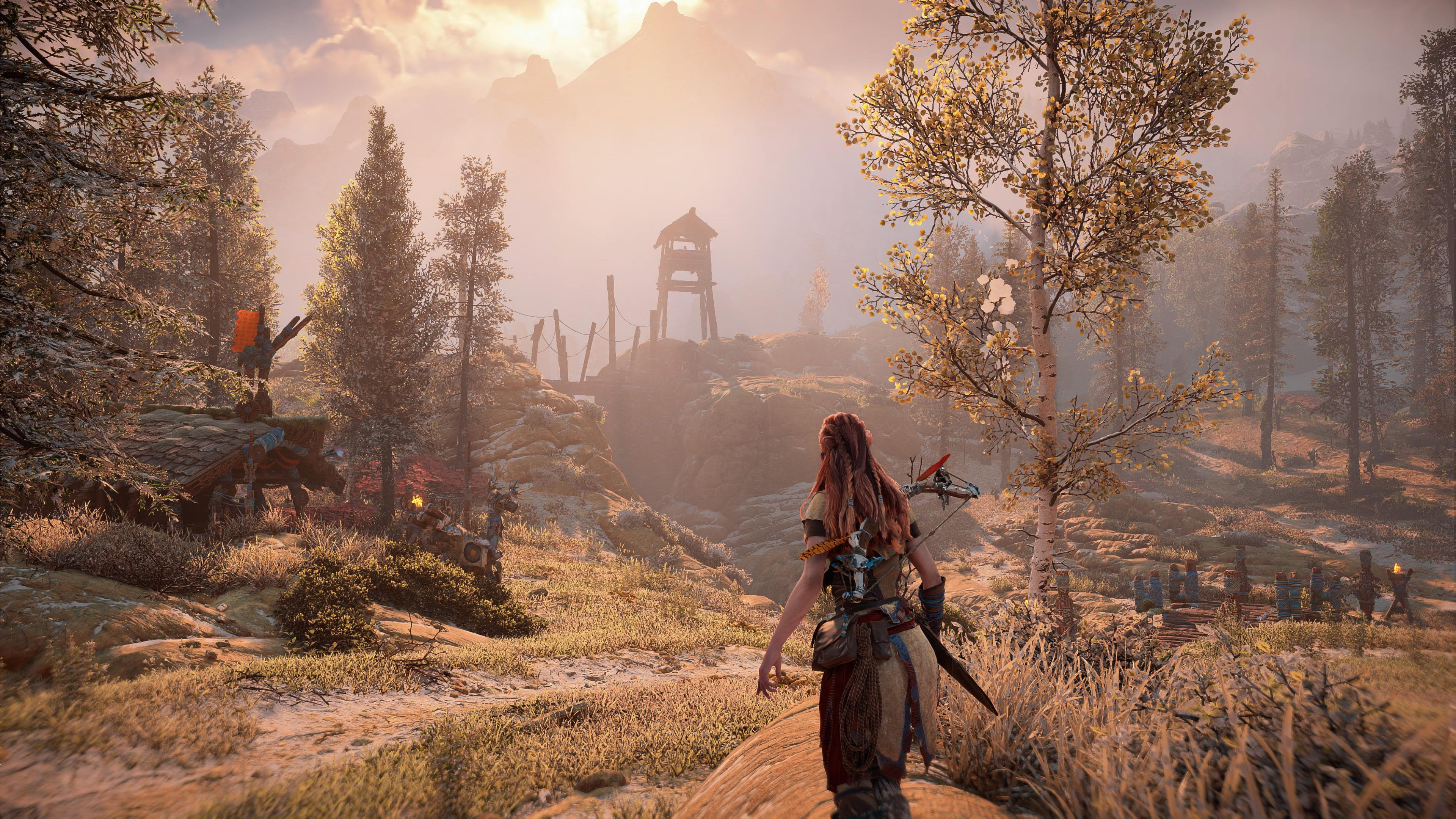
Now I get that even on the PS5 Pro, players may still need to make some form of choice between the fastest frame rates or the crispest graphics, rather than just having 4K 60 fps (I should add that the PS5 Pro does offer some excellent middle-ground options like a 40 fps high quality graphics mode in Horizon Forbidden West, and PSSR offer some smart upsampling for games).
So there’s potentially an argument for new hardware to finally deliver the ultra-high-definition and fast frame rate combo that has always felt like an undelivered promise.
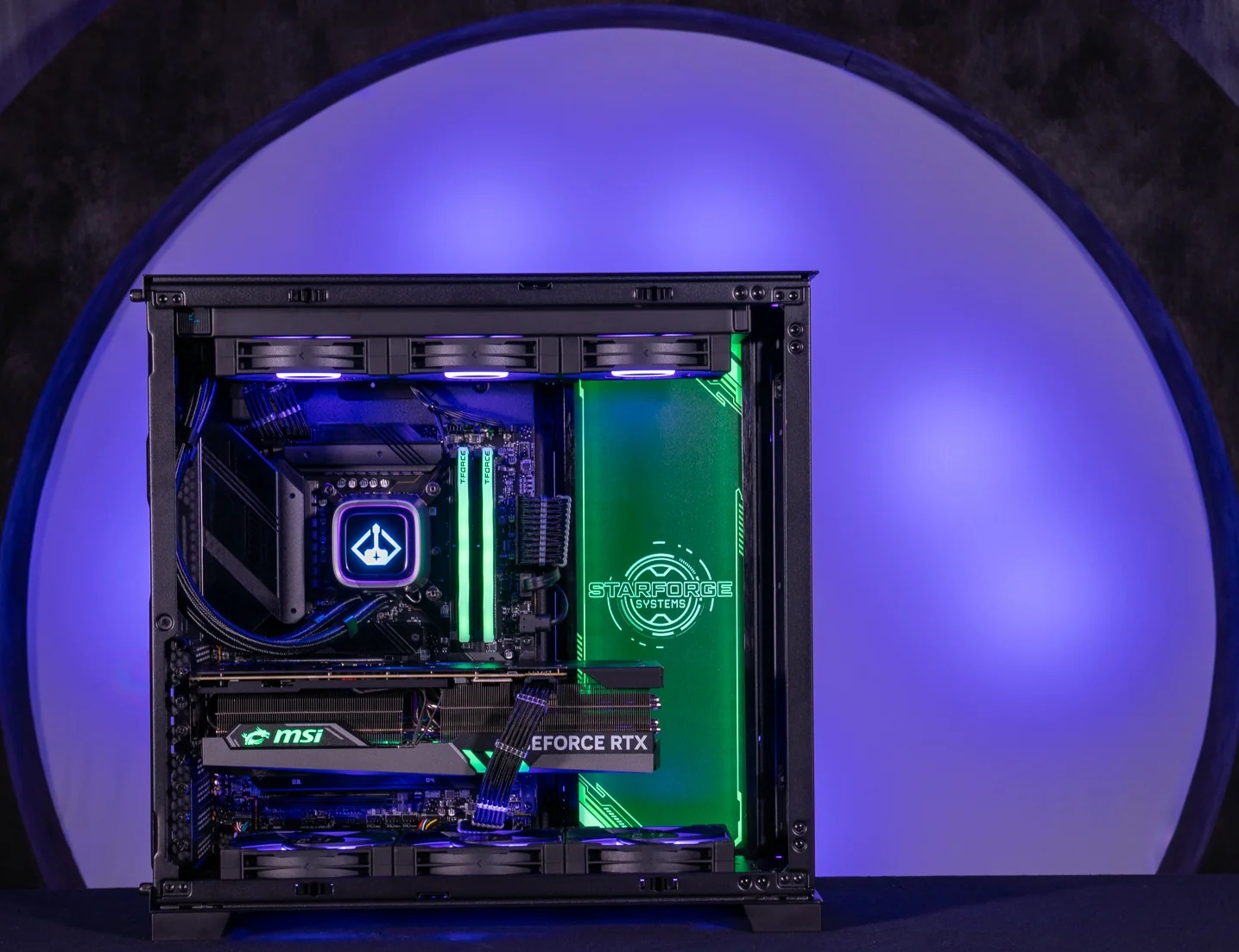
A powerful PC like this Starforge System is arguably a step towards next-gen gaming right now.(Image credit: Starforge Systems)
Of course, PC gamers with deep pockets can already get this with a high-end machine, or are making the most out of Nvidia’s DLSS tech to get fast frame rates at cleverly up-mixed resolutions.
As someone with a very powerful gaming PC, I do love the ease of being able to boot up basically any game, crank everything up, and enjoy fast frame rates on a monitor with a high refresh rate. But that’s a bit of a niche proposition, and I don’t think it’s yet a catalyst for new console hardware.
My overarching feeling is that the current Xbox and PlayStation generation is only really three-ish years old in a gaming sense. I'd like to see more pumped out of the current hardware before diving headfirst into the next, as I reckon developers have more to extract from these machines.
I’ve partially made this argument before in regards to the PS5 Pro, which I think is great but perhaps a tad underwhelming. What I find more impressive is seeing consoles work to deliver impressive performance or visuals as developers really learn to optimize for their silicon innards.
Take The Last of Us on the PS3 - that was a seriously impressive-looking game that got so much out of very mature hardware. I’d say the same was true of Halo 4 on the Xbox 360.
While those consoles had different chip architecture to their predecessors, I think that the technical know-how of getting the most out of aging hardware may have had a positive knock-on effect on developing games for the PS4 and Xbox One.
Given that last-generation and this generation’s consoles run on AMD chip architecture, and that’s sure to continue with the next-generation, I think learning to push current hardware as hard as possible will have a positive knock on effect for the next-gen consoles in terms of extracting more performance from the offset, but also potentially opening up new gaming experiences with an understanding of what can be done with extra performance headroom.
Beyond frame rates
(Image credit: Sony/PlayStation)
While we’ve had some very graphically impressive games, like Horizon Forbidden West and Gran Turismo 7 on PS5, and Forza Horizon 5 on Xbox Series X, I don’t feel they were enormously different from their predecessors. So I’m still waiting on a game to truly wow me - Fable 4 and GTA 6 have both caught my eye, but they’re delayed until next year.
Going by the recent Witcher 4 tech demo, which looked amazing yet was running at 60 fps on PS5 hardware, there’s seemingly a lot of untapped promise in the current console hardware, especially with what Unreal Engine 5 has to offer.
Equally, I still think The Witcher 3: Wild Hunt looks fantastic, especially after its upgraded release on the current-gen consoles. And while I love fast frame rate gaming with all the bells and whistles on my PC, I do wonder if we’ve sort of hit 'peak graphics’. Sure, things can get crisper, sharper, and smoother, but will we ever see the big generational leap like I used to see in the early 2000s? Probably not.
So I worry that with a new console generation now arguably on the horizon, we’ll see even the best games consoles go the way of smartphones and become almost incremental generation-to-generation. I do not want that.
Rather, I want new consoles to offer proper step changes in gaming. Where once graphical fidelity represented that, how about seeing something new?
The world and its technological dog are harping on about AI, so how about we see games consoles that can truly support advanced character AI that offer unique player experiences with each new playthrough, or expand the scope of games.
As games have evolved, they open up more interesting experiences and interactions - if we break away from the established molds of Call of Duty, Assassin’s Creed, and so on - and I feel hardware could and perhaps should follow suit.
So it’s my hope that we don’t let hype push a new console generation too soon, and instead, current hardware is pushed to the max while smarter people than me come up with new tech that takes gaming to a new level.
Memorizing all of the past Wordle answers is nearly impossible – after all, there have now been more than 1,400 of them. But knowing what's gone before is important, because Wordle answers don't repeat – so you could easily be wasting guesses.
What you need then, is a list of past Wordle answers, and that's what I've made for you here. It's organized by month and you can simply search the page to see whether the word you're thinking of has already been used.
Below you'll find a list of every Wordle so far – all 1,470 of them (and counting!)
I've first organized the answers alphabetically, and then by month starting with the most recent. You can use the menus on the side (on desktop) or above (on mobile) to jump straight to the month you want.
If you're trying to find out whether a specific word has already been an answer, there are easy ways to search for it:
Windows: click CTRL+F
macOS: click CMD+F
iOS: click Share (the box with the arrow), then 'Find on page'
Android: click the three dots in the top-right then 'Find in page'
In each case, simply type in the word you're looking for, and if it has already been an answer you can use the arrows to navigate to it. Right, on with the list…
One of the key things about Wordle is that everyone gets the same answer each day. Or is it? There have been four occasions when the game has served up two different solutions, causing no end of consternation among players.
The first two were victims of the New York Times' purchase of the game in February 2022. The NYT removed around a dozen words that it decided were too difficult for players, or that were in some way controversial.
However, at that time people could play either via the NYT's games site, or via the original Wordle website created by Josh Wardle. And unfortunately, the changes made by the NYT didn't always filter through correctly to the original version.
The result was that on February 15, 2022 some people got AROMA and some the much harder AGORA for puzzle #241. Then on March 30, the same thing happened with STOVE and HARRY for game #284; the NYT thought people would only consider HARRY to be a name, and not a verb (as in to harrass), so it removed it.
The problem reoccurred in May 2022. On May 10 (game #324), the NYT removed the word FETUS in the wake of the US Supreme Court's decision to repeal Roe vs Wade, deeming it too controversial. Instead, most players got SHINE. The next day, some players got GECKO while others received BUTCH, due to the NYT's servers not yet having reset for everyone from the previous day's change.
Game
Date
Correct answer
Alternative answer
325
Tuesday, 10 May 2022
GECKO
BUTCH
324
Monday, 9 May 2022
SHINE
FETUS
284
Wednesday, 30 March 2022
STOVE
HARRY
241
Tuesday, 15 February 2022
AROMA
AGORA
from Latest from TechRadar US in News,opinion https://ift.tt/l32jTmG



0 coment�rios: