Imagine a NASCAR team where leadership decides the winner is the car that burns the most fuel. The crew chief tunes every engine to run rich and wasteful. Drivers ride the gas and the brake at once. The telemetry shows record fuel consumption. The car finishes dead last.
For a stretch this year, wasteful consumption metrics drove AI measurement programs. Companies stood up internal leaderboards ranking employees by how many tokens they burned. A Meta employee built one, crowned the top "token legends," then quietly took it after the numbers leaked externally. By spring the trend had a name: tokenmaxxing.
By the start of summer the inevitable backlash arrived, with companies like Uber acknowledging they’d already spent their entire AI budget for the year in a matter of months.
More recently, the inevitable swing toward using the minimal number of AI tokens (tokenminning) leads to the same problem. If leadership defines winning as using the least amount of fuel, the winning car would never leave the starting line.
Burning or saving tokens should never be the end goal. The objective is shipping more products, at higher quality, with the same or fewer people. The job of a leader is to define the most strategic path toward the finish line, and based on that definition, build metrics that support it.
Why leaderboards miss the mark
A vanity metric is any number that looks great on a slide, leaderboard or dashboard but doesn't change how you run your business. In the AI space, even highly technical and complex metrics can become vanity metrics.
Here’s a couple I’ve seen lately, each a different way to look busy GPU utilization rates that brag about how much raw compute you’ve hoarded, regardless of whether it's solving real problems. AI features shipped per quarter, where leadership slaps a sparkle-emoji text summarizer on every legacy product to pad the release notes.
Metrics like these can feel rigorous, but they're detached from the end work itself. When leaders don’t relate metrics to end goals, engineers may race toward the nearest countable item.
The missing race map
Work completed only matters if it’s the right work. When leadership celebrates "95% adoption" of GitHub Copilot because the licenses are deployed, they can mistake superficial access for deep engagement. They assume productivity is skyrocketing. They're measuring who adopted the tool, not who is effectively using it to improve outcomes.
Developers might be generating more code faster, but if the tool isn't deeply integrated into a refined process, PR sizes inflate and the bottleneck simply shifts to human code review. Cycle time stays stagnant, or worse, bug rates go up because humans are rubber-stamping AI hallucinations.
Close the disconnect: tie depth of use directly to outcomes and business goals. If you have 95% "adoption" but your cycle time hasn't dropped by 30% or your rework hasn't decreased, you don't have high use. You just have an expensive new software distribution.
How to set the finish line
A single number rarely tells a story. If I can produce twice as much code but it takes twice as long to ship, I haven't gained efficiency. I've created more work. The right question isn't how much AI you're using — it's whether the work is actually getting better.
For engineering teams with more established workflows, start with the outcome you want to move, then use a framework like DORA or SPACE to check whether you got there. The framework is the instrument, not the goal. DORA tracks the health of your delivery pipeline — how often you deploy, how long changes take, how quickly you recover from failures, how often changes cause incidents.
SPACE tracks the full picture of developer productivity across five dimensions, including outcomes and satisfaction. Neither was designed for AI, which is exactly why they're useful: they’ll help you measure whether AI made the work better, not whether AI got used.
Pair one of those frameworks against your AI tool usage and your business outcomes like cycle time, rework rate, cost per change. A 25% increase in AI adoption that correlates with a drop in delivery stability isn't a win. The 2025 DORA report found that's exactly what many teams got when they deployed AI into underprepared systems. The tools amplified what was already there. Good engineering foundations got better, fragile ones got more fragile.
For roles outside engineering — marketing, finance, operations — build from first principles. Start with one outcome you're already trying to move: response time, pipeline conversion, forecast accuracy. Establish the finish line before AI enters the workflow. Measure toward that same outcome after. If it moved, figure out whether AI caused it and whether you can repeat it. If it didn't, you've learned something too. Picture a support team that wants to cut first-response time.
They baseline it at nine hours, then let agents draft replies with an AI assistant. Two months later response time is down to three hours, and reopen rates haven’t budged — so the speed isn’t costing them quality. That’s an outcome they can name, measure and repeat. It never needed a leaderboard.
Keeping the finish line in sight
The goal of a metric is to manage toward an outcome. If you're doing more work on the metric than on the outcome, you're upside down. You're looking at the gas tank, not the finish line. So before you stand up your next AI metric, ask one question: what outcome would move if this number did? If you can’t name it, you’re not measuring progress — you’re watching the fuel gauge. Define the finish line first; everything else is just telemetry.
This article was produced as part of TechRadar Pro Perspectives, our channel to feature the best and brightest minds in the technology industry today.
The views expressed here are those of the author and are not necessarily those of TechRadarPro or Future plc. If you are interested in contributing find out more here: https://www.techradar.com/pro/perspectives-how-to-submit
from Latest from TechRadar https://www.techradar.com/pro/ai-success-depends-on-business-outcomes-not-usage-vanity-metrics
25,000 Dutch government jobs will be cut by 2035,...
25,000 Dutch government jobs will be cut by 2035, new plans say
The Netherlands is looking to save €3.5 billion by 2035
Selling off buildings, simplifying rules, and smaller desks will also contribute to the savings
The Dutch government has announced plans to phase out 25,000 jobs by 2035 in an effort to increase efficiency with the end goal of saving €3.5 billion ($3.9 billion), amounting to about 16% of the government’s total workforce.
According to plans laid out by Dutch State Secretary for Kingdom Relations and Effective Government Eric van der Burg, the cuts will save €900 million ($1 billion) by 2027 while AI will deliver increased productivity to take up the additional workload.
"We cannot keep doing what we did," Van der Burg said. "That is why we are going to make sharp choices for a central government that really works: simpler, smarter and smaller."
Smaller desks and AI part of savings plans
The plans hope to deliver a 20% productivity boost by using AI to increase efficiency, while simultaneously reducing the total government workload by simplifying rules. To that end, the Dutch government also has a plan in place to scrap or simplify at least 500 rules a year.
But AI isn’t the only way the government is looking to reduce costs. New rules will see pairs of employees sharing a single desk, surplus buildings sold off, and IT systems standardized.
While police and defense jobs are not being affected by the cuts, permanent advisory councils and advisory committees are not. The government will release new targets for the number of advisory bodies later this year, with current numbers sitting at 28 and 150 respectively.
According to Bloomberg several motions - albeit voluntary motions - to increase productivity using AI have already been passed. These motions are a catalyst for the resulting job and spending cuts, according to Van der Burg.
The Dutch government has seen a record number of central government officials, peaking at 160,000 by the end of 2025 - a rise of 41% since 2018 according to Bloomberg.
from Latest from TechRadar https://www.techradar.com/pro/netherlands-to-replace-25-000-government-jobs-with-ai-in-efficiency-drive-to-save-eur3-5-billion
Individual cybersecurity could previously be glos...
Individual cybersecurity could previously be glossed over, but the situation has changed. Cyber threats have become more sophisticated, as malicious actors increasingly deploy artificial intelligence (AI) tools. From AI-generated phishing emails to deepfakes and automated vulnerability scanning, individuals need protection against the widening net of cyberattacks.
The good thing is that AI also aids in fighting cyberattacks. Cybersecurity tools have become much more sophisticated at countering sneaky methods. To make online protection more accessible, platforms offer all-in-one cybersecurity suites with many features.
IDX is one example, and I’m reviewing it to see how it stacks up alongside the best data removal services and identity theft protection tools we've tested. Read on to learn about the features you’ll get with an IDX Complete subscription, its pros & cons, and how it fares against competitors.
IDX Complete: Plans and pricing
You can see the full list of services from IDX by clicking here.
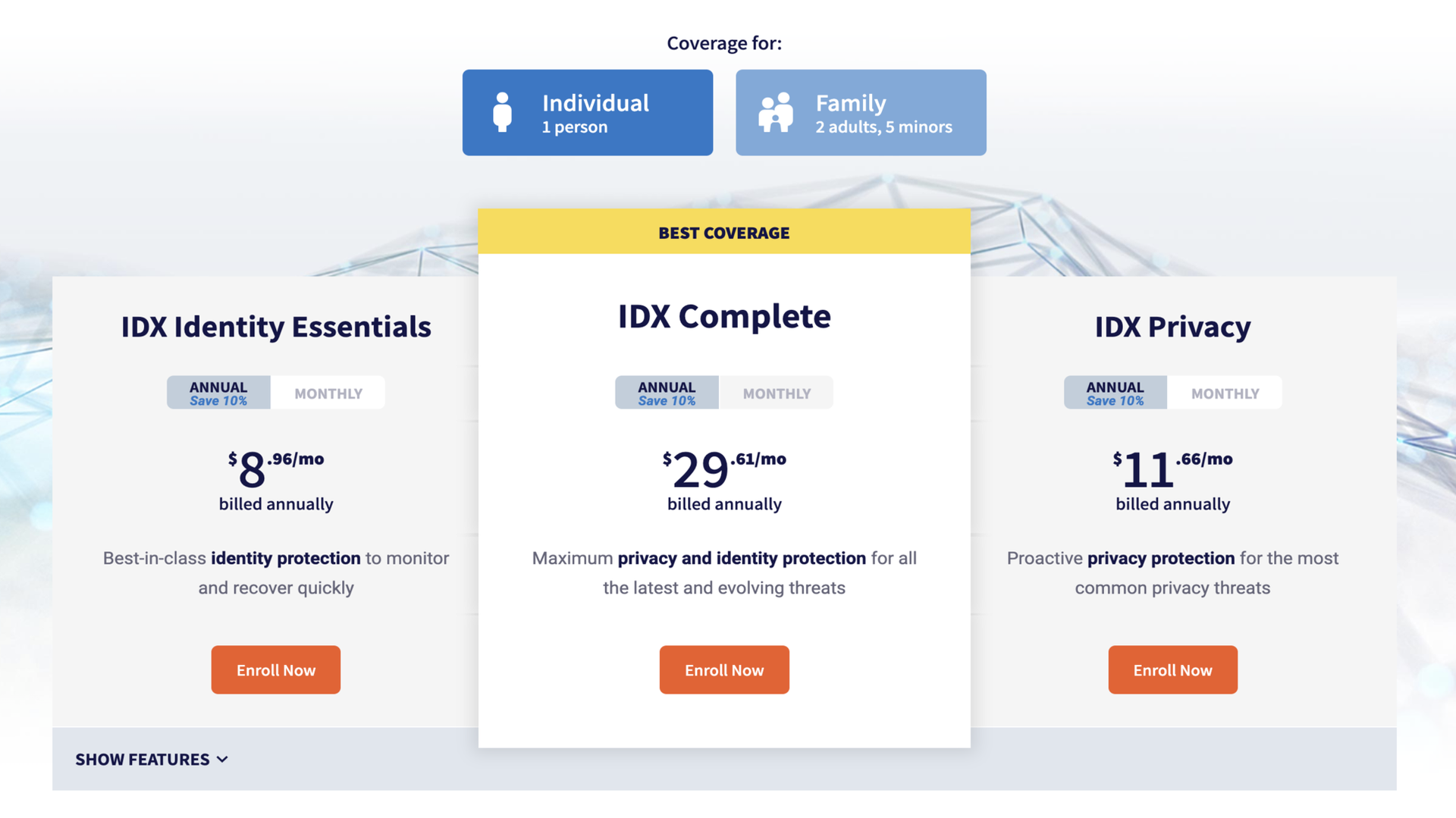
IDX offers various pricing plans, but in this review I’m focusing on the Complete bundle. For $33 monthly, this bundle offers a data removal service, password manager, VPN, dark web monitoring, identity theft insurance, and many other features.
It's a steal compared to paying for each feature separately. Think of having to pay separately for a VPN, password manager, and data removal platform– it can run into $100 a month, compared to a $33-per-month IDX Complete plan.
(Image credit: IDX )
Users who pay annually get a 10% discount compared to paying month-to-month. I’m unimpressed with this discount, as 30% to 50% is the norm for most cybersecurity bundles I’ve reviewed. If I decide to pay for 12 months upfront, I think I deserve more than 10% off, but some platforms disagree.
IDX also offers a family version of the Complete plan. For $65 per month, the same features on the individual plan are expanded to 2 adults and 5 dependents under 18. It’s built for a conventional family of two parents and several children.
I’ve reviewed many family cybersecurity bundles and hardly encountered age specifications for users. It’s usually just a limit (e.g., 5 or 10 members) regardless of age, but IDX Complete is the exception.
IDX doesn’t offer a standard free trial or money-back guarantee. This is another complaint I have about its pricing system.
IDX Complete: Setup
Setting up IDX follows a straightforward pattern. It starts by entering your name and email, then choosing a password. However, there’s an obstacle here. I mentioned that IDX doesn’t offer a free trial—users have to choose a plan and enter payment details before gaining access. It’s a strictly paywalled service, unlike several platforms I’ve tested that offered free trials at the get-go, then requested a payment later.
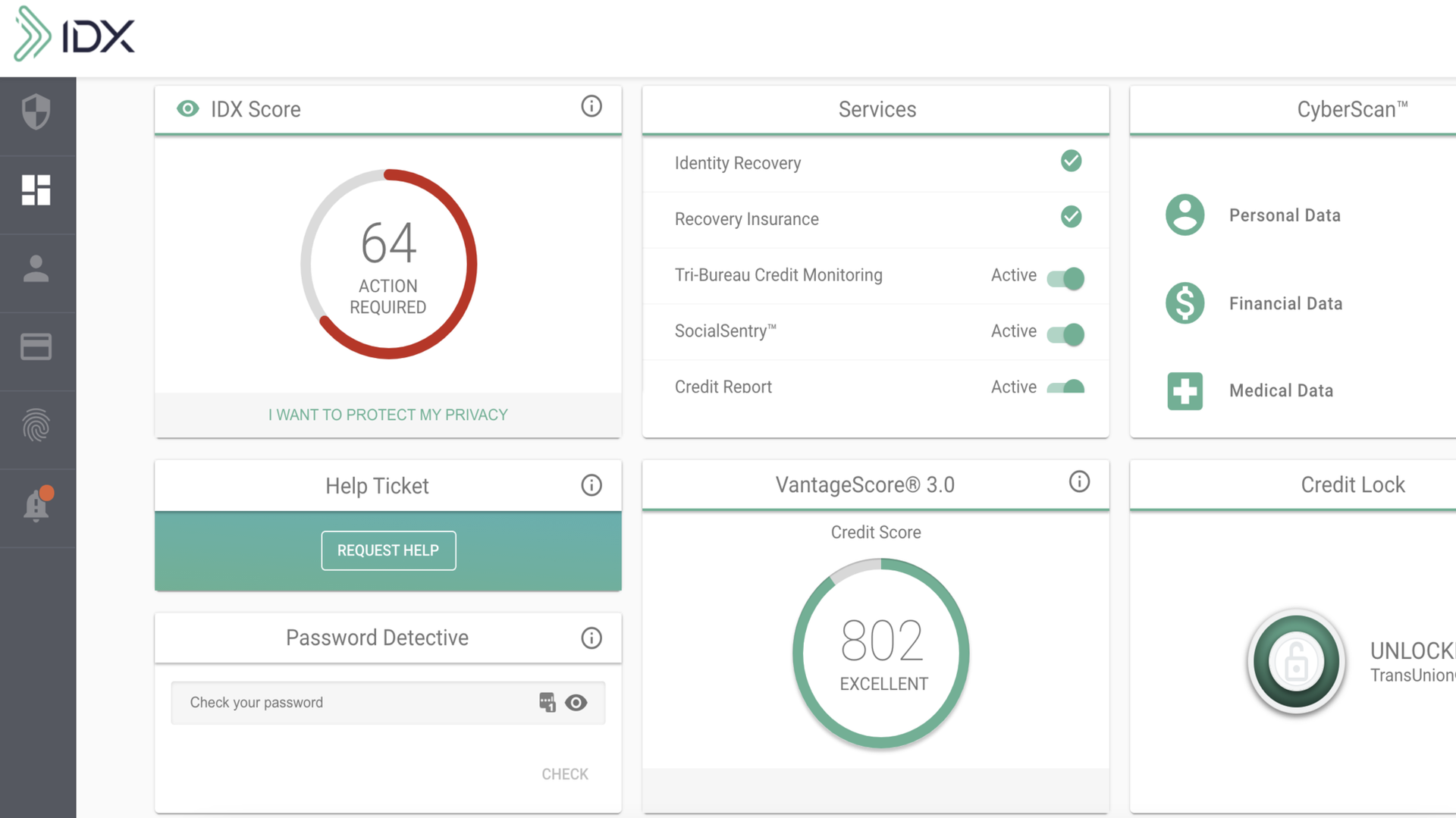
After subscribing to the IDX Complete bundle and gaining access, it’s time to start using its security features. IDX offers many features under this bundle, so much that I’ll struggle to cover every one in this review. Instead, I’ll focus on the core features that keep users safe online.
The first is the ForgetMe data removal service. With this feature, you can scan data broker sites for your personal information. If your information is found on any site, IDX sends automated deletion requests. An IDX scan covers 100+ data broker sites, which isn’t as extensive as designated data removal platforms (many rivals cover 500+ sites), but it’s sufficient to remove your information from the most popular data broker sites.
The second is the password manager. This tool lets you store passwords securely and, if needed, share them with others. When it’s time to log into any site with a saved password, you’ll simply autofill the details. This tool also checks if your password got compromised in data breach incidents and alerts you immediately– the corrective action is to change the password for every site where you’ve used it.
The third is the virtual private network (VPN) feature. A VPN encrypts your online traffic by routing it through remote servers—think of surfing the web in the U.K., but using an IP address from faraway Australia. Your identity gets disguised to third parties that want to show you personalized ads or maybe stage malicious attacks.
A VPN is particularly important when you use public WiFi networks, which are often insecure. When using the IDX VPN, I could choose from roughly 20 server locations. This figure pales compared to dedicated VPN apps, some of which offer 200+ locations from countries down to cities. IDX’s server coverage is nowhere near as widespread, but the VPN worked reliably.
For U.S.-based users, IDX Complete includes identity theft recovery and insurance. That is, if a user experiences identity theft, IDX experts walk them through the corrective actions (e.g., freezing credit files and closing certain accounts). Users can get reimbursed for damages if they pay for an insurance plan.
Admittedly, I didn’t get to test the identity theft recovery feature (and hopefully won’t need it soon), but it’s a valuable service when needed.
From my perspective, IDX Complete doesn’t offer the best of each feature, relative to competitors, but the bundle is unbeatable. It’s not the best VPN compared to standalone VPN apps, nor the best data removal platform compared to rivals. However, offering many cybersecurity features in one cost-effective package is the selling point.
IDX Complete: Ease of use
IDX offers a modern interface that I liked using. It’s best described as minimal and simple. It’s not too interactive like I’ve found on some apps, yet not too bland. I’ll say it prioritized function over form, with features neatly arranged in places users can easily find them.
You can access IDX from a web browser or download the mobile app (iOS and Android). I’ve tested various cybersecurity tools that didn’t have mobile apps, so I’ll note that having both iOS and Android apps is a benefit.
(Image credit: IDX )
IDX Complete: Security and privacy
Given its numerous features, IDX Complete is a highly effective privacy protection tool. With it, you get to kill multiple cybersecurity-related birds with one stone. Better still, you get the numerous features at a lower cost in one bundle compared to paying for each one separately.
IDX Complete: Support
IDX users get decent support resources, starting with a Knowledge Center offering detailed user guides, how-tos, and articles discussing emerging cyber threats to watch out for. There’s also an FAQs section that provides solutions to frequently encountered issues. For direct support, users can contact IDX’s staff by filling out an online ticket, and a response is delivered via email.
IDX Complete: Competition
Competition is the name of the game in the cybersecurity niche, with countless platforms offering all-in-one bundles similar to IDX Complete. The PrivacyHawk bundle is the most notable rival I’ll mention. It offers similar personal protection features at an affordable price: $30 per month for the most advanced plan, which includes identity theft protection, dark web monitoring, data removal, and spam filtering.
Personally, I prefer PrivacyHawk because it offers some free scans to help users test its features, unlike IDX, which requires payment before granting access. PrivacyHawk also has a 30-day money-back guarantee, which IDX doesn’t offer.
IDX Complete: Final verdict
IDX Complete provides much value for money. For a monthly subscription, you’ll unlock various tools to protect your online privacy, getting a good deal compared to paying for each tool independently. However, I think IDX should offer a standard free trial to attract users. Being hard-paywalled puts it at a competitive disadvantage.
UK organizations are already feeling AI's effect on the bottom line: a recent study found that 66% of UK enterprises are experiencing significant AI-driven productivity improvements, with leaders reporting that AI is freeing up time specifically for strategic decision-making, not just automating routine tasks.
That shift matters as, despite advances, analytics remained a retrospective or heavy human driven insight tool for long – reactive and slow to respond. With deterministic rule-based architecture, hard code, and static workflows. It worked well enough in predictable use-cases, but not in in dynamic, data-intensive scenarios.
This is changing rapidly, as AI re-imagines traditional analytics into decision intelligence, and autonomous AI goes even further, making decisions, scenario planning, and activating context aware actions with limited or no human instruction based on autonomy dial. Where traditional automation executed predefined workflows, agentic AI systems working in squads analyze data from varied sources to make a chain of complex decisions.
For instance, an AI underwriting agent typically estimates a prospective borrower’s creditworthiness, tweaks loan pricing, routes paperwork, alerts supervisors to compliance concerns. decisions once made by people, now made by systems working in squads.
The scale of the opportunity is significant. The decision intelligence market in Europe, estimated to be $4.35 billion in 2025, is steadily advancing towards a projected value of $20.61 billion by 2035. UK organizations could be well placed to capture a meaningful share of that value if they move deliberately.
Drawing the line between AI and human judgement
The central challenge for any organization adopting decision intelligence is not the technology itself, it's deciding who gets to decide what and when. Several organizations lack a formal mechanism for deciding the extent of autonomy they should allow their systems. This frequently leads to ad-hoc practices, without any limit’s enforcement or governance of autonomy.
The fix is to re-invent or re-imagine clear business decision flow rights into the system from the outset - what an agent may act on independently, and what it must escalate to a person. Going back to underwriting agent example, it can reasonably price a loan or route paperwork on its own, but if it flags a compliance concern or encounters an applicant whose profile falls outside its constraints data, that decision should stop with a human, not get resolved by the agent guessing its way through an edge case.
The future enterprise is not about replacing human judgment but augmenting it through intelligent delegation. Enterprise Decision Intelligence systems, fueled by domain aware foundational models and machine-consumable context, can autonomously handle high-volume, full explainability, data-intensive decisions across supply chains, customer operations, pricing, and activation ecosystems.
Human expertise, meanwhile, remains indispensable for governance, ethical oversight, exception handling, and decisions where business context outweighs algorithmic certainty.
Profound potential, profound risks
The potential benefits are substantial. For instance, when beauty and fragrance retailers have implemented an AI decision engine that determined the right time and proposition for engaging each customer, it earned a double-digit ROI through strategic AI collaboration.
However, AI-based decision intelligence systems come with concerns such as cybersecurity risk, compliance failure, lack of transparency and accountability, and occasionally, improper outcomes.
Even the entry cost, especially when agentic AI is involved, can be quite high and can be optimized through enterprise intelligence foundation models. Above all, full implementation needs to be iterative, involving not only a technology upgrade, but also operating model changes, deep integrations, specialized talent, and a robust ethical and governance framework to build transparency, accountability, and trust in these systems.
As organizations build experience and confidence, they will be able to progressively transition from reactive analytics to proactive decision intelligence. The ones that get the human-AI division of labor right first, not just the ones that move fastest, will be the ones that capture the advantage.
This article was produced as part of TechRadar Pro Perspectives, our channel to feature the best and brightest minds in the technology industry today.
The views expressed here are those of the author and are not necessarily those of TechRadarPro or Future plc. If you are interested in contributing find out more here: https://www.techradar.com/pro/perspectives-how-to-submit
from Latest from TechRadar https://ift.tt/fB3eUJi
Passkeys are being marketed as the silver bullet ...
Passkeys are being marketed as the silver bullet for online security. Major companies like Apple, Google, and Microsoft have all rolled them out recently, and many websites now offer them as a login option.
The question is, do they deliver on that promise? Furthermore, what might you be giving up in exchange for this supposed convenience? Let’s break it down.
Why passwords are failing (and how passkeys fix it)
(Image credit: Shutterstock)
Passwords are showing their age. They’re easy to forget, and impossible to remember when you use unique ones everywhere.
Every time there’s a massive data breach, millions of your credentials end up floating around on dark web marketplaces. Plus, we also reuse passwords too often, which means one compromised site can give attackers access to your email, bank account, and social media.
Yes, password managers help – but they don’t protect against phishing, and they rely on you trusting that single database.
Then there’s phishing. Even the savviest person can get tricked into typing their password into a fake login page that looks identical to the real one.
Enter passkeys. Instead of something you remember, passkeys use cryptographic keys. One public key lives on the website’s servers, and one private key stays securely locked on your device. When you log in, your device proves your identity mathematically without ever transmitting. There’s no password to type, so there’s nothing for a hacker to steal remotely.
The biometric elephant in the room
Here’s where things get tricky. To unlock most passkeys, you need to authenticate with your phone or computer using a fingerprint, facial scan, or PIN. You might worry that you’re just handing over our biometric data to Big Tech but that’s fortunately not the case.
Your fingerprint or face scan never leaves your device. That scan simply unlocks a secure chip that stores your private key.
Once unlocked, the chip confirms your identity to the website. Companies like Apple, Google, and Microsoft never see your actual biometric template. They just manage the encrypted container holding your passkeys.
The real risks: Device access and lock-in
Passkeys aren’t perfect, though. Instead of someone guessing your password online, the concern becomes physical access to your unlocked phone.
If a thief has your device and knows your screen lock PIN, they could potentially access all your passkey-secured accounts. The good news is most devices require re-authentication for each login attempt anyway.
Another issue is ecosystem lock-in. Passkeys are often tied tightly to specific platforms such as Apple iCloud Keychain and Google Password Manager.
While syncing across devices within an ecosystem works smoothly, moving between iPhone and Android can be a headache. You might find yourself locked out of accounts unless you’ve exported your passkeys properly beforehand.
The verdict
Passkeys provide stronger protection than passwords – especially against remote attackers and phishing attempts.
The cryptographic approach eliminates whole categories of attacks that plague traditional passwords. That said, they introduce new considerations around physical device security and platform dependency.
Should you start using them? Yes. Treat them as an upgrade, not a magic wand. Combine passkeys with good habits such as keeping your devices updated and using screen locks, and you’ll be protected against common threats.
from Latest from TechRadar https://ift.tt/wManiLS
When I last looked at Movavi Video Editor, I was ...
But time waits for no computer program, and as version 27 has recently been released, I thought it was time to check how it has improved.
Movavi Video Editor 27: Pricing & plans
Subscription is fairly priced
Perpetual license is way more expensive for Americans
Free trial available
You can grab Movavi Video Editor 27 from the official site by clicking here.
Let’s face it: everything’s getting more expensive. Whether it’s food, petrol, or subscriptions, the price keeps going ever higher, so it was with trepidation that I looked at Movavi’s current pricing structure.
However, it’s not all doom and gloom: Movavi have actually lowered their prices. Should you decide to pay monthly for your video editor, you’ll need to fork out $20, €19 or £18, but the big incentive is to pay yearly, as it’s only $55, €44, or £41, which is a little over 2 months’ worth.
It’s not as cheap as free of course (like DaVinci Resolve), but it’s a heck of a lot cheaper than Adobe Premiere Pro (which would set you back $276 each year).
If you’d rather pay once and actually own the software you’re downloading, a perpetual licence is also available for £150, €90 or £90 (the massive discrepancy between currencies is… puzzling).
And perhaps best of all, the software is multi-platform, allowing you to work with it, whether you use a PC or a Mac.
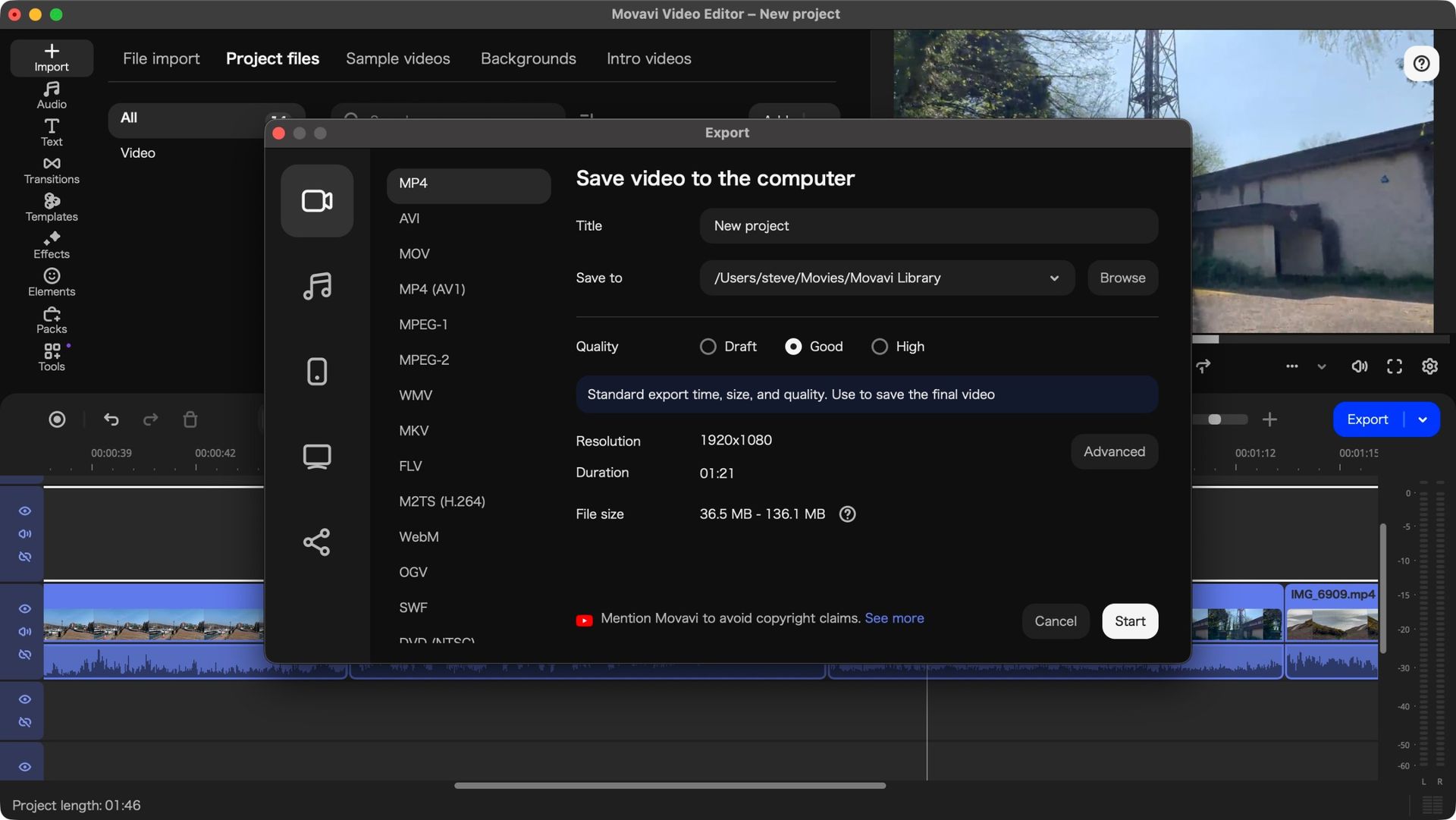
If you’re not sure about investing in this application, there’s a free trial you can access. A watermark will be added to any output, and your projects are limited to 60 seconds in length. Still, it should be enough to give you an idea of what you can do with Movavi Video Editor.
Score: 4/5
Movavi Video Editor 27: Getting started
(Image credit: Future)
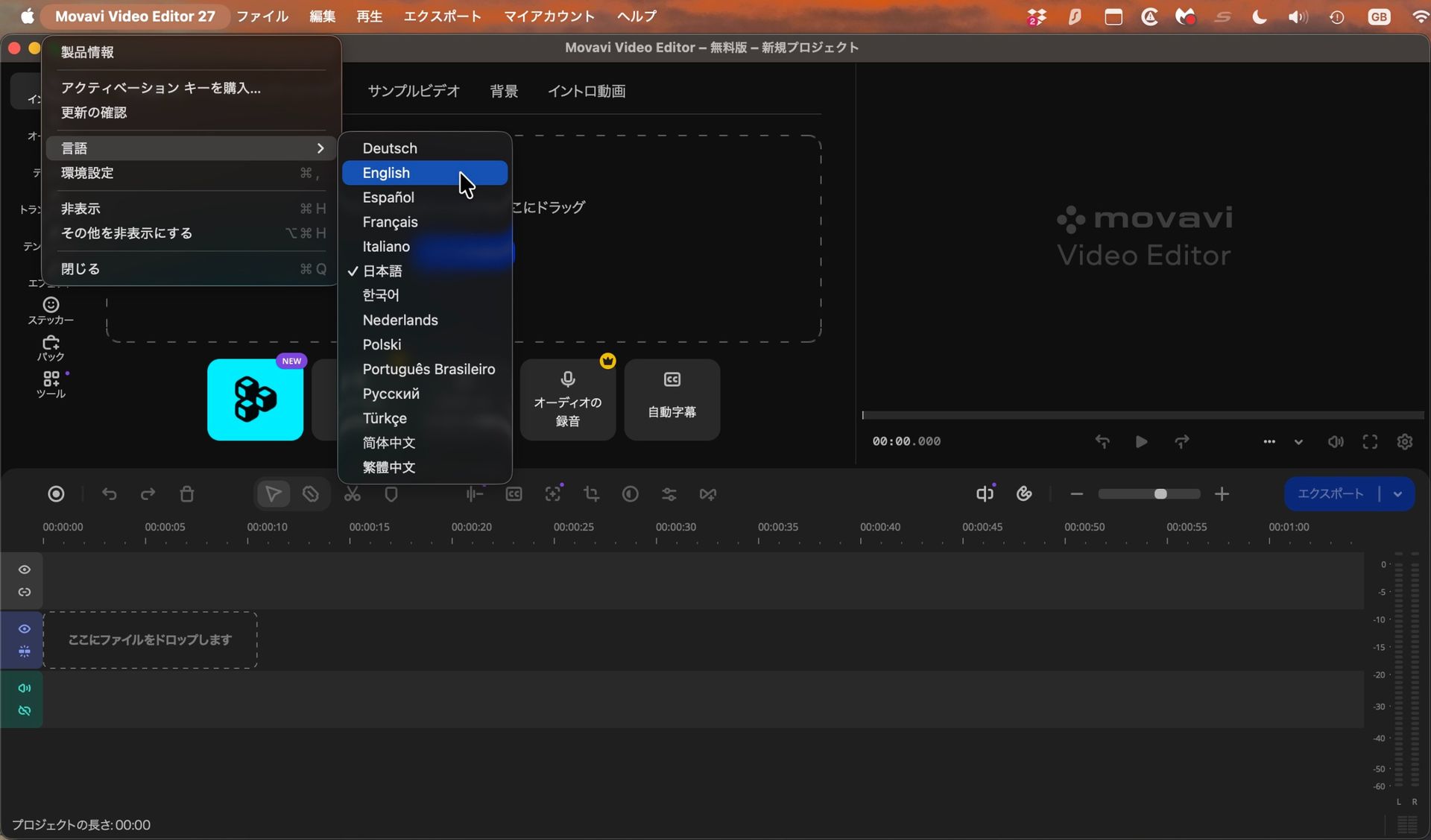
The software still doesn’t know which language your OS is set to
So it defaults to Japanese
Last time I checked out Movavi, back when it was on version 25, I made a point of stating that unusually, the first time you launch the software, you’re not greeted with an interface in your own native tongue, or at the very least in English.
Instead, all the menus are in Japanese. That’s not an issue if you know that language, but if you’re more familiar with those that use the Latin alphabet, you’re faced with an unexpected challenge.
Thankfully, if you grab a screenshot of the interface and submit it to Google Translate, the solution will become more obvious, and changing the default language then becomes a trivial matter. But it’s disappointing to see that after all this time, Movavi still treats this as a feature, not a bug.
Software should be able to detect the OS’s chosen language and default to that when you launch it. I’m surprised Movavi still insists on making life difficult for many of its customers.
Score: 2.5/5
Movavi Video Editor 27: Editing
(Image credit: Future)
Excellent video editor with a wealth of useful, powerful, and well implemented tools
Shame so many of them are locked behind subscription plans
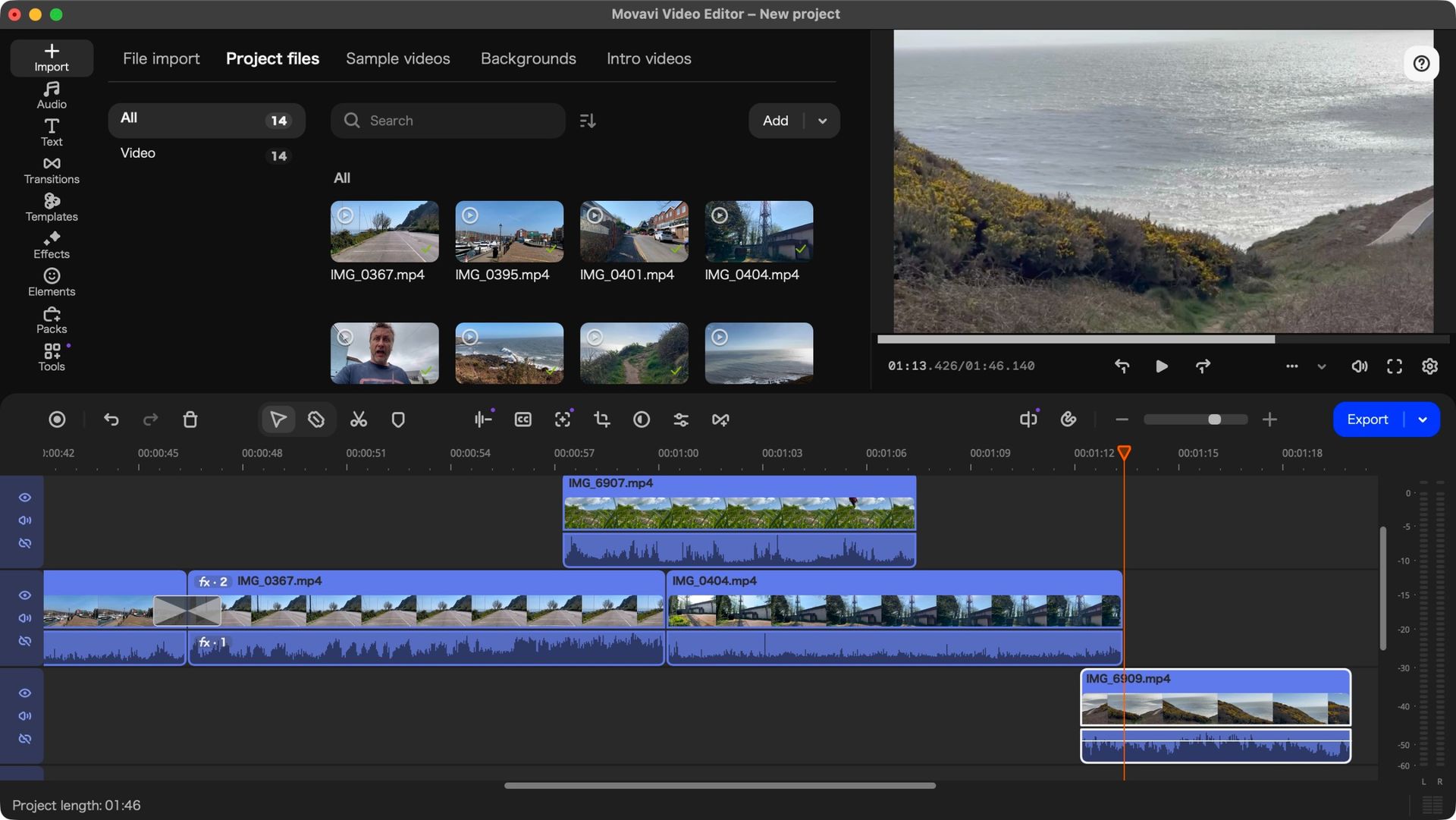
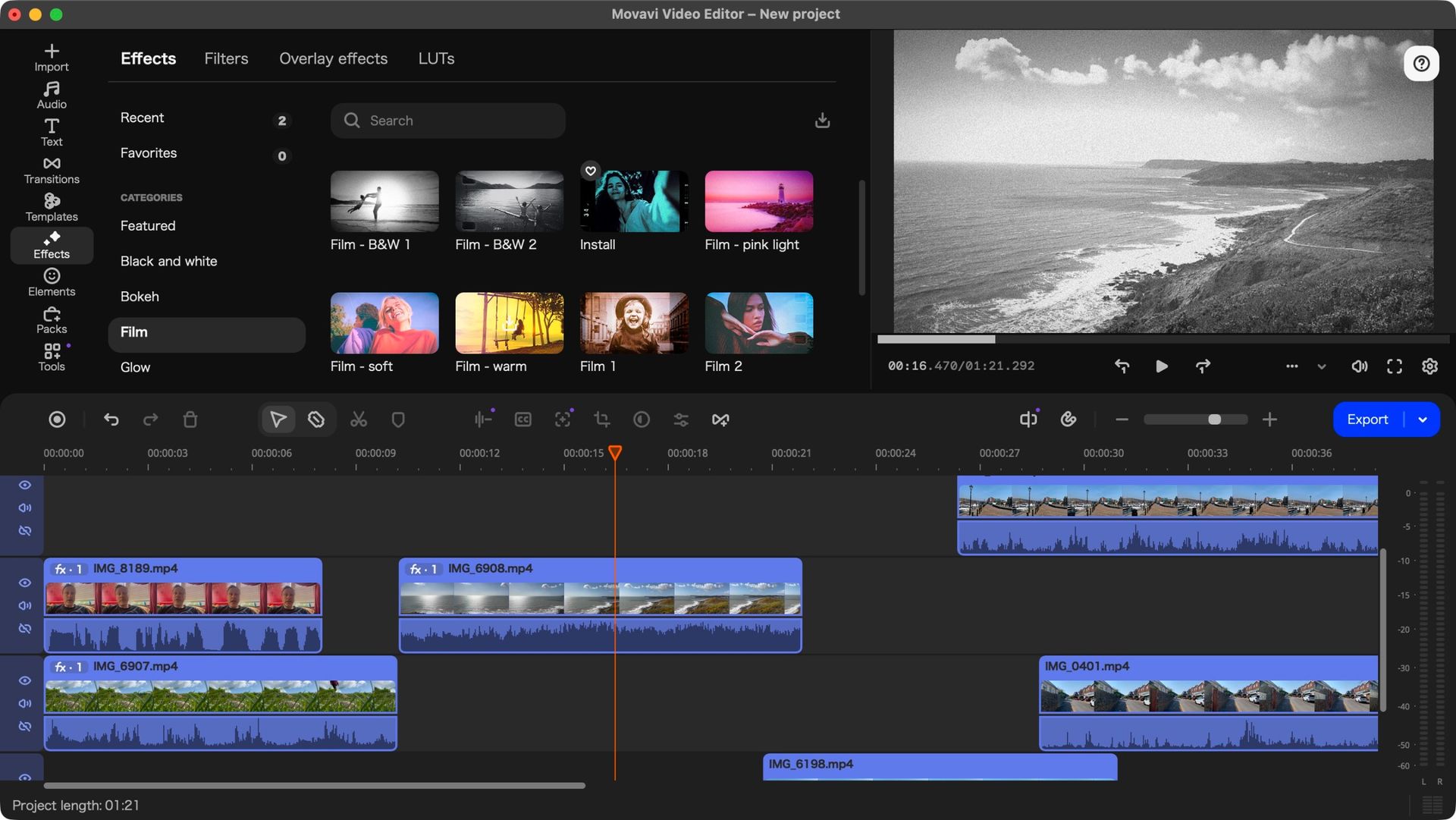
Initial frustrations aside, when it comes to video editing - what the software is designed for - Movavi Video Editor does a sterling job. It starts with mousing over an imported clip in the media section. Doing that allows you to preview the clip as you move the cursor over it, enabling you to set in and out points with ease.
You can work with multiple layers of course, although there is a base layer beneath which you can’t add other clips, which can be a little annoying if you like to create complex projects and move clips around a lot.
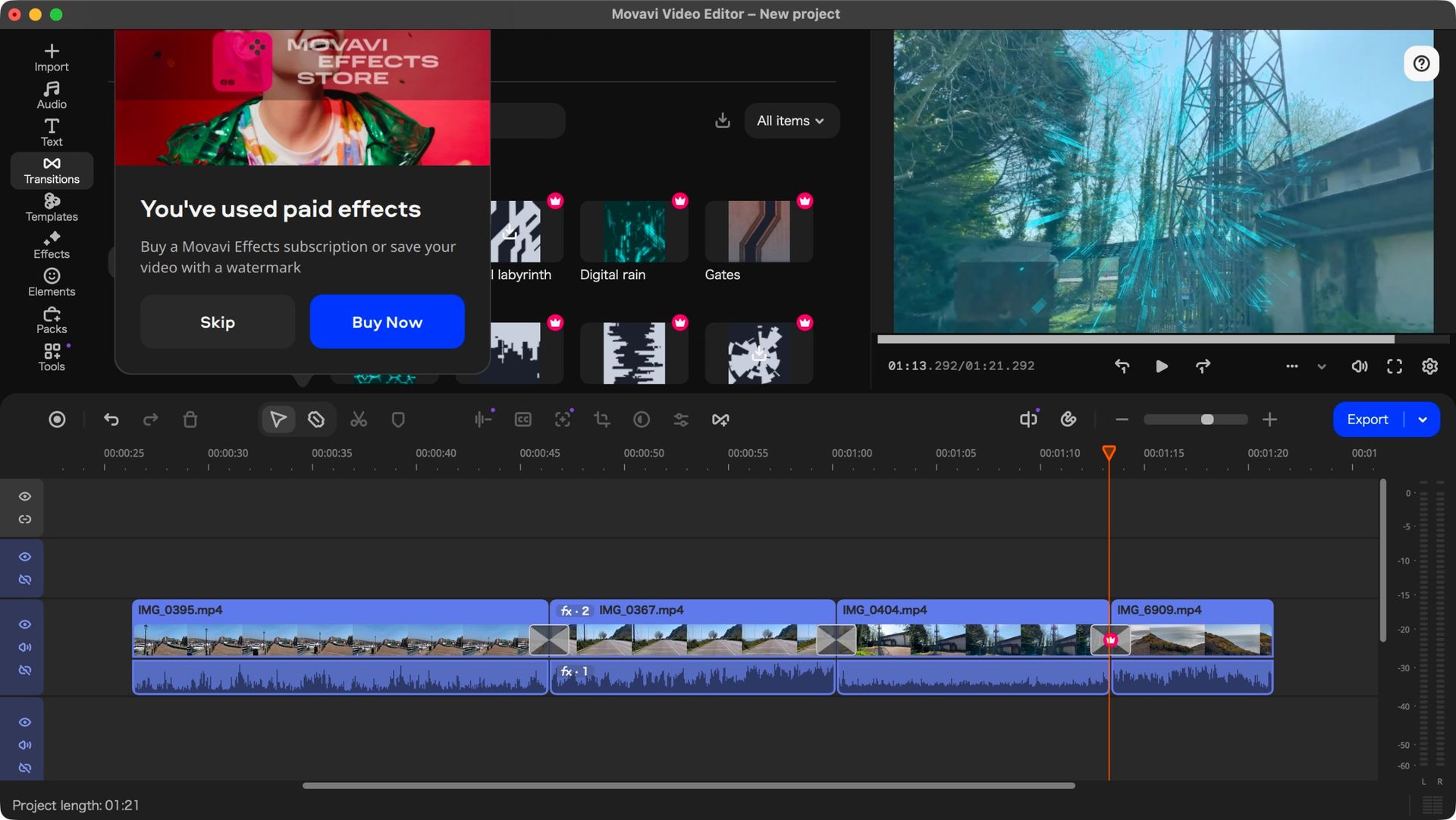
There are Titles, Transitions, Effects, and Elements aplenty, all organised by category with a handy search field available, although many of those are restricted behind a paywall. These are identified by a little ‘crown’ logo, top right of their thumbnails.
You can still use them in your project, but you’ll be informed upon export that you need to purchase a subscription to be able to share any video with them in it, for either €36 a month, or €110 a year, which, I’m sure you can tell, is much more expensive than the actual program itself. This can be annoying but it’s entirely possible to restrict yourself to non-premium assets by setting the filter for each section to ‘free’.
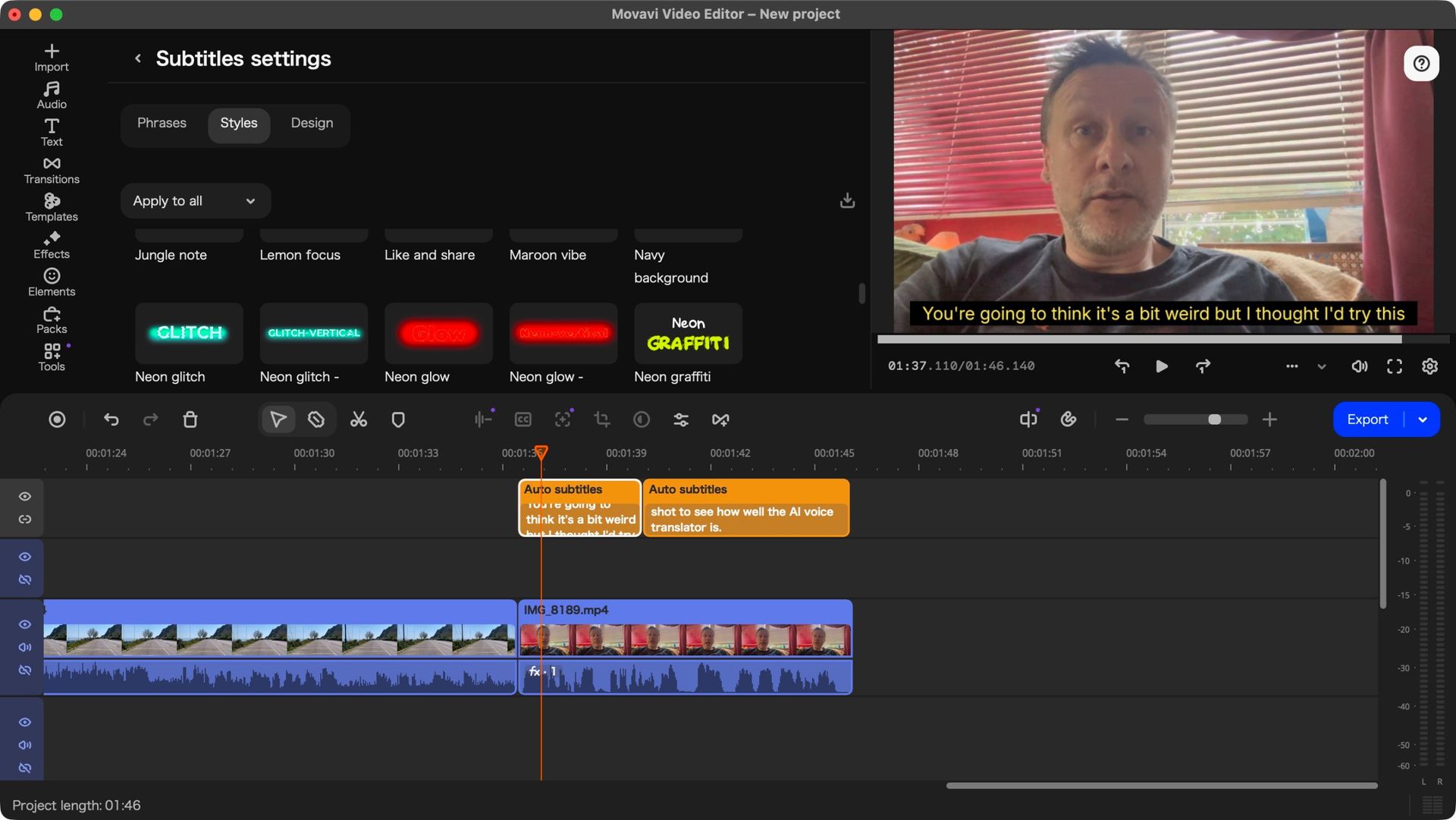
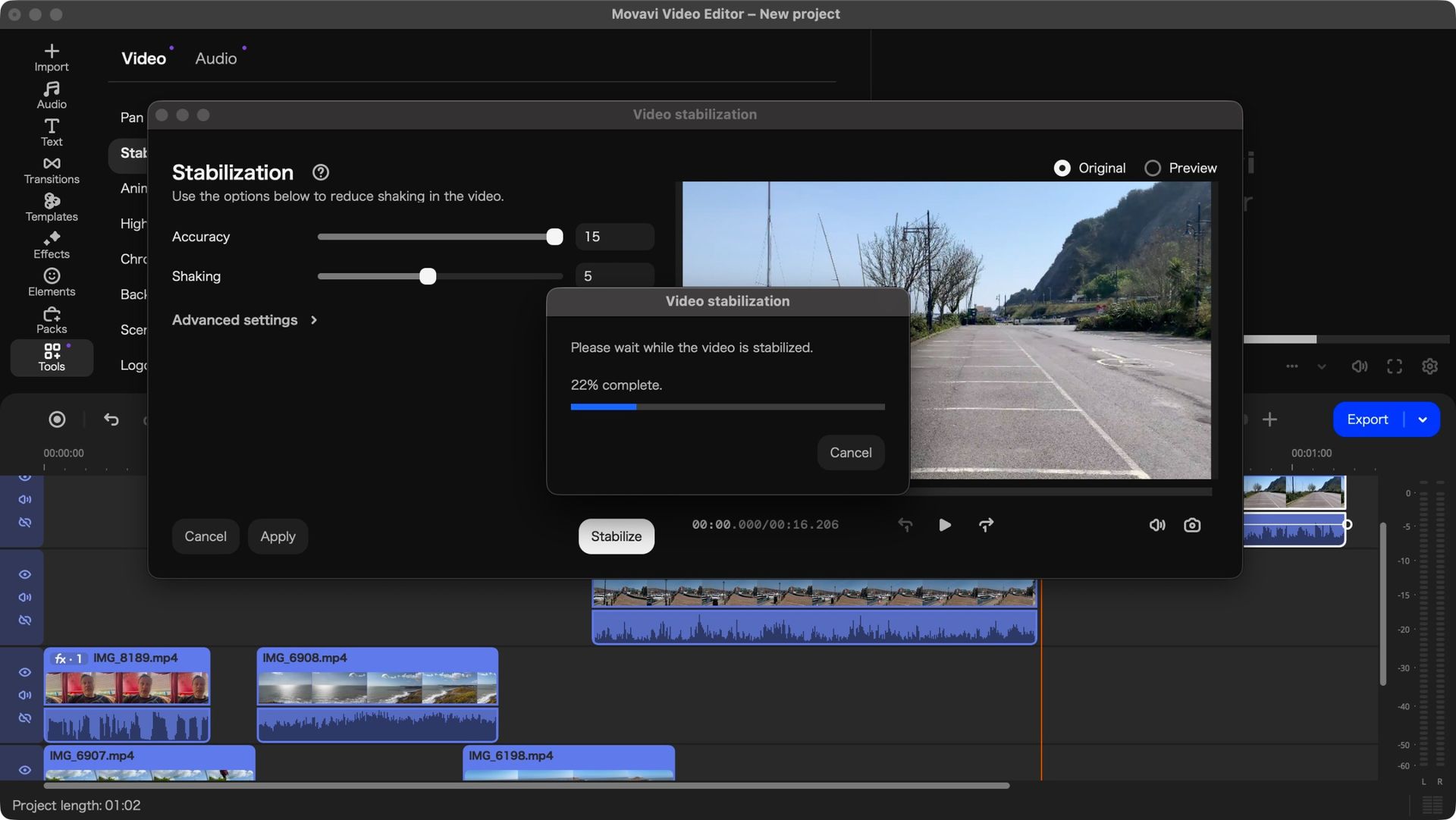
The Tools section houses important features, such as image stabilisation, background removal, green green work, and an AI-based subtitle feature which worked incredibly well when I tried it out. Thankfully, everything stored in that section is part of the software’s base cost.
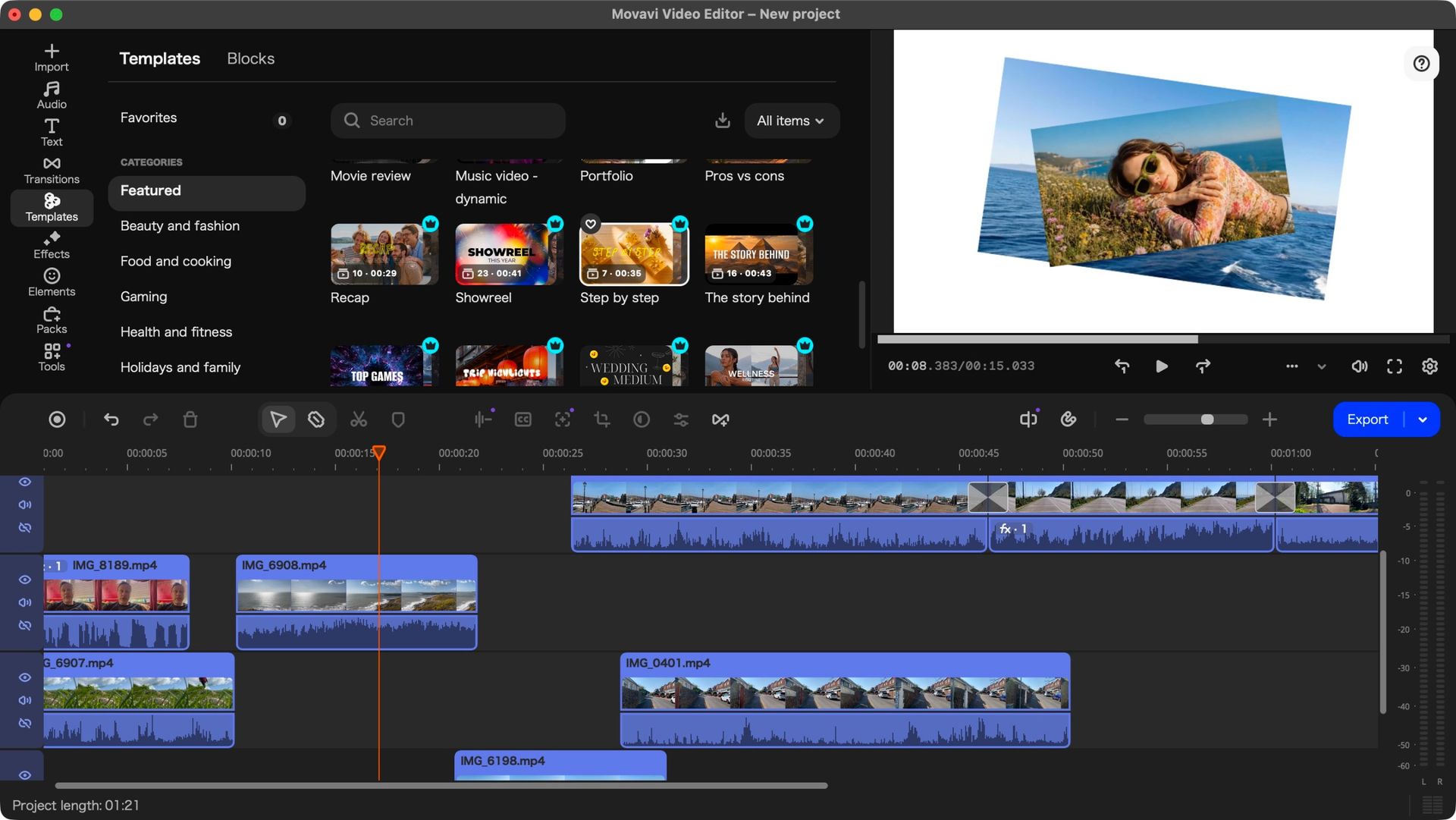
But all of this was already part of Movavi Video Editor. The big innovation that’s being introduced in version 27, is Templates.
Score: 4/5
Movavi Video Editor 27: Templates
(Image credit: Future)
Templates offers a great and versatile way to spice up your project
Can be used wholesale or just choosing just the parts you’re interested in
The concept of Templates is pretty clever: editing can be hard and time consuming, and if you just want to put something out there but lack the skills or experience, it can really be a chore. So Movavi have created a large collection of ready-made templates which you can add to your project. One template could be your entire video, or alternatively, be part of a larger one. It’s also entirely possible to add multiple templates to the same project.
These are organised into 12 categories, from Beauty and Fashion, to Gaming, to Marketing and Promo, and more. And it probably won’t surprise you to know that nearly all these templates include some premium features of some kind, although each category has at least one free option for you to choose.
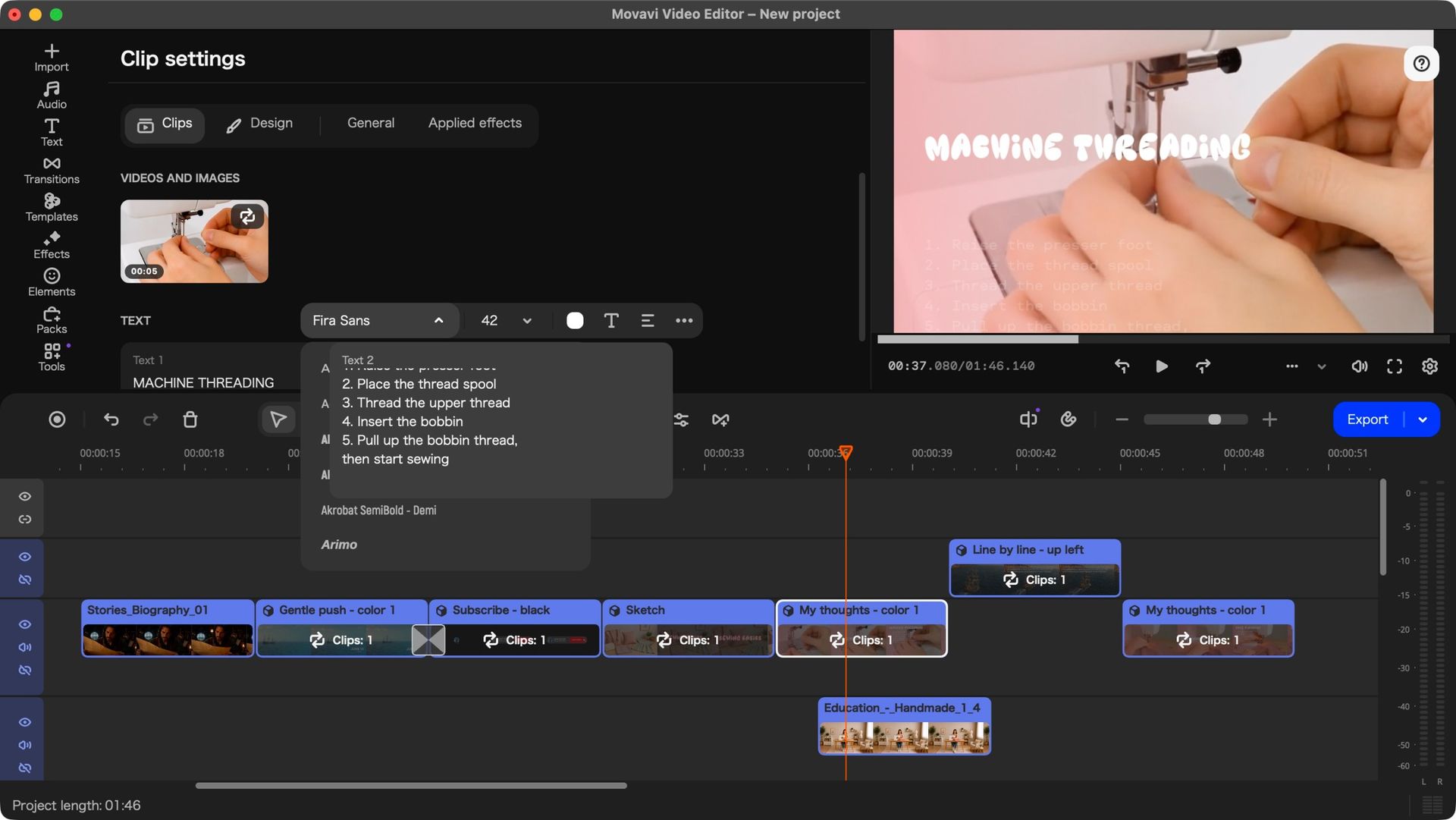
Dragging a template to a project expands it into various sections, each of which lets you know how many placeholders within it need to be replaced. Some sections don’t give you the option to replace theirs which is odd, but it’s a simple matter of deleting them entirely and adding one of your own clips in their place.
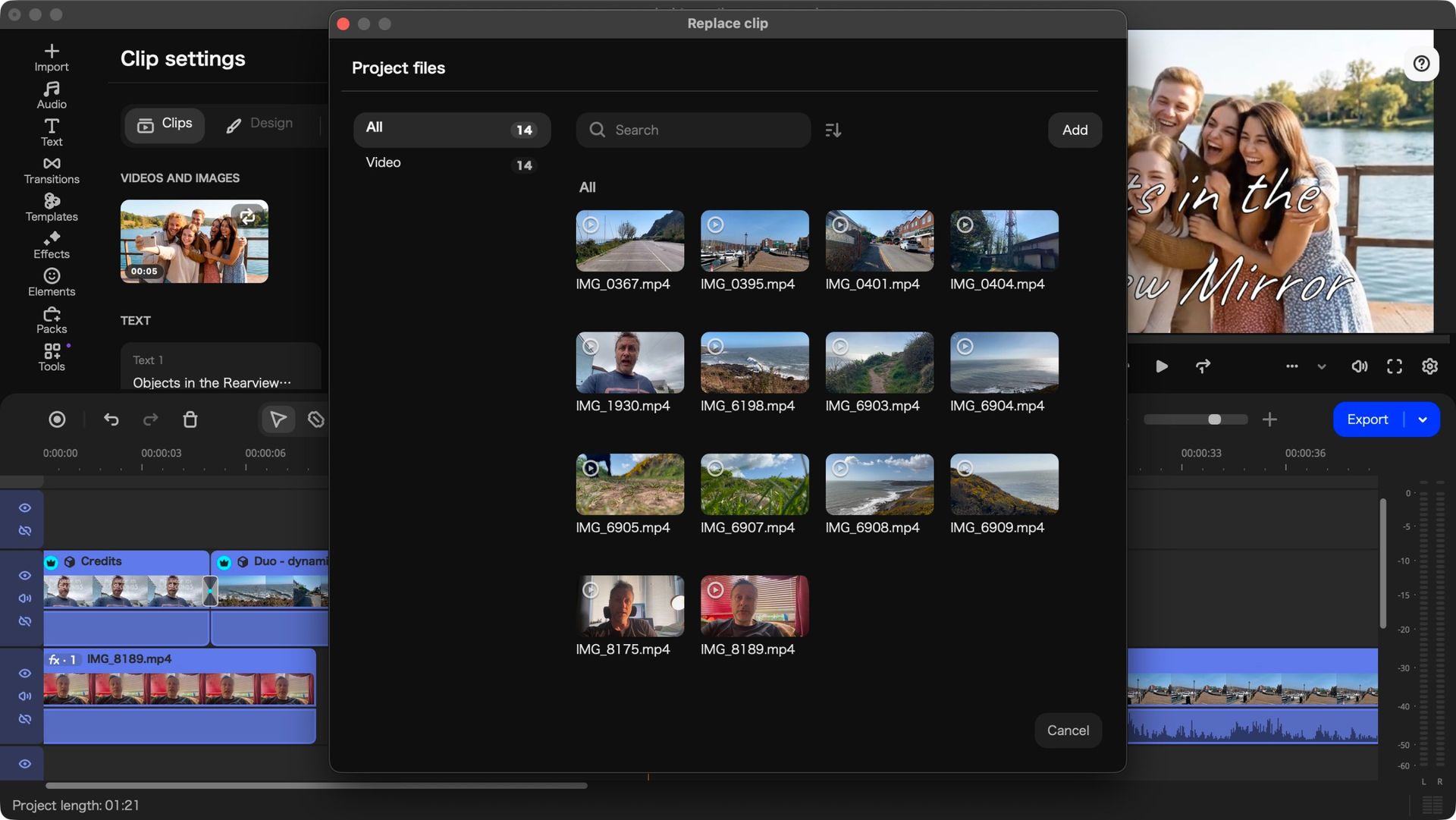
As for actually replacing those placeholders, it wasn’t as intuitive as I had expected, but once you’re aware of the concept, the process is quite simple: click on the ‘clips to replace’ text on the section’s representation in your timeline, to reveal the placeholder’s large thumbnail above it.
Clicking on that thumbnail opens a window containing all the media you imported into this project. Select the one you want, choose the part of it you’d like to use, and click on ‘Apply’. Repeat that for every placeholder.
Need more customisation? Double-click on a Template’s Section to reveal its ‘Clip Settings’. In addition to offering you another way to replace those placeholder clips, you also have other options, such as customising the text fields, or checking the applied effects, for instance.
These templates also come with a soundtrack which you’re free to use or discard, just like you can reorder or delete the sections it came with, which actually allows you to mix and match parts of different templates to create your own unique project in minutes rather than hours.
I found it a great fun way to quickly build something original.
Score: 4.5/5
Should I buy Movavi Video Editor 27?
(Image credit: Future)
Buy it if...
You’re into video editing and are looking for an affordable application that will let you do just that, and you appreciate the addition of versatile and customisable templates to speed up your work.
Don't buy it if...
You don’t spend enough time editing video to warrant paying for such software, so you’d rather find something that’s free, even if it means having fewer tools at your disposal.
FutureFutureFutureFutureFutureFuture
How I tested Movavi Video Editor 27
Movavi Video Editor is multi-platform, being compatible with Windows and Macs alike, which is a great thing (sorry Linux users). I always like to test such software primarily with the underdog (or I prefer just Macs… you decide).
In this instance, I put it through its paces on a recent laptop sporting Apple Silicon, as based on my previous exploration of this software when it was at version 25, I had concluded it needed a ‘decently powerful machine’ to run effectively.
The software ran incredibly smoothly and was very responsive. I particularly liked the way it looks but, to be honest, that could be due to the fact the interface, and even the way the clips are presented in the timeline, resembles Final Cut Pro, one of my preferred video editing platforms.
Not so long ago, you could have compared Hyundai (and sister company Kia) to the numerous Chinese newcomers currently wreaking havoc on the new car market.
The pair did to the legacy automakers what the Chinese are doing now, in so much as they undercut prices with exceptional value propositions.
How times have changed, as both Korean marques now offer luxurious electric vehicles that cost upwards of £70,000 / $70,000 / AU$130,000 and are now synonymous with quality, innovation and cutting-edge design.
Not one to back down, Hyundai is ploughing on with its plans to be one of the leading electric vehicle manufacturers in the world, promising to launch or update 100 models by the year 2030.
(Image credit: Hyundai)
Spearheading that campaign is the new Ioniq 3 — a fully electric compact hatchback that Hyundai says is designed to make electrified mobility intuitive, comfortable and relevant for everyday European needs.
To do this, it is offering highly competitive all-electric range, punchy performance and distinctive looks in a package that can easily be threaded through busy city streets and parked in typically tight urban spaces.
But above all this is the exceptional value proposition. In the UK, the Hyundai Ioniq 3 starts at £18,495 after the full £3,750 Electric Car Grant (that's around $25,000 / AU$35,000), slotting it in among some of the most affordable EVs on the market today, without the tech and space compromises of something like the super cheap Dacia Spring, Honda Super-N or Leapmotor T03.
Tech-cellent value
(Image credit: Hyundai)
It might seem odd that one of Hyundai’s cheapest vehicles is also the first to sport Hyundai’s all-new Pleos infotainment system, but the technological update has helped keep costs down.
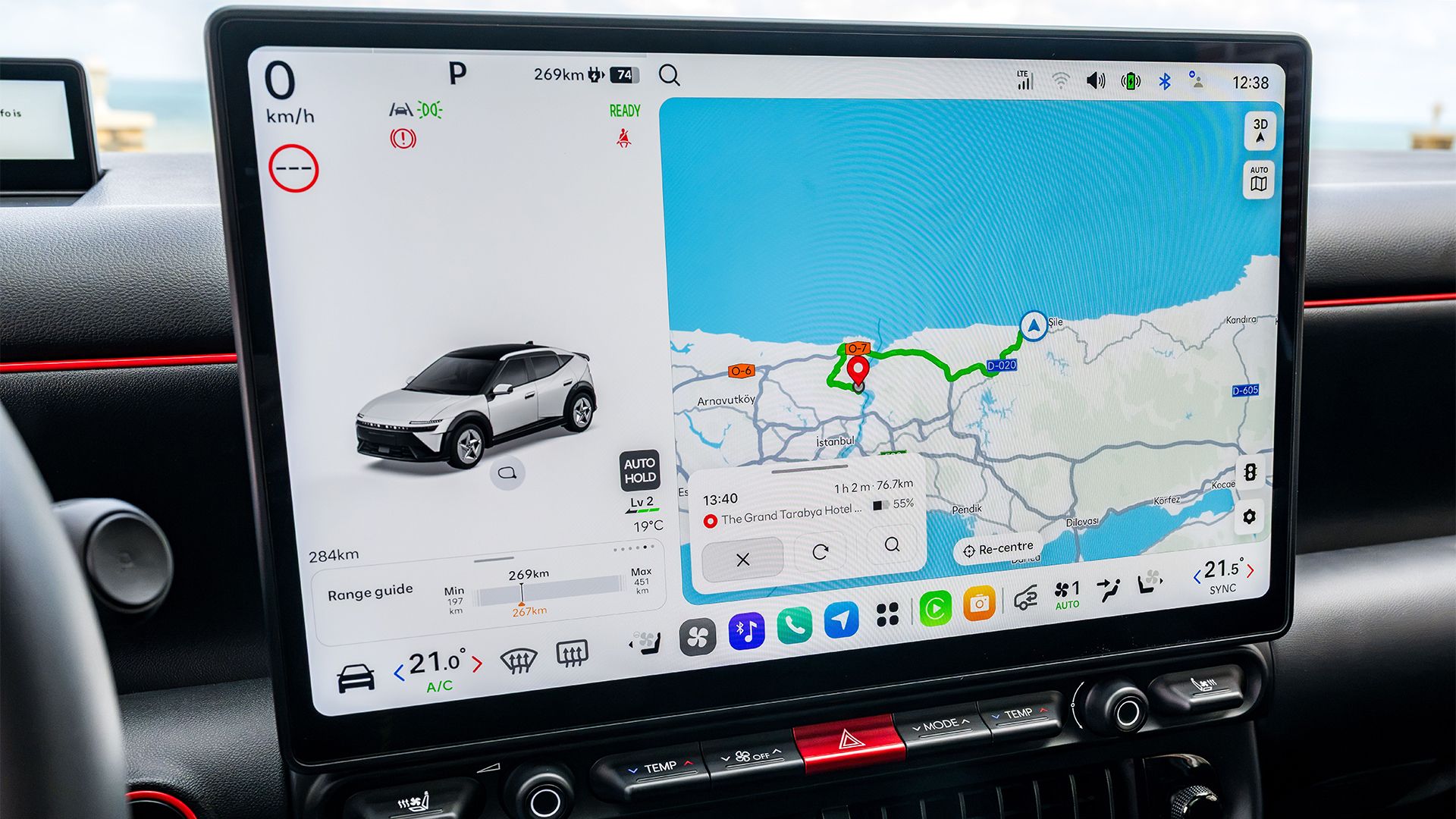
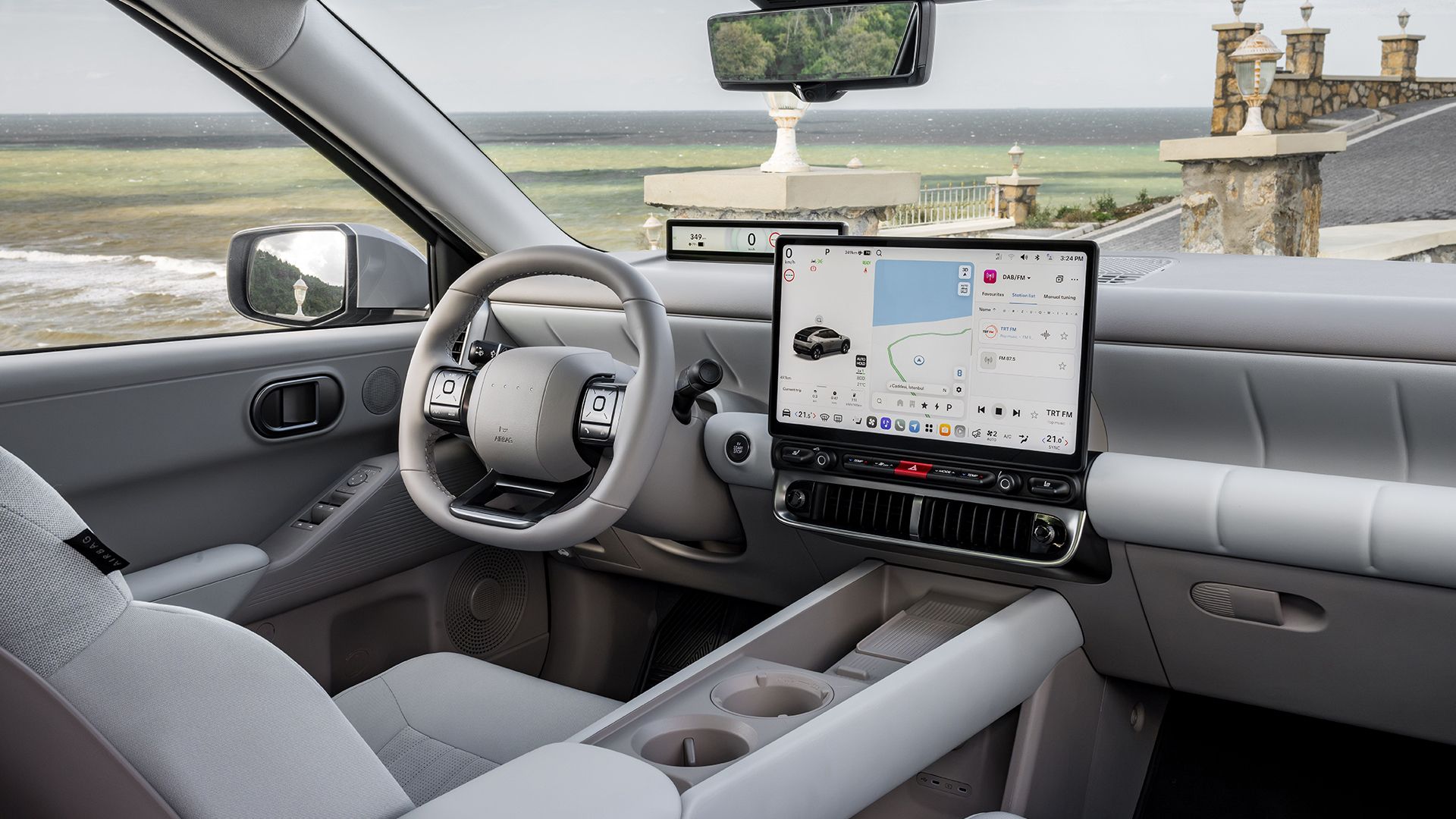
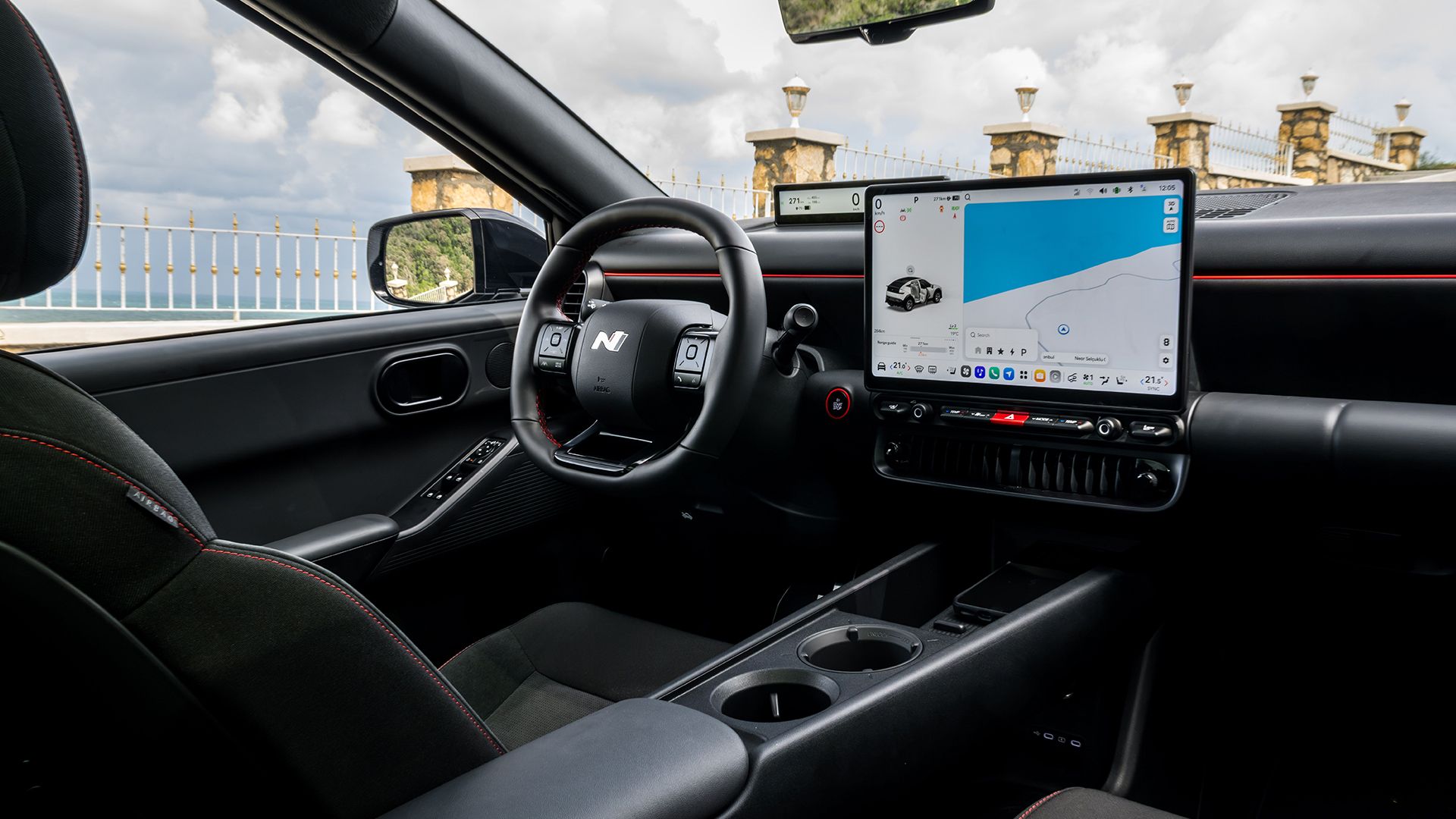
Gone is the sweeping (and more expensive) multi-screen array found in other models, such as the Ioniq 5, and in its place is either a 12.9-inch or 14.6-inch central touchscreen (depending on the trim level) that is based on the now ubiquitous Android Automotive Operating System.
Zero points for guessing which company Pleos clearly drew a huge amount of inspiration from, as the graphical layout is almost identical to a Tesla, complete with the ability to adjust the on-screen set-up with a few intuitive swipes.
(Image credit: Hyundai)
Zero points for guessing which company Pleos clearly drew a huge amount of inspiration from
There’s a graphical representation of the car on the left of the screen that can open the trunk and windows (like Tesla), navigation to the right (like Tesla) and a read-out for current speed in the corner closest to the driver (you guessed it, just like Tesla).
Homework copying aside, Pleos isn’t as handsome as other Hyundai set-ups, as it feels a little ‘bolted on’ to the dash.
But it all works seamlessly, is very fast to respond and is an improvement in so much as it offers much more detailed connected navigation with EV route planning, over-the-air software updates and access to the Pleos App Market, which will grow as the weeks pass.
Weirdly, Hyundai has also opted to offer a second digital driver display, which sits behind the steering wheel, as an optional extra.
Some corners of the internet lost their minds over this, forgetting that Tesla has relied solely on its central infotainment display for years.
(Image credit: Hyundai)
So, if you prefer your speed read-outs in a position where you don’t have to take your eyes off the road, it could be worth ticking that option box.
Hyundai also introduces Gleo AI with the new infotainment system, an AI-powered voice assistant integrated into Pleos Connect.
It uses natural-language commands to control selected vehicle functions, access information and interact with connected services.
During testing, it worked very well, able to make the cabin warmer via chatty conversation and even interact with third-party apps, such as Spotify.
There’s also the option of Hyundai Digital Key 2, which allows compatible smartphones and wearable devices to lock, unlock and start the car without a physical key, while a dedicated app provides remote access to vehicle information and selected functions through a smartphone.
Despite the price, customers aren’t getting short-changed on the technology front and here, it feels like Hyundai has poured hours of dev work into the Ioniq 3 to make sure it’s all intuitive and easy to figure out… which can’t be said for many cut-price Chinese rivals.
Styled to stand out
(Image credit: Hyundai)
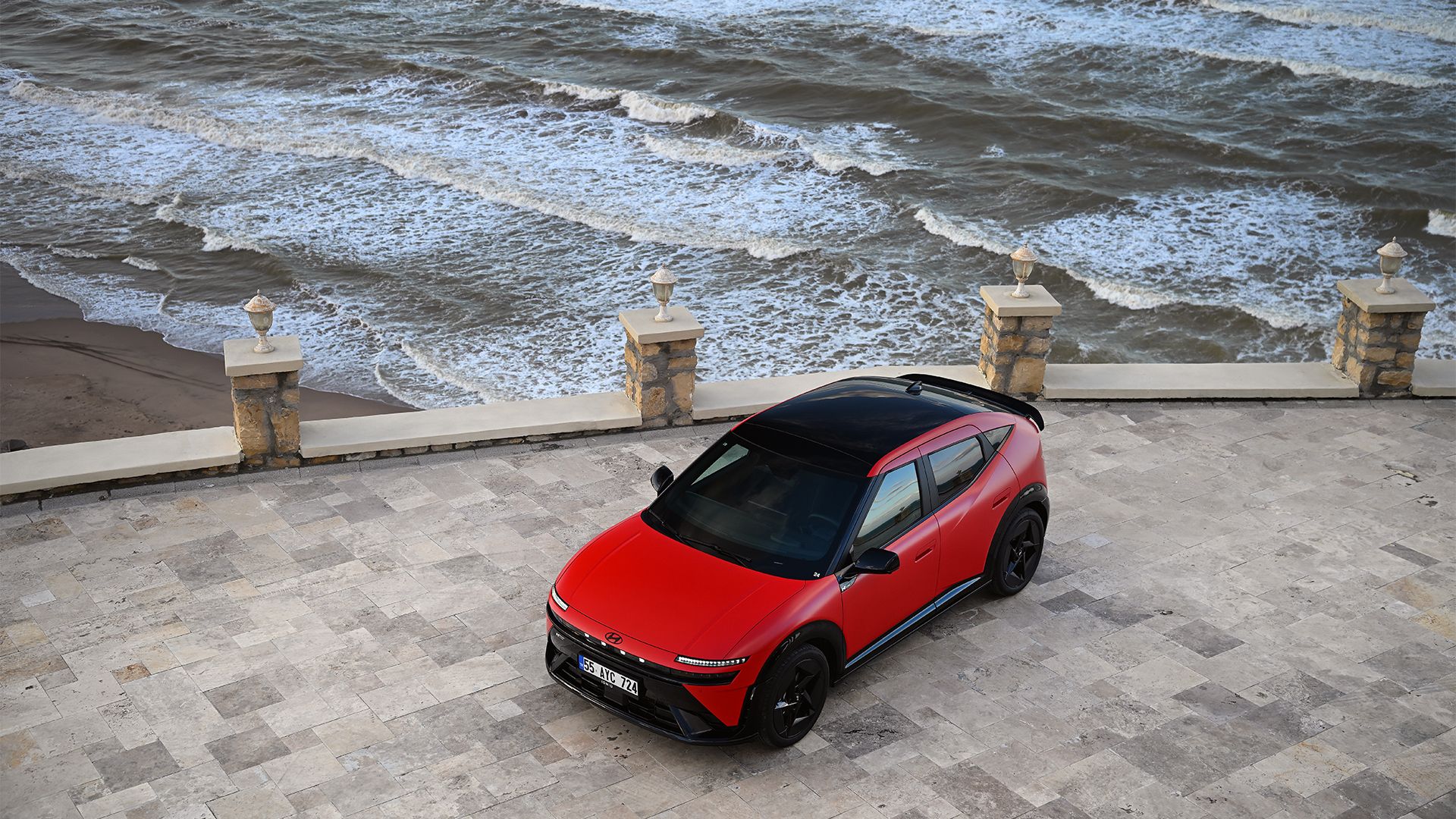
Hyundai’s decision to combine its ‘Art of Steel’ design language with what the company calls an ‘Aero Hatch’ silhouette is likely to raise eyebrows and cause some debate over whether or not it actually works, but this is a car that demands attention whichever side of the argument you sit on.
The shape pairs a low front end with a roofline designed to maximize headroom for front and rear passengers before tapering toward the rear spoiler.
Hyundai said it targeted a drag coefficient of approximately 0.263 in order to boost EV efficiency, while the company’s signature pixel lighting and four central dots referencing the letter ‘H’ in Morse code give the car a distinctive visual identity when it’s dark.
(Image credit: Hyundai)
Divisive exterior design aside, there’s plenty of room inside the car. The ‘Furnished Space’ approach of the concept has taken a bit of a backseat, but it’s a very minimalist space with a flat floor that’s intended to maximize passenger roominess, with Hyundai claiming the five-seat cabin can comfortably accommodate three adults in the rear — although it will be a squeeze.
Customers can stash a total of 441 liters of stuff in the back, which is split between a 322-liter trunk and an integrated 119-liter “Megabox”, which is essentially a large space underneath the trunk floor.
Having seen most of the variations Hyundai offers, the N-Line cars, with their larger wheels and more pronounced rear spoiler, certainly look the best. It’s no hot hatch, but ‘Aero Hatch’ wears the rear wing and diffuser with more confidence, making it look less awkward than base cars.
A fine drive
(Image credit: Hyundai)
Navigating Hyundai’s various trim levels is a little confusing, especially given that the cheaper, shorter-range versions are actually faster — which you can't specify in the racier N-Line guise.
All cars ride on Hyundai’s latest K3 Platform with a 400-volt electrical architecture, allowing for 10 to 80% top-ups in approximately 29 minutes using a DC fast charger. The Standard Range model uses a 42.2 kWh battery, while the Long Range version gets a 61 kWh unit.
Both feature a front-mounted electric motor and front-wheel drive, with the Standard Range producing 107.8 kW (147 hp) and the Long Range delivering 99.5 kW (135 hp).
It feels like the wrong way around, but it’s very difficult to discern the additional 12 hp from behind the wheel anyway.
(Image credit: Hyundai)
The ‘Furnished Space’ approach of the concept has taken a bit of a backseat
Hyundai quotes WLTP ranges of over 344km (around 214 miles) for the Standard Range and over 497km (around 310 miles) for the Long Range, which feels about right given the sort of efficiencies we were experiencing during our test drives.
Across the often broken road surfaces just outside of Istanbul, Turkey, the Ioniq 3 leaned on its smart regenerative braking functionality to top up the batteries on descents and generally make the most out of a charge. I clocked around 4.2 miles per kWh during my test.
With that in mind, expect to return around 250 miles from the longer-range versions and around 200+ miles from the Standard variant under typical driving conditions.
Acceleration is brisk across the board and this is definitely a car that has been tuned for quick city sprints, rather than long motorway stretches.
(Image credit: Hyundai)
During these, there’s a fair amount of wind noise and the Ioniq 3 felt out of its depth keeping up with Turkey’s circa-90 mph speed limits.
But under normal (read slower) driving conditions, it feels much more mature than its budget price tag would suggest. The cabin is neatly laid out and the soft-touch fabrics adorning most surfaces elevate it to a point that Hyundai could easily charge more.
Above all else, it’s very difficult not to keep returning to the price, because the Ioniq 3 feels like an extremely accomplished EV that will happily rival the likes of the Renault 5 E-Tech and the VW ID 3, while undercutting sister company Kia’s EV2 by a considerable amount.
As a retort to the waves of cheaper Chinese rivals, it’s a formidable proposition with great in-car tech, a sweet drive, excellent range and a premium-felling interior.
In fact, when you consider the price, it has to be one of the most well-rounded affordable EVs currently on sale.
from Latest from TechRadar https://ift.tt/B70HKi8
CRKD Nitro Deck 2: One-minute review The CRKD Nit...
The CRKD Nitro Deck 2 is primarily billed as a Nintendo Switch 2 controller for handheld use, but it offers a lot more besides. It's CRKD’s follow-up to the Nitro Deck and Nitro Deck+, two previous accessories aimed at the original Nintendo Switch.
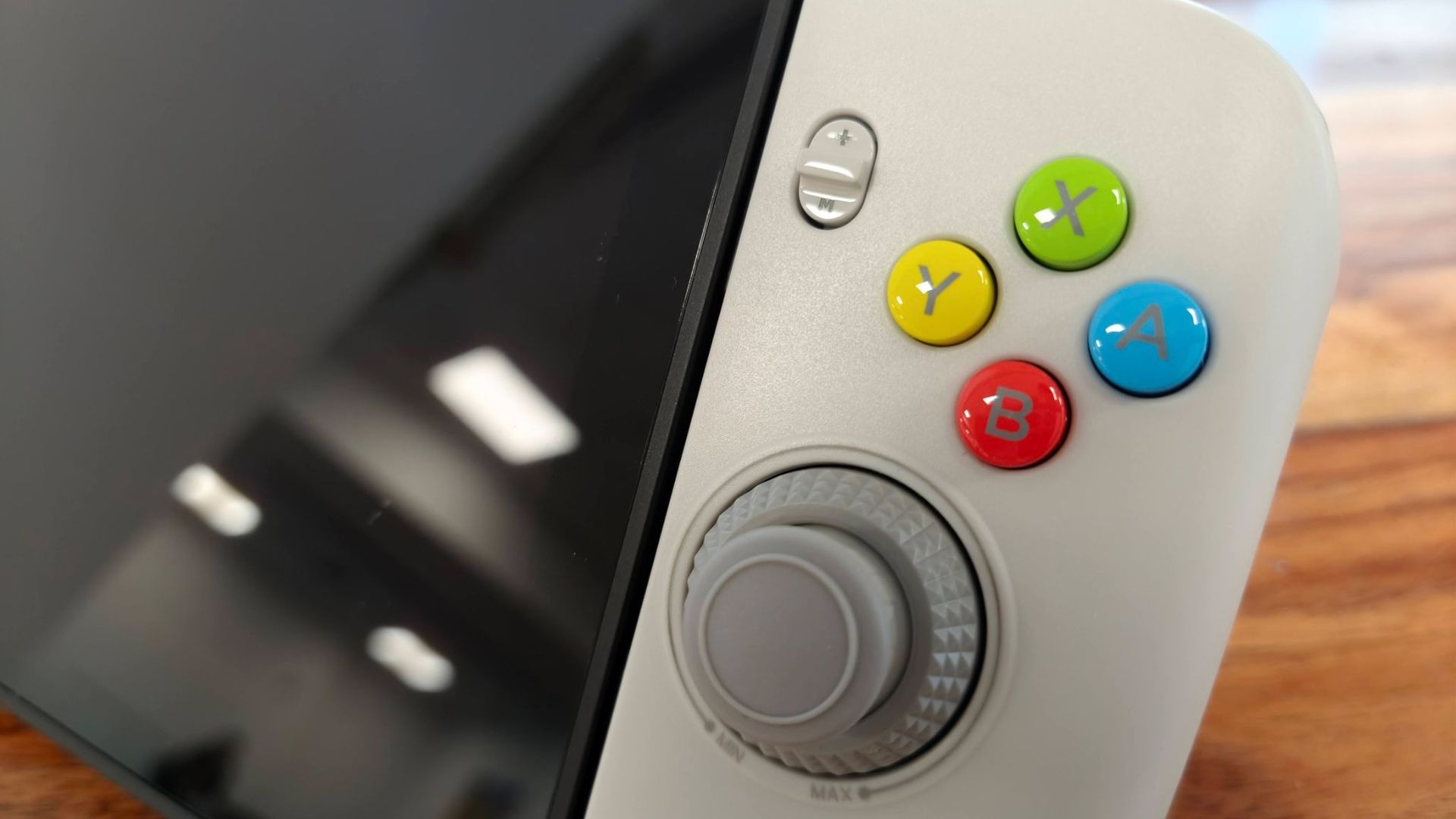
The CRKD Nitro Deck 2 has a functional design focused more on ergonomics than style, although some of the colorways add some panache; the Pal Grey variant I reviewed, for instance, harked back to retro Nintendo controllers, thanks to its colorful face buttons and darker grey accents.
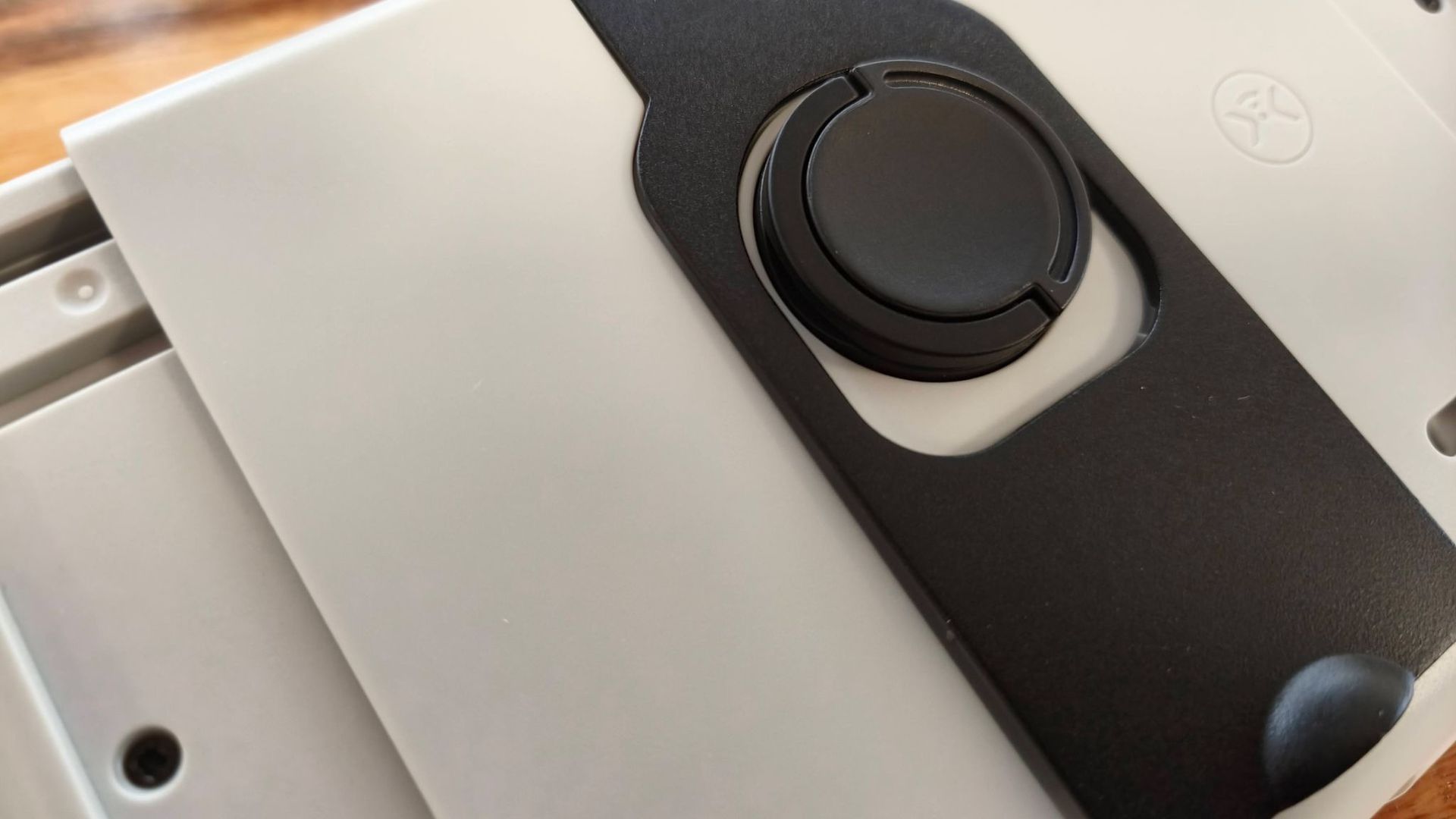
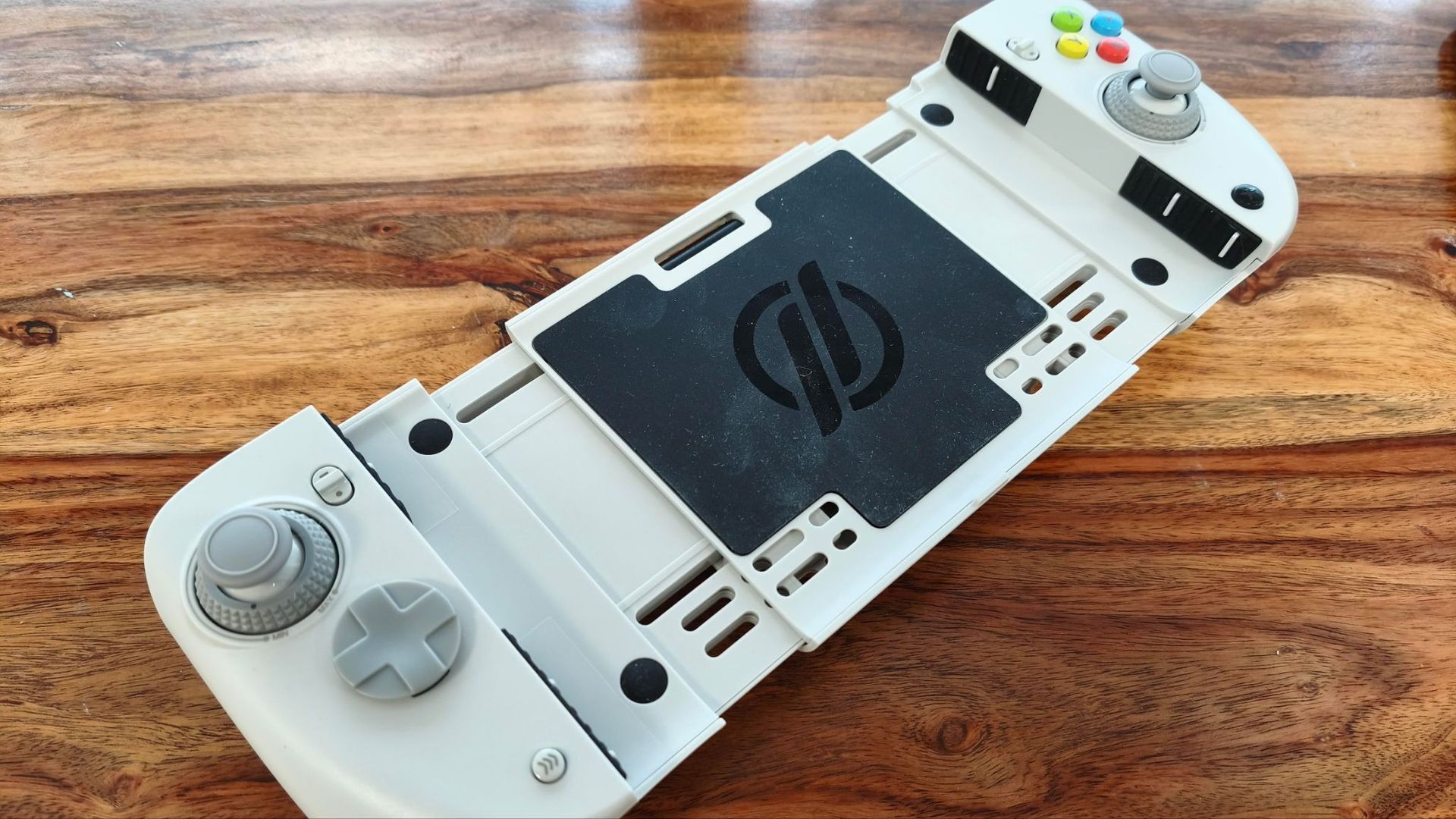
The Nitro Deck 2 fits to the Switch and Switch 2 by clamping on the sides of the unit, rather than actually connecting to the Joy-Con 2 slots. A small button on the back clicks and twists to tightly grip your console, and tight it is; even when I held it upside down, my console didn’t move an inch. You can then connect to your console wirelessly via Bluetooth or wired by using the included U-shaped USB adapter.
CRKD’s mobile app can be used to remap the inputs of the Nitro Deck 2, as well as enable the ‘No Deadzone’ mode for the joysticks. Its interface is clear and easy to use, and I didn’t experience any bugs. One downside, though, is that you have to reconnect to the app every time you open it by holding two buttons for three seconds, which limits the convenience of back-and-forth adjustments.
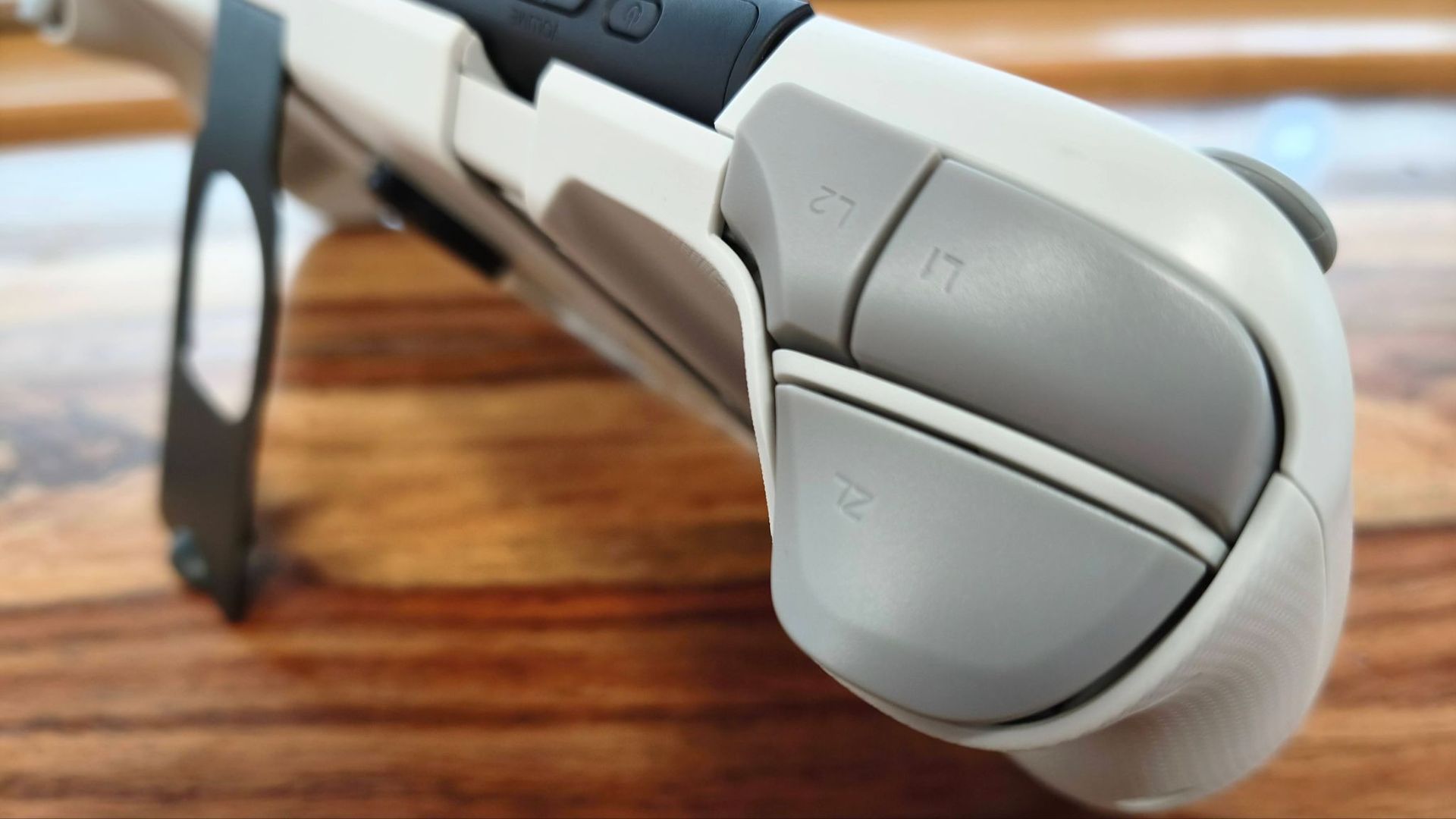
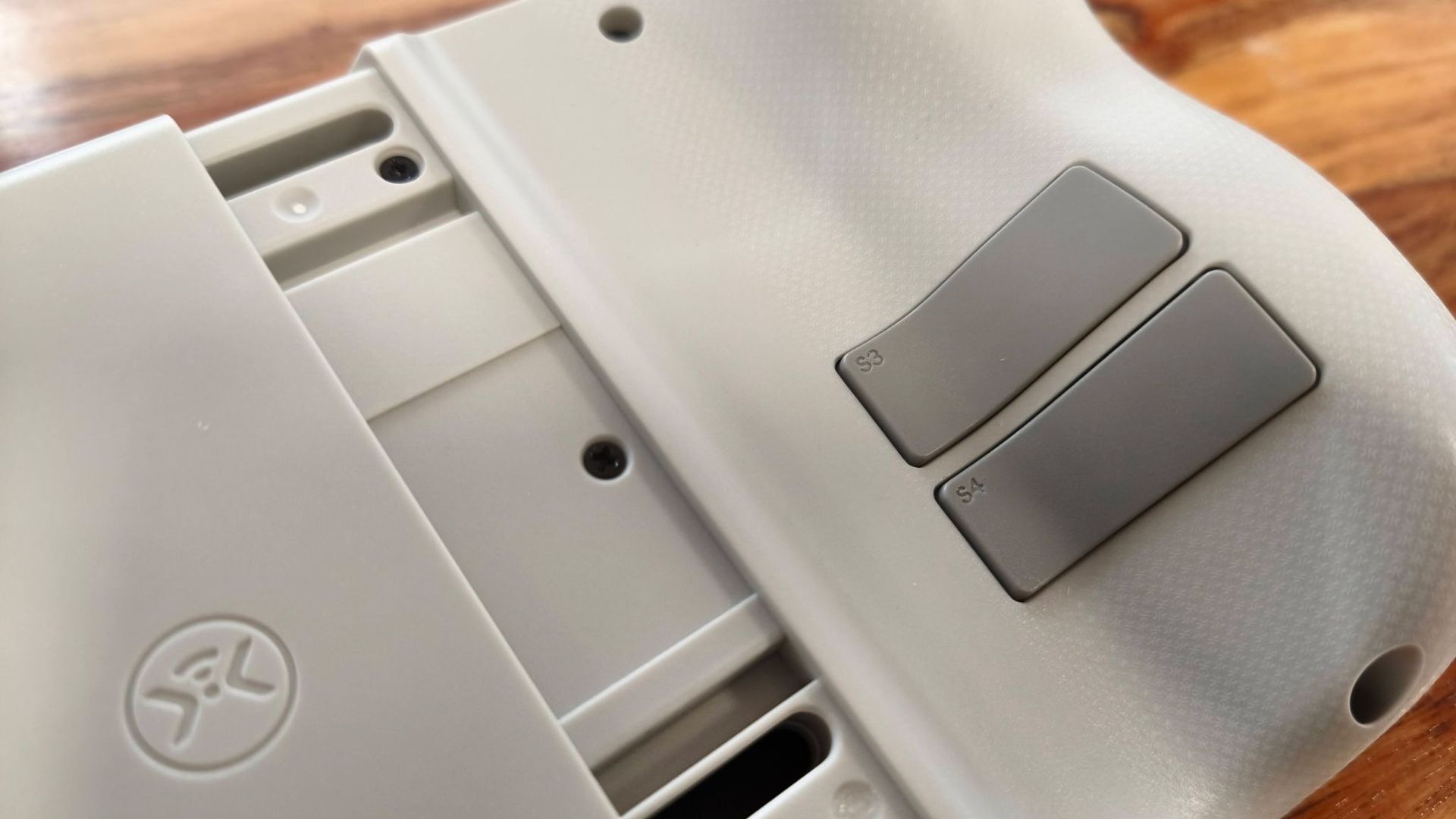
All the buttons feel great, providing plenty of clicky feedback and responsiveness. The back buttons are awkwardly placed, though, and I found myself accidentally triggering them on occasion.
(Image credit: Future)
The real highlight of the Nitro Deck 2, though, is its joysticks. Not only are they precise and responsive, but they also feature dials that let you adjust their tension at any point, which is an excellent design choice and should allow any gamer to get their preferred feel.
Unfortunately, poor ergonomics detract from the Nitro Deck 2’s otherwise positive performance aspects. Not only do the pads angle inwards at the bottom, contrary to the majority of gamepads, but it’s also heavy when loaded with a console. These factors can make it cumbersome and awkward to use, especially when trying to game upright.
The Nitro Deck 2 is easy to pair to the Switch or Switch 2 via Bluetooth, although it takes a while to reconnect to your console after sleeping. Reconnection is quicker in wired mode, but it’s still not instantaneous. It was also easy to pair with PC and Android devices, although it’s a shame you can’t switch between them without having to pair each time.
The battery life of the Nitro Deck 2 is reasonable, lasting for as long as CRKD claims (15-20 hours), according to my testing. It’s a small inconvenience that you have to charge it separately from your console, though.
When you consider all that it offers, the Nitro Deck 2 represents good value. Not only are you getting handheld pads for the Switch 1 and Switch 2, but you’re also getting protection for your console, a standalone controller you can use with other platforms besides Nintendo’s, and a kickstand. Comfort issues do hamper the experience somewhat, but if you don’t mind holding a weighty unit, the Nitro Deck 2 is a fine choice as a versatile gamepad.
CRKD Nitro Deck 2 review: Price & availability
(Image credit: Future)
$89.99 / £89.99 / AU$161
Available now in multiple colorways
Good price for a versatile handheld gamepad
The Nitro Deck 2 costs $89.99 / £89.99 / AU$161 and is available now in four colorways: Smoke Black, Pal Grey, LRG Fusion, and White. It comes with a USB cable, a double-ended USB adapter, and a legacy adapter for Switch 1 compatibility. The joystick caps and D-pad hat are replaceable, but no extra sets for either are included in the box.
This is a reasonable price for a unit that’s not only a Switch and Switch 2 handheld case and handheld controller, but also a standalone gamepad for PC and mobile, both wired and wireless.
You won’t find many more complete solutions for your Switch 2 than this, or even third-party substitutes for the Joy-Con 2 controllers, save for a few examples, such as the Mobapad M12 HD and M12S. A more left-field alternative to the Nitro Deck 2 is the GameSir G8+, a Bluetooth mobile controller that doesn’t officially support the Switch 2, but users have reported compatibility with the system.
If you just want a more comfortable handheld experience for your Switch 2 while sticking with the Joy-Con 2 pads, the Genki Attack Vector is a reasonably priced solution that offers three sets of grips as well as a backplate cover. What’s more, it can remain attached to your console when docked.
CRKD Nitro Deck 2 review: Specs
Price
$89.99 / £89.99 / AU$161
Weight
12.8oz / 363g
Dimensions
10.5-12.5 x 4.7 x 2.2in / 266.7-317.5 x 118.3 x 55.3mm
Compatibility
Switch, Switch 2, PC, iOS, Android
Connection type
Wireless (Bluetooth), Wired (USB-C)
Battery life
15-20 hours
CRKD Nitro Deck 2 review: Design & features
(Image credit: Future)
Functional looks
Solid build quality
Basic but effective mobile app
The Nitro Deck 2 has an appearance that’s more about function than form, with its soft edges and curves being more about ergonomics than aesthetics. It’s a fetching piece of design nonetheless, and the Pal Grey finish of my review unit added a retro appeal, with its dark grey accents and colorful face buttons alluding to the classic SNES controller.
The build quality is respectable, too. Although the plastic shell didn’t initially strike me as being particularly premium, I quickly felt its solidity and sturdiness once I held it in my hands. The sliding mechanisms for both pads operate smoothly as well.
Rather than the pads of the Nitro Deck 2 actually attaching to each Joy-Con slot on the Switch or Switch 2, they simply clamp to the sides of the console without actually inserting into these slots. To tighten the clamp, you simply push and twist the button on the rear of the unit. This requires a fair amount of force, and so does releasing it to remove the console, but I wouldn’t say it was overly arduous, and it’s worth the effort for the secure fit it provides.
When attached, the Switch 2 fits snugly and securely; I had no worries about it coming loose, as there wasn’t a hint of looseness. The unit also aligns precisely with the dimensions and contours of the Switch 2, although my one small gripe is that accessing the game card flap can be fiddly, as there’s little room to reach down to lift it up. This isn’t an issue when the Nitro Deck 2 is attached to the Switch 1, though, since the flap on that console opens the other way.
(Image credit: Future)
Speaking of which, the Nitro Deck 2 fits just as well to the Switch 1 as it does to the Switch 2. Thanks to the included legacy adapter, its USB-C port is still accessible, so you can still have a wired connection between the console and the Nitro Deck 2. This wired connection to both the Switch 1 and 2 is handled by another adapter, a double-ended U-shaped USB-C jack, that slots into the bottom of the Deck and the console.
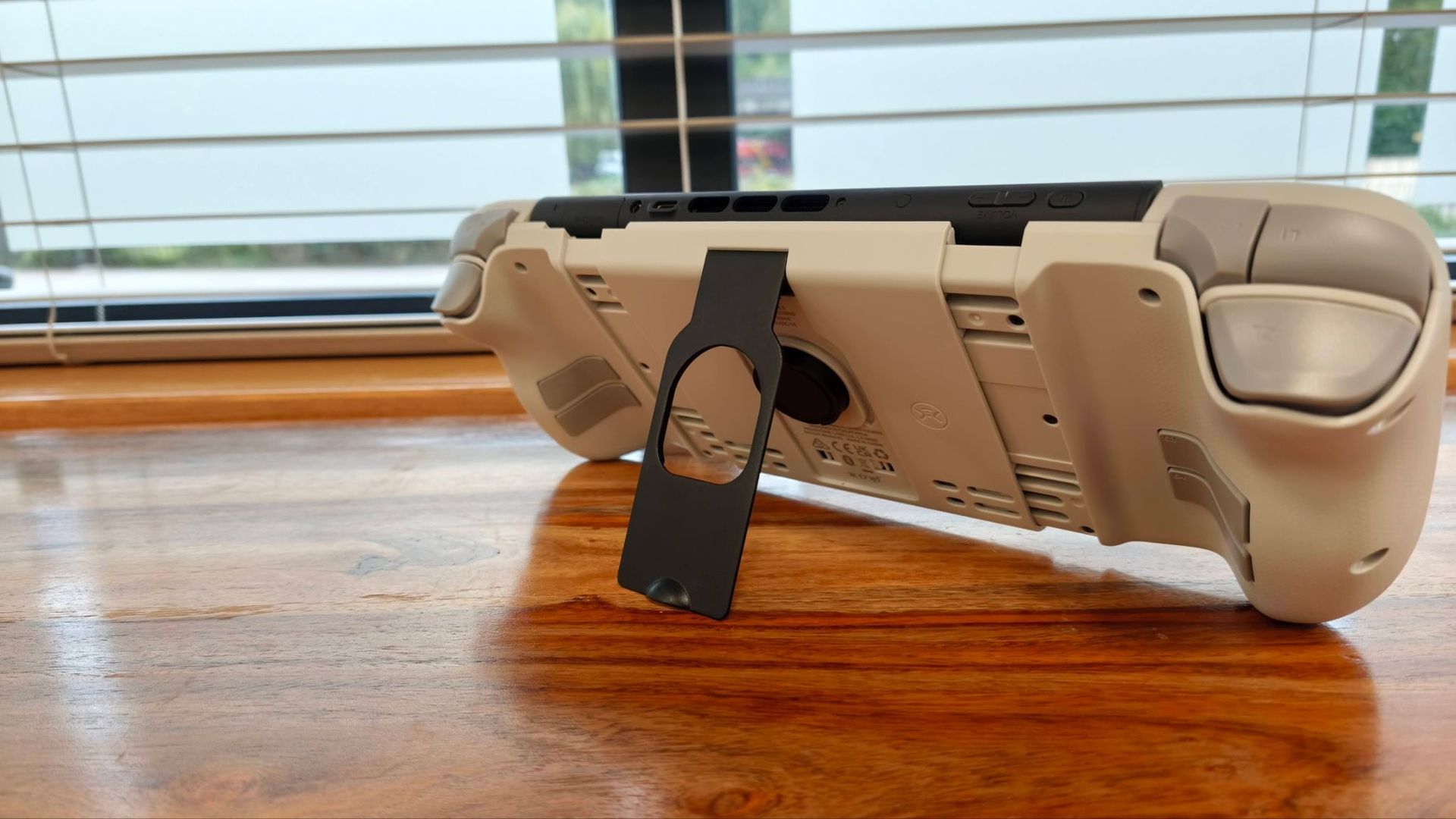
The Nitro Deck 2 also features a kickstand on the back, allowing you to use your console with another controller. This is made of metal and feels very solid. It’s also very sturdy when open, and it folds flush into the back of the Deck. It can be a little difficult to release it from its clip, but this is a small price to pay for its secure fastening.
To customize the inputs of the extra shoulder and back buttons, you can use the M button in combination with others to alter the mapping. However, you can also use CRKD’s mobile app, where you can remap every button, as well as enable a ‘No Deadzone’ mode for the joysticks in order to increase their sensitivity.
The app is clearly laid out and easy to navigate, and I didn’t experience any bugs or glitches, which was somewhat of a surprise given the poor rating it has on app stores. For some bizarre reason, though, it only operates in landscape mode, but more frustrating is the fact that switching between the app and your console isn’t exactly a seamless experience; you have to hold the Home button and the left D-pad button for 3 seconds every time you go back to the app after exiting it.
CRKD Nitro Deck 2 review: Performance
(Image credit: Future)
Excellent joysticks
Awkward to use upright
Some connectivity issues
While its grips may look ergonomic, I struggled to get entirely comfortable with the Nitro Deck 2. Partly, this is due to the sheer weight of the unit when loaded with a console, which makes holding it upright a chore, even for short periods.
But the other half of the problem stems from the grips’ orientation. They protrude outwards at the top rather than at the bottom, running counter to the best Nintendo Switch 2 controller shapes, and are at a less natural angle for your hands. I did acclimatize to their form somewhat, but I was never entirely at ease with it.
I also found the back buttons awkward to use, as they were too low down to align with my natural finger placement around the grips. Their low travel and resistance meant there were times when I accidentally triggered them, too.
These issues aside, though, the Nitro Deck 2 offers fantastic performance. The face buttons are clicky and satisfying to use, while the D-pad is very comfortable thanks to its circular hat. Its floating design also meant presses had plenty of travel, which in turn created good feedback. I found the shoulder buttons were easy to reach and use as well.
(Image credit: Future)
The best input of all, though, is the joysticks, which feature dials at their bases for adjusting resistance on the fly. This is a great idea and one I wish more controllers implemented. Looser settings allow for easy maneuvering and quick flicks, while tighter settings give you more control and precision.
The Nitro Deck 2 also features motion controls. I found these to be accurate and responsive when aiming with the bow in The Legend of Zelda: Tears of the Kingdom, although using them in handheld mode isn’t exactly practical, given the whole console moves with your hands.
Unfortunately, I did experience some small connectivity issues with the Nitro Deck 2. Although pairing with my consoles was a relatively quick process, it can be slow to reconnect when you wake your console. It activated quicker when I used a wired connection, but it wasn’t instant.
The Nitro Deck 2 worked just as well with my Switch 1 as it did with my Switch 2. It’s a shame, though, that the aforementioned legacy adapter doesn’t support console charging. I’m not sure whether this was a particular issue with my review unit or a known limitation, but either way it’s a shame from a convenience perspective.
As for other platforms, I had no issues connecting or using the Nitro Deck 2 with PC or my Android smartphone via Bluetooth, although hot-switching isn’t possible, with pairing required each time you move between devices.
The battery life of the Nitro Deck 2 is reasonable — according to my testing, it lasts about as long as CRKD claims it can, which is between 15 and 20 hours. However, it’s a shame you can’t charge your console and the Deck with a single cable, as there’s no passthrough feature.
Should I buy the CRKD Nitro Deck 2?
Scorecard
Category
Comment
Score
Value
The price is very good for a multi-platform handheld controller-cum-dock, and the quality is impressive, too.
4.5/5
Design & features
The Nitro Deck 2 has a functional form and great build quality, and the fit for the Switch and Switch 2 is secure. There are a few minor design niggles, though.
4/5
Performance
All inputs are tactile and responsive, while the adjustable joysticks are exemplary. The unit is a little heavy and awkward to hold upright for long periods, though.
4/5
Total
The Nitro Deck 2 is a very versatile and high-quality handheld controller for Nintendo and other platforms, but a few issues hold it back from being truly outstanding.
4/5
Buy the CRKD Nitro Deck 2 if…
You’re fussy about stick feel With the instantly adjustable tension for the joysticks, every gamer should be able to get the right feel.
You want a versatile controller Not only does the Nitro Deck 2 work with the Switch and Switch 2 in handheld mode, but it can also be used to game on PC and mobile devices.
Don't buy it if…
You want something light and very portable With a console attached, the Nitro Deck 2 is noticeably heavy and bulky in the hand.
You want instant connectivity The Nitro Deck 2 doesn’t wake up instantly with your console, and switching between devices requires repairing.
CRKD Nitro Deck 2 review: Also consider
CRKD Nitro Deck 2
GameSir G8+ Bluetooth
Genki Attack Vector
Price
$89.99 / £89.99 / AU$161
$79.99 / £79.99 / AU$129.99
£39.99 (about $50 / AU$76)
Weight
12.8oz / 363g
10.72oz / 314g
N/A
Dimensions
10.5-12.5 x 4.7 x 2.2in / 266.7-317.5 x 118.3 x 55.3mm
9.06 x 4.21 x 2.17in / 230 x 107 x 55mm
N/A
Compatibility
Switch, Switch 2, PC, iOS, Android
Android, iOS, Switch, PC, macOS
Switch 2
Connection
Wireless (Bluetooth), Wired (USB-C)
Bluetooth 5.3, Wired (USB-C), Dongle (sold separately)
N/A
Software
CRKD (mobile)
GameSir App (Android only)
N/A
GameSir G8+ Although not explicitly marketed as a Switch 2 controller, user reports suggest that the G8+ does indeed work with the console. When we tested it on mobile devices, we were impressed with its comfortable grips and smooth, precise thumbsticks and triggers. Read our full GameSir G8+ review.
Genki Attack Vector If you want to stick with the Joy-Con 2 pads but require better handheld ergonomics, Genki’s accessory may just fit the bill. It comes with three sets of grips to accommodate all kinds of hands, while the back cover adds some protection to your Switch 2 without compromising its fit in the dock (unlike the Nitro Deck 2). Read our full Genki Attack Vector review.
How I tested the CRKD Nitro Deck 2
(Image credit: Future)
Tested for over a week
Used on various platforms
Relied on extensive gaming experience
I tested the Nitro Deck 2 for over a week, using it with both the Switch and Switch 2, as well as with a PC and my Android smartphone. I tested both wired and wireless connections. I also tested CRKD’s companion mobile app.
I’ve been gaming for decades and have plenty of experience testing controllers and other peripherals for numerous platforms, including the Switch and Switch 2. I’ve also reviewed other Switch 2 accessories, including handheld grips.
Well, it's been another eventful week for the world of tech, to say the least, and as always, we're bringing you the top stories from TechRadar in one easy-to-read place — just in case you haven't been able to keep up with our coverage over the last seven days.
When it comes to this week's ICYMI (In Case You Missed It) roundup, there's something for everyone, whether you come to us for updates on all things audio or if you've been affected by another tech crisis. That said, Apple has also been in the spotlight with the launch of the iPhone Duo — which we finally managed to get our hands on. So, let's recap this week.
7. Apple teases 'Pro and Tell' event
The Sudo player (Image credit: Apple)
Hot on the heels of Apple's anticipated iPhone Duo keynote and the announcement of its first smart display, the company teased its upcoming 'Pro and Tell' event, which is scheduled for October 28 in LA. While we're not expecting a formal keynote, we imagine there will be plenty of hands-on time.
So what's new for Apple? Well, the main device we're expecting to see is the company's first touchscreen MacBook in 14-inch and 16-inch editions. This will likely be an OLED display packing the same vibrant, rich viewing experience as an OLED iPhone or iPad Pro, all within a redesigned, slimmer notebook.
It doesn't end there; Apple is also tipped to unveil upgrades for its iPad lineup, though we're not expecting them to be the cheapest of devices.
6. Spotify cracks down on Premium Family plan sharing
ChatGPT is getting more visual (Image credit: Shutterstock / PJ McDonnell )
Spotify is clamping down on account sharing for those who are signed up to its Premium Family plan, and the platform has started enforcing a new QR code verification system, which has started rolling out to a number of users if they’re not at the same address as the account manager.
The QR code, which appears on the account holder’s device, requires members under the same plan to scan it in order to verify that they're living in the same household. This code updates every few seconds, therefore making it harder for you to use screenshots to bypass the process.
If you receive a verification prompt, you’ll have a 7-day window to complete the scan, but failure to comply comes with consequences. Spotify will boot you back to ad-listening on the free tier, as well as banning you from joining another Premium Family or Duo plan for 12 months. It really does feel like a prison sentence.
5. The ultimate retro music system landed for nostalgists
The Garmin Enduro 4 (Image credit: Trettitre)
Start-up audio company Trettitre has launched its new Retro Ambient Audio System, which raised $2 million on a goal of $3,000 on Kickstarter. Essentially, it's an all-in-one physical media machine: a combined record player, CD player, and cassette player, designed to let you listen to any kind of physical media at home.
The full MSRP of the device is $899, and you can buy the components separately if you wish, but the magnetic wall-rack is where the fun is at. Trettitre's marketing videos show users removing the record player from the wall, carrying it via a handle, plugging in some IEMs, and listening to vinyl on their kitchen table, because this turntable has an onboard battery that charges when you put it back on its wall mount.
The only thing that's missing is a speaker, which you'll unfortunately have to purchase separately.
Gemini AI plans are changing (Image credit: Unitree)
Robot vacuums are great, but how about owning a personal Robocop that fends off burglars with its black-belt martial arts skills? That’s the kind of smart home tech we can all get behind, and Chinese robotics giant Unitree teased it this week in the form of its H2-X humanoid.
Unitree’s teaser video (above) is like a trailer for a budget sci-fi movie. The H2-X is seen leaping from four-meter platforms, defending someone from a knife-wielding attacker, and (rather violently) pushing a child out of the way of an oncoming car.
Sadly, there’s very little in the way of specs, and the robot would find it nigh-on impossible to clear consumer certification hurdles to make it to market. Still, it’s an impressive demo that keeps our robot bodyguard dreams alive.
3. A free, lossless music streaming app won us over
The Sonos Beam Ultra (Image credit: Future / Audiophile.fm)
This week, Audiophile.fm launched its own app for iOS and Android after being limited to the web browser for some time. It's hi-res and completely free to use.
It's hard to believe that, in today's age of digital streaming, a platform can exist without there being a huge catch. But as far as we can see, this is the case for Audiophile.fm. The app and website connect you to internet radio stations, which are all broadcast in FLAC at CD quality or better. While the app is ad-free, some stations do weave in the occasional ad to pay the bills.
There's also no algorithm feeding you endless variations of the songs you already like, so you can end up with truly random listening.
Starlink is expanding its network (Image credit: Lance Ulanoff / Future)
The wait is over. Not only did Apple finally reveal its first folding device, but now we finally have our extensive review of the iPhone Duo. The flexi-phone proved expertly designed and engineered in a way only Apple could do. It opens flat and hides the crease under a unique nano-texture display. It features the powerful A20 Pro chip, two excellent 48MP cameras, and exciting versatility. The big screen supports split-screen multitasking (though we wish we could do more than two apps), and the large display will soon support the Apple Pencil. It has all-day battery life and performance that easily supports console-grade gaming.
Is it perfect? Not quite. The outer screen loses too much space to the dock, many apps are still not optimized, and it is thicker and heavier than the competition. Still, we’ve liked it enough to consider making the iPhone Duo our daily driver.
The Amazon Alexa Tablet 12 Pro (Image credit: Getty Images)
Aside from ‘Duo’, the three-letter phrase that dominated the tech news this week was ‘PHP’. Slightly less fun than a folding phone, this security flaw in the programming language that’s used in about 70% of the world’s websites hit countless sites as they scrambled to deploy patches. And that might only be the start.
High-profile sites that temporarily went dark to roll out fixes included Wikipedia and the Internet Archive, and security experts have warned that the ‘PHP2Shell’ flaw is now being “broadly exploited in the wild”.
Fortunately, for now the impact appears to be relatively minor. But with AI helping bad actors find and exploit these kinds of security vulnerabilities, it’s a taste of the kinds of stories we can expect to see a lot more frequently.















Follow Us
Were this world an endless plain, and by sailing eastward we could for ever reach new distances