For the past few years, much of the conversation around AI has centered on capability. We have watched it move from generating content and summarizing information to analyzing data, writing code and completing increasingly complex tasks. Now, with the rapid development of AI agents, we are beginning to hand over not just tasks, but portions of workflows and decisions as well.
That progression has understandably raised questions about what happens to people as AI becomes more autonomous, but we are looking at that question the wrong way. The bigger change will be in what we need people to do. When AI tools can handle more of the execution, people have to spend more time thinking about the system around it. We need to ask ourselves important questions to do this:
What are we actually trying to accomplish?
What information does the technology need to make a good decision?
How should work move from one step to another?
When can AI make a decision on its own, and when does someone need to get involved?
These are questions companies already deal with today, but AI raises the stakes because decisions and actions can happen much faster and at a much greater scale. Take a marketing organization as an example.
We are already at a point where AI can analyze an audience, develop content, adapt that content for different channels, check it against requirements and evaluate the results. It is not difficult to imagine those capabilities becoming connected so that one action automatically triggers the next.
The strategy comes in the coordination
The challenge is that every part of that process can work exactly as designed and still produce a bad result. An audience model could identify the people most likely to respond to an offer while missing the customers the business most wants to develop over time.
A content agent could produce something likely to generate clicks but inconsistent with where the brand wants to go. A system evaluating performance could make a perfectly reasonable recommendation based on the metric it was given, even though that metric does not reflect the larger business objective.
Those are not necessarily failures of the AI. In many cases, the technology has done exactly what it was asked to do. The failure happened earlier, when the objective, context or connections between decisions were not designed well enough. This is where the role of people becomes increasingly important.
Someone has to understand the broader business context and make sure the individual decisions being made across a workflow ultimately support the same goal.
Anyone who has spent time inside a large enterprise has seen a version of this before. Over the past two decades, companies bought specialized technology for almost every business need: CRM platforms, marketing automation systems, analytics tools, project management software, content platforms and countless point solutions. Each solved a real problem, but companies then had to figure out how to make all of those systems work together.
Teams built integrations, moved data between platforms, reconciled conflicting information and created processes to bridge gaps between systems that had never been designed to operate as one. In many organizations, employees effectively became the integration layer, carrying context from one platform or team to the next.
As companies adopt AI across functions, there is a very real possibility that we recreate the same problem, only much faster and with technology that can independently make decisions and take action.
It is relatively easy for a department to adopt an AI tool or build an agent that solves a particular problem. As that happens across an enterprise, however, organizations could quickly find themselves with large numbers of models and agents acting on different data, following different instructions and optimizing for different outcomes.
The individual components may be far more intelligent than the software systems that came before them, but that makes coordinating them even more consequential and increases the importance of having a strategy that extends beyond any individual agent or use case.
Finding the balance is key
Human strategy becomes critical in designing that larger system, but that should not be confused with putting a person behind every AI decision. Requiring someone to approve every output would defeat much of the purpose of creating autonomous systems in the first place.
Companies will have to determine where they are comfortable allowing AI to operate independently, where monitoring is sufficient and where the consequences of a decision justify direct human involvement.
That balance will probably look different across every organization and even across workflows within the same company. A routine decision with clear rules and limited consequences may require very little intervention, while a decision affecting a customer relationship, a brand, significant spending or strategic direction deserves a different level of scrutiny.
There will also be situations where the system simply needs to recognize that something unusual has happened and bring a person back into the process. Determining those boundaries and designing the workflow around them may ultimately matter more than the individual model or agent a company chooses.
Adapt and adjust, as technology changes
The technology underneath all of this will continue to change quickly. Models that seem dramatically better than their competitors today may be overtaken within months, and capabilities that currently feel differentiated will become widely available. Companies cannot assume that access to a particular model will provide a lasting advantage, especially as the gap between competing technologies continues to narrow.
What will be much harder to replicate is the thinking that surrounds the technology: an organization's understanding of its customers and operations, the way its workflows have been designed, the context it gives its AI systems and the judgment it applies to the decisions that matter most. Those things are specific to the business, and they become more valuable as the underlying technology becomes more widely accessible.
Greater AI autonomy therefore does not lead to a future with less need for human intelligence. It creates a greater need for people who can look across the entire system and understand what the technology is being asked to accomplish, whether the pieces are working together and whether the outcome actually makes sense for the business.
We are going to get very good at building AI that can do things on our behalf. The harder challenge will be making sure all of those things add up to something worth doing.
This article was produced as part of TechRadar Pro Perspectives, our channel to feature the best and brightest minds in the technology industry today.
The views expressed here are those of the author and are not necessarily those of TechRadarPro or Future plc. If you are interested in contributing find out more here: https://www.techradar.com/pro/perspectives-how-to-submit
from Latest from TechRadar https://ift.tt/JC5T8Ex
0
coment�rios:
As an experienced deals hunter, I was fully under...
Don't wait for Black Friday — I’ve found 6 coffee machines with steep discounts worth shouting about
As an experienced deals hunter, I was fully under the impression that, following the recent Amazon Prime Big Deal Days event, we wouldn’t be seeing any particularly noteworthy discounts on coffee machines until Black Friday.
Having recently checked Amazon’s listing, however, it seems I’m very much in the wrong. I like to think that doesn’t happen often, of course, and on this occasion I’m more than happy to be told otherwise.
Yes, I’ve found some superb discounts on some of my favourite espresso machines that either match their Prime Day price, or actually beat it. The Nespresso Vertuo Creatista at AU$697 is a couple of dollars cheaper, while the Sunbeam Origins Sense at AU$475.15 is over AU$80 less than what I saw during Amazon’s recent sale.
There are a few other coffee machines with big discounts right now, which you can view below. And as ever, make sure to view the full selection on Amazon for something that might be more to your liking. And while I’m on the subject of coffee machines, I have to remind you that Breville currently has a birthday sale live on its website, and TechRadar readers can save an extra 10% on already discounted models thanks to an exclusive coupon code.
Vertuo Creatista capsule coffee machine: was $1099 now $697 We rate the Vertuo Creatista as the best Nespresso machine out there thanks to its use of the Vertuo pods, which come in a range of cup and mug sizes and an integrated milk frother. It performs exceptionally well, too, and will brew your morning cuppa in no time at all.View Deal
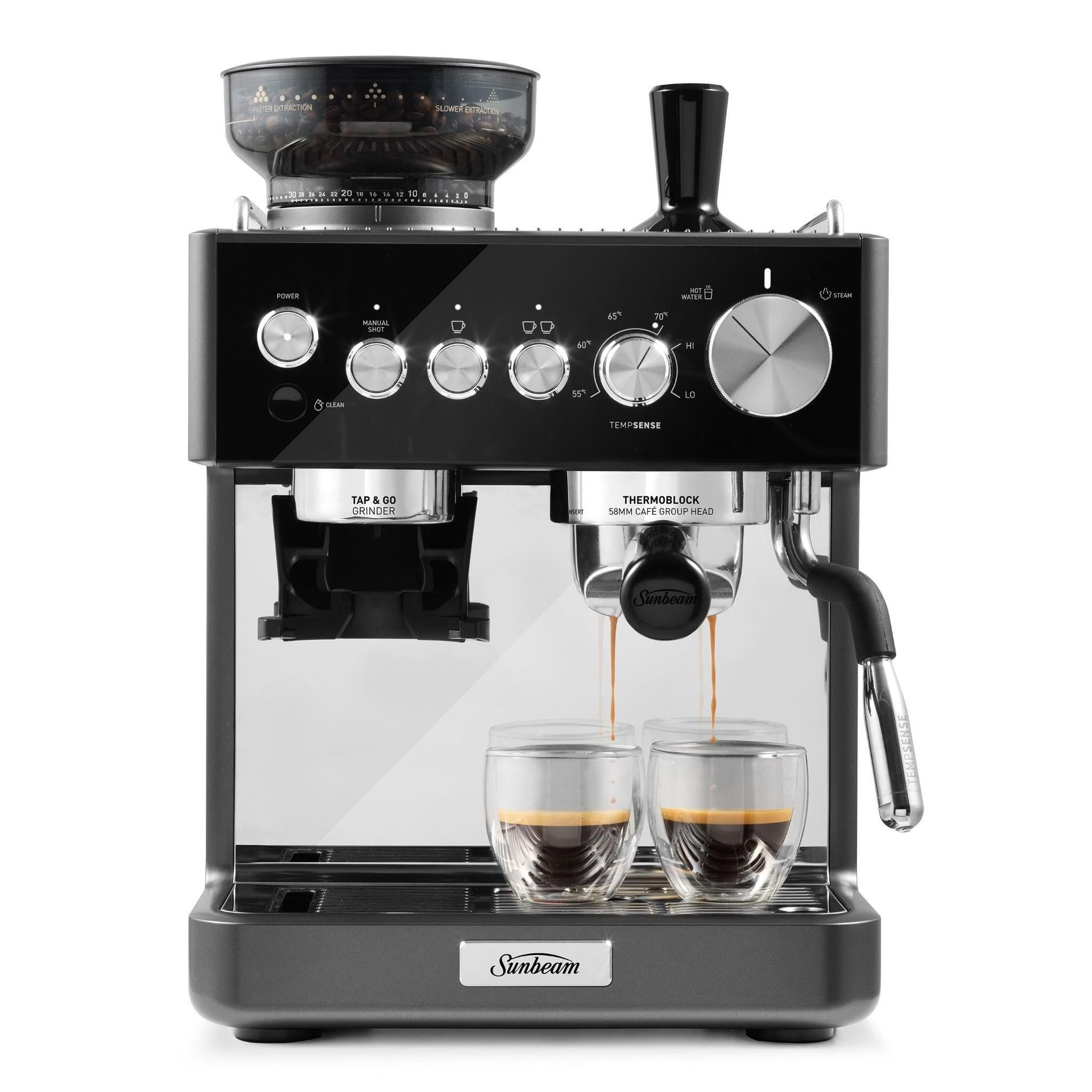
Origins Sense Espresso Machine: was $799 now $475.15 This attractive bean-to-cup espresso machine from Aussie brand Sunbeam brews a fine espresso. For me, however, its headline feature is a thermometer built into the steam wand and four temp settings for various dairy milk alternatives, so you can get perfectly texturised milk with ease. It also sports a built-in conical burr grinder for precision grinding, and it has easy, one-button cleaning.View Deal
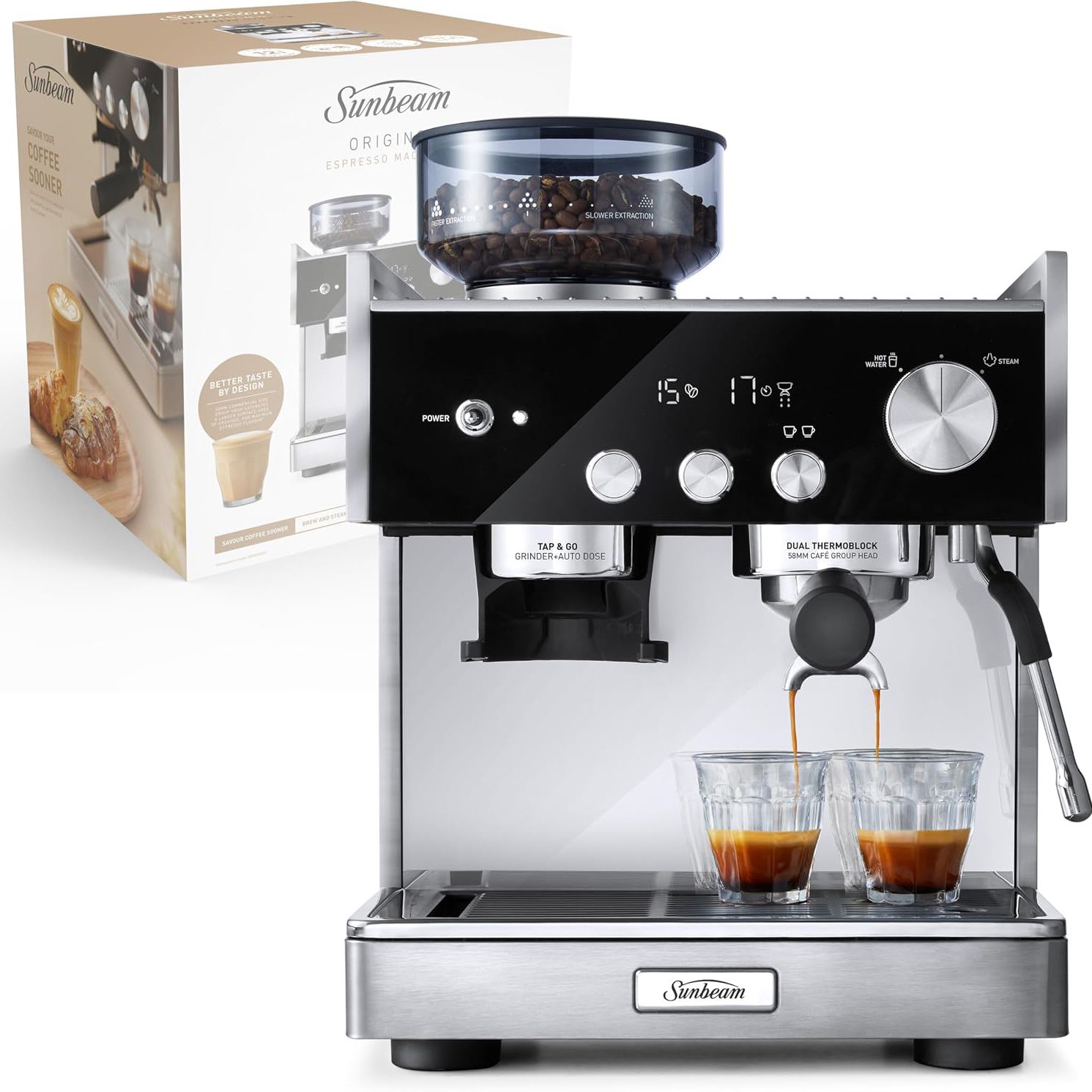
Origins Dual Espresso Machine: was $999 now $575.45 I’ve not used this exact Sunbeam model, but if it’s anything like the Sense above, you’re in for a treat. The main feature of this model is a dual-boiler system, meaning you can pour an espresso and steam milk at the same time, saving you valuable time in the morning.View Deal
Rivelia (EXAM44057W): was $1599 now $1099 Now available for AU$180 less than Prime Day, this is a great price for an excellent, compact bean-to-cup coffee machine. It scored a full five stars in our De’Longhi Rivelia review, due to it being able to consistently serve up a delicious coffee. There's plenty of customisation on offer, so you can tweak the various preset recipes and it uses the brand's LatteCrema technology for expertly frothed milk — it includes carafes to create hot and cold milk foam.
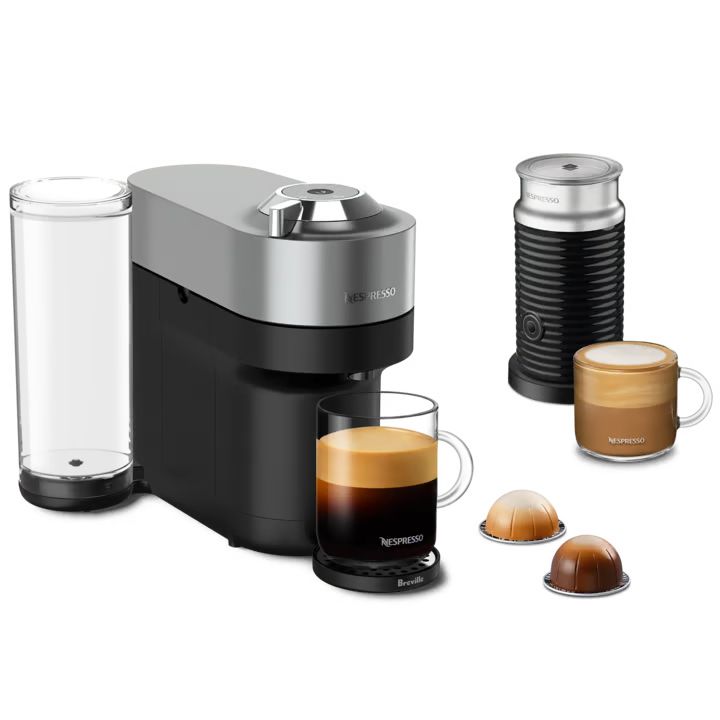
Vertuo Pop+ w/ Aeroccino. 3: was $349 now $189 The Nespresso machine is a slightly larger version of the highly popular Vertuo Pop. The main difference is a larger 1.1L water tank (compared to 600ml with the Pop) and the water tank can be moved to help you better accommodate the machine in your kitchen. Elsewhere, it uses the extensive Vertuo capsule range, with five different coffee sizes.View Deal
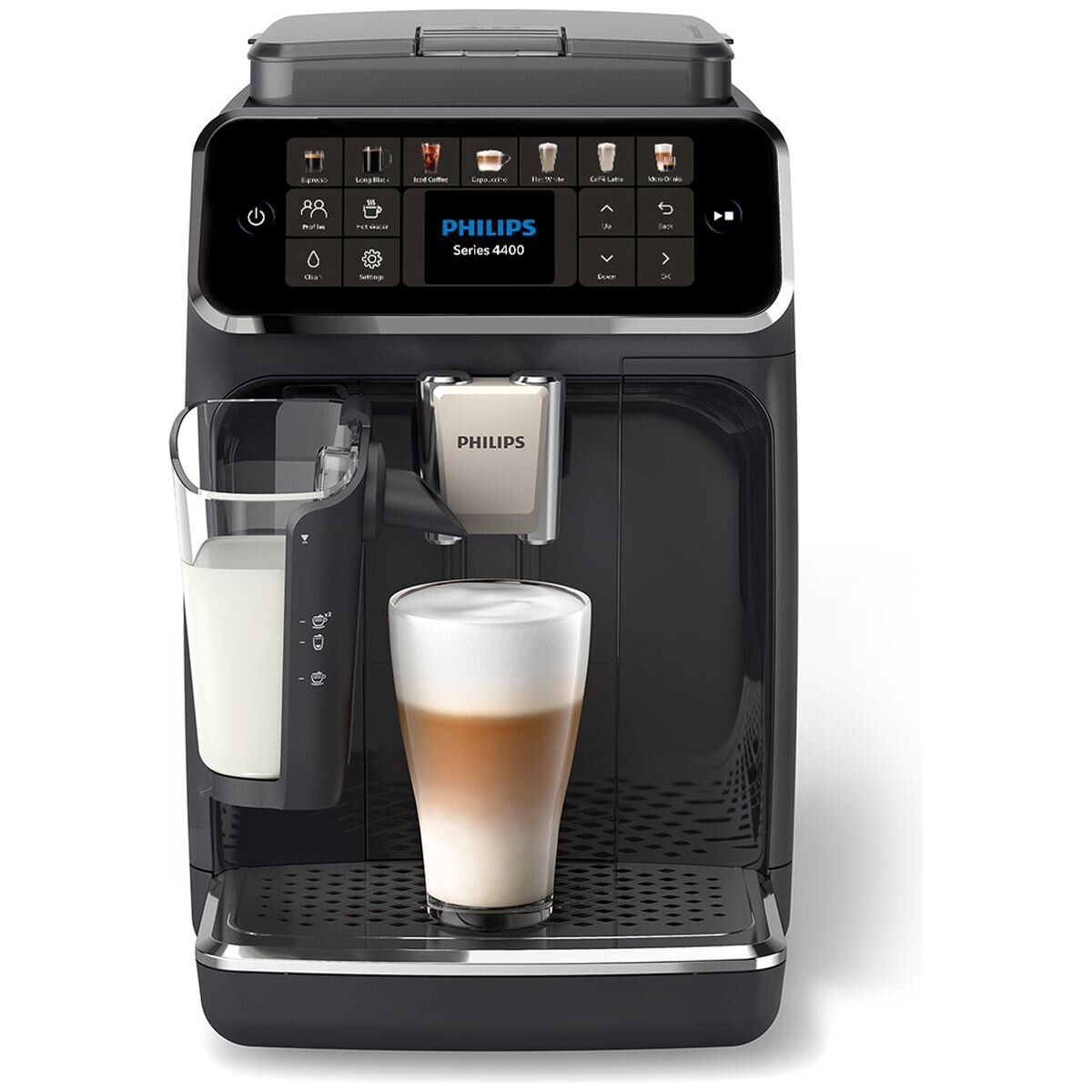
4400 Series Fully Automatic Espresso Machine: was $1199 now $799 As mentioned earlier, this machine did go lower in price during Prime Day, but it’s pleasing to see it’s maintained a sub-AU$800 price tag in the week since. I consider it to be an excellent bean-to-cup espresso machine, as it can make 12 coffee-based drinks, all of which are served perfectly time after time. Plus, it's a great option for smaller households due to it having 2 customisable profiles. However, I have to admit that I wasn't too fond of its milk foaming skills in my LatteGo 4400 Series review.View Deal
from Latest from TechRadar https://ift.tt/fFGEL2z
0
coment�rios:
Southampton vs Portsmouth: Sunday, October 11 Kic...
The Southampton vs Portsmouth live stream is the standout fixture this weekend in the EFL Championship as the arch-rivals meet for the first time this season, at St Mary's. Adding some extra spice is the fact that Saints manager Tonda Eckert will be on the sidelines after being given a suspended ban for his role in last season's Spygate scandal.
After months of uncertainty, the FA ruled that Eckert can remain as Southampton manager and suspended a six-week ban from football activity until the end of next season. The 33-year-old German will hope to celebrate that decision with a victory in the South Coast derby. The Saints have started the season well, losing just two of eight league games but sit 13th because of the four-point deduction for the unauthorized filming of opposition training sessions last season. Particularly strong at home, winning four from four and scoring 15 goals in the process, they will look to summer signing Cyle Larin to continue his deadly form.
Though 19th in the Championship with just two wins from seven matches, Portsmouth have drawn their last two games and were unfortunate not to beat Blackburn last time out. Manager John Mousinho was unhappy with his defense in that game and will be hoping for a sharper performance from his backline. He’ll also look to fit-again striker Marko Milovanovic, with the 23-year-old the only Pompey player to score more than one league goal this season, while Adrian Segečić remains the creative hub.
Mostly, expect lots of binoculars in the away end.
Read on to find out how to watch the Southampton vs Portsmouth live stream from anywhere in the world.
Can I watch Southampton vs Portsmouth for FREE?
For fans in the UK, Southampton vs Portsmouth is being broadcast for free on ITV1 andITVX.
Just sign up for a free ITVX account to stream the match on your mobile, desktop or via the ITV app.
Alternatively, those in the US can stream at no cost on CBS Sports Golazo Network who offer select free games that Paramount+ show. No account or sign-up is required.
We recommend NordVPN to unblock your geo-restricted stream if you're usually based in the UK or US but are away this weekend.
How to watch Southampton vs Portsmouth from anywhere
A VPN is handy piece of software that can make your device appear as if it's back in your home country, so you can unlock your usual service. The best VPN right now? We recommend NordVPN – it does everything and comes with a 75% discount and and extra three months for free...
Not having a VPN is like leaving your front door wide open in a busy city – anyone can walk right in and take a peek.
TechRadar regularly reviews all the biggest and best VPN providers and NordVPN is our #1 choice.
✅ Up to 75% Off Today ✅ 3 Extra Months Free
Get NordVPN and live stream Southampton vs Portsmouth from anywhere.View Deal
How to watch Southampton vs Portsmouth live streams in the USA
CBS's streaming service Paramount Plus is the place to catch Southampton vs Portsmouth.
Paramount+ subscriptions start at $8.99/month, rising to $13.99 to remove ads. You can also get a Paramount+ trial with Walmart+ for $1 with this sneaky trick we found.
As alluded to before, you can also watch for free via CBS Sports Golazo Network should you not have a Paramount+ subscription.
We recommend NordVPN if you're outside the country for the vital clash.
How to watch Southampton vs Portsmouth live streams in the UK
The EFL Championship game between Southampton vs Portsmouth will be shown on ITV and Sky Sports in the UK.
Sky Sports packages start from £20 per month. Or you can use a more flexible streaming option, Now (formerly Now TV). Now Sports memberships start at £14.99 for a day pass or £34.99 monthly if you are looking to catch all of the games.
Alternatively, you can watch the game for free on ITV1 and ITVX, as outlined above.
Not in the UK? Use NordVPN to access your usual EFL Championship streams.
How to watch Southampton vs Portsmouth live streams in Canada
In Canada, DAZN has the rights to broadcast the Southampton vs Portsmouth live stream.
DAZN plans start at CA$24.99/month and you can also watch the Champions League, Europa League, Carabao Cup and the Bundesliga.
Traveling outside the Great White North? Make sure to use a VPN so you don't miss out.
How to watch Southampton vs Portsmouth live streams in Australia
In Australia, Southampton vs Portsmouth will be shown on beIN Sports 3, which offers new users a 7-day FREE trial.
You can add beIN Sports to most TV packages, or sign up as a standalone subscription. It costs AU$16.99 month or AU$169.99 for a year, once that week-long trial ends.
Not in Australia at the moment? Then you'll need a VPN to watch all the big games as if you were back home. We recommend NordVPN.
What is the Southampton vs Portsmouth head-to-head record?
Southampton and Portsmouth have met on 73 previous occasions, with the Saints winning 35 to Pompey's 21. There have been 17 draws.
Last season was the first in 14 campaigns in which the bitter rivals were in the same division. Both matches finished level, a 1-1 draw at St Mary's, followed by a 0-0 at Fratton Park.
We test and review VPN services in the context of legal recreational uses. For example:1. Accessing a service from another country (subject to the terms and conditions of that service).2. Protecting your online security and strengthening your online privacy when abroad.We do not support or condone the illegal or malicious use of VPN services. Consuming pirated content that is paid-for is neither endorsed nor approved by Future Publishing.
The extraordinarily dry summer of 2026 has not been kind to UK-based lawn mower reviewers, but thankfully the grass has finally sprung back to life and given me the opportunity to put this mostly excellent Landroid Vision Cloud WR306E though its paces.
On paper the Euro-spec Vision Cloud WR306E sounds wonderfully simple, but I found the initial setup procedure a mite clunky, with various stages of connecting and configuring that required a lot of patience before everything started working as expected. Let's just say that it wasn't the effortless drop-and-mow experience of the TerraMow V1000 I reviewed earlier this year.
Despite these initial shenanigans, this bot has turned out to be a very reliable lawnsmith indeed. Its vision system allows it to recognize the shape of a lawn and avoid obstacles, while accurate cloud-based RTK satellite positioning helps it maintain its bearings without relying on any additional RTK aerials, let alone traditional boundary wire. And then there's the included Cut-to-Zero side module, which tackles one of the biggest annoyances with robot mowers — the uncut strip of grass they usually leave around the edges.
Yes, I do miss having a remote motorized cutting height function but, in the main, this model has impressed me with its excellent navigation and ability to stay on the lawn without veering off into the borders. I've also been chuffed by its accurate obstacle avoidance and generally excellent cut quality — and all for a snip under £900.
How much does it cost? £899 (about $1,190 / AU$1,710)
When is it available? Available now
Where can you get it? UK and Europe
The Worx Landroid Vision Cloud WR306E is a UK and Euro-spec model so if you're shopping in the USA where gardens are generally much more expansive, your closest alternative is the 1/4 Acre model which retails at Amazon for $984.48
At around £899 in the UK, the Worx Landroid Vision Cloud WR306E sits in the mid-priced tier of robotic lawn mowers. Your best online store choice for this particular model is Amazon where it sells for £899. If you live in Europe, the WR306E is also available for roughly the same price in Euros.
In terms of competition, £899 puts the WR306E against some serious alternatives, namely the TerraMow V600 and Segway Navimow i108E, which are currently selling for roughly the same price. Alternatively you could drop down a notch to the 500m² version of this mower — the WR305E — which sells for just £699 in the UK and €594 in some parts of Europe. The WR305E doesn't ship with the Cut-to-Zero edge-cutting module though it will accept the module if bought separately for around £100 from Worx UK.
Value score: 4 / 5
Worx Landroid Vision Cloud WR306E: specs
Max lawn size
600m²
Navigation
V-SLAM stereo vision AI + Cloud-based RTK
Auto mapping?
Yes
Cutting width
7 inches / 18cm
Cutting height adjustment
1.2-2.4 inches / 30-60mm, manual
Edge cutting?
Yes, with included Cut-to-Zero module
Drivetrain
Two-wheel drive
Charge time
80 mins
Maximum slope
30% / 16.7 degrees
Multizone management?
Yes
Obstacle avoidance
V-SLAM + AI
Connectivity
Wi-fi + Bluetooth
Security
WiFi + GPS tracking
Noise
58dB
Waterproof
IPX6
Rain sensor
Yes
Weight
25lbs / 11.4kg
Dimensions
23 x 11 x 18 inches / 57.6 x 28.3 x 45.7cm
Product code
Worx Landroid Vision Cloud WR306E
Worx Landroid Vision Cloud WR306E review: design
Camera and RTK-based navigation
Cuts grass in parallel stripes
Comes with a unique edge cutter
Excellent battery system
(Image credit: Future)
The specific model I received for this review is the WR306E which has a lawn range of 600m² and comes with Worx’s efficient Cut-to-Zero module for precise edge cutting. However, you can also purchase this model’s cheaper stablemate — the WR305E — which retails for £300 less and features an 'optional' edge cutting module and a slightly smaller area range of 6,458 sq ft / 500m².
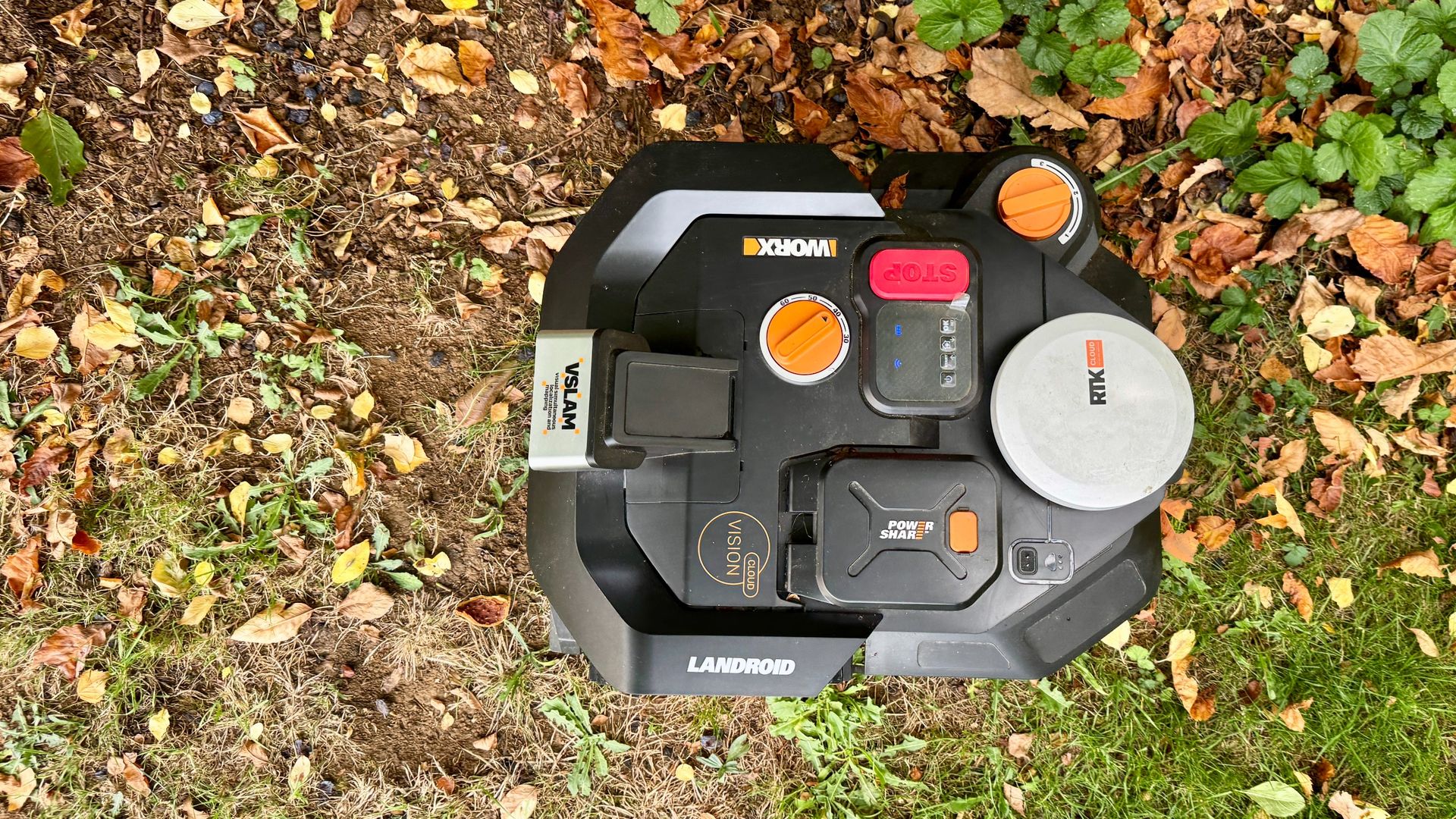
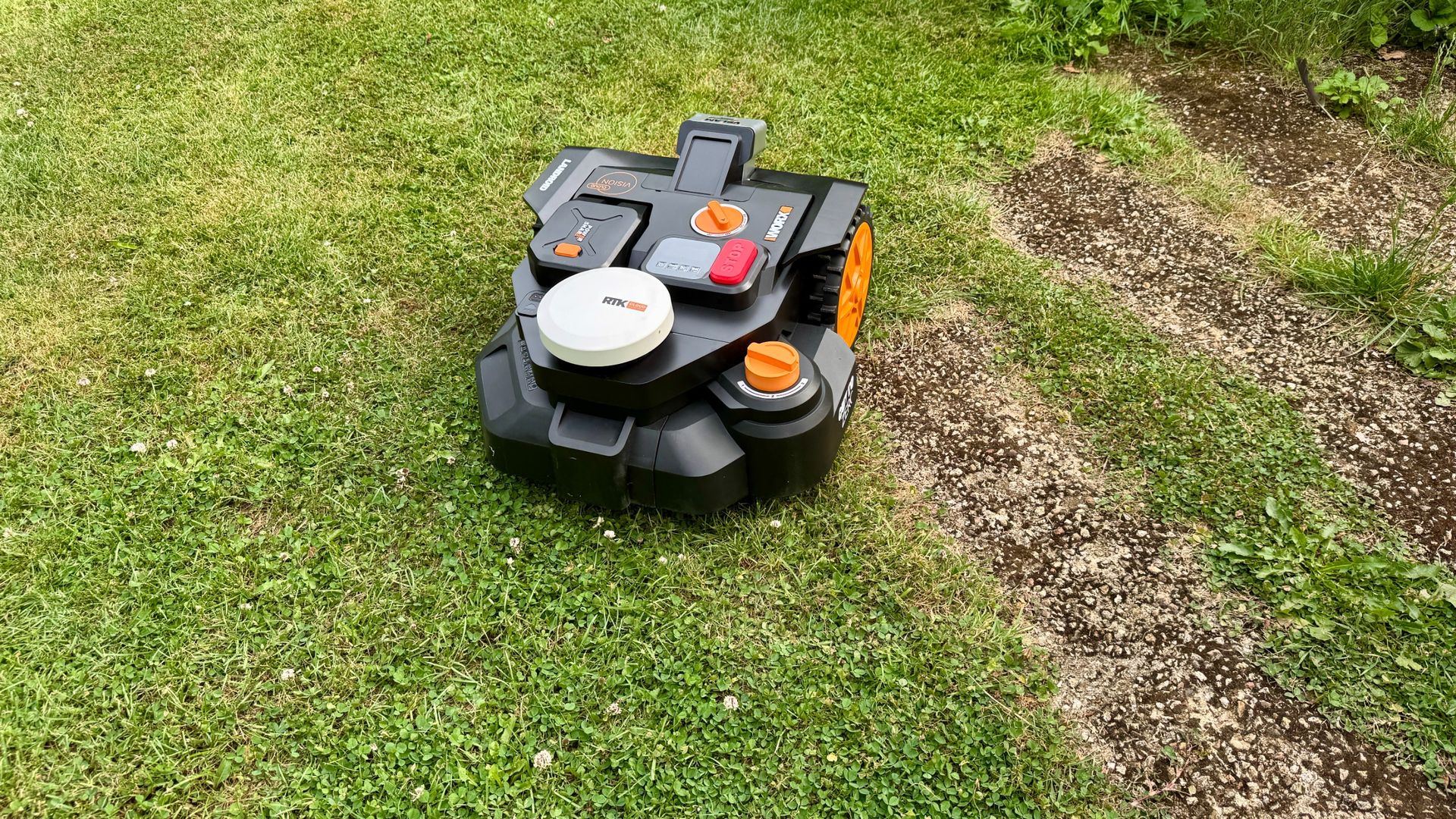
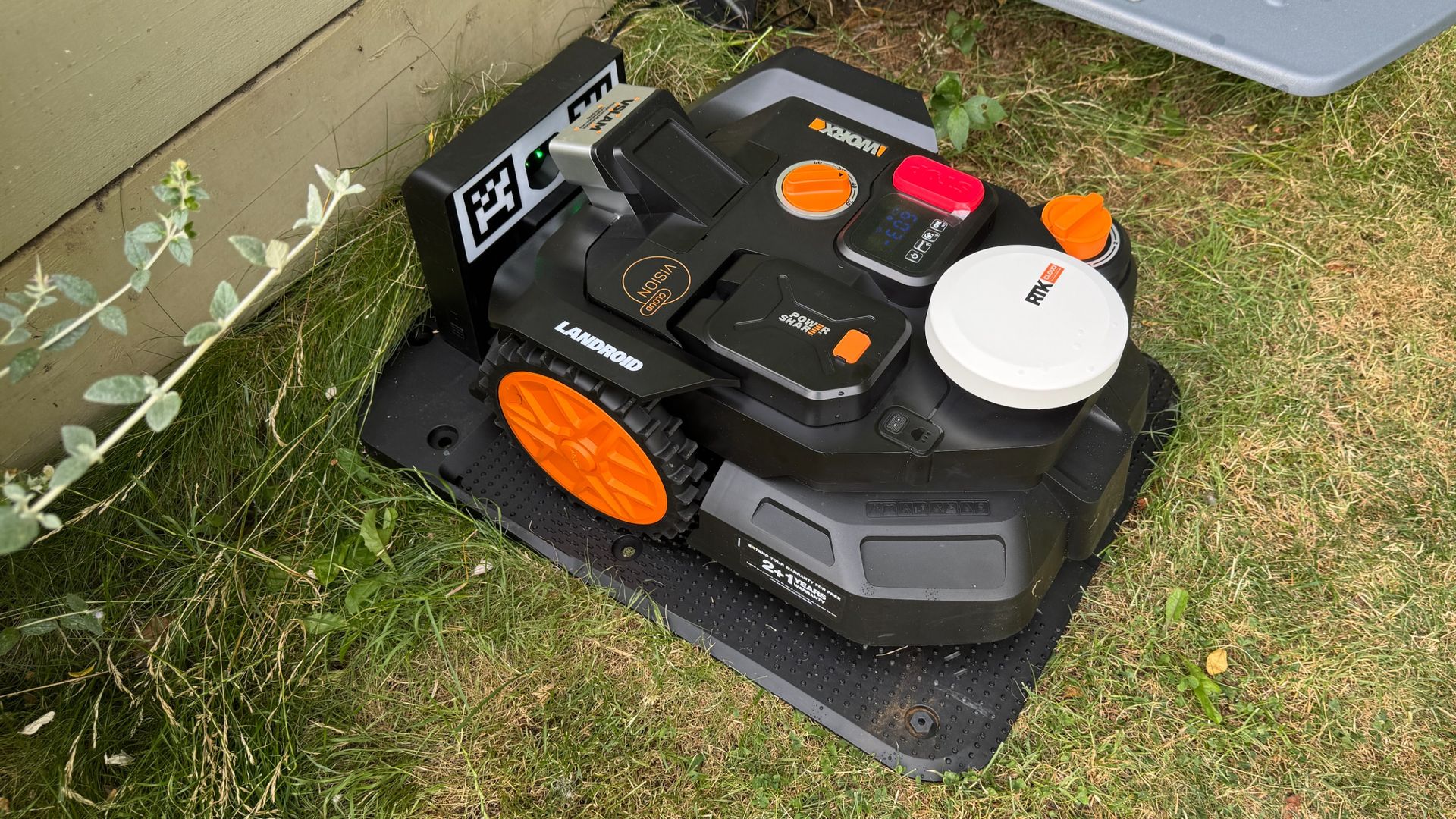
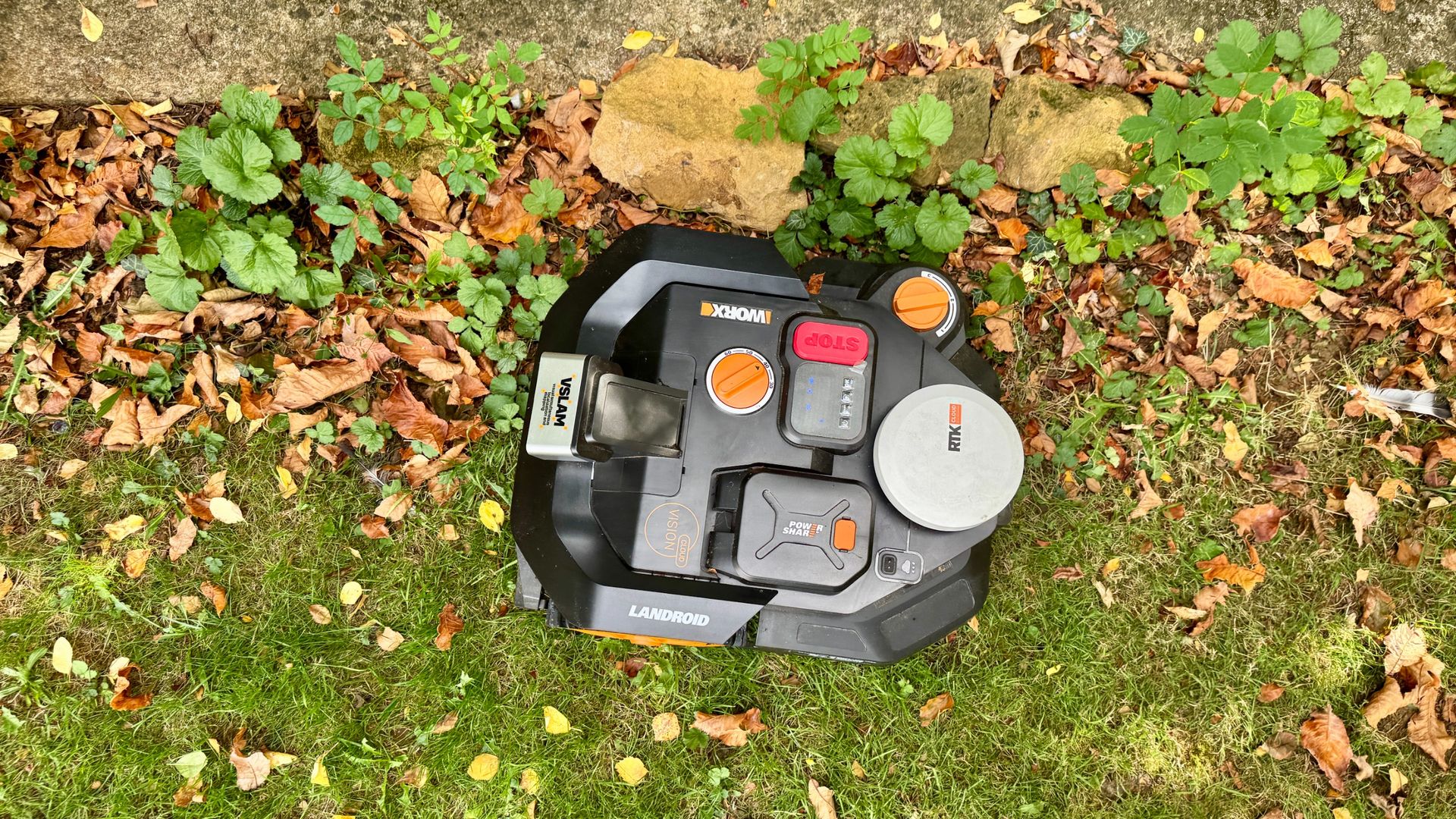
The acutely angular Worx Landroid Vision range adopts a very unusual design in that it’s difficult to tell the front from the rear. And even when you suss it by noticing which way the camera is pointing when operating, the front position of the drive wheels, the sloping design of the rear and the position of the RTK receiver still make it look like it’s actually going backwards. It continues to flummox me every time.
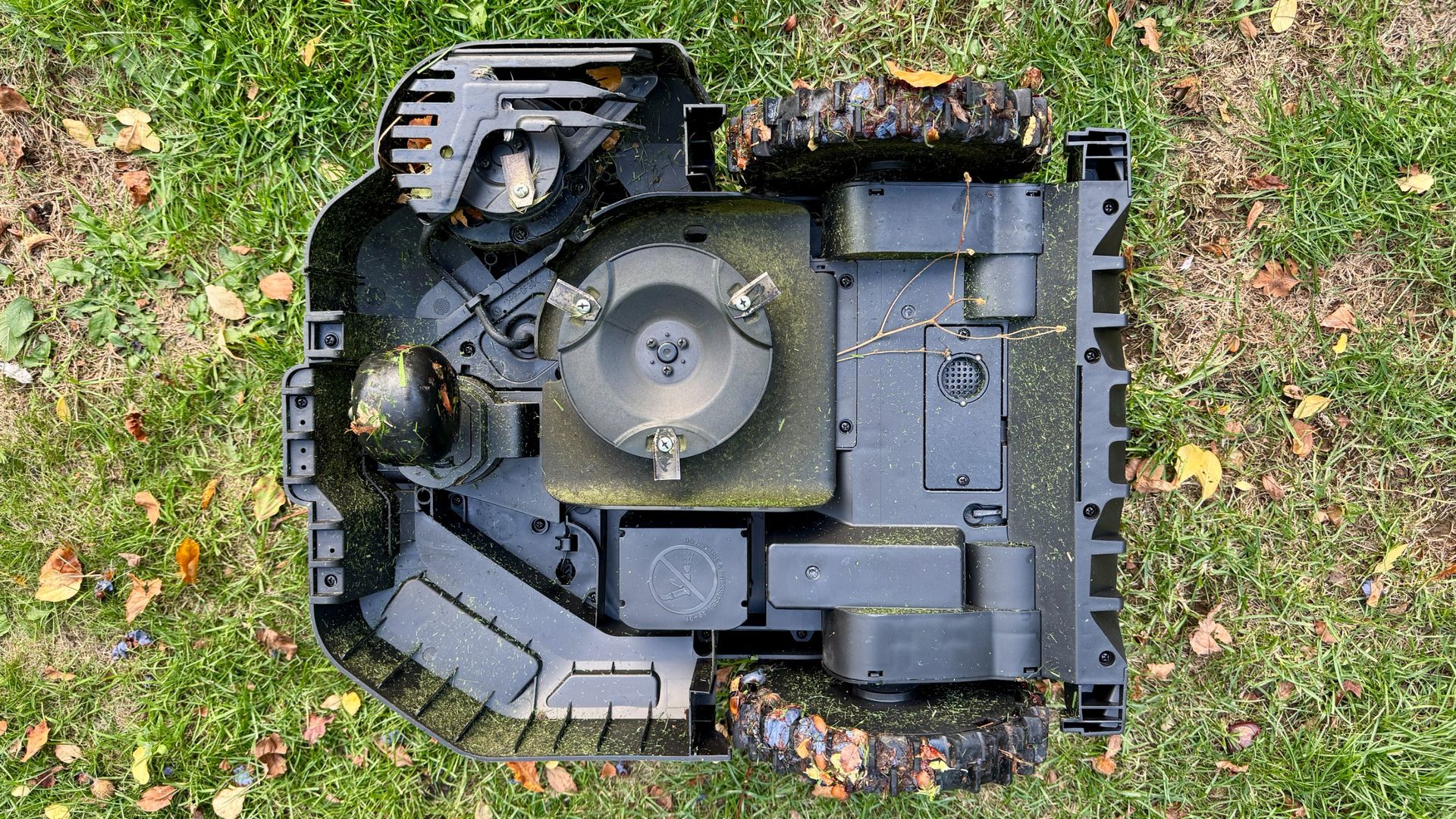
While I’m on the subject of body design, the Worx’s myriad of tight angles also make it trickier to wipe down and keep clean in the long run. Unlike other models on the market that have simple rounded shells, this one is full of tight nooks and crannies. It’s not a deal breaker but I think I prefer a more streamlined look than the Landroid Vision Cloud's Star Wars-style aesthetic. But each to their own.
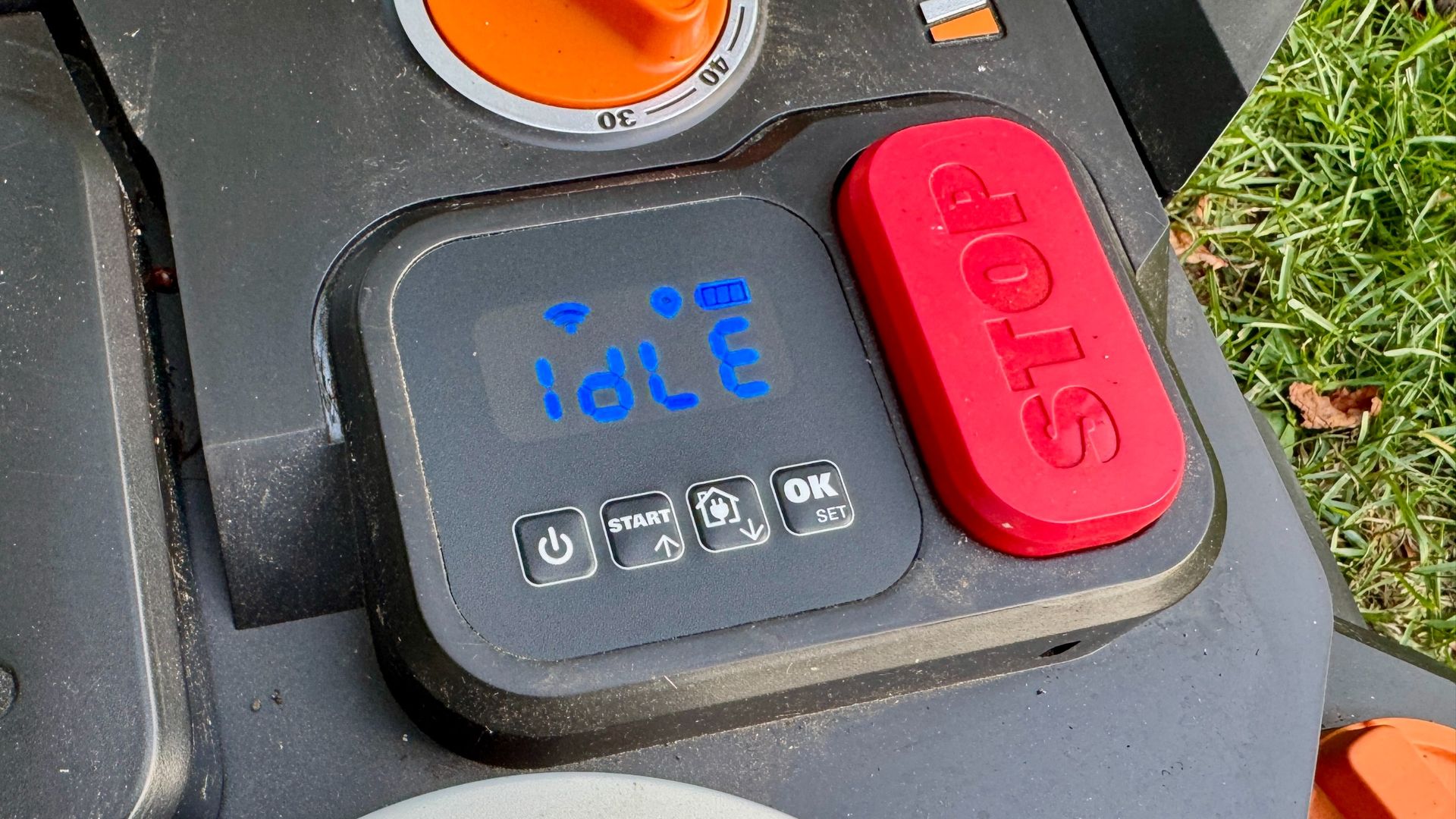
Like all good modern bots, the Landroid Vision Cloud WR306E is IPX6 rated for weather resistance, and comes with a control display on the unit, a big red ‘stop’ button for bringing it to an immediate emergency halt, a rain sensor and, perhaps a little disappointingly, a manually adjustable cutting height dial rather than the usual app-controlled motorized method.
Let’s take a look at the Worx Landroid Vision Cloud WR306E’s features in detail.
Drive system
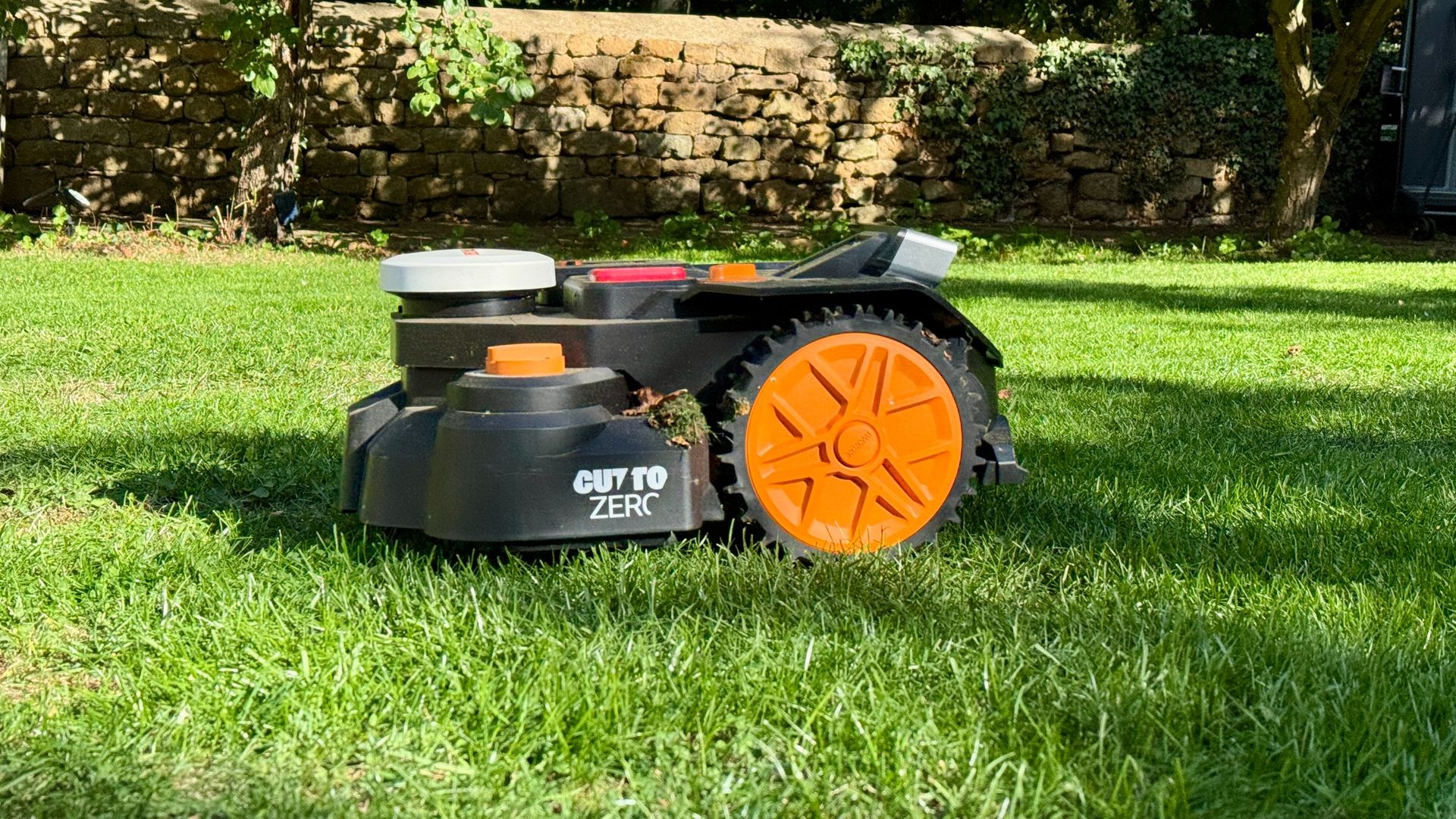
Many two-wheel-drive robot mowers are driven by the rear wheels with one or two small castor wheels at the front. However, this configuration can make it tricky when manually mapping a lawn using the RC control method because the front castors tend to pitch it off course when they hit a small dip. By contrast, this model has front-wheel drive using two large, ribbed wheels to pull the mower along and that means it's much easier to steer when mapping near the edge of borders or creating virtual multi-zone pathways.
The Landroid Vision Cloud WR306E can scale inclines of up to 30% (16.7 degrees), which is about average for a two-wheel-drive model. Nevertheless, if your lawn has steep inclines that are beyond the scope of this model, perhaps consider the similarly-sized Mammotion LUBA Mini, which has the ability to scale gradients of up to a whopping 80% (38.6 degrees).
Score ref: 4/5
Cutting system
(Image credit: Future)
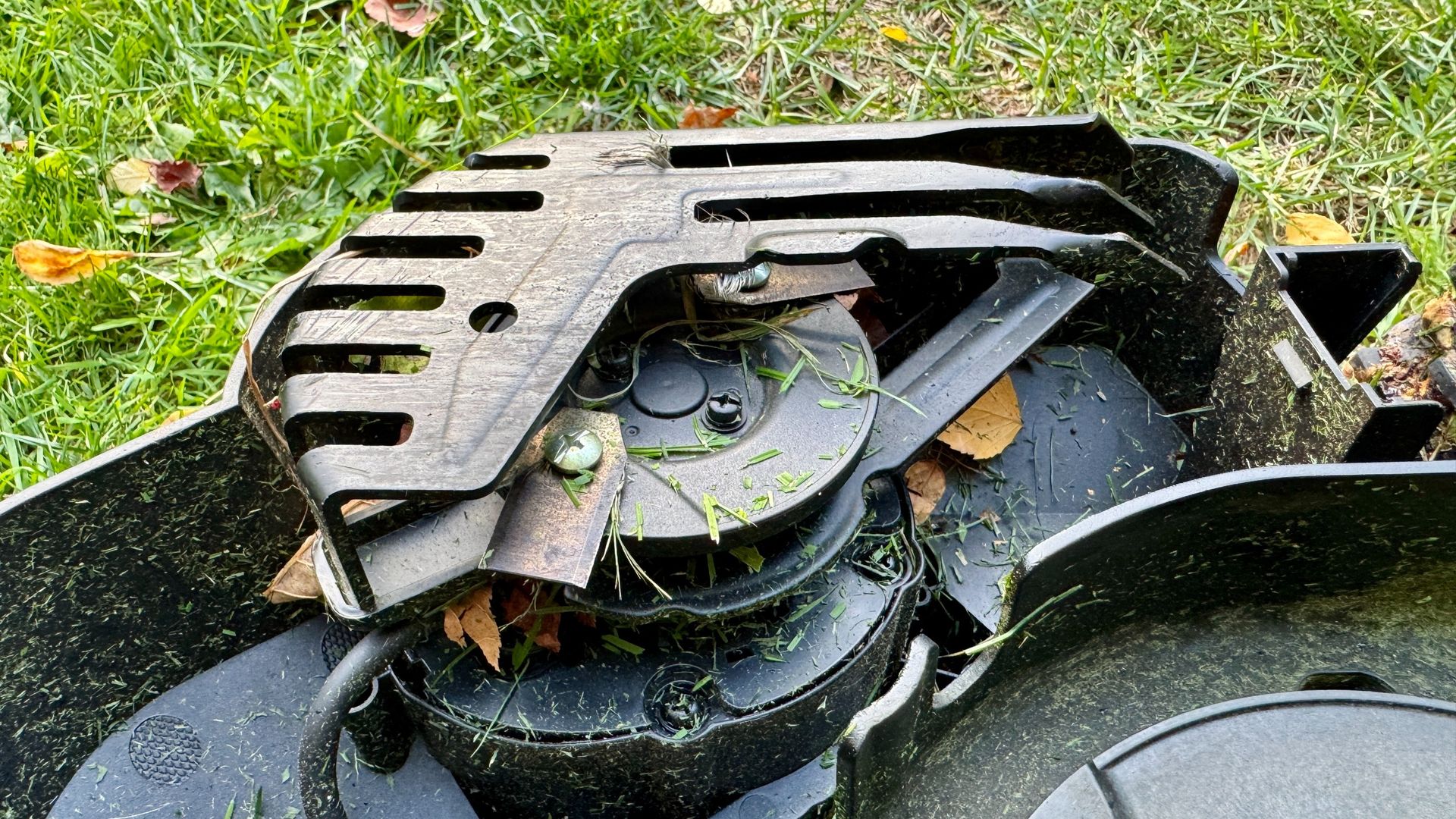
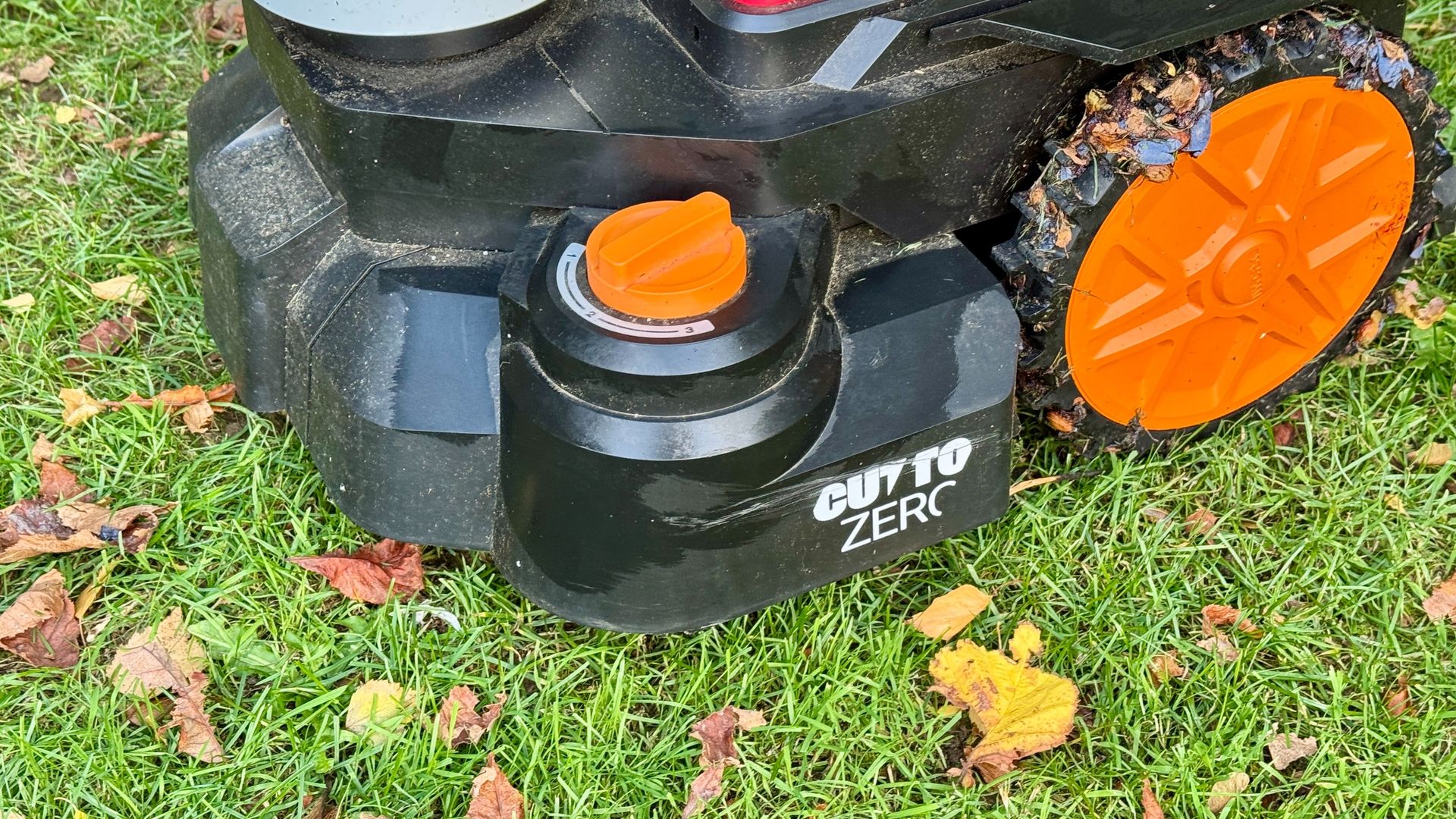
The Worx Landroid Vision Cloud WR306E is equipped with a 7-inch / 18cm three-blade cutting disc that slices grass like a pair of scissors, leaving no ragged edges when examined at macro level. Furthermore, this model also features the company's new twin-bladed Cut-to-Edge system, a dedicated offset cutting module that allows the blades to reach much closer to the lawn’s edge than a conventional centrally-mounted cutting disc. This means less manual trimming with a line strimmer afterwards and a much tidier-looking finish around borders, paths and flowerbeds.
One contributory factor to this model's lower-than-average price is the omission of an app-controlled motorized cutting deck, and that is something I most definitely miss. Instead, you will need to adjust the WR306E's cutting height directly on the mower by turning its big orange dial to your preferred height.
The Landroid Vision Cloud's unique edge cutter works very effectively. At least it did on my lawn (Image credit: Future)
Unlike most other mowbot models equipped with motorised decks that can be set to cut in 5mm increments – and even 1mm increments in the case of the Mammotion LUBA 3 – the Worx only offers four cutting heights in 0.4-inch / 10mm increments, from 1.18 to 2.3 inches / 30mm to 60mm. The same applies to the Cut-to-Zero module's cutting height which can be adjusted to three different heights: 2, 2.4, and 2.8 inches / 50, 60 and 70mm.
For me, it's not so much the hassle of having to visit the mower to change its cutting height but the fact that I can't select my favorite midway cutting height of 1.37 inches / 35mm, which I consider to be the sweet spot for a healthy sward, at least in the UK.
Like all good modern robot mowers, the Landroid Vision Cloud's intelligent scheduling means it can make frequent, relatively small cuts rather than attacking long grass in one go. This regular mulching approach leaves fine clippings on the lawn to decompose naturally while leaving more space in the green waste bin for other garden refuse.
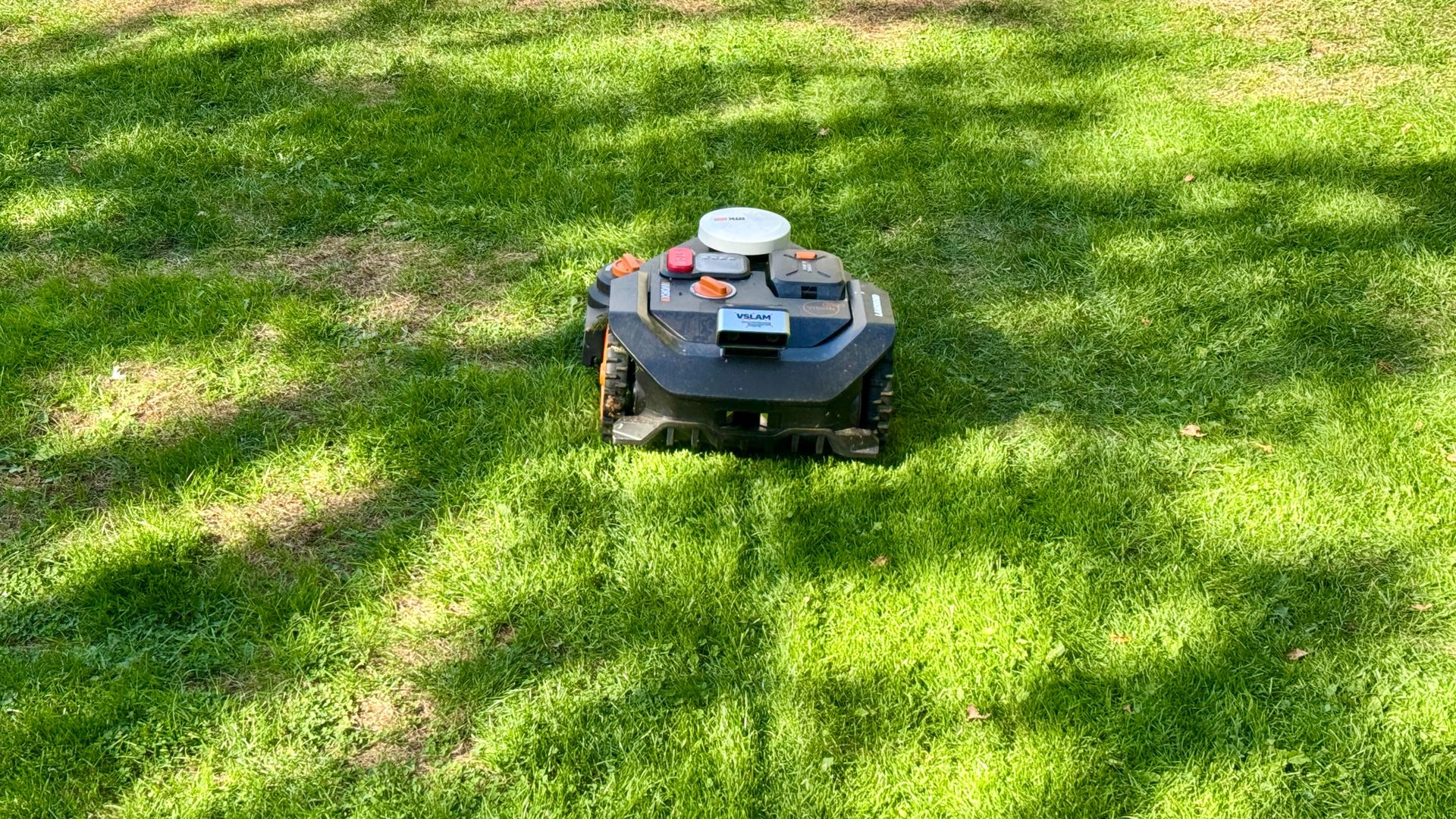
Moreover, this mower also cuts your lawn in pseudo parallel stripes. However, the combination of the robot's single centrally-located rear trolley-style wheel and the two large ribbed driving wheels on the front does tend to create a slightly less appealing three-line stripe. It's not a deal-breaker, but I much prefer the more natural-looking stripes created by four-wheeled robot mowers like the Mammotion LUBA range.
Score ref: 4/5
Navigation
(Image credit: Future)
The Worx WR306E uses a combination of cloud-based RTK positioning and sophisticated camera-based navigation to find its way around the lawn without relying on traditional boundary wires. RTK provides highly accurate satellite positioning, helping the mower understand exactly where it is so it can maintain a consistent mowing pattern across the lawn.
Its V-SLAM (Visual Simultaneous Localization and Mapping) dual camera system, meanwhile, continuously looks at the ground ahead while identifying the boundaries between lawn and non-lawn areas such as flowerbeds, paths and borders.
The Worx WR306E can initially map a lawn in two ways: automatically or manually by steering the robot around the lawn’s perimeter using the virtual RC controls in the Worx Landroid app. During its initial mapping run, it builds up a picture of all mowable areas by using its vision system to recognize where the grass ends. So, rather than charging blindly towards a border and into the lupins, it recognizes the boundary and adjusts its route accordingly. In essence, the camera provides the visual intelligence while RTK handles the positioning accuracy.
The WR306E also supports multi zoning so if you have two or three lawns that can be easily reached by the mower with no obstructions like steps or gates in the way, simply select the zone feature and steer it from one zone to the next and the robot will follow that path from thereon in. And if your lawn has any perilous areas like ponds or steep drop-offs, you can easily add no-go zones where necessary.
Score ref: 4.5/5
Obstacle avoidance
(Image credit: Future)
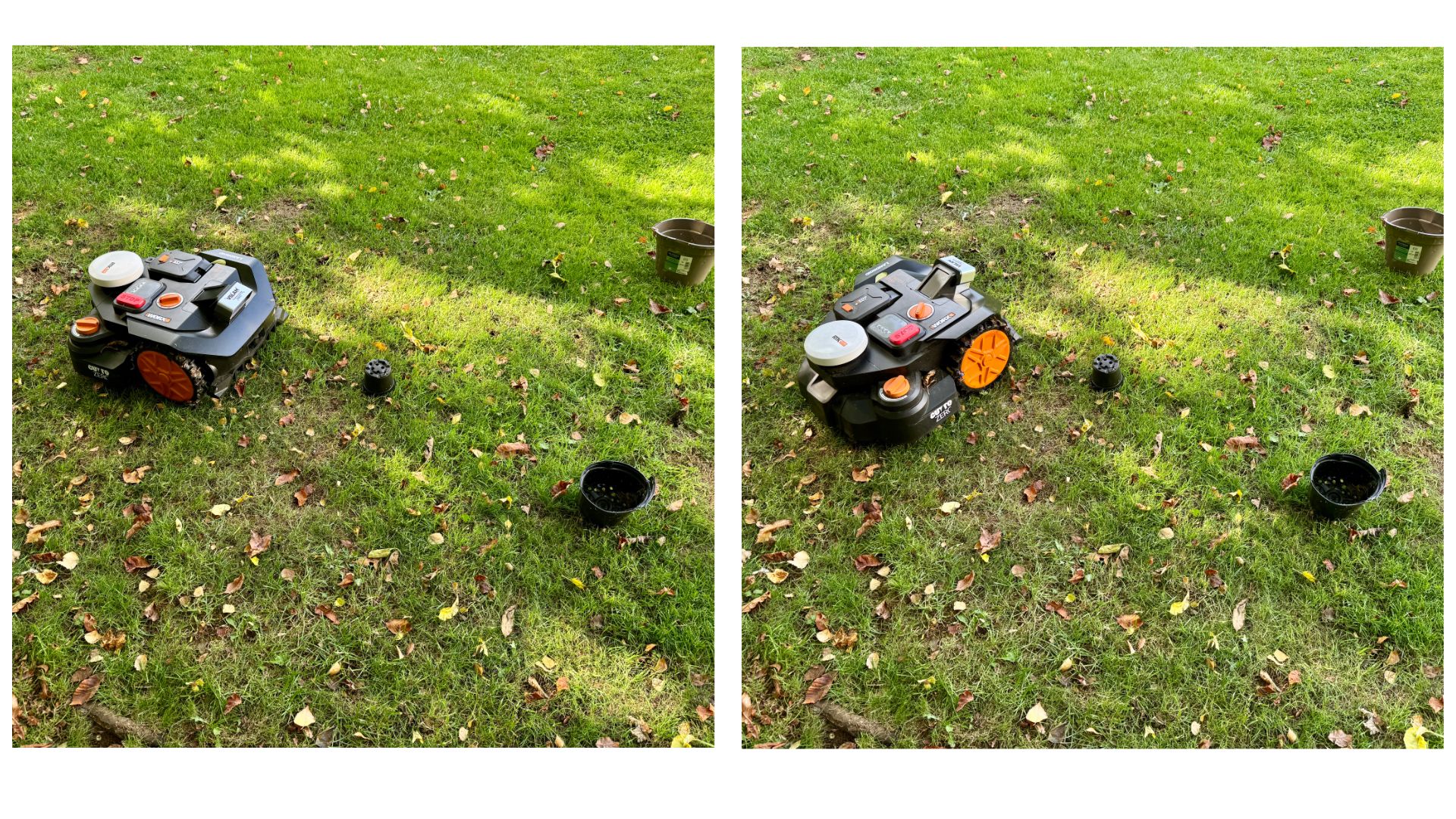
The Worx Landroid Vision Cloud WR306E has an excellent obstacle avoidance system that uses its onboard camera and AI to recognise most common garden hazards, including people, pets, toys, plant pots and garden furniture, allowing the WR306E to alter its route rather than blundering into them. Thankfully it doesn't treat leaves and other small pieces of garden debris as obstacles or it would never get the job done.
Score ref: 5/5
Battery system
(Image credit: Future)
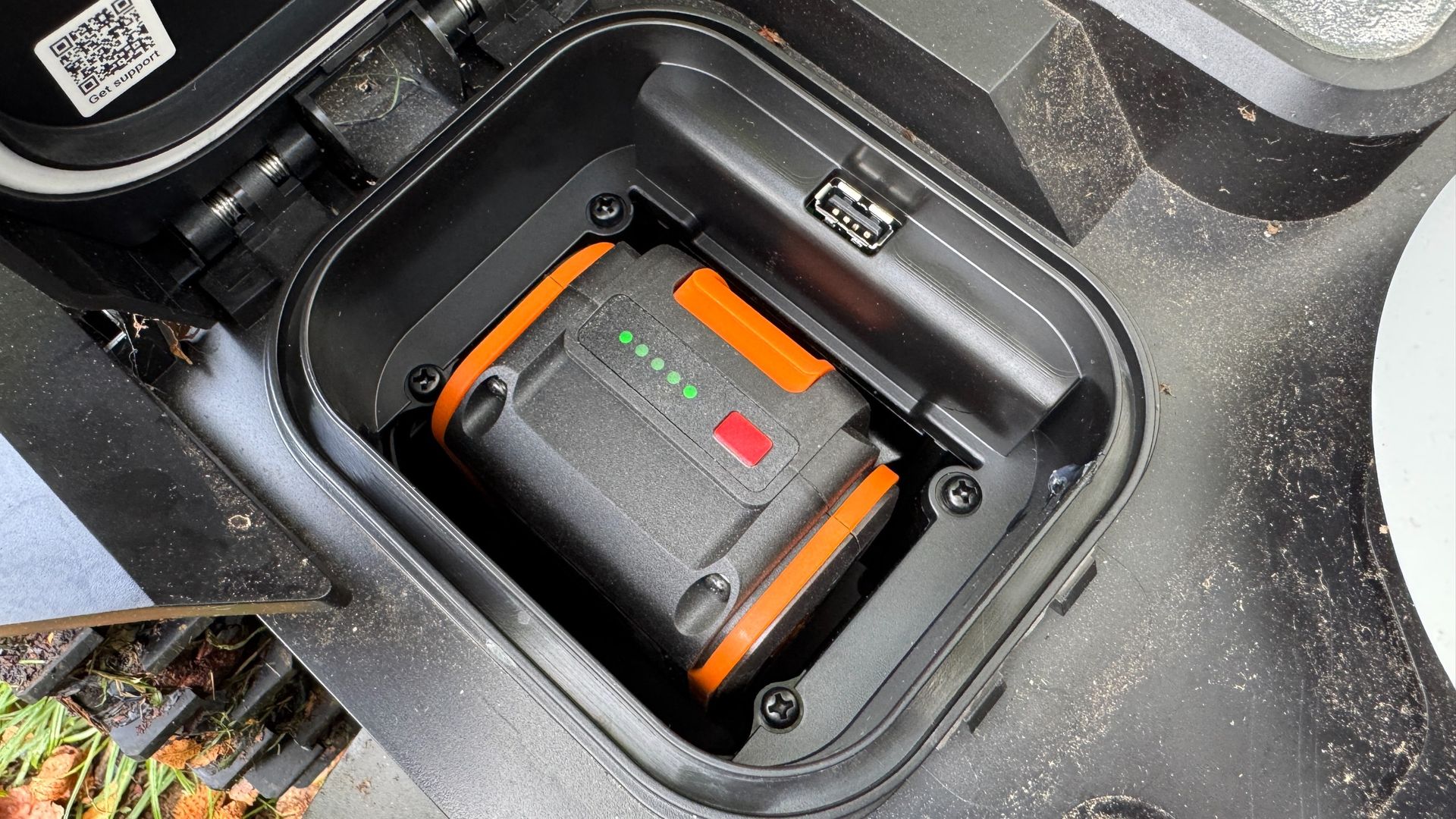
Almost all robot mowers come with built-in batteries that can cost a packet to replace if they develop a fault (very feasible, especially after winter storage) or have come to the end of their useful lifespan. That is not the case with any of Worx's robot lawn mowers because, in a stroke of genius, the company has elected to stick to the convenience and cost-effectiveness of its tried-and-trusted PowerShare battery system which works across a huge range of Worx-branded cordless garden and power tools.
Hence, if the Landroid Vision Cloud's 20V 4.0Ah lithium battery has an unlikely hissy fit and stops working altogether, you can either use another PowerShare battery from your Worx grass trimmer or leaf blower, or simply buy a new one for around £64. To put this into perspective, a new Mammotion LUBA 3 battery will set you back between £276.66 to £363.66, depending on the specific capacity or model variant.
Score ref: 5/5
Security
(Image credit: Future)
Security is an important consideration with a robot mower that spends much of its life unattended in the garden, so the Landroid Vision Cloud WR306E has several measures designed to discourage unwanted interference.
Firstly, its connection to the Worx Landroid app locks it to the user's Wi-Fi and Worx account, rendering it useless to any opportunist thieves. GPS-based positioning, meanwhile, helps keep track of where it is. And if the mower is lifted or moved unexpectedly, its security function will trigger an alert and prevent unauthorized use by requiring the user's security pin code.
Most modern robot mowers are very easy to unbox and set up by simply locating a suitable space for the charging station, plugging it into the nearest outdoor wall outlet and syncing the robot to one’s Wi-Fi and manufacturer account. The first part of the Landroid Vision Cloud’s set up went as smoothly as expected, but unfortunately it all went a bit pear shaped the moment I started to connect the robot to my Wi-Fi and the Worx Landroid app.
It’s been difficult trying to recall the full sequence of events, but the setting-up process went from fairly straightforward to downright annoying in a very short space of time. And most of the problem was down to the front-end user interface which displays various meaningless codes, icons and LCD patterns on the robot’s screen interface.
After connecting it to my Wi-Fi by stabbing at buttons on the robot’s LCD display, it mysteriously said ‘IDLE’ on the screen, so I restarted it. It then jumped in early to supposedly update the firmware without me having reached that part of the process. I watched and waited a few minutes but when nothing happened, I restarted it again and then received an error code like something from a Windows operating system in the late 1990s. I can’t remember how I resolved the error code but it went back to idle again, so I restarted it a third time.
At this juncture I should admit that I rarely follow instruction manuals and I also have a habit of not waiting long enough for computers to do their thing. Out of frustration, I also occasionally perform restarts when they might not be required.
Anyway, after taking a well-earned tea break for 10 minutes, I noticed an auto mapping button had popped up on the app screen so I tapped it, and off it went to start mapping the perimeter. I'm still not sure what caused the installation issues but it's been running smoothly ever since.
I’ve set up a lot of robot mowers over the most few years and, while this model was nowhere near as complicated as the Husqvarna 305E Nera I reviewed in 2025, I think that Worx could make things easier by overhauling the front-end user experience.
Score ref: 3.5/5
Cutting and usability
(Image credit: Future)
In performance terms, the Worx Landroid Vision Cloud WR306E has proved to be an extremely impressive bit of kit, particularly when it comes to staying where it's supposed to and not wandering off into the rose garden. The parallel cutting approach is also a big advantage over this model’s haphazard, pinball-style 2024 predecessor, the Landroid Vision M600, which I reviewed for TechRadar's sister publication T3.com, and the result is a more uniform finish and much better lawn coverage.
I was also surprised by how efficient the Cut-to-Edge module was at dealing with solid borders. The closest other robots have managed to get to our solid flower bed border is about four inches but this model manage to cut to within an inch in some places and that's a major plus in its favor.
Admittedly, the majority of my testing was on a patchy lawn ruined by the long summer drought of 2026, but on those areas where the grass had fully recovered, the Landroid Vision Cloud performed as well as the vast majority of robot mowers I've reviewed. Yes, the stripes it left in its wake weren't as aesthetically pleasing as those created by the Mammotion LUBA range, but I don't consider this a deal-breaker because, well stripes are stripes, and the fact it does them at all is cause for celebration.
In my tests, the Landroid Vision Cloud's obstacle avoidance system did a very good job of steering around objects in its path, including a very small flower pot that flummoxed an EGO robot mower I recently reviewed. It’s battery consumption was excellent, too, with plenty of juice left in the can after completing a cut of my modest 1,851 sq ft / 172m² lawn.
(Image credit: Future)
During several months of periodical testing — mostly during the UK's drought period — the Landroid Vision Cloud's RTK and V-SLAM navigation system has been rock solid, failing only once to find its charging base. But that was because I'd moved the base four feet to the right. Once I'd placed it closer to the base, it received the signal and has not had any trouble docking since.
While I don't think this model is as completely fuss-free as the TerraMow V1000 or its cheaper sibling, the V600, I still think it's up there with the best for reliability, rock-solid obstacle avoidance and dependable navigation. And while the Landroid Vision Cloud's stripes aren't quite as attractive as those created by the LUBA range, I really don't think you'll be disappointed.
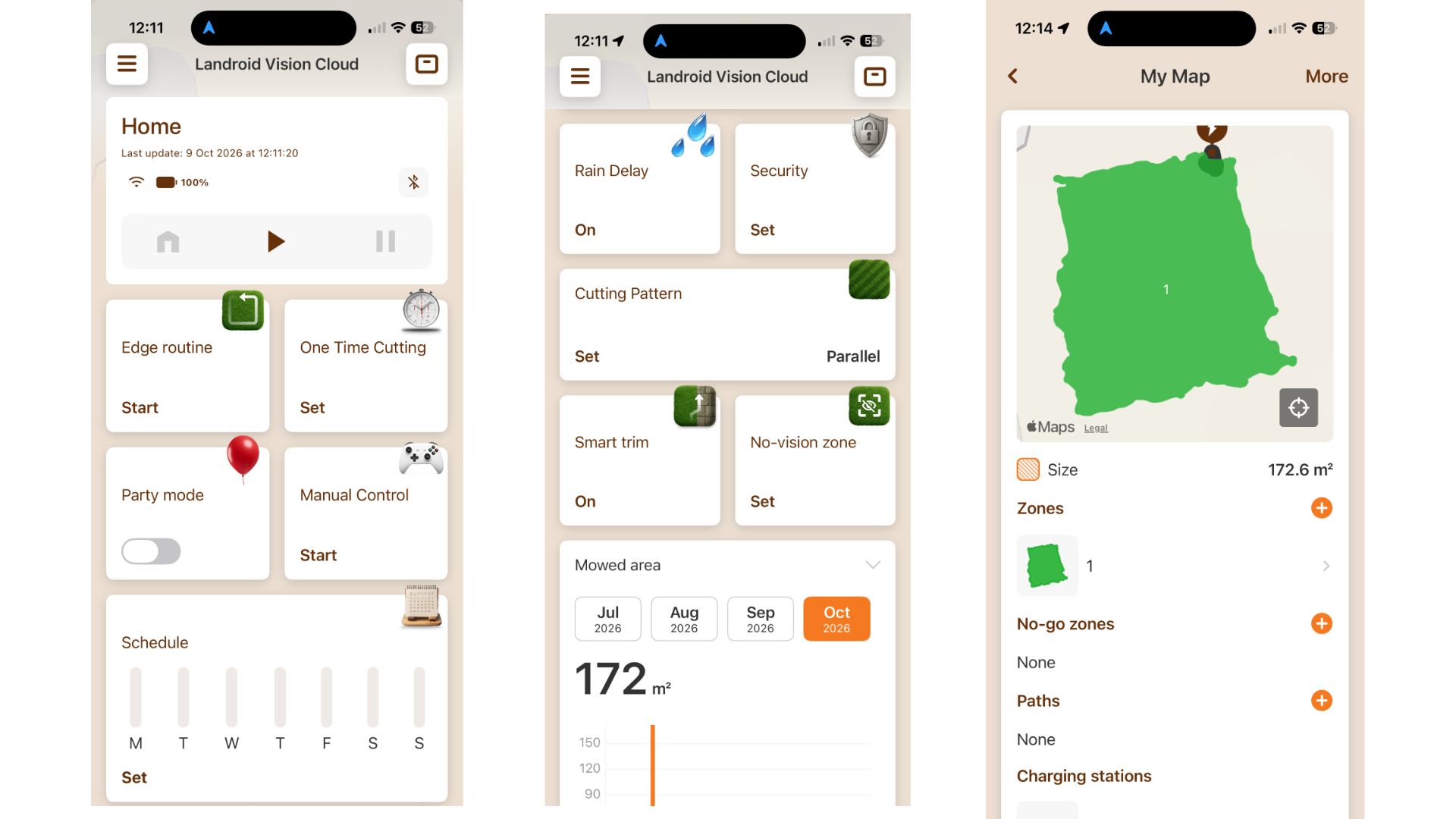
The colorful Worx Landroid app is the main control center for the mower, giving you access to a surprisingly wide range of functions. From the home screen you can start, stop and schedule mowing sessions for different days, monitor battery level, mowing progress and the mower’s current location, though this streaming function is usually about five seconds behind real time.
The app is also where you create and edit no-go zones, set up multiple lawn areas and define paths between them. However it took me a while to find the map section which is buried under My Map in the general information menu — along with all the stuff about the device's settings, firmware updates, support — instead of on the home screen.
For this reason I don't think the app is especially intuitive and feel it could do with a few tweaks to make it easier to navigate and find particular settings. I've also noticed that the robot is pretty slow to respond to commands in the app so give it time before you start stabbing at icons on the screen.
App functionality: 3.5 / 5
Should you buy the Worx Landroid Vision Cloud WR306E?
Section
Notes
Score
Value for money
It’s a wee bit pricey, but excellent performance, wire-free convenience and smart navigation justify the investment
4/5
Design
Compact, modern and practical, the Landroid Vision Cloud’s design prioritizes function over unnecessary frills
4.5/5
Performance
The Landroid Vision Cloud’s excellent cutting and precise navigation deliver consistently impressive mowing performance
4/5
App functionality
A feature-packed app, but its confusing layout does complicate menu navigation
The lack of a motorized cutting deck adjustment limits flexibility
You require a wider cutting width
Consider a model like the Mammotion LUBA 3 instead
How I tested the Worx Landroid Vision Cloud WR306E
(Image credit: Future)
Despite my delayed tests brought about by a UK drought, I finally managed to find some patchy grass on my lawn to give this robot a good series of closely-inspected tests between its general scheduled tasks.
I first noted how well it automatically mapped my lawn before setting a cutting height of 40mm and noting how accurately it went up and down the lawn and how closely it cut to the edge. No issues there. I also added some obstacles to see how well it fared against previous models I’ve had on my lawn and it passed that test with flying colors.
Reviewing robot mowers can be a time consuming business — especially when they behave in strange ways — but I have to say that this one has been very reliable with no disconnections or unusual border excursions to report. However, I think that Worx needs to work on the setting-up process which turned out to be a relatively frustrating experience.
First reviewed October 2026
from Latest from TechRadar https://ift.tt/izgwXAT
0
coment�rios:
The purpose of our weekly ICYMI (In Case You Miss...
The purpose of our weekly ICYMI (In Case You Missed It) rundown is to give you a chance to catch up on the biggest stories that have appeared on TechRadar over the last seven days — as you might have worked out from the name.
Life is often busy, so we'd readily forgive you if you haven't been able to read every single thing we've published this week (it's been a lot). With our ICYMI recap, you can stay on top of everything that's been going on.
It's been another hectic week of course. We've seen new gadgets from Garmin and Amazon, a serious mobile expansion for Starlink, and a refresh for ChatGPT that changes how its AI's responses appear. Let's get into it.
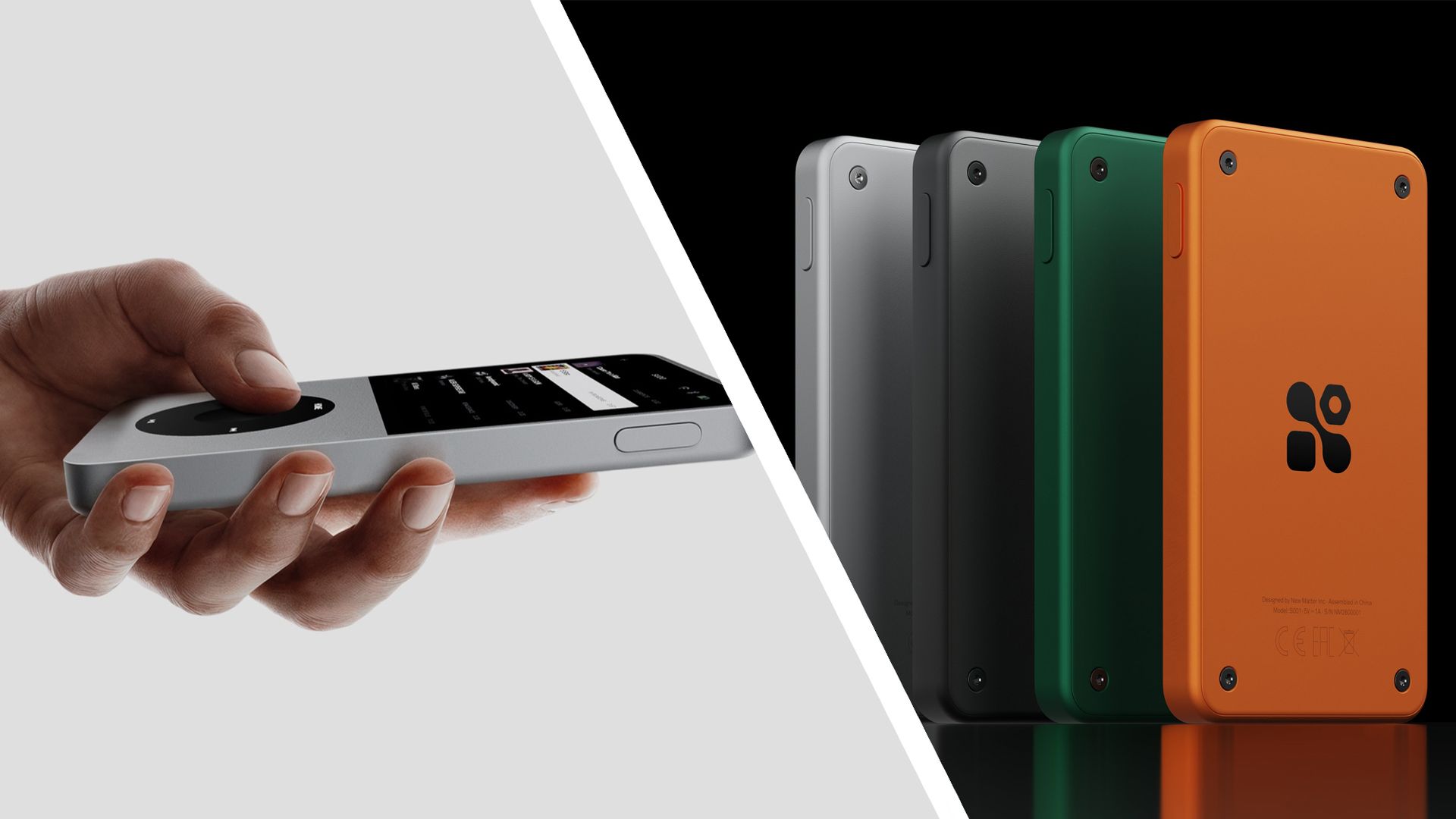
7. The iPod Classic got a spiritual successor
The Sudo player (Image credit: Sudo)
The iPod Classic — the one with the chunky, tactile clickwheel that revolutionized portable audio player interfaces when it was introduced — was discontinued by Apple in 2014, but it seems there are many people out there wishing it was still with us. Take the makers of the new Sudo player, for example, who have clearly styled their device after Apple's gadget.
There's the clickwheel of course, but also a touchscreen that's giving us distinct Microsoft Zune vibes (another ancient digital music player). We're also pleased to see a 3.5mm headphone jack included, as well as a memory card slot, and the price looks reasonable too. The only downside is that the player isn't expected to go on sale until late next year.
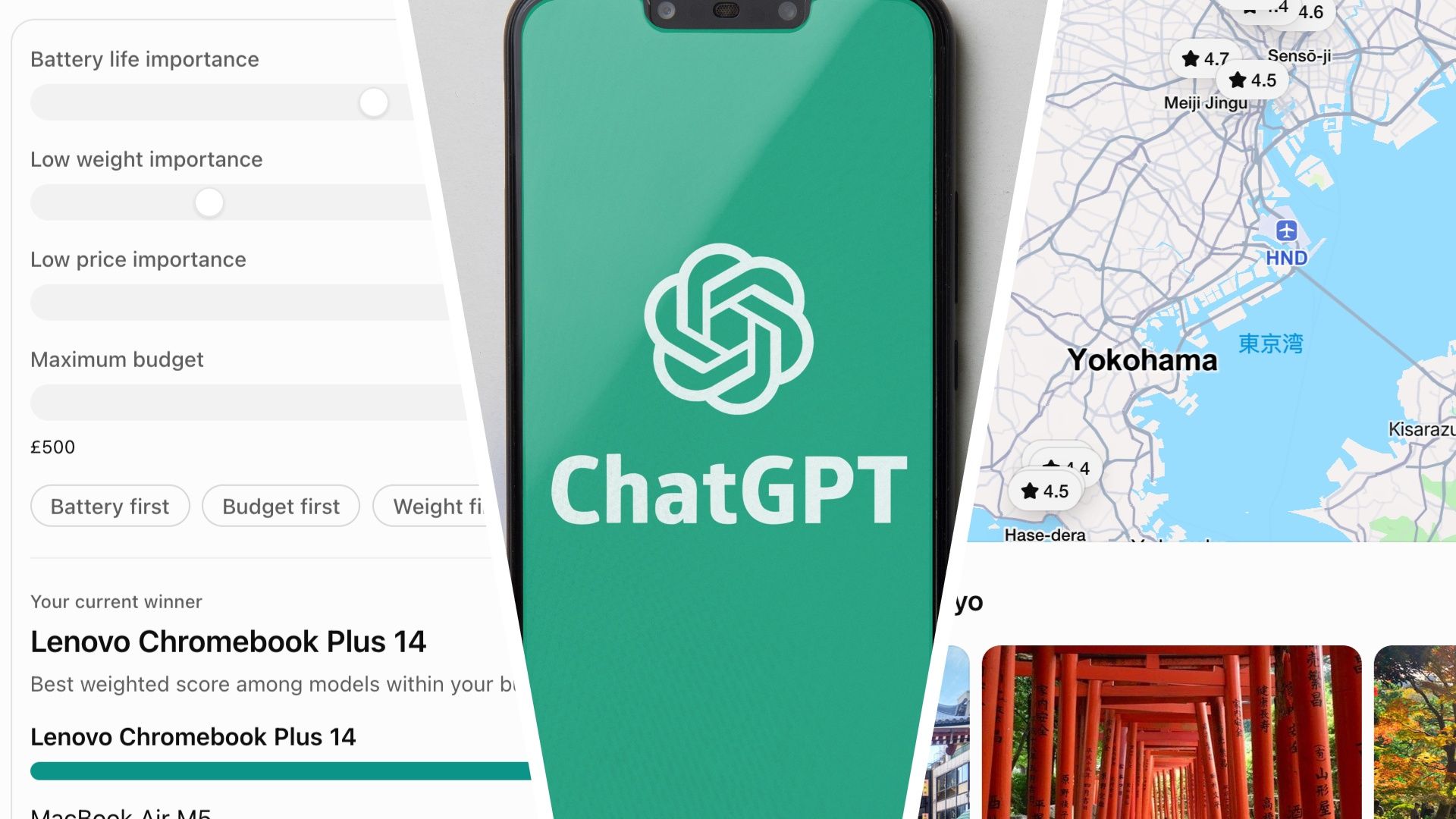
ChatGPT is getting more visual (Image credit: Shutterstock / Runrun2)
OpenAI has given ChatGPT a fresh lick of (digital) paint this week, with its 'Intelligent UI' promising more visuals in the app's responses. So, rather than getting back a wall of text every time you submit a prompt, you'll also see maps, diagrams, pictures, and other visuals. If a graphic seems appropriate for an answer, ChatGPT will slide it into the chat.
This makeover is available now for all users, and we've been giving it a go. Neat interactive elements showed up in a savings calculator, while a prompt around bicycle mechanics resulted in a clear and well-presented diagram. It's a sign of where ChatGPT and the other AIs are heading, with more emphasis on each chat working like its own bespoke mini-app.
5. Garmin revealed its 'longest-lasting GPS watch'
The Garmin Enduro 4 (Image credit: Garmin)
Any new models launched by Garmin will always get our attention, and this week the Enduro 4 and the golf-focused Approach S72 were unveiled. The former brings with it a 1.4-inch MIP display and up to 90 days of battery life — it's apparently the longest-lasting GPS watch ever from the company, a selling point which is likely to appeal to many.
As for the Garmin Approach S72, it replaces the Approach S71, and lets you analyze your heart rate and other biometrics as you play, while also providing access to more than 43,000 course maps right from your wrist. There's also a feature to help you improve your swing consistency. We've got all the details on these devices, including pricing, right here.
4. Some Gemini fans lost access to Google’s best AI models
Gemini AI plans are changing (Image credit: Shutterstock / Primakov)
It seems Google is finding it a bit too costly to keep up with all the queries and commands that users are plugging into Gemini. From this week, unless you're on the most expensive Google AI subscriptions, you're going to start losing access to the most advanced (and most costly to run) Gemini AI models — so it's the free and Plus tiers that are affected.
The actual usage you get from your plan isn't changing — the number of prompts, image requests, and other demands you can make in a certain time frame — but you'll need to pay up or pay more if you want the most sophisticated and fastest AI models on the job. The move also makes Gemini closer to ChatGPT in terms of how AI models are accessed.
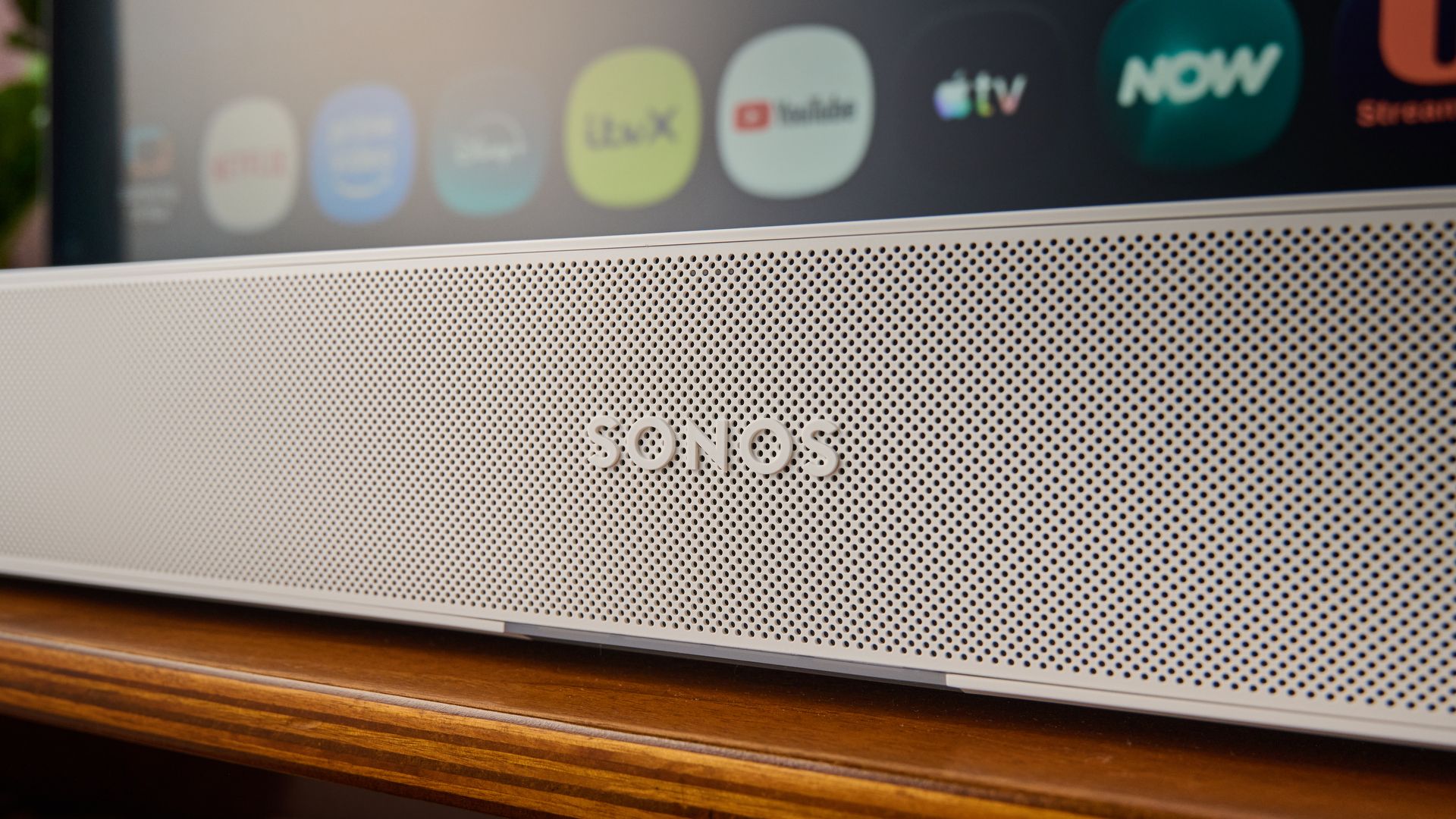
3. Sonos fans welcomed a long-requested app update
The Sonos Beam Ultra (Image credit: Future)
Sonos appears to be coming out of its rough patch. Following some very well-received new hardware, the company is now improving its software, with the latest 27.1 update bringing several features that users appreciate. The latest app version is rolling out now, for Android and iOS.
One of the changes here is that swapping between functions (like music playback and TV support) won't lose your place in a playlist — a relatively small improvement that's very handy nevertheless. Android users also get a virtual volume knob they can play around with on screen, matching iOS, while searching through your library is now easier as well.
2. Starlink revealed its plan to be ‘the world’s most advanced’ mobile network
Starlink is expanding its network (Image credit: SpaceX)
Starlink Mobile has picked up some low-band 800MHz spectrum, it's been announced, which is ideal for providing cellular coverage indoors — and means the company is now another step closer to competing with AT&T, Verizon, and T-Mobile as one of the big players in the carrier market in the US, lofty ambitions that it isn't being shy about.
As per Starlink Mobile's owner SpaceX, the goal is to build "the world's most advanced mobile network", using the newly acquired spectrum alongside existing mid-band spectrum and satellite constellations to get customers connected from anywhere. With another 15,000 satellites due to be launched, the Starlink network is expanding quickly.
1. Amazon gave us a cheap iPad Air rival — and it runs Android
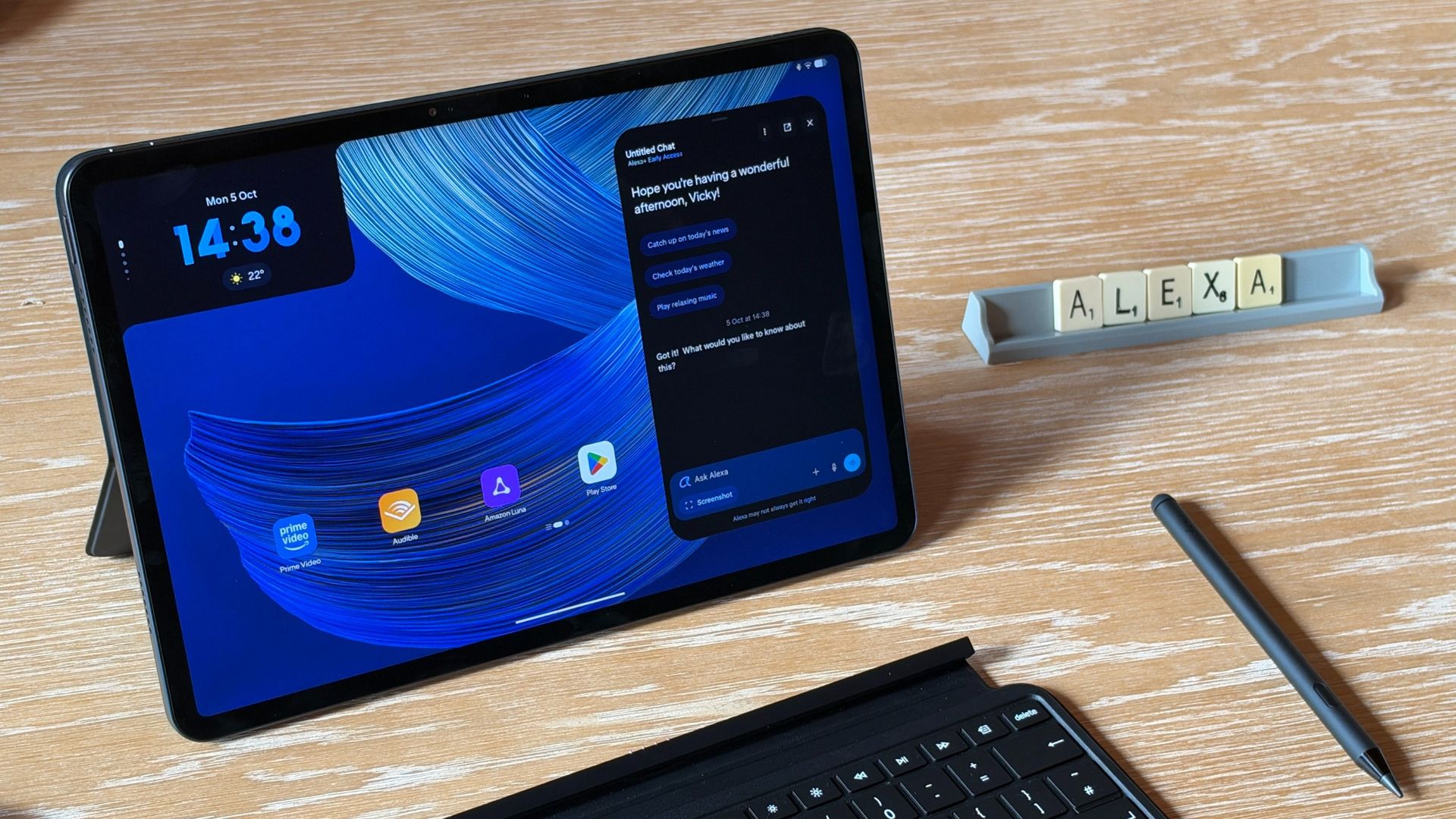
The Amazon Alexa Tablet 12 Pro (Image credit: Future)
The Amazon Fire tablets have long been considered good picks if you're after a slate that's cheap and cheerful, especially if the kids are going to be using it. Now we have three brand new tablets from Amazon to consider: 'Fire' has been replaced by 'Alexa' in the branding, and there's also a significant and telling shift in the operating system on these models.
For the first time, Amazon is letting a fully-fledged version of Android on its tablets, complete with the Google Play Store, so you're no longer hampered in terms of what you can install (hello YouTube). It means they can compete more directly with the iPad, and as the Vice President of Amazon Devices told us, it also gives them broader appeal.
Outside the UK? Use NordVPN to unblock your streaming account
Watch Arsenal vs Leeds live streams as the Premier League champions aim to get back on track following a humbling defeat before the international break. Unbeaten in fifth place, the visiting Yorkshire side have their sights firmly set on another upset, though.
After four straight victories to start the 2026/27 Premier League campaign, Arsenal were dismantled 3-0 by Brighton last time out. Knocked off top spot by the Seagulls' relentless high press, the Gunners will want to restore order but must do so without Kai Havertz, who has returned from Germany duty injured. Mikel Arteta, fresh from signing a new multi-year contract this week, will look to Bukayo Saka and captain Martin Odegaard to continue their fine form.
Leeds will not make it easy for the North Londoners, however. Unbeaten in the Premier League this season, Daniel Farke's physical side bring a unique set of challenges to the table and with Dominic Calvert-Lewin having bagged three goals already this term, the direct approach is bearing fruit. A victory at the Emirates would take them above their hosts. Their contain-and-counter approach could cause Arsenal problems, while Harry Wilson is rated 50-50 with a thigh problem.
Here's how to watch Arsenal vs Leeds in the 2026/27 Premier League from anywhere in the world.
How to watch Arsenal vs Leeds for FREE
Free Arsenal vs Leeds streams are scarce but there are a couple of options involving free trials to OTT streaming services.
Not in the US? You need a VPN to unlock your FREE stream — find out more below.
Use a VPN to watch Arsenal vs Leeds from anywhere
A VPN is a handy piece of software that can make your device appear as if it's back in your home country, thereby letting you unlock your usual streaming service. The best VPN right now? We recommend NordVPN – it does everything and comes with a 75% discount.
Not having a VPN is like leaving your front door wide open in a busy city – anyone can walk right in and take a peek.
TechRadar regularly reviews all the biggest and best VPN providers and NordVPN is our #1 choice.
✅ Up to 75% off today ✅ 3 extra months free ✅ Unlocks YouTube TV
Get NordVPN and stream Arsenal vs Leeds from anywhere.View Deal
It's really straightforward to use a VPN to watch Arsenal vs Leeds.
1. Install the VPN of your choice. As we've said, NordVPN is our favorite.
2. Choose the location you wish to connect to in the VPN app. For example, if you want to watch the TNT Sports via HBO Max stream, select 'United Kingdom' from the listed countries.
3. Sit back and enjoy the action. Head to HBO Max and tune into Arsenal vs Leeds.
How to watch Arsenal vs Leeds live streams in the US
Arsenal vs Leeds will be shown on USA Network in the US.
USA Network is part of NBC Universal, which holds the Premier League broadcast rights in the US.
Outside the US this Saturday? Use NordVPN to unlock your stream of the game.
How to watch Arsenal vs Leeds live streams in the UK
Fans in the UK can watch Arsenal vs Leeds on TNT Sports.
The game will be live on TNT Sports 1 and via its streaming partner HBO Max. A subscription costs £30.99 per month on a rolling monthly contract, or £25.99 per month for a minimum 12-month term.
Not in the UK right now? Use NordVPN to watch Arsenal vs Leeds on HBO Max.
How to watch Arsenal vs Leeds live streams in Canada
Fubo is the Premier League's broadcast partner in Canada and has live coverage of Arsenal vs Leeds.
Prices start from CA$31.49 per month for Fubo's Sports Monthly package. However, the best option right now is the Quarterly Package which costs just CA$27.99 CA$14.99 for each of the first three months. You can also watch Fubo's content if you have a select DAZN subscription in Canada.
Traveling away from Canada? Use NordVPN to access your Premier League live streams from anywhere in the world.
How to watch Arsenal vs Leeds live streams in Australia
Arsenal vs Leeds will be broadcast on Stan Sport in Australia.
You can pick up a Stan Sport subscription for as little as AU$29.99 per month for the basic plan containing adds. That price consists of the AU$9.99 Stan subscription fee plus the Sport add-on for AU$20.
Missing the game because you're outside Australia?Use a VPN to login to your Stan Sport account.
What is the Arsenal vs Leeds start time?
Arsenal vs Leeds kicks off at 4.30am PT / 7.30am ET / 12.30pm BST / 10.30pm AEDT on Saturday, October 10.
Can I watch Arsenal vs Leeds on my mobile?
Of course, most broadcasters have streaming services that you can access through mobile apps or via your phone's browser.
You can also stay up-to-date with all the key Premier League 2026/27 moments on the official social media channels on Instagram (@PremierLeague), TikTok (@PremierLeague) and YouTube (@PremierLeague).
We test and review VPN services in the context of legal recreational uses. For example:1. Accessing a service from another country (subject to the terms and conditions of that service).2. Protecting your online security and strengthening your online privacy when abroad.We do not support or condone the illegal or malicious use of VPN services. Consuming pirated content that is paid-for is neither endorsed nor approved by Future Publishing.











0 coment�rios: