Home Top Ad

Responsive Ads Here

EZVIZ EP4: one-minute review Fitting a video door...

EZVIZ EP4: one-minute review

Fitting a video doorbell or security camera is often a non-starter if you rent or live in an apartment where drilling into the walls isn’t allowed. That’s where the EZVIZ EP4 Wire-Free Peephole Door Viewer comes in — by fitting through your front door’s existing peephole, it brings almost everything you’d get from a full video doorbell, without any damage that could upset your landlord.

The physical setup is incredibly easy and took me just 10 minutes to complete. After you’ve unscrewed the old peephole, the EP4 securely clamps onto the door without a power tool in sight.

Once it’s running, the footage captured is very clear, giving you a detailed look at anyone outside. The companion app is simple to use and intuitively designed, making it effortless to check live feeds, use the two-way talk feature, or adjust security settings.

When it comes to saving video footage, EZVIZ doesn’t lock you into a subscription plan like some rivals. While the company includes a free trial of its cloud subscription service, you aren’t forced to pay for it afterwards. If you want to skip the recurring fees, you can opt to install a local microSD card (up to 512GB) to store clips locally.

However, the EP4’s AI facial recognition has a notable quirk. Although it's smart enough to identify who is at your door, there’s currently no way to stop the app from sending you notifications when it spots someone you know — including you. Because you can’t tell the camera to ignore certain individuals, you’ll be alerted every time you walk through your own front door.

EZVIZ EP4: price and availability

  • List price £229.99 (about $300 / AU$440)
  • Available in the UK, but not the US or Australia
  • No subscription necessary if you use a microSD card

The EZVIZ EP4 Wire-Free Peephole Door Viewer is available in the UK for £229.99 (about $300 / AU$440), but I’ve seen it discounted to as little as £159.99 during sales events. It’s not yet available in the US and Australia at the time of writing, but older models are, so hopefully the EP4 will launch more widely soon.

If you want to store your videos at home subscription-free, you’ll also need a microSD card (up to 512GB), so factor this into the cost. If you’d prefer to store footage in the cloud, you’ll want an EZVIZ CloudPlay subscription. After a 30-day free trial, there are three plans to choose from:

Plan Type

Cameras supported

Unlimited cloud storage

7-day event-based video history

30-day event-based video history

Individual plan


1

Yes

Monthly: $3.99 (about £3, AU$6)

Yearly: $39.99 (about £30, AU$58)

Monthly: $6.99 (about £5.30, AU$10)

Yearly: $69.99 (about £53, AU$100)

Home plan


4

Yes

Monthly: $5.99 (about £4.60, AU$8.70)

Yearly: $59.99 (about £46, AU$87)

Monthly: $10.99 (about £8.40, AU$16)

Yearly: $109.99 (about £84, AU$160)

Business plan


10

Yes

Monthly: $12.99 (about £9.90, AU$19)

Yearly: $129.99 (about £99, AU$190)

Monthly: $27.99 (about £21, AU$41)

Yearly: $279.99 (about £210, AU$410)

  • Value score: 4.5/5

EZVIZ EP4: design

  • Discreet external camera
  • Very simple to fit without damaging door
  • Internal screen projects an inch into the room
  • Visitors might not spot the doorbell button

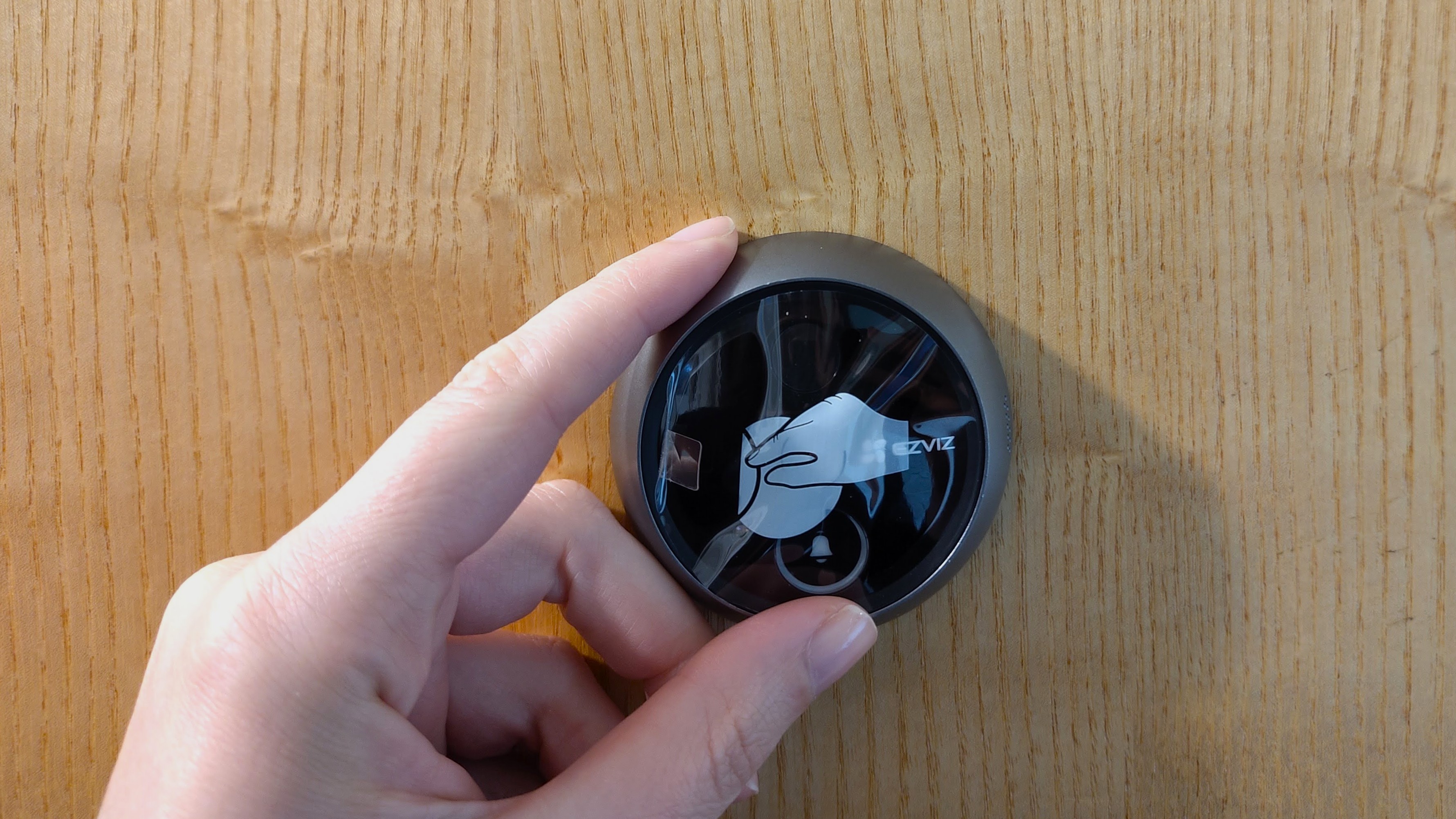
The EP4 has two main parts: the camera, which has a cable that threads through the peephole in your door, and a screen that sits on the inside. The camera has a doorbell button below the lens (though visitors might not notice it because it's at an unusual level), a motion sensor at the top, and a speaker and microphone on the side.

It’s compatible with doors between 1.4 x 4.1 inches / 35 x 105mm thick, with a peephole diameter between 0.6 inches and 2 inches / 14mm and 50mm. That’s a wide range, and should be fine for the vast majority of internal and external doors, but it’s worth measuring yours first just to be sure. You can remove the peephole from your door by simply unscrewing it, though if it’s particularly tight, you might need to use a pair of pliers to get it started.
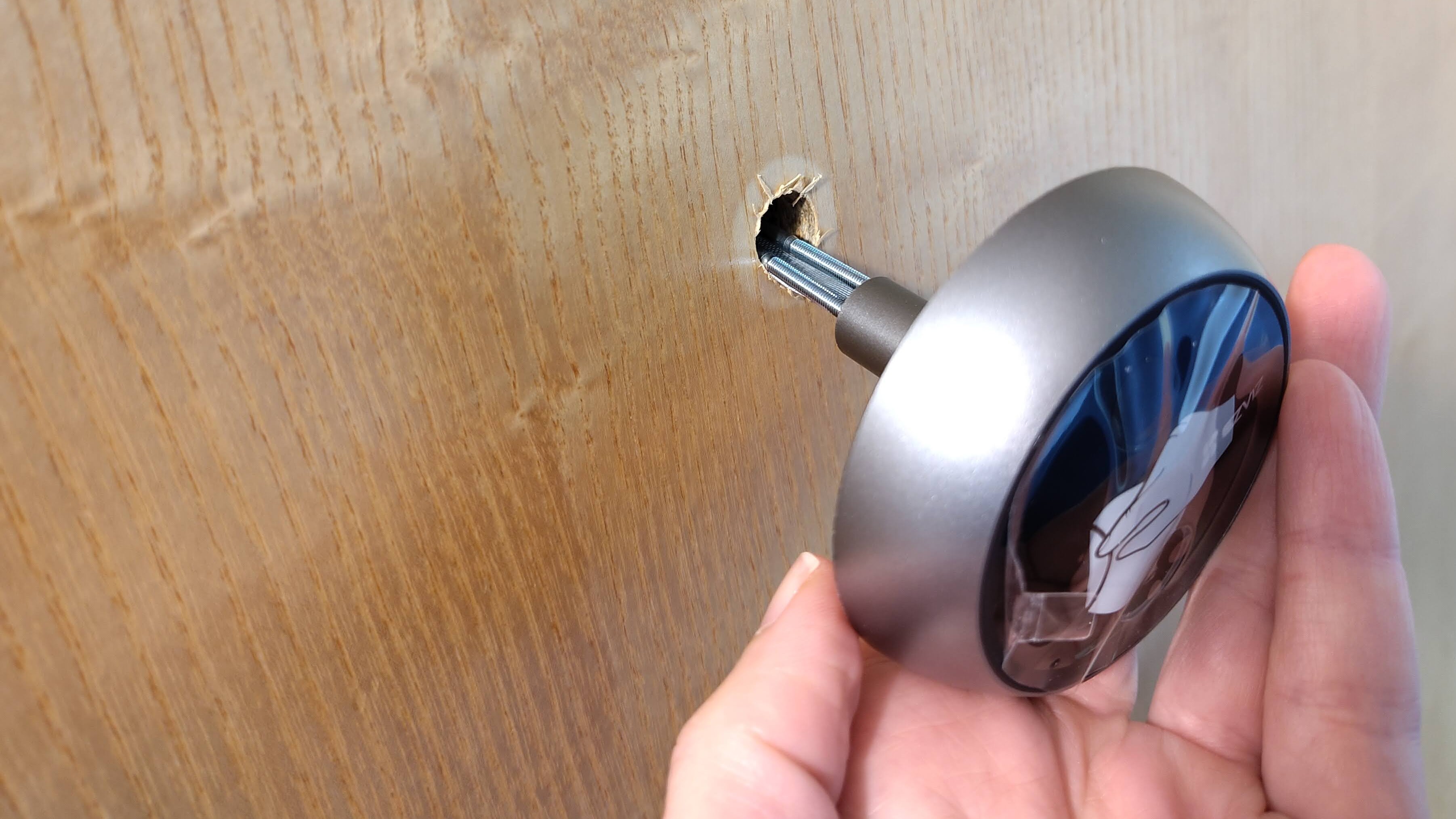
Fitting Ezviz Wire-Free Peephole Door Viewer EP4 to door
The camera unit threads through an existing peephole and is compatible with most doorsFuture
Fitting Ezviz Wire-Free Peephole Door Viewer EP4 to door
I recommend using a spirit level to get the camera straight before securing it in placeFuture
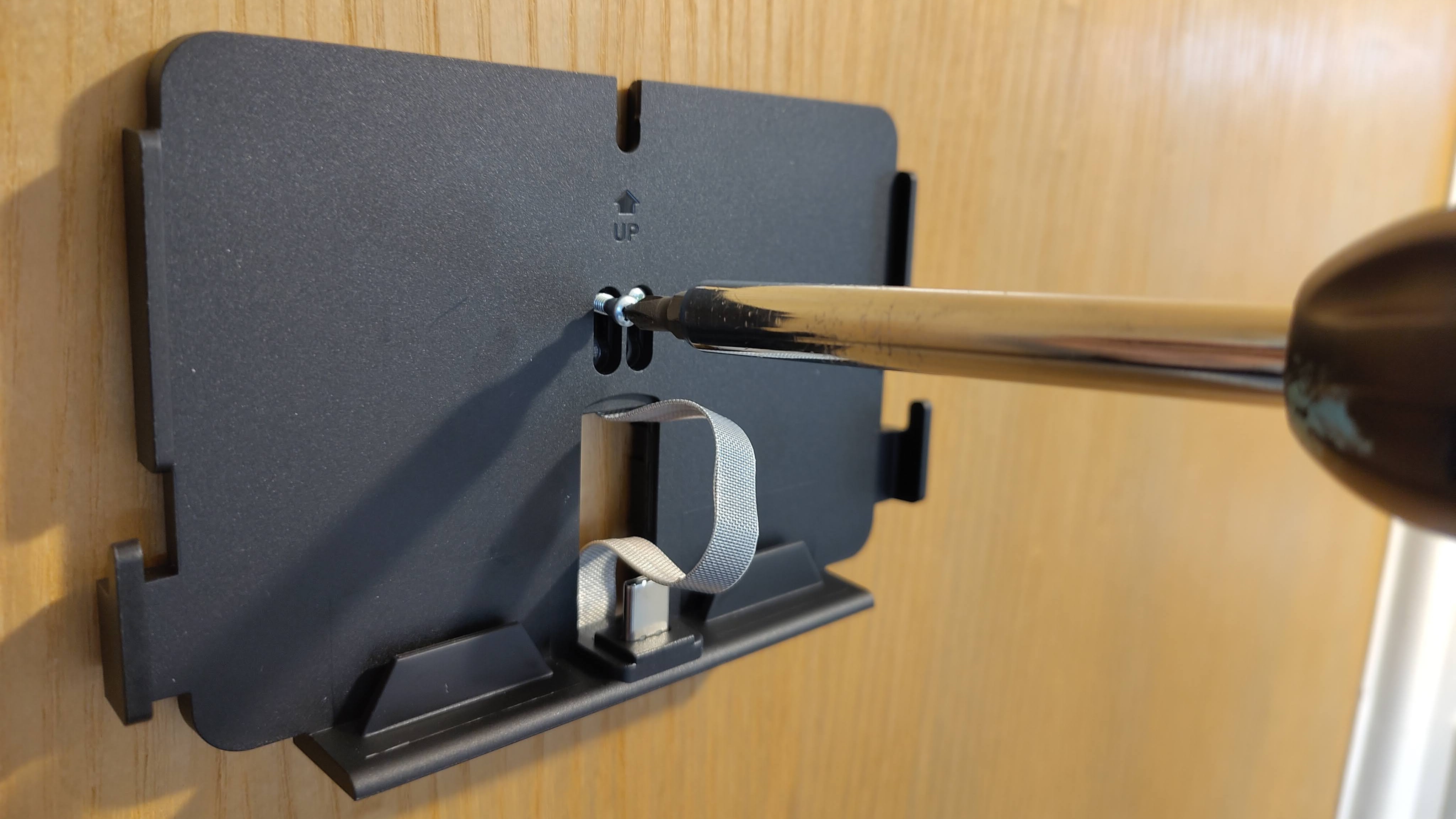
Screwing on Ezviz Wire-Free Peephole Door Viewer EP4 backplate
The screws connect the backplate to the camera, clamping them to your door without damaging itFuture

To fit the EP4, start by measuring the thickness of your door using the card template provided, and choose the appropriate pair of screws, indicated by the instruction manual. These will be used to clamp the EP4 onto your door. Peel the paper off the 3M tape on the back of the camera unit, position it on the outside of your door (I recommend using a spirit level to get it straight), thread the screws and data cable through the peephole (you can roll a piece of paper around them to avoid snagging), and press down to secure it.

Then tighten the screws a little, slide the mounting plate for the screen into place, tighten the screws the rest of the way, plug in the data cable, and slide the screen into place. The whole process takes no longer than 10 minutes, and when you want to remove it, there’ll be no damage to your door.
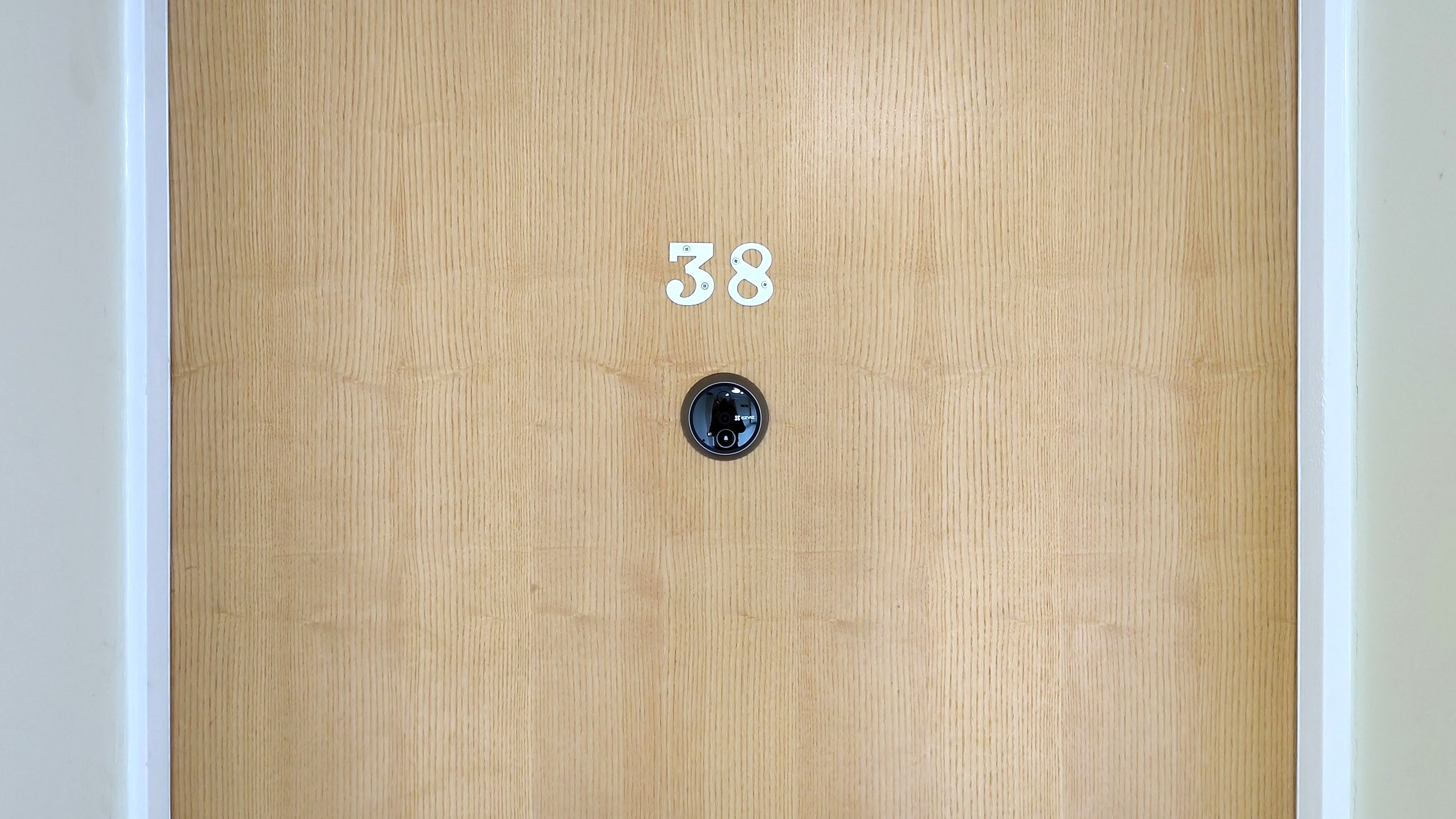
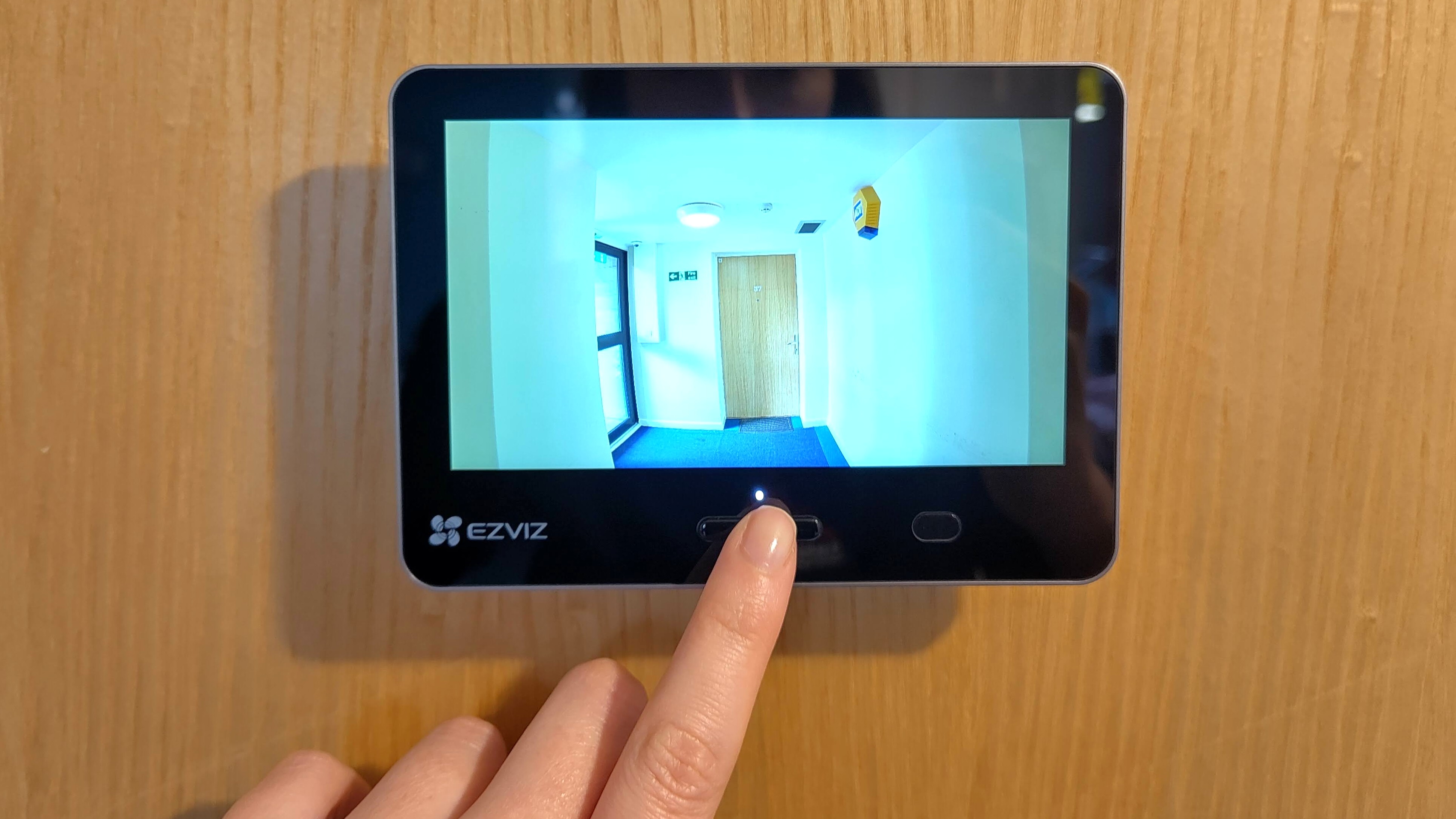
Ezviz Wire-Free Peephole Door Viewer EP4 camera on outside of door
The external camera is unobtrusive, and visitors might not realize it's also a doorbellFuture
Ezviz Wire-Free Peephole Door Viewer EP4 footage on internal screen
The internal display gives a clear view of the area beyond your front door, but you'll get a better picture in the appFuture
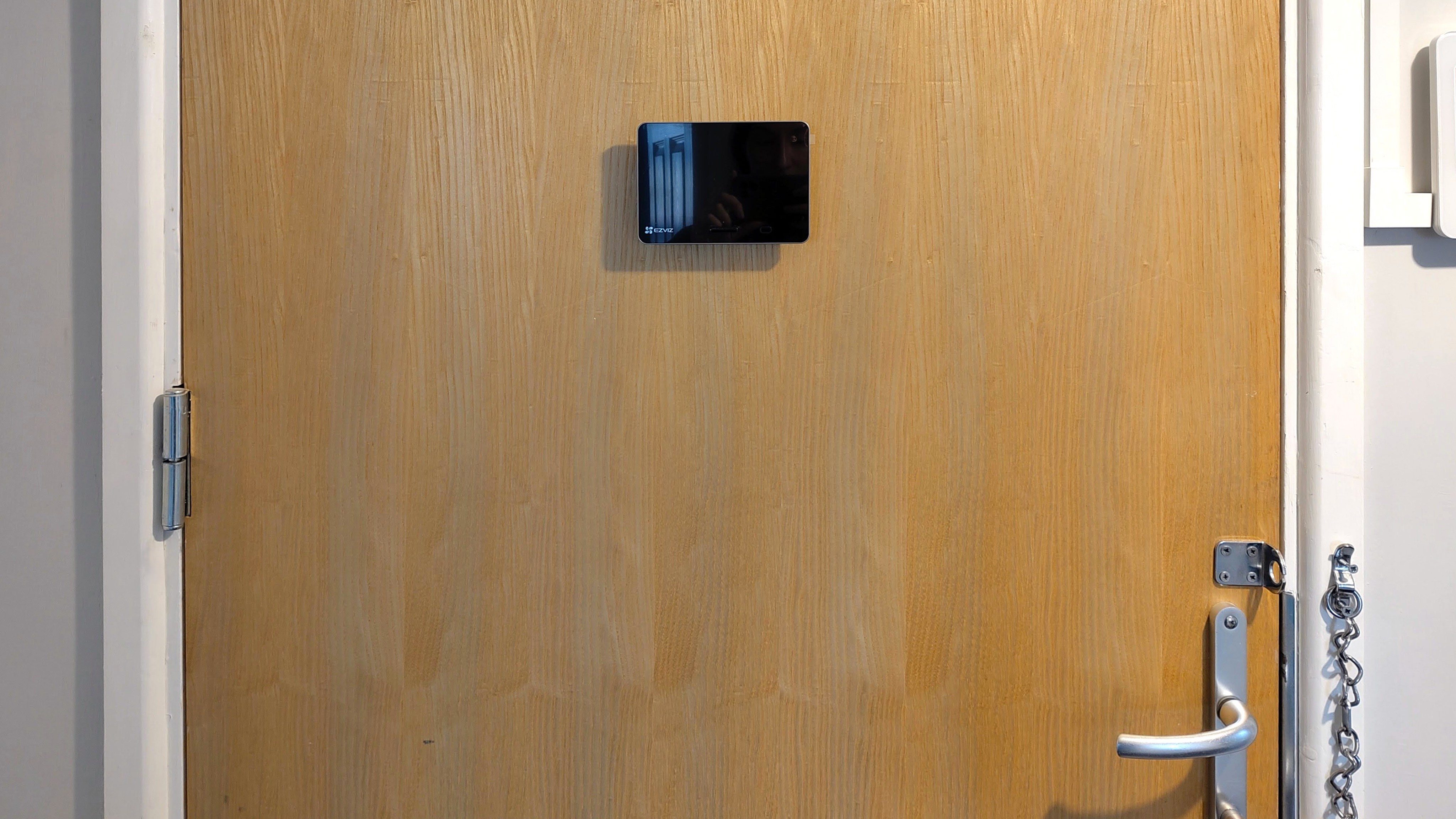
Ezviz Wire-Free Peephole Door Viewer EP4 display on inside of door
The screen stands about an inch proud of your doorFuture
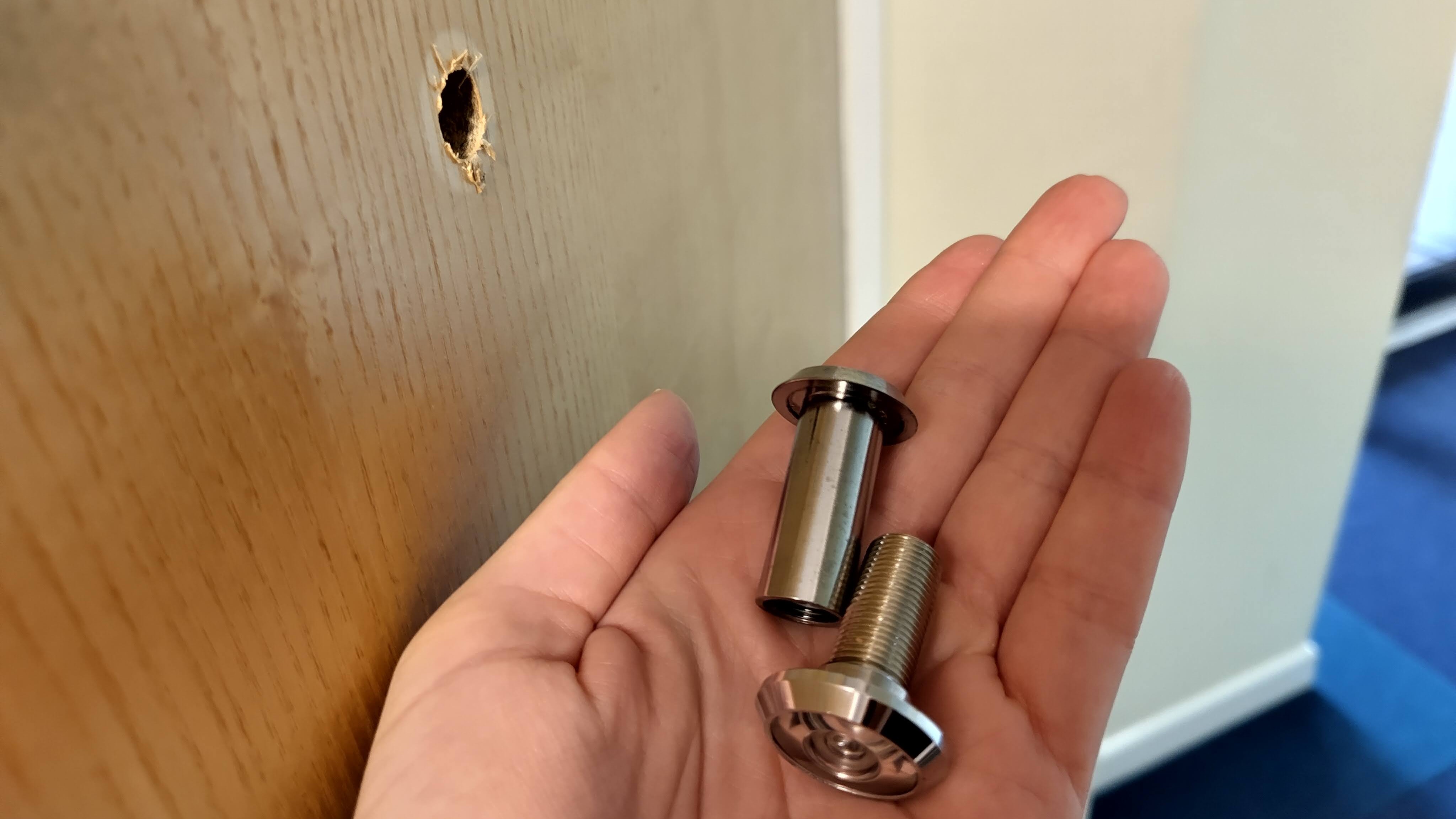
Original peephole removed from door before installing Ezviz Wire-Free Peephole Door Viewer EP4
When you move, just unscrew the EP4 and screw the original peephole back in placeFuture

It’s a clever design, and the exterior camera is discreet (it comes with stickers to put on your door if you want to warn visitors they are being recorded), but it’s worth being aware that the interior screen stands about an inch proud of the door, so you’ll need to be very careful if it opens opposite a wall.

You can detach the screen unit to charge it via a microUSB cable (supplied with the EP4) and insert a memory card. It’s a shame there’s no hot-swappable battery — you can’t use the camera and doorbell while the unit is charging — but battery life is quite respectable. EZVIZ suggests up to 120 days, though this will depend on how many times the camera is triggered and how often you use the internal screen to see what’s happening outside.

  • Design score: 4.5/5

EZVIZ EP4: performance

The EP4 is an ingenious home security device that provides many of the advantages of a video doorbell or home security camera without needing to make permanent changes to your property. It’s a great pick for an apartment, with excellent picture quality and smart notifications, though it’s worth being aware of a few drawbacks — particularly when it comes to person recognition.

The resolution of the internal screen is fine, and you’ll immediately benefit from a field of view that’s much wider than your original peephole, but it doesn’t do justice to the EP4’s 4K camera. To see footage in its full 4K glory, you’ll need to use the Ezvizlife app, which also gives you access to all the EP4’s settings, as well as event history, saved recordings, call logs, two-way talk, and static photos.
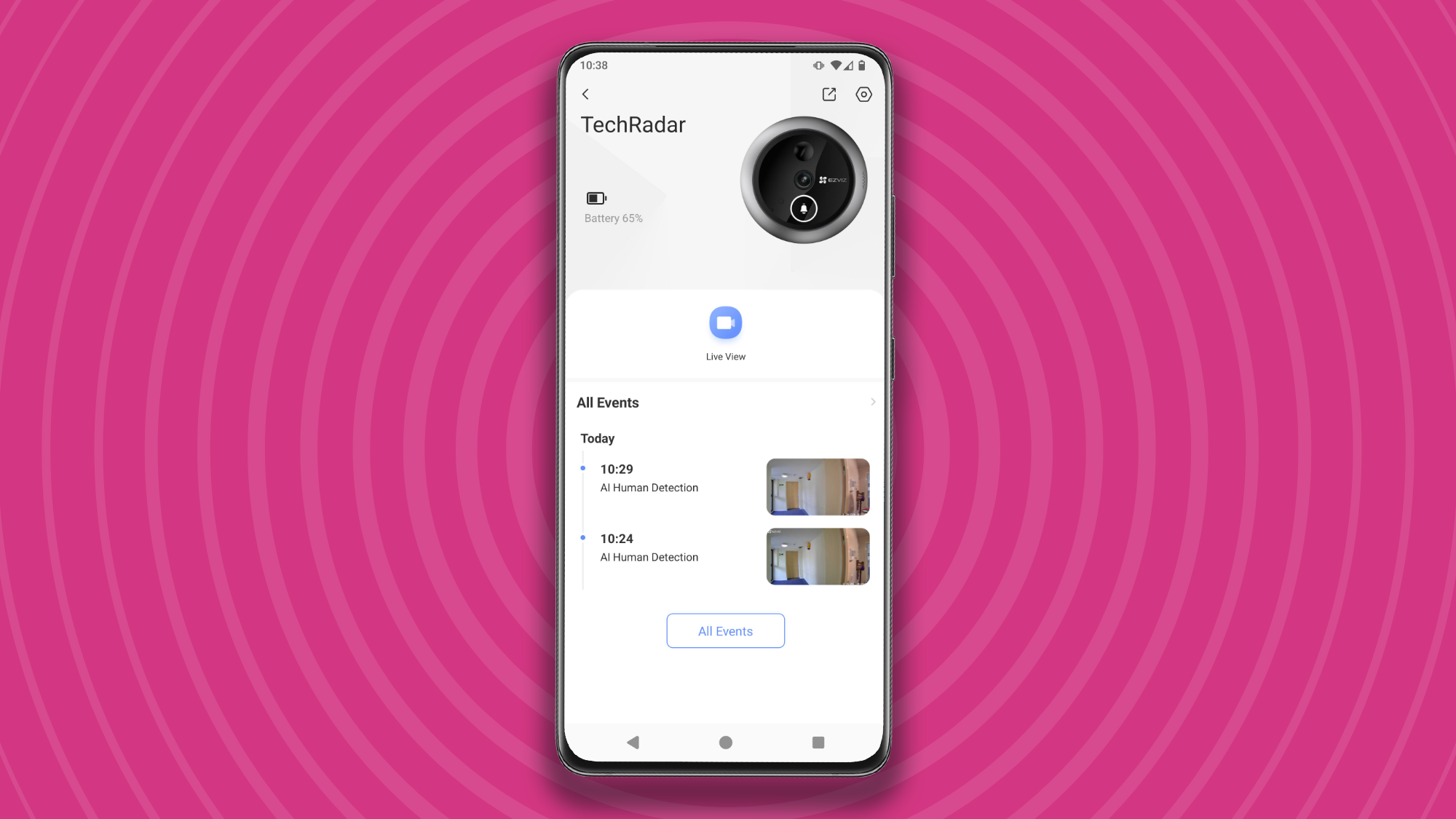
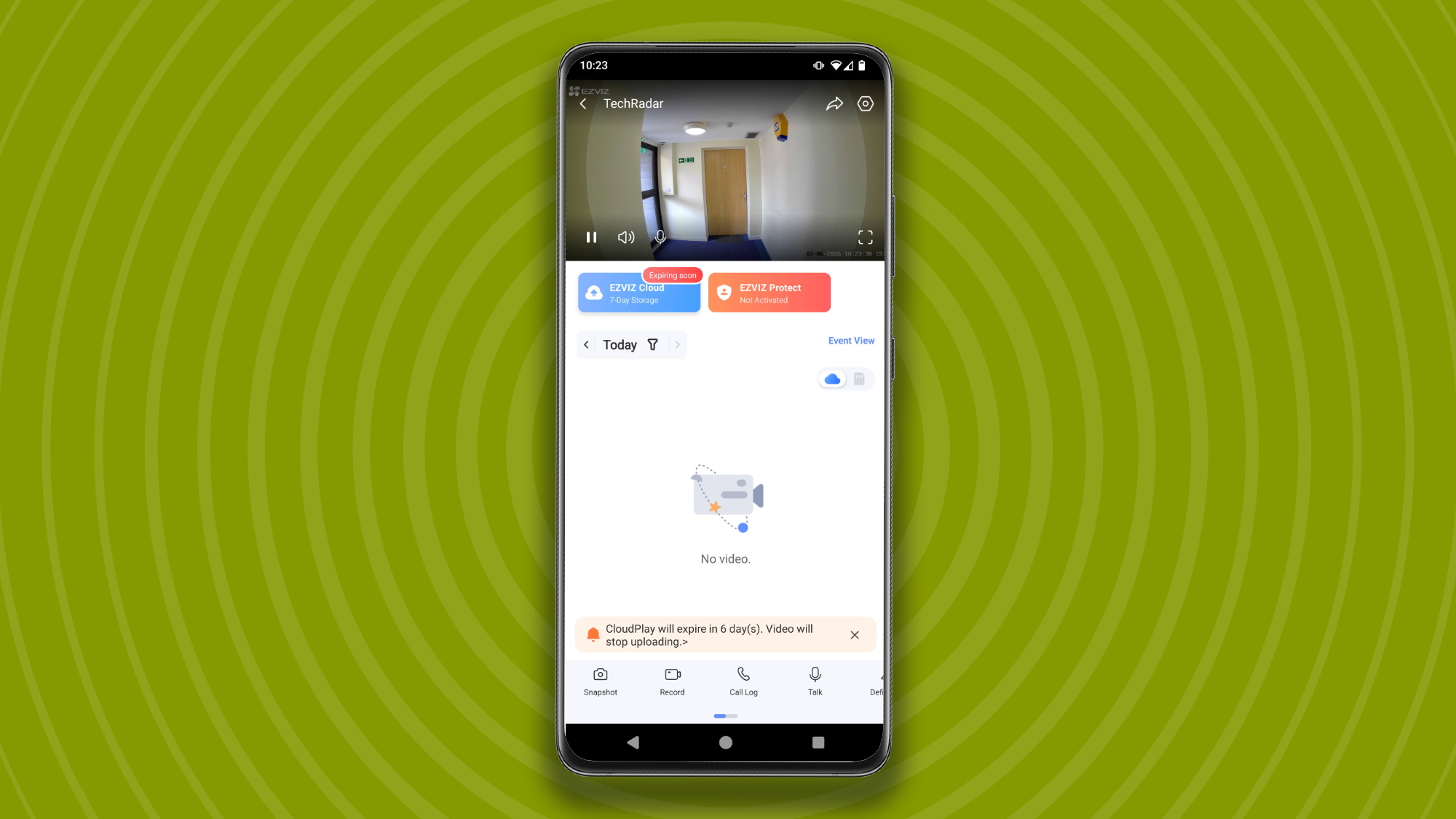
Ezvizlife app main screen
The app's welcome screen gives you quick access to video logs and live viewFuture
Live camera view in Ezvizlife app
The camera records 10-second clips when triggered, which are kept in your video logsFuture
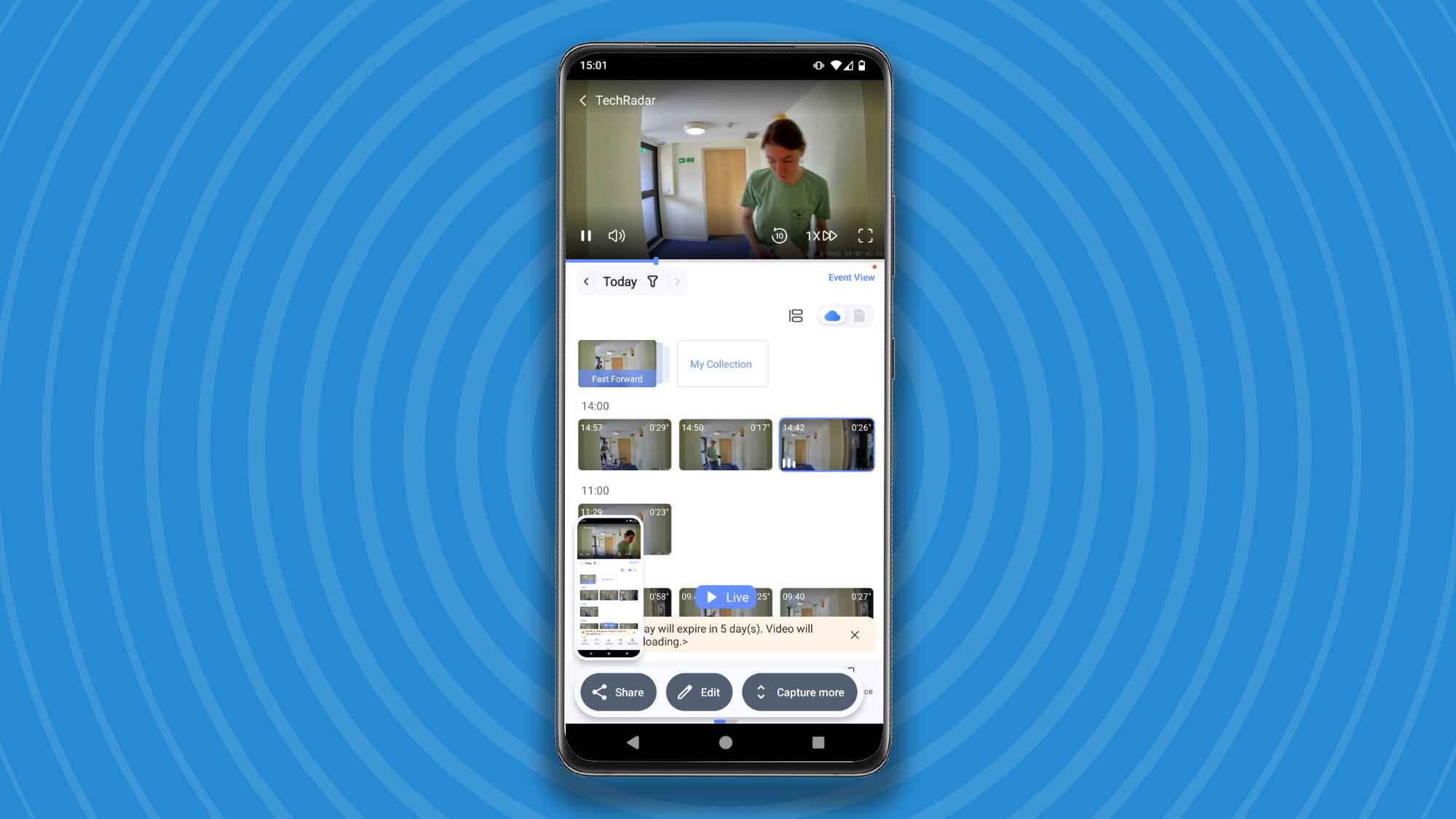
Video logs in Ezvizlife app
You can browse recordings at any time, scrub through video, capture stills, and export video filesFuture

Footage in the Ezvizlife app is incredibly sharp, and there’s very little lag between events happening outside and the camera starting to record. You’ll notice a delay when using two-way talk, but it’s only a couple of seconds, and no worse than some much higher-end video doorbells we’ve tested here at TechRadar.

When a visitor uses the doorbell, you'll receive an incoming-call-style notification that you can choose to reject or answer to start two-way talk. It's also possible to start two-way talk at any time through the app if you can see someone at the door.

Want to keep your identity private? The app gives you two options: ‘Uncle Tone’, which deepens your voice, and ‘Clown Tone’, which makes it high and squeaky, both of which work well and will effectively disguise your voice if you don’t want to be recognized. Personally, I would prefer an option that doesn’t sound quite so cartoonish, but they’re a welcome feature nonetheless.

I found the fisheye-correction option particularly useful during my testing, along with the AI person-shape recognition, which correctly identifies subjects even when they’re wheeling a bike or carrying a large object that might obscure their body shape.

When a person is detected, the camera will send a notification to the EZVIZ app, and start recording a 10-second video clip, which will be saved on an SD card or in the cloud, depending on which storage option you’ve chosen. You can also choose to watch through the camera live at any time, trigger a recording, or capture a still image.
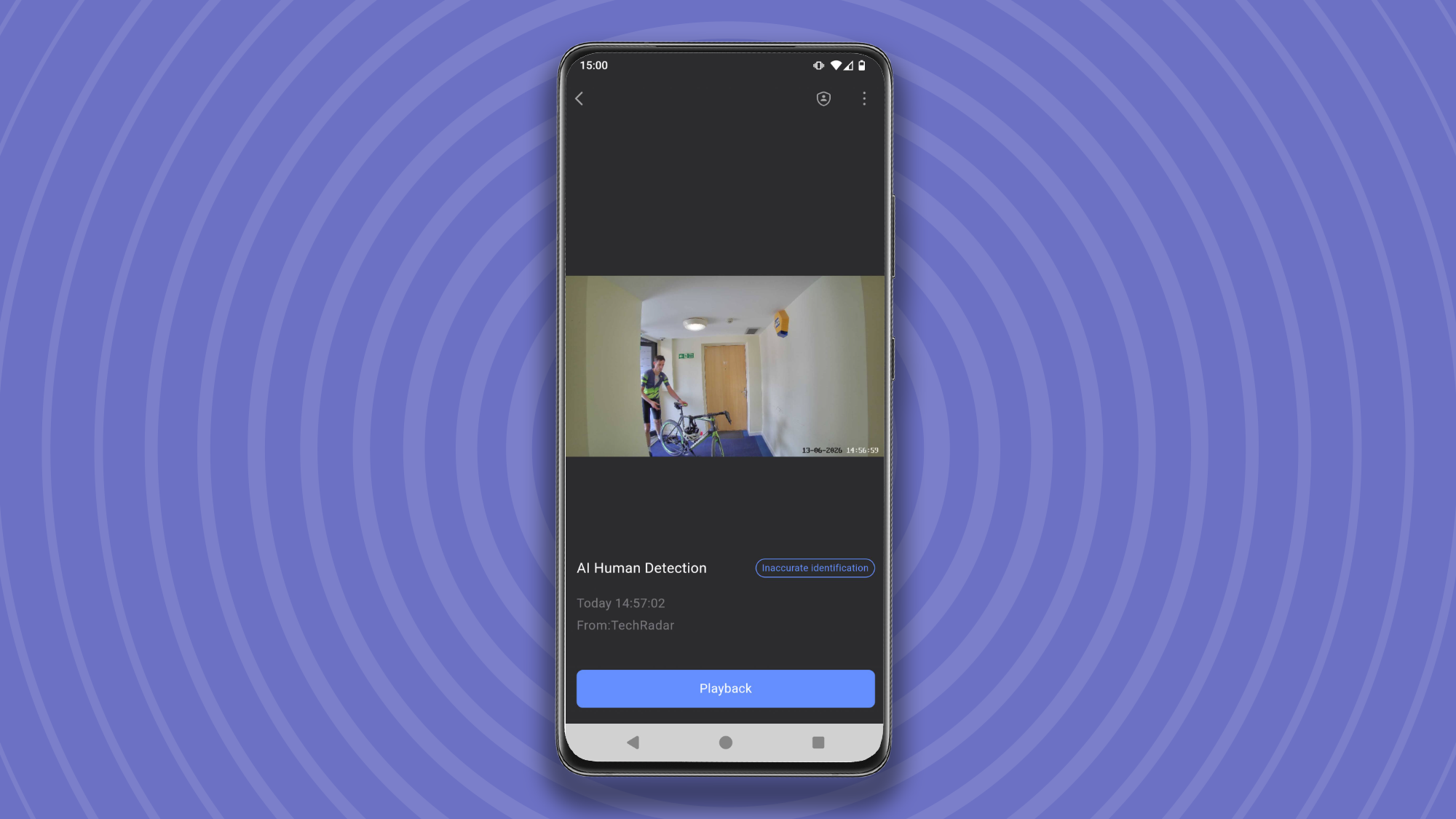
Person with bike detected in Ezvizlife app
Person identification works even when an individual's outline is obscured by large objectsFuture
Live camera view in Ezvizlife app
You can see a live view through the app or internal screen any timeFuture
Video logs in Ezvizlife app
Check your video logs in the app, export videos, and capture still imagesFuture

You can also export videos from your logs at any time, which is very useful if you're unfortunate enough to need them as evidence for the police.

EZVIZ is a Chinese company, and although the app has been localized quite well, some parts are still confusing. For example, if you attempt to toggle a feature that’s still in beta, you will see a notification reading: “The current status of this detection is closed. Please enable the corresponding algorithm in the intelligent detection before enabling this function”.

For me, the biggest drawback — and the one that holds the EP4 back from a better score — is the implementation of facial recognition. In an ideal world, you wouldn’t receive a notification when your own face is detected, and you could disable alerts for other members of your household as well, so you’re only alerted when a stranger arrives. Unfortunately, that’s not an option with the EP4, which notified me that “Cat appeared” each time I arrived home from work.
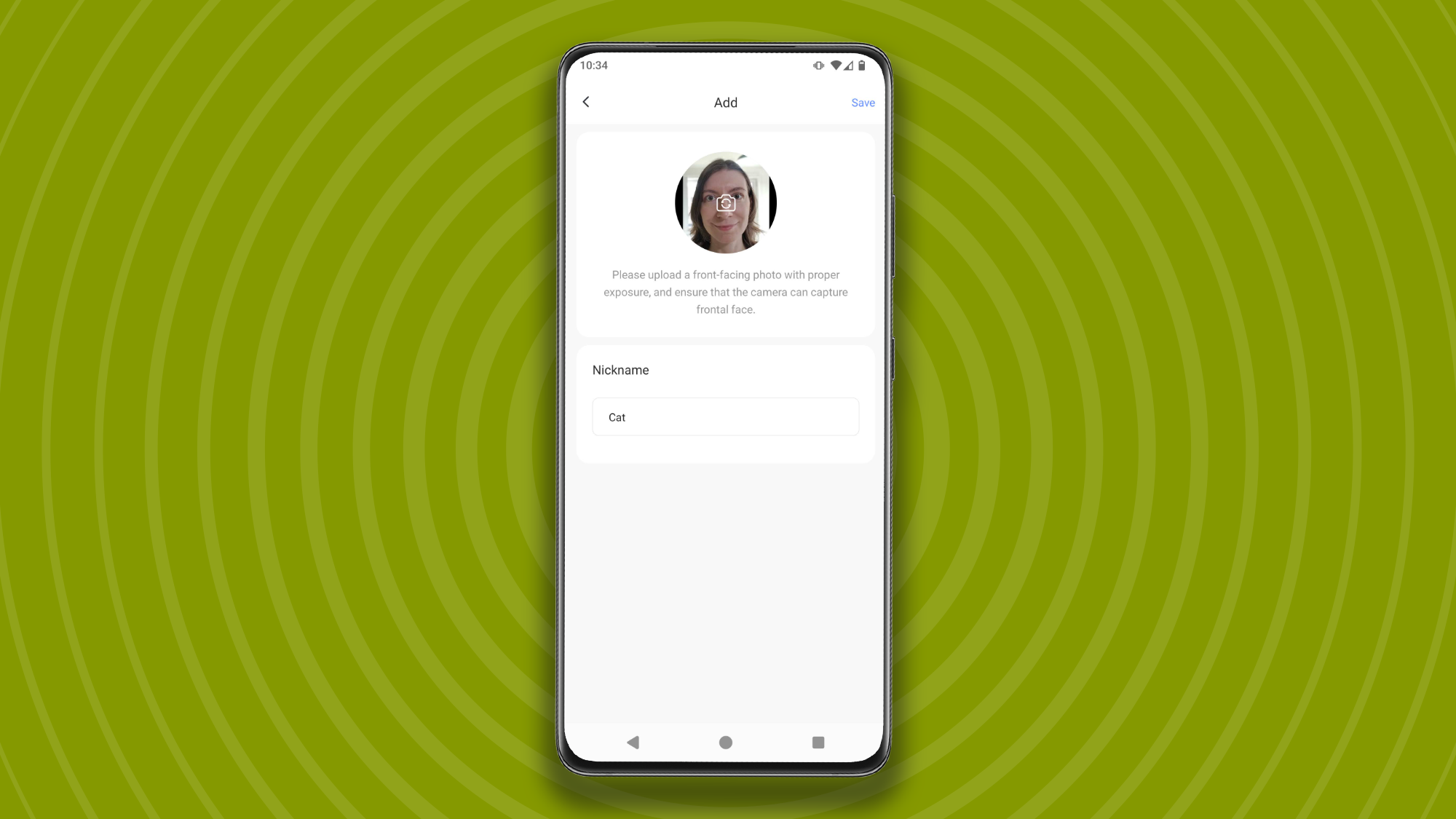
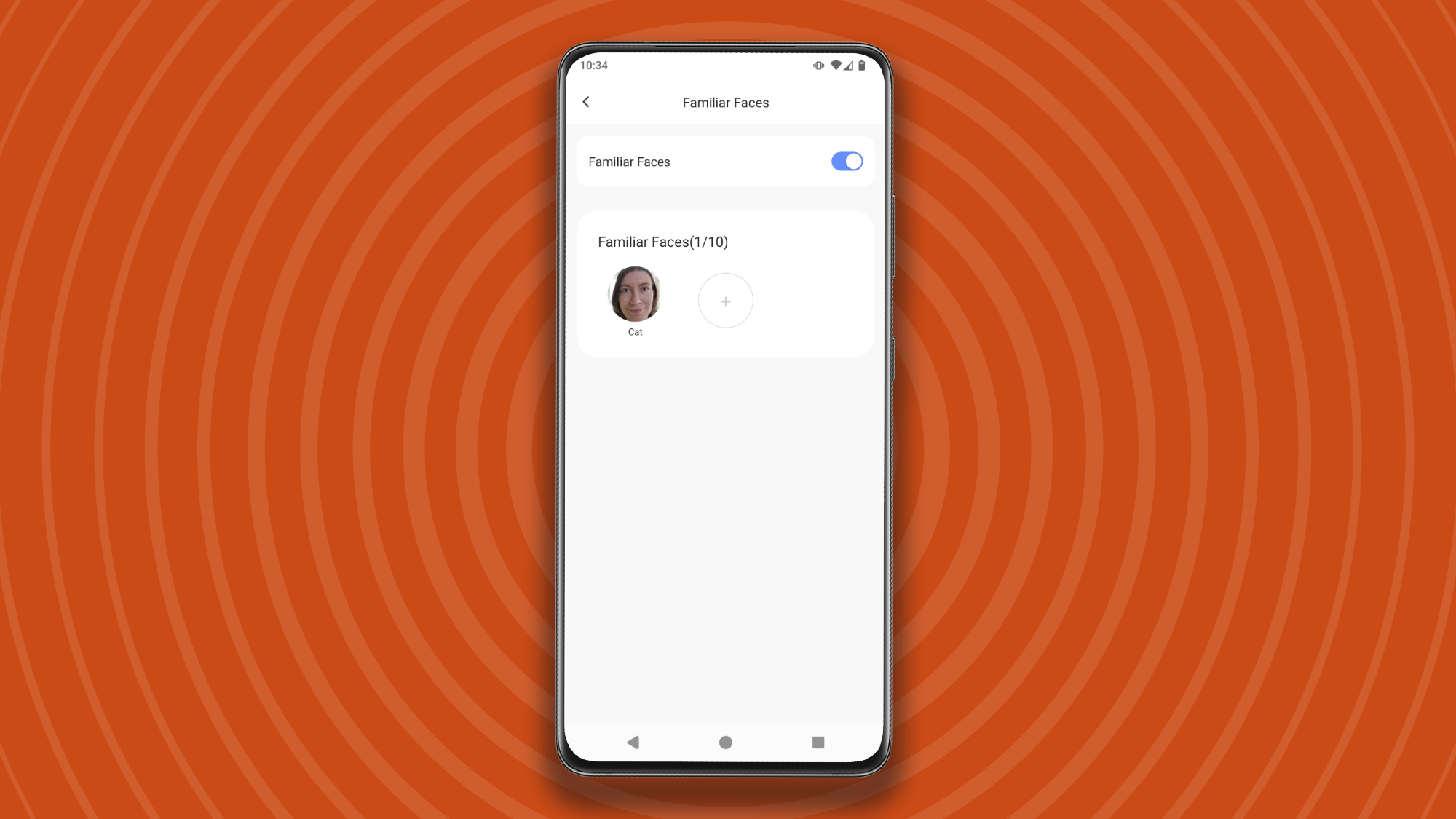
Adding a 'familiar face' in the Ezvizlife app
You can add a person to 'Familiar Faces' using an existing photo, or take a new oneFuture
Adding a 'familiar face' in the Ezvizlife app
Photos should be well-lit and taken from the frontFuture
Person detection alerts in the Ezvizlife app
Adding yourself to 'Familiar faces' doesn't mean that the app will 'ignore' you Future

Facial recognition works very well, and even identifies a person wearing a cycle helmet and sunglasses, but at the moment, the implementation seems back-to-front. In fairness, though, the feature is still in beta, so perhaps the developers at EZVIZ will make that change before its full launch. For now, it's a real problem.

  • Performance score: 3.5/5

Should you buy the EZVIZ EP4?

EZVIZ EP4 score card

Attribute

Notes

Score

Value

Very reasonably priced, particularly during sales, though you'll need an SD card too.

4.5/5

Design

Ingenious design that's great for renters, though screen projects quite far into the room and isn't very high-res.

4/5

Performance

Key functions are great, but you'll receive notifications whenever it detects your own face.

3.5/5

Buy it if

You rent your home

There’s no need to drill or make any permanent changes to your door, which will keep your landlord happy. When it’s time to move, the EP4 comes right off, and you can screw the old peephole back into place.

You’re on a budget

The EP4 is a great value doorbell and camera combo, and is frequently discounted on Amazon.

Security is a real concern

The 4K footage will make it easy to identify anyone who’s up to no good, if you’re unfortunate enough to need it as evidence.

Don't buy it if

You particularly want to watch for packages

Although the EP4 has a good horizontal field of view, it doesn’t cover your doorstep, so you won’t be able to see parcels left there.

You have notification fatigue

At the moment, there’s no way to avoid receiving a message when you approach your own front door.

EZVIZ EP4: also consider

If you're not sure whether the EZVIZ EP4 is the right security camera/doorbell for your home, here are two other wireless alternatives to consider.
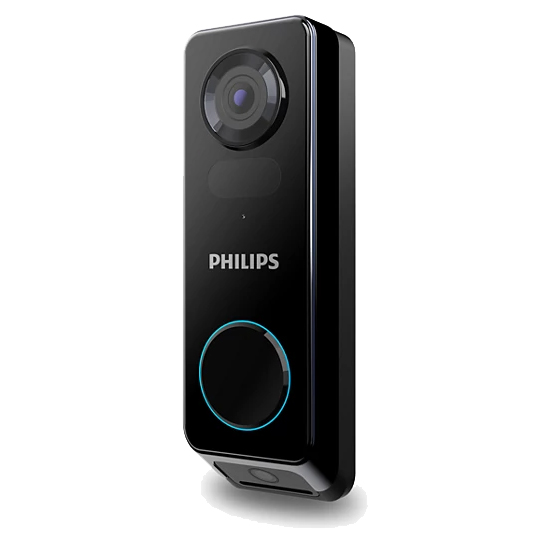
Philips 7000 Series Video Doorbell

This excellent subscription-free doorbell earned our seal of approval due to its sharp 2K recordings, ease of use, and great battery life.

Read our full Philips 7000 Series Video Doorbell review
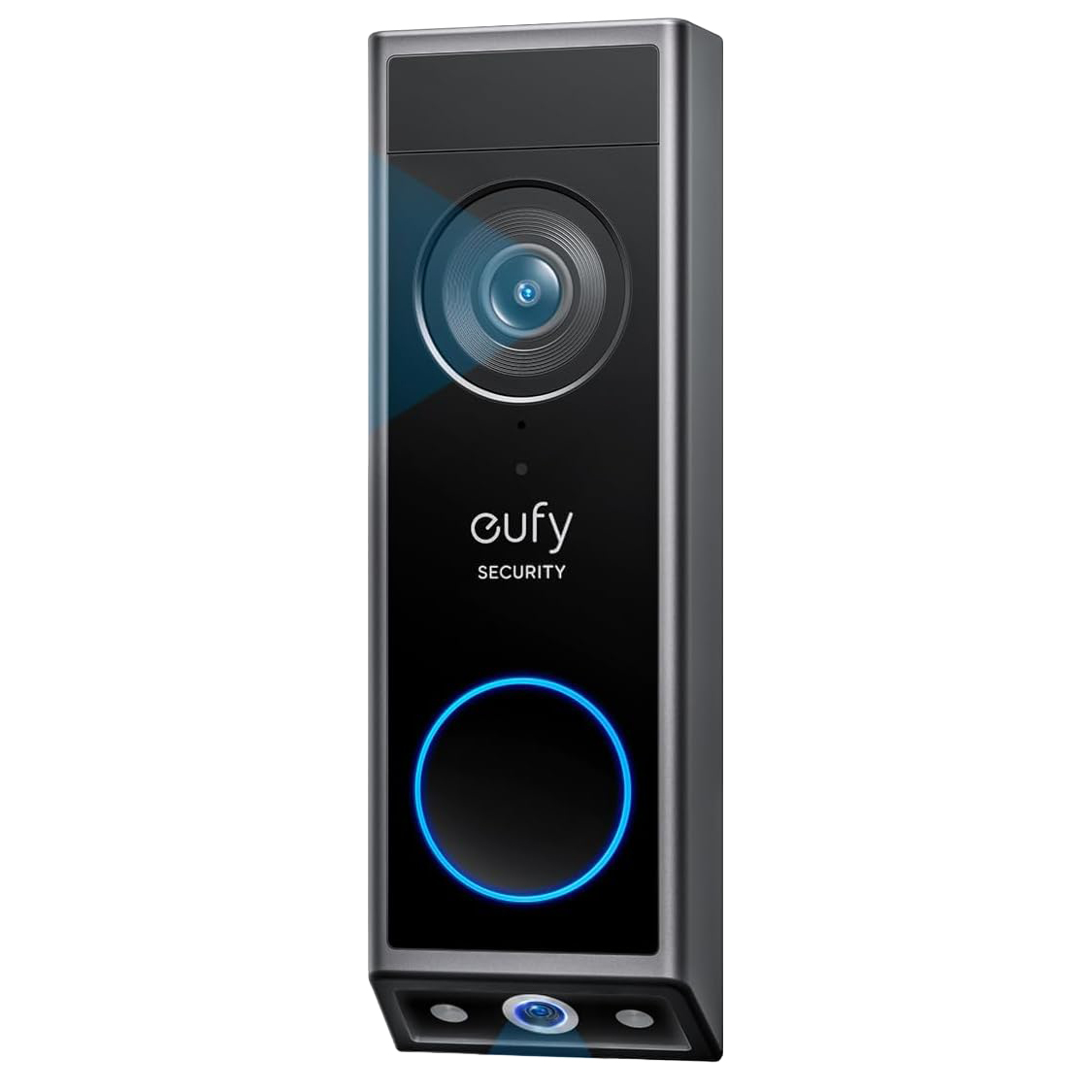
Eufy Video Doorbell Dual

Another solid subscription-free option, with dual cameras so you can keep an eye out for deliveries.

Read our full Eufy Video Doorbell Dual review

How I tested the EZVIZ EP4

I installed the EZVIZ EP4 on the door to my apartment, having first unscrewed the original peephole. I used it for two weeks, adding myself and my husband as 'familiar faces' halfway through. I used the two-way talk function to speak to him when I received a notification that he had arrived, and we used the doorbell function to speak to one another. I kept recordings on a microSD card once the seven-day cloud storage trial expired, and used the app to review recordings, export videos, and capture still images.

At the end of the test period, I removed the EP4 and replaced my door's original peephole. For more details, see how we test, review, and rate products at TechRadar.

First reviewed July 2026.


from Latest from TechRadar https://ift.tt/tblMICH

AI’s timeline is very much still being written, b...

AI’s timeline is very much still being written, but one thing is clear – companies are now in the midst of shifting from experimentation to widespread implementation after having determined strong use cases, with security and trust now becoming higher priorities.

The question is no longer about whether employees are willing to embrace AI, because that much is clear. It’s now about whether their employers know how AI tools are actually being used, whether they’re providing the right type of solutions, and whether their governance supports real-world use cases.

Off the back of that, companies are now struggling to tame shadow AI as workers go off to explore their preferred tools, rather than being confined to workplace-provided alternatives. But while organizations have years of experience handling shadow IT, shadow AI is presenting new challenges.

Shadow AI is harder to tame than Shadow IT – gaining visibility is the first step

Rather than being blocked from downloading certain software, workers can almost painlessly head to their chosen AI tool directly from the browser or via a personal account without approval or restrictions. As much as two-thirds (67%) of enterprise AI use now takes place through unmanaged personal accounts, even when an organization already provides enterprise-grade licenses.

But those sanctioned AI tools are clearly working for employees, who are seeing higher productivity. At the end of the day, this is a major win for companies who are under pressure to prove ROI, but shadow AI presents security risks that enterprise-grade software generally negates.

Teramind has revealed that 86% of organizations lack visibility into how data moves to and from AI tools, and it’s not just knowledge workers who are to blame. Nearly seven in 10 C-suite execs also admitted to prioritizing speed over security.

I spoke with Teramind VP of Strategy Leeron Walter to understand why shadow AI has become more of an issue than we might’ve thought, and what organizations can realistically do to regain visibility and control while continuing to meet workers where they feel most comfortable and productive.

  • How do you define shadow AI, and why does it happen inside approved tools?

Shadow AI is any AI usage that operates outside organizational visibility and governance - whether through banned apps, personal accounts, or AI features embedded in tools you already pay for.

The reason it's hiding inside approved platforms is simple: vendors are racing to embed AI into everything. Your licensed Microsoft 365, your PDF reader, your CRM - they all have AI features now.

Our research shows 67% of enterprise AI usage runs through unmanaged personal accounts on corporate-licensed platforms. The perimeter didn't move. It dissolved.

  • Do executives actually follow the AI policies they sign off on?

Not always. Our data is unambiguous: 69% of C-suite leaders prioritize speed over security when using AI tools, versus just 37% of frontline employees.

Executives feel competitive pressure more acutely, so they rationalize bypassing policies.

  • What goes through an employee's head when they choose productivity over compliance - and can companies change that?

They're doing a fast cost-benefit calculation: "Missing this deadline hurts me now. A data breach is someone else's problem later." 60% of employees in our research said productivity benefits outweigh security risks when deadlines are involved.

You don't fix that with more restrictions - 48% said they'd use AI even if it were explicitly banned. You fix it by making the secure option just as fast and frictionless as the risky one. Remove the tradeoff entirely.

  • Is Gen Z really more likely to work around AI rules?

Yes, but not because they're reckless - because they're impatient with policies that feel arbitrary. For them, AI is a basic utility, like a search engine.

Blocking it doesn't register as a security measure; it registers as the company being behind. Meet them with speed and enablement, not bureaucracy.

  • Why do traditional DLP tools miss AI traffic?

Because they were built to catch files moving, not ideas being processed. Shadow IT was about unauthorized storage - a file uploaded to Dropbox.

Shadow AI is about unauthorized processing - sensitive data pasted into a chat prompt. There's no file transfer to intercept. The data moves through an encrypted browser session, and legacy DLP tools are pattern-matching against file types and network transfers, not semantic content in a chat box.

The threat model changed; the tools didn't.

  • What does the first 90 days of gaining AI visibility actually look like?

Days 1–30: Observe, don't block. Deploy behavioral telemetry to build a full Shadow AI inventory - browser extensions, clipboard activity, personal account usage inside approved platforms. Understand what's actually happening before you touch anything.

Days 31–60: Categorize risk. Which tools train on user data? Which departments depend on them? This is when you find out Engineering lives in an unvetted coding assistant.

Days 61–90: Enable and enforce. Roll out approved alternatives for high-risk tools. Implement real-time coaching - block the risky action, surface the safe alternative immediately. Goal: not zero AI usage, but 100% visible AI usage.

  • What does an enablement-first AI approach actually look like - and how do you stop it becoming shadow AI with extra paperwork?

You build paved roads. Give employees a fast, secure, approved AI path so they don't need to go off-road. That means enterprise AI tools with zero-retention data policies, integrated into existing workflows - not buried in a separate portal.

To avoid it becoming theater, your AI tool approval process needs to be agile. If the review takes six months, employees use the consumer version today and say nothing. Govern the data, not the application - allow the tool, but monitor and control what data flows through it in real time.

Google logo on a black background next to text reading 'Click to follow TechRadar'


from Latest from TechRadar https://ift.tt/JkYHp4v

Watch Australia vs Ireland FREE on Rugbypass TV ...

Watch Australia vs Ireland live streams in the opening round of Nations Championship 2026 fixtures. Sydney's Allianz Stadium hosts a Wallabies team that's traded endless false dawns for perpetual night, though Andy Farrell's visitors are missing several key men.

Some 15 months out from a home World Cup, the Aussies have a golden chance to build some goodwill and momentum against a rugged Ireland outfit they haven't beaten in over eight years. It's five wins in a row for the Irish, the latest a 46-19 drubbing littered with Aussie errors in Dublin last November.

Former Ireland coach Joe Schmidt, who will pass the baton to Les Kiss at the end of this month, has made some eye-catching selections, recalling Jock Campbell to the international fold after four years out in the cold. He's also handed Ryan Lonergan his maiden start at scrum-half, partnering him with fly-half Carter Gordon. They've never played together before, and they've had just a handful of training sessions to get up to speed.

An injury to first-choice fly-half Jack Crowley has reopened the door for Sam Prendergast, who had a harrowing time of things at the Six Nations. The 23-year-old, however, ended the domestic season by leading Leinster to the URC title, and he'll want to make the most of his opportunity here. It's going to be a tall order, however, with Andrew Porter, Mack Hansen and captain Caelan Doris also among the Irish absentees.

Read on as we explain how to watch Australia vs Ireland for free in the 2026 Nations Championship.

Can you watch Australia vs Ireland for free?

Yes. Australia vs Ireland is being shown on free-to-air Rugbypass TV in the US, on ITVX in the UK, on Virgin Media Play in Ireland and on 9Now in Australia.

Traveling abroad right now? You can use a VPN to watch Australia vs Ireland for free as if you were right at home.

Use a VPN to watch Australia vs Ireland live streams

A VPN is handy piece of software that can make your device appear as if it's back in your home country, so you can unlock your usual service. The best VPN right now? We recommend NordVPN – it does everything and comes with up to 75% off.

🟩 NordVPN – get the world's best VPN

Not having a VPN is like leaving your front door wide open in a busy city – anyone can walk right in and take a peek.

TechRadar regularly reviews all the biggest and best VPN providers and NordVPN is our #1 choice.

✅ Up to 75% off today
✅ 3 extra months free
✅ Unlocks Rugbypass TV, ITVX, Virgin Media Play & 9Now

Get NordVPN and stream Australia vs Ireland from anywhere.View Deal

How to watch Australia vs Ireland live streams in the US

US flag banner

Australia vs Ireland, along with all 42 Nations Championship games, is available to live stream for FREE on Rugbypass TV in the US.

You can tune in via the Rugbypass TV website or app, and it works with Chromecast, Airplay, AppleTV and Android TV.

Outside of the US? Use a VPN while you're traveling away from home to unlock your stream.

How to watch Australia vs Ireland live streams in the UK

uk flag

In the UK, Australia vs Ireland is free-to-air on ITV1, with live streaming available via ITVX.

All you need is an account, a TV license and a UK postcode (e.g.HA9 0WS). Sign up here!

If you're out of the UK but still want to tune in, explore the VPN route set out above, which will help you access your accounts from anywhere.

How to watch Australia vs Ireland live streams in Ireland

Ireland flag

Australia vs Ireland is free-to-air on Virgin Media One in Ireland, with live streaming available via the Virgin Media Play platform.

Outside Ireland? You’ll need to download a VPN, as detailed above, to tap into your free Nations Championship stream from abroad.

How to watch Australia vs Ireland live streams in Australia

Australia flag banner

In Australia, Wallabies vs Ireland is free-to-air on Channel 9, with live streaming available via 9Now.

Stan Sport, meanwhile, is providing coverage of every Nations Championship game. Stan Sport costs AU$20/month on top of a Stan subscription, which itself starts at AU$12/month.

Not in Australia right now? You can simply use a VPN like NordVPN to watch the action as if you were back home.

How to watch Australia vs Ireland live streams in New Zealand

New Zealand flag

In New Zealand, Sky Sport NZ is showing the Australia vs Ireland game.

You can access Sky Sport through satellite TV or get a live stream, with the Sky Sport Now subscription service starting at NZ$29.99 per day or NZ$59.99 per month.

Those outside of New Zealand for any part of the Nations Championship can use NordVPN to gain access to their home streaming service.

How to watch Australia vs Ireland live streams in South Africa

South Africa flag

The Australia vs Ireland game is being shown on Supersport in South Africa.

You'll need to get a DStv access package to watch the Nations Championship 2026, with prices starting at Rs99/month for the streaming version.

Abroad right now? Just use a VPN and tell your device that you're back home and you'll be good to go.

How to watch Australia vs Ireland live streams in Canada

Canada

(Image credit: Other)

In Canada, Australia vs Ireland is being shown on Premier Sports.

You'll need either the monthly CA$29.99 pass to watch this game. Or to catch the whole tournament, it's the CA$79.99 six-month pass or the CA$139.99/year annual subscription.

If you're out of Canada but still want to catch the action, explore the VPN route set out above, which will help you access your accounts from anywhere.

What is the Australia vs Ireland start time?

The scheduled Australia vs Ireland kick-off time on Saturday, July 4 is 8.10pm AEST local time in Sydney, which is 3.10am PT / 6.10am ET / 11.10am BST.

What is the Australia vs Ireland head-to-head?

The Wallabies have won 22 of their 39 previous encounters with Ireland. Ireland have won 16, and the other ended in a draw.

In Australia, the head-to-head stands at 11-5.

Can I watch Australia vs Ireland on my mobile?

Of course, most broadcasters have streaming services that you can access through mobile apps or via your phone's browser. For example, ITVX, Rugbypass TV and Virgin Media Play all have dedicated apps.

We test and review VPN services in the context of legal recreational uses. For example:1. Accessing a service from another country (subject to the terms and conditions of that service).2. Protecting your online security and strengthening your online privacy when abroad.We do not support or condone the illegal or malicious use of VPN services. Consuming pirated content that is paid-for is neither endorsed nor approved by Future Publishing.


from Latest from TechRadar https://ift.tt/pNawQE4

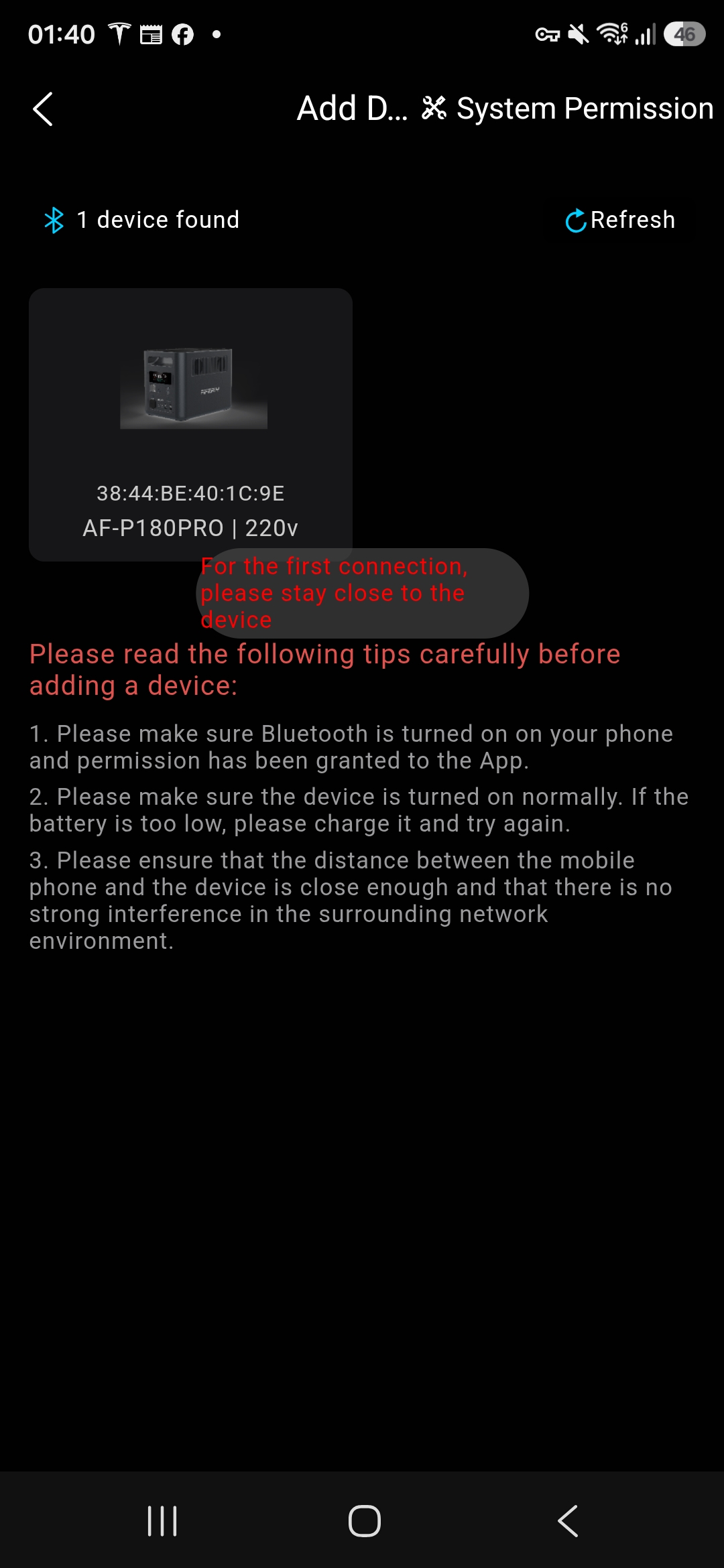
AFERIY Nomad 1800 Pro: Design The Nomad 1800 Pro ...

AFERIY Nomad 1800 Pro: Design

The Nomad 1800 Pro makes a positive first impression as a portable power station. It's compact, easy to carry and has a clean industrial design that looks at home in a garage, campervan or utility room.

Look a little closer, however, and some cost-saving measures become apparent.

The plastics are perfectly functional but don't quite offer the reassuring solidity you'd expect from a premium product. Nothing feels fragile, yet the overall finish lacks the refinement found on more established alternatives.

AFERIY Nomad 1800 Pro 8

(Image credit: Future)

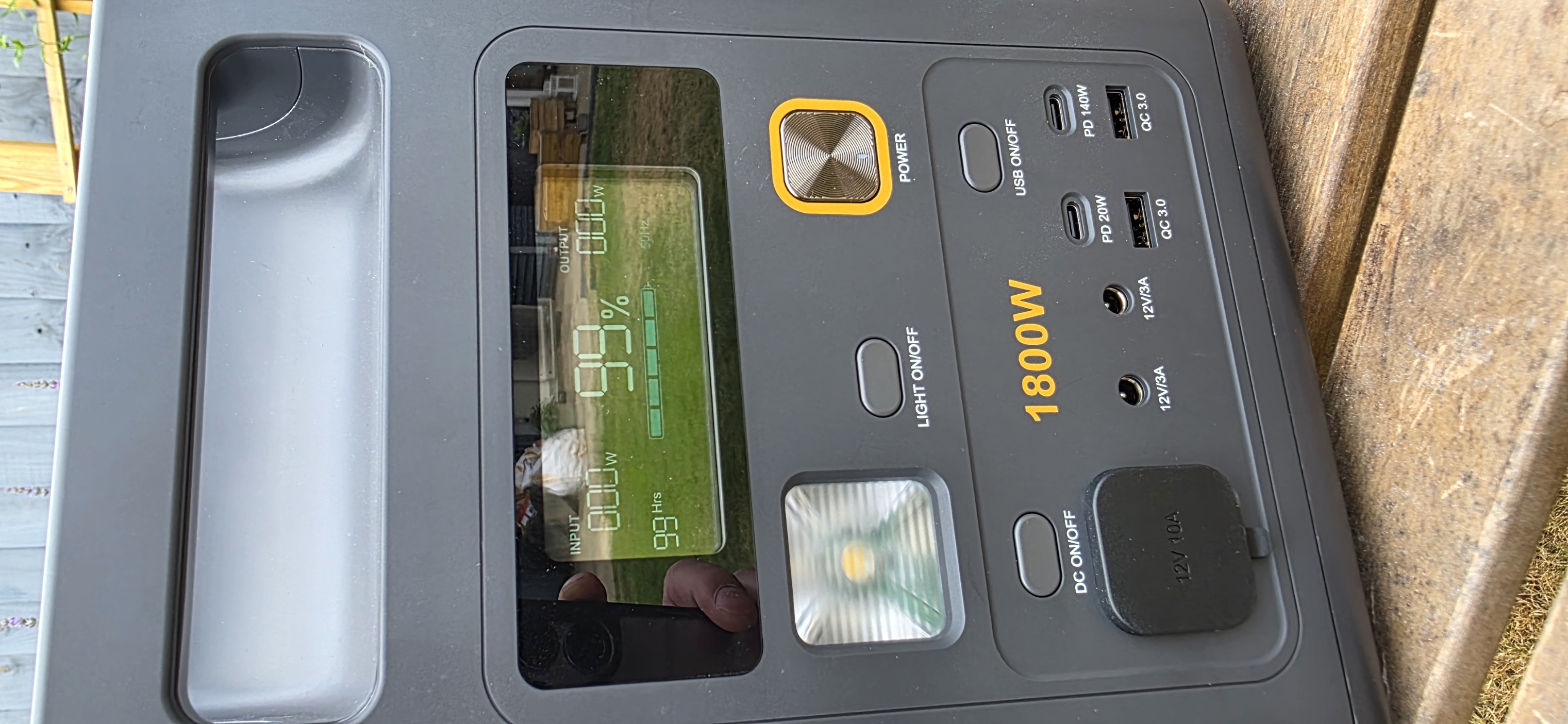
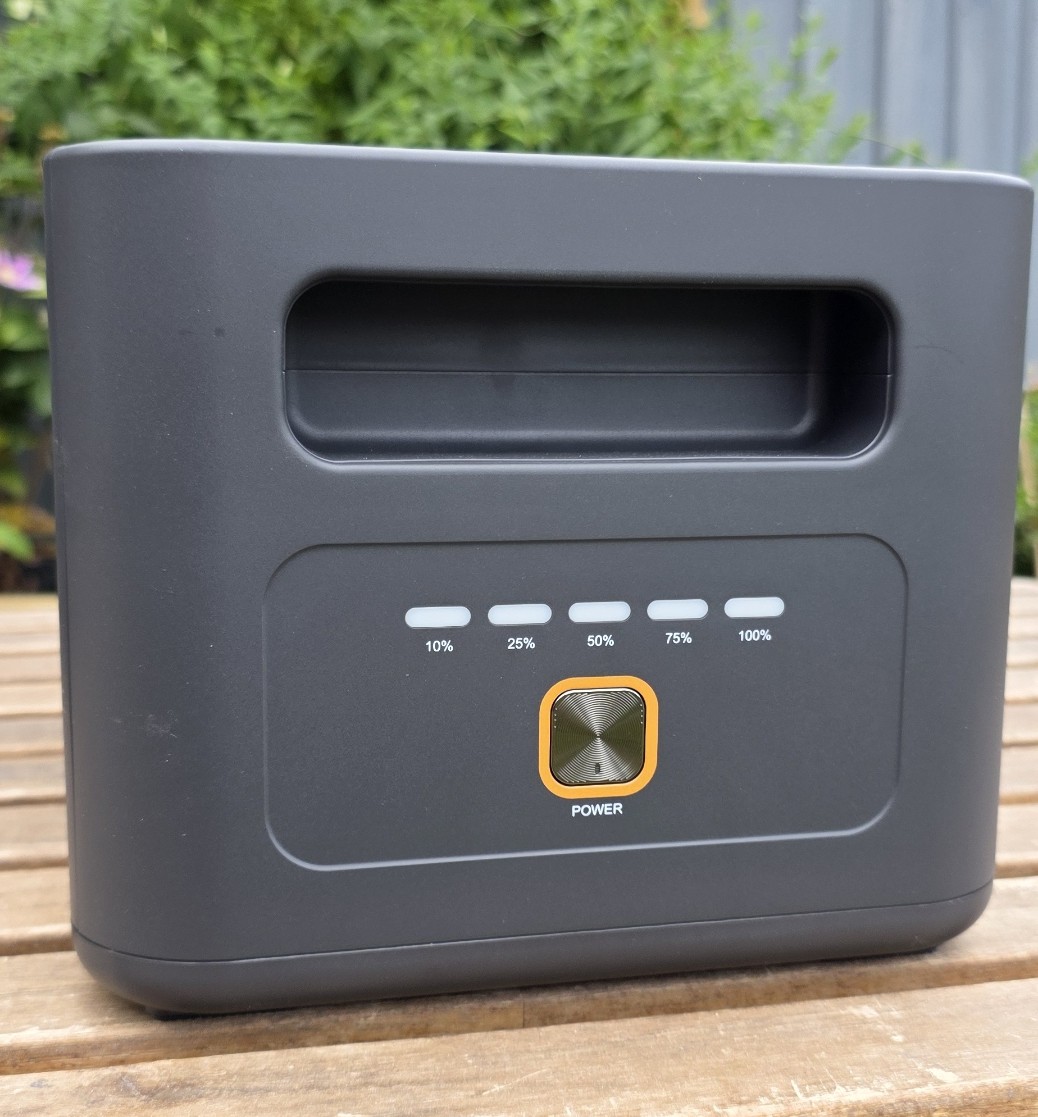
The weakest point is the power button. It has a soft, almost hollow action that doesn't inspire confidence, particularly as it's the one control you'll use every time you switch the unit on.

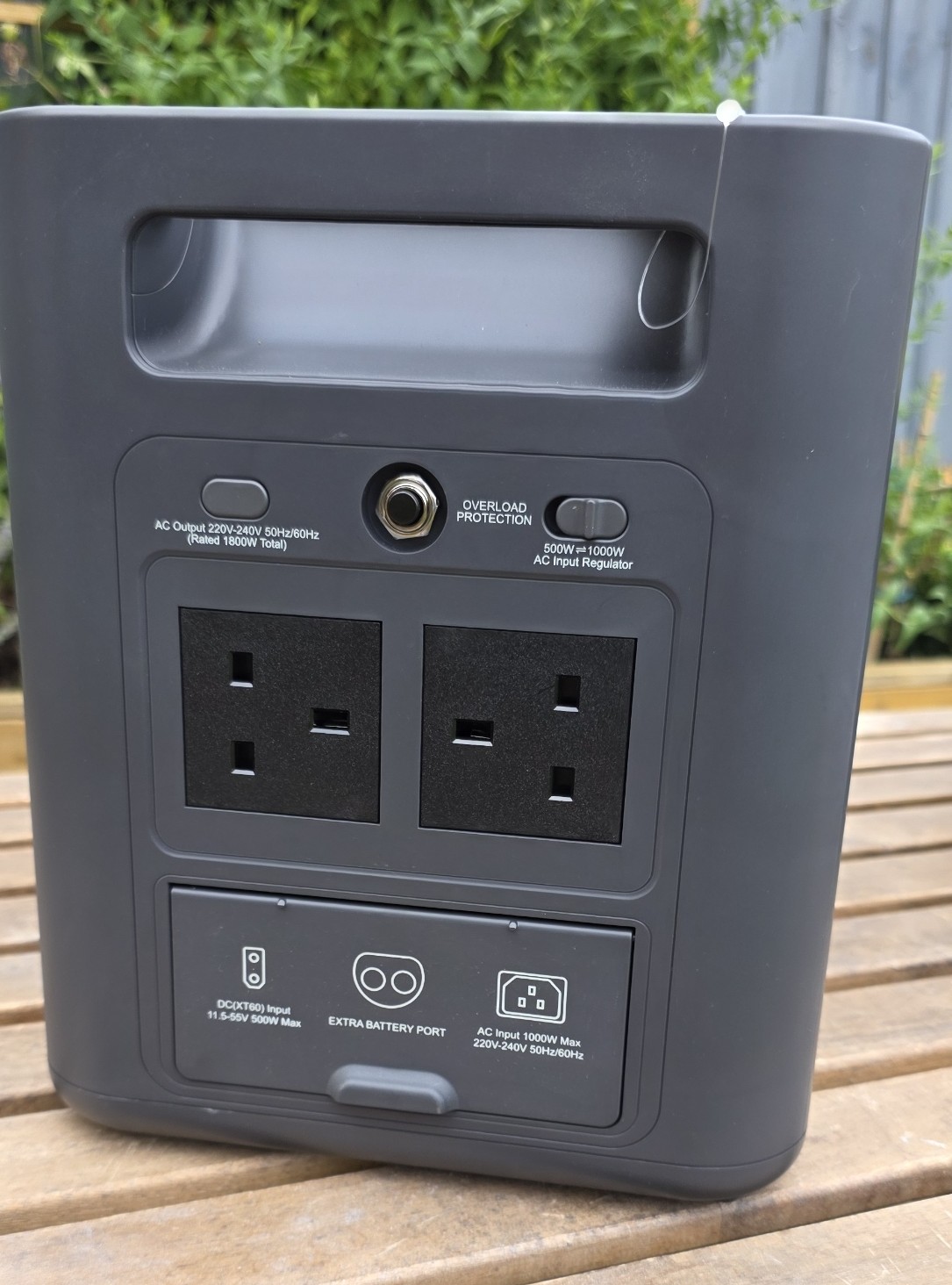
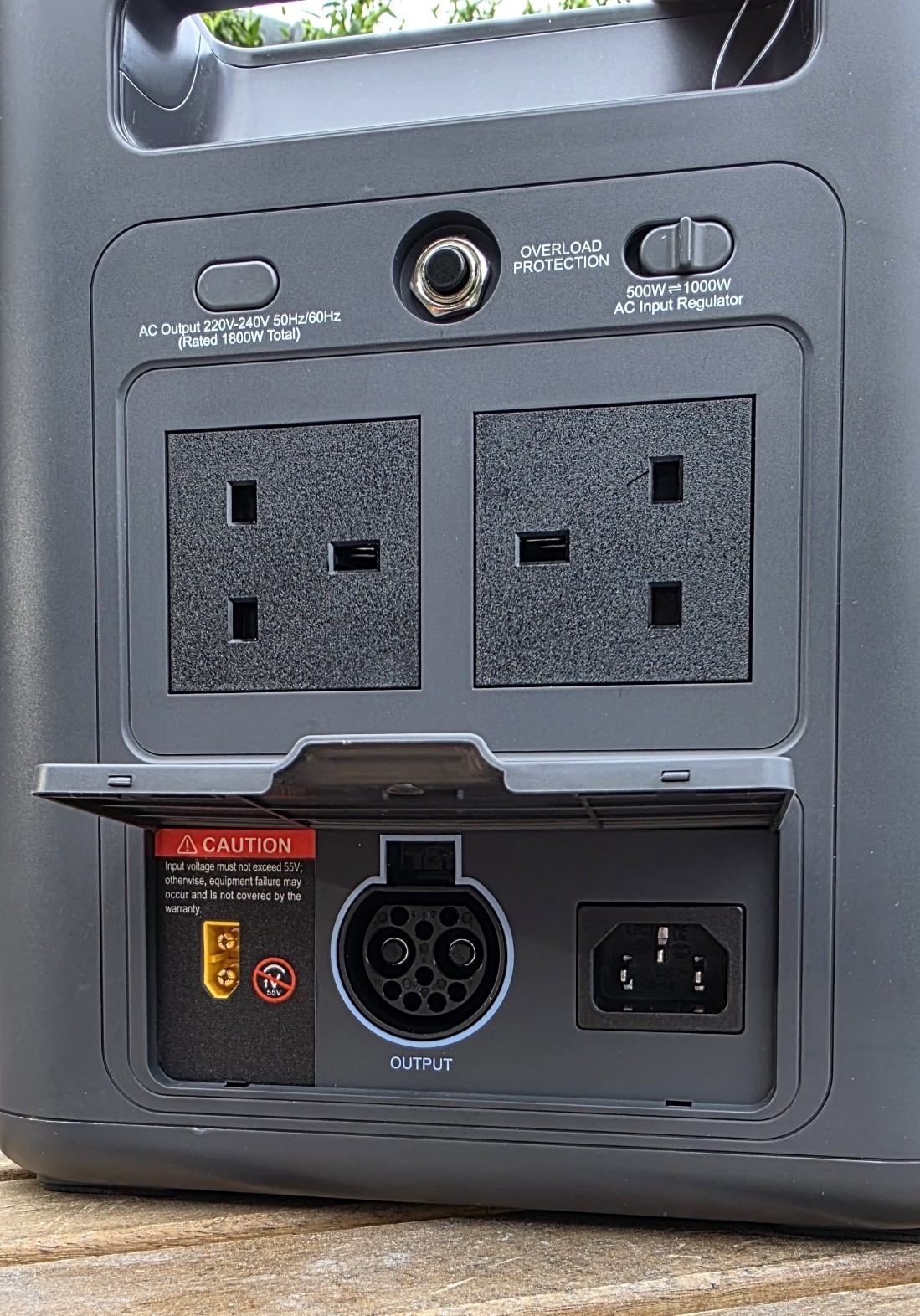
Fortunately, AFERIY makes some smart decisions elsewhere. Using a standard IEC C13 "kettle lead" for AC charging is a welcome choice, eliminating the need for proprietary charging cables. Likewise, the XT60 solar input means compatible solar panels are easy to source without hunting for obscure adapters.

AFERIY Nomad 1800 Pro 2

(Image credit: Future)

AFERIY Nomad 1800 Pro: Features

Expansion is one of the Nomad's strongest selling points.

Specifications

Capacity

1,024Wh (2,048Wh tested with expansion battery)

Battery chemistry

LiFePO₄

AC output

1,800W

Surge output

3,600W

Solar input

500W MPPT (XT60)

AC charging

IEC C13

Expansion

Up to four batteries (5,120Wh total)

USB-C

1 × 20W, 1 × 140W PD

Weight

11.6kg

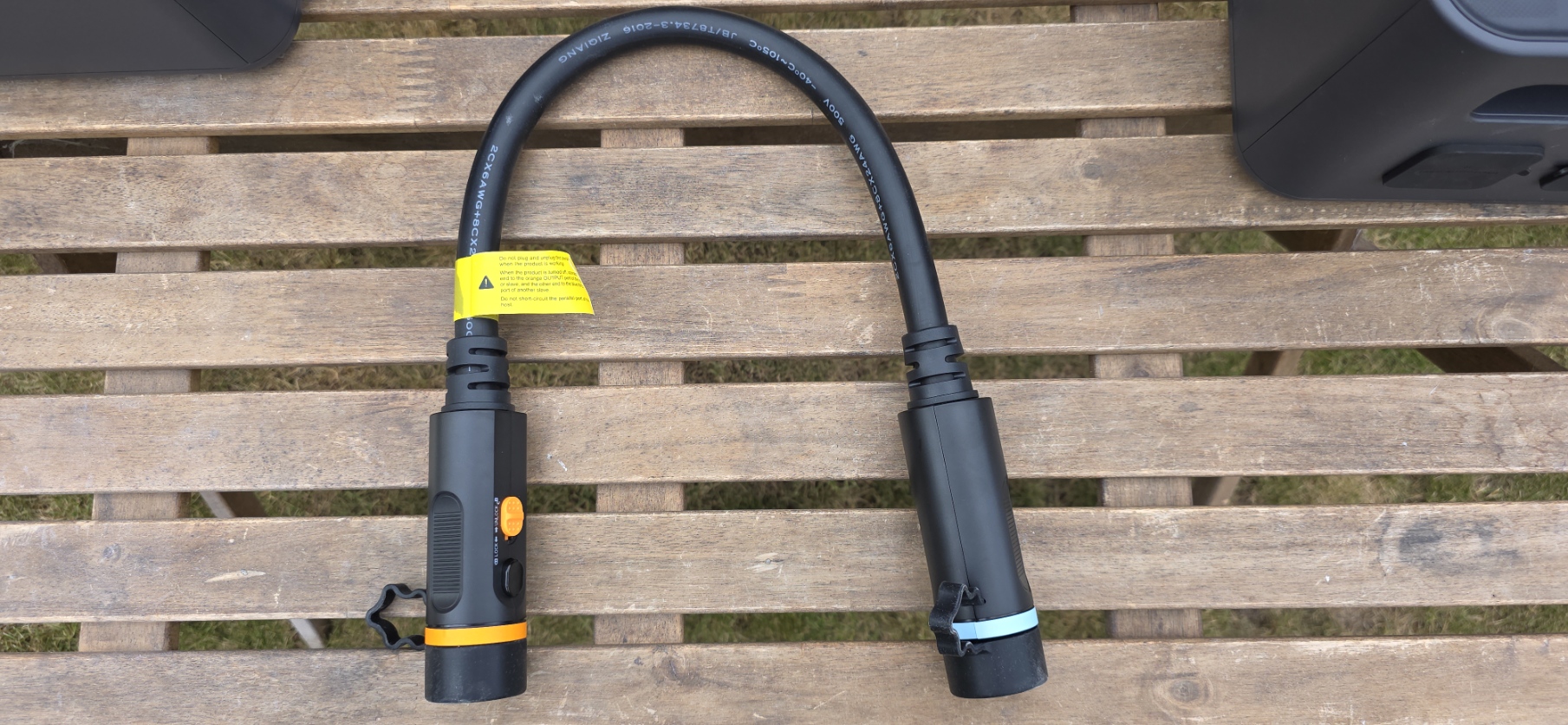
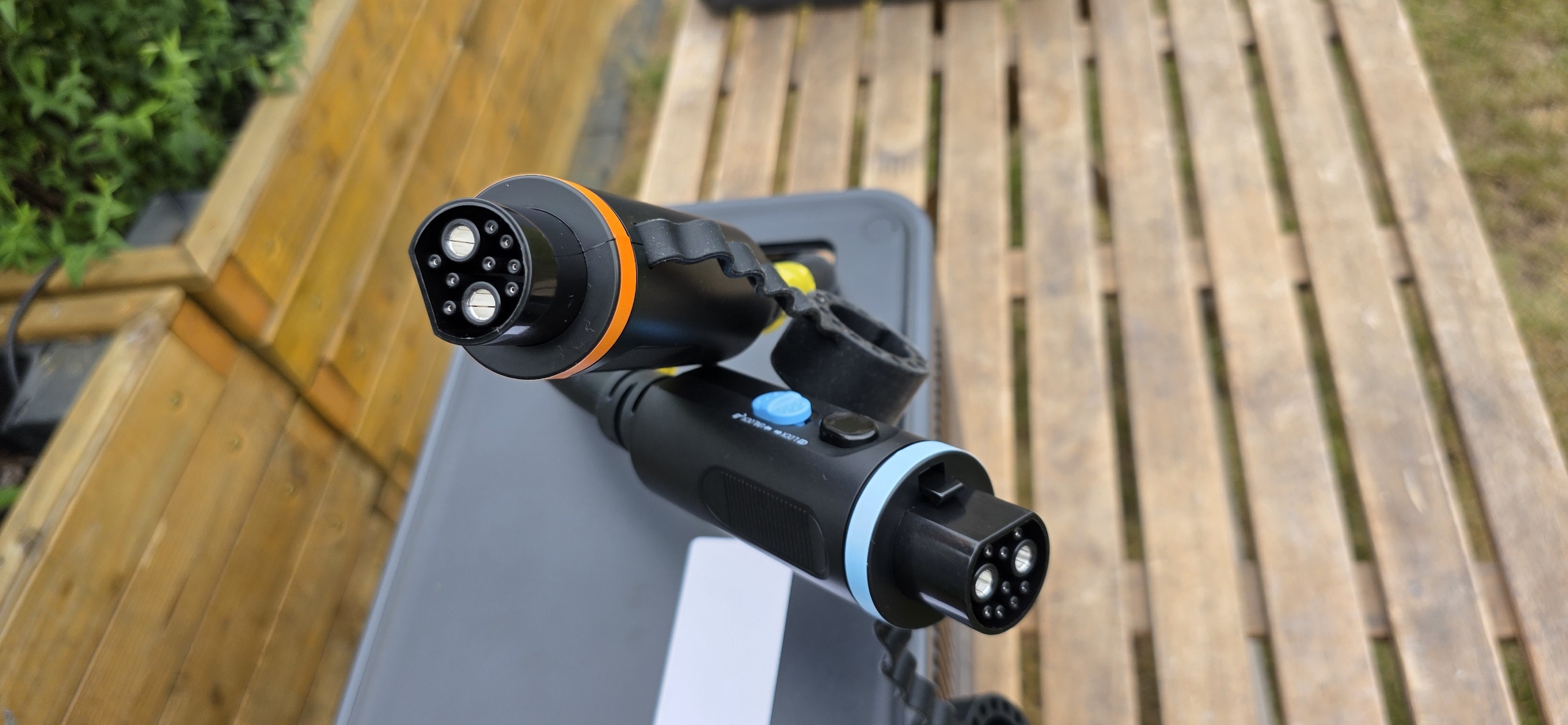
The additional battery connects using an impressively substantial cable, and the connector itself is particularly well designed. A push-to-release mechanism combined with a sliding lock prevents accidental disconnection while remaining easy to remove when required.

The expansion system is also future-proofed, allowing multiple batteries to be daisy chained together for significantly increased capacity.

There are a couple of compromises, however.

The expansion battery serves only as additional storage and doesn't provide any extra output ports of its own. More noticeable is the length of the connection cable, which protrudes around 30cm from the rear of both units. Anyone planning to install the batteries beneath a workbench or inside cabinetry will need to account for the extra depth.

Port selection is generally sensible but not perfect.

AFERIY Nomad 1800 Pro 10

(Image credit: Future)

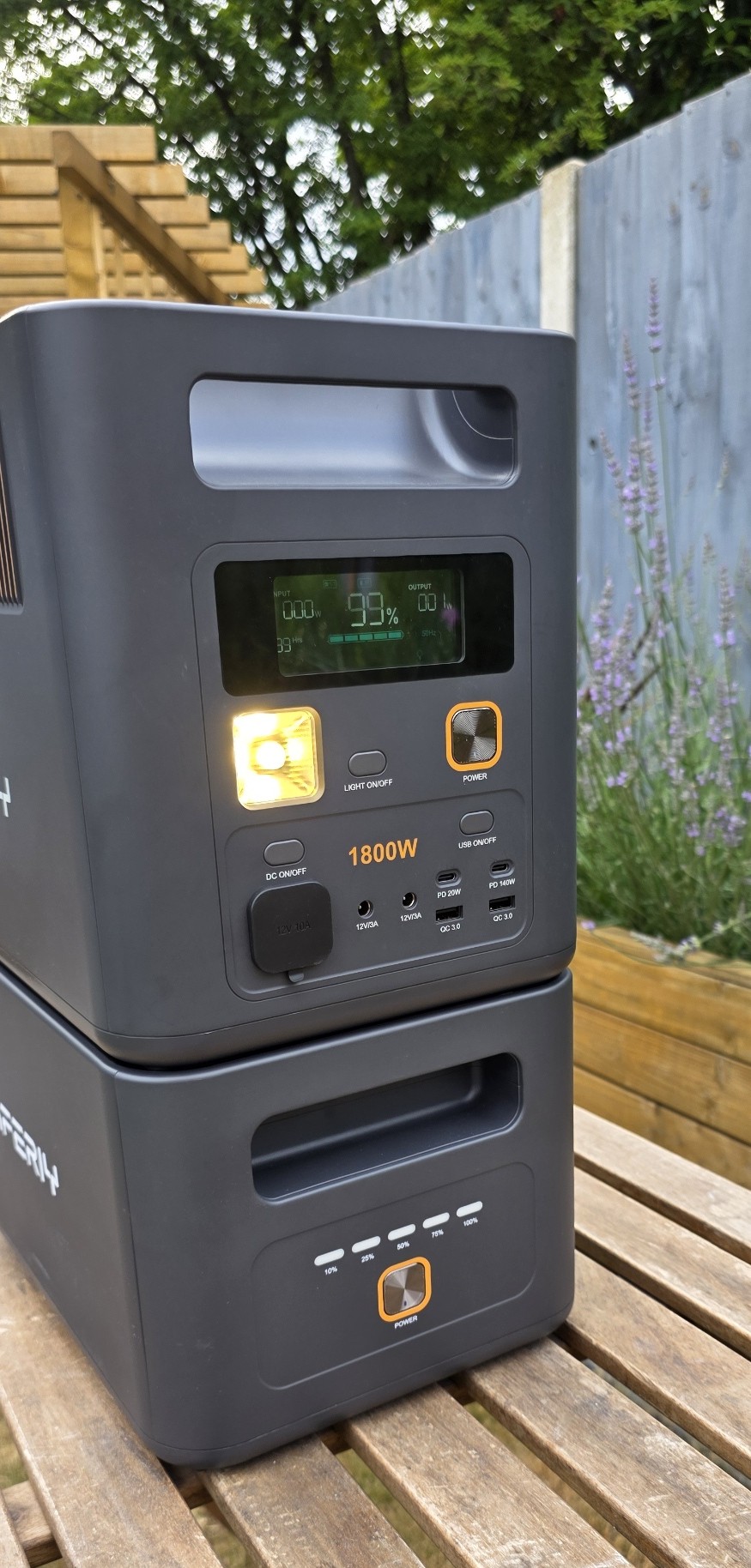
USB-C connectivity feels limited, with just one 20W port alongside a single 140W Power Delivery output. Given the growing number of USB-C powered devices, another high-power port would have been far more useful.

The inclusion of several 12V barrel outputs is also difficult to justify. While some specialist equipment still relies on barrel connectors, most modern devices either use USB-C or their supplied AC adapters, making these ports feel like a missed opportunity for additional USB connectivity.

AFERIY Nomad 1800 Pro 3

(Image credit: Future)

AFERIY Nomad 1800 Pro: Performance

Where it matters most, the Nomad performs extremely well.

The inverter comfortably powers demanding appliances, charging is quick, and overall operation is quiet and dependable. Day-to-day use inspires confidence, with no unexpected behavior during testing.

The integrated LED light is useful enough for finding tools or navigating around a campsite after dark, but it's very much a basic utility feature rather than a dedicated work light. It does the job, but little more.

AFERIY Nomad 1800 Pro 4

(Image credit: Future)

AFERIY Nomad 1800 Pro: App

The companion app is easily the weakest part of the ownership experience.

Getting started proved frustrating, with registration and login issues complicating what should have been a straightforward setup process.

Once connected, the app is functional but lacks polish. Navigation feels clunky, some menu layouts appear unfinished and there are the occasional interface glitches that suggest the software still needs refinement.

Everything required to monitor and control the power station is present, but the overall experience feels more utilitarian than premium.

For a company still building its ecosystem, improving the software should be a clear priority.

AFERIY Nomad 1800 Pro 5

(Image credit: Future)

AFERIY Nomad 1800 Pro: Value

Value is where the Nomad 1800 Pro really shines.

Its hardware specifications compare remarkably well with considerably more expensive products, and if purchased during one of the frequent online promotions, it becomes exceptionally competitive.

While there are areas where refinement is lacking, it's difficult to argue with the amount of capability on offer for the asking price.

AFERIY Nomad 1800 Pro 6

(Image credit: Future)

AFERIY Nomad 1800 Pro: Final Verdict

The AFERIY Nomad 1800 Pro is an impressive portable power station that gets the fundamentals right. Electrical performance is excellent, the expansion system is thoughtfully engineered and practical touches such as the IEC C13 charging lead and XT60 solar input make day-to-day ownership refreshingly straightforward.

At the same time, it's clear that AFERIY is still a relatively young company. The hardware lacks some of the refinement expected at the premium end of the market, the power button feels oddly inexpensive, and the companion app is in need of further development.

AFERIY Nomad 1800 Pro 12

(Image credit: Future)

None of these shortcomings undermine what is otherwise a capable and well-priced product. In fact, they're largely overshadowed by the Nomad's excellent value, dependable performance and flexible expansion options.

For buyers willing to accept a few rough edges in exchange for impressive capability at a competitive price, the AFERIY Nomad 1800 Pro earns an easy recommendation—and suggests AFERIY is a brand well worth watching over the coming years.

AFERIY Nomad 1800 Pro 15

(Image credit: Future)

Should you buy the AFERIY Nomad 1800 Pro?

Buy it if...

- You want excellent performance without paying premium prices.

- Expandable battery capacity is important.

- You appreciate standard connectors like IEC C13 and XT60.

- You need reliable portable power for home, workshop or camping.

Don't buy it if...

- A polished mobile app is high on your priority list.

- You expect premium fit and finish throughout.

- You rely heavily on multiple USB-C powered devices.

- You prefer the reassurance of a long-established brand.

We've featured the best rugged phones.


from Latest from TechRadar https://ift.tt/SnTmGNp

Premium portable power stations usually offer a ...

Premium portable power stations usually offer a capacity upgrade path by adding battery modules similar in size to the base unit.

Specifications

Battery capacity: 2112Wh

Number of charge cycles: Over 4000 before 20% drop

Output power: 2112W

Fastest charge time: 2 hours

Additional features: Bluetooth, IP65

Operating temperature: -20°C to 60°C

Storage temperature: -10°C to 50°C

Weight: 15kg

Warranty: 5 years

Changing other features, such as the charging rate or the inverter power, is usually impossible. If you eventually need more output power, you need to buy a new unit.

The Redodo battery and its supporting system change this paradigm, allowing users to build a power station and later extend the inverter or battery charging capacity.

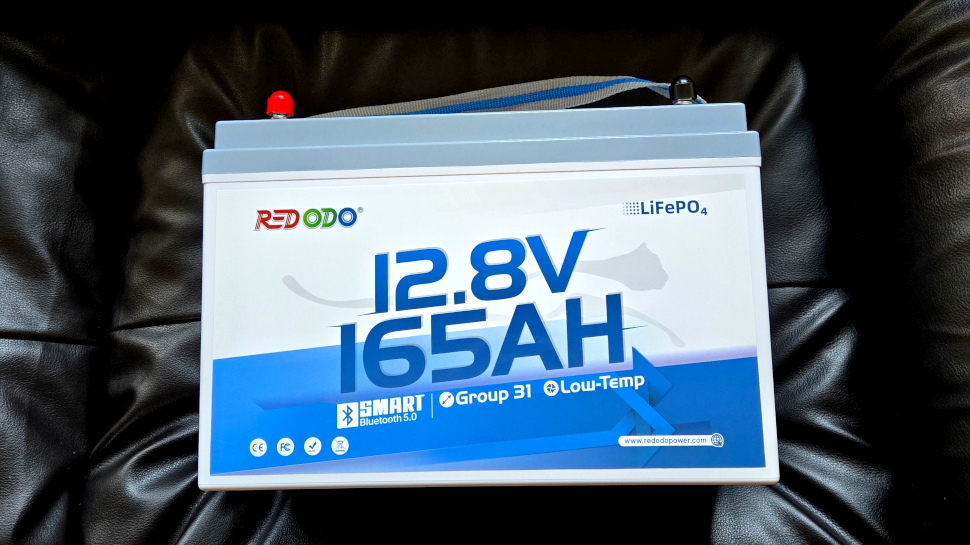
Redodo’s battery unit delivers 165 Ah at 12V, equivalent to 2 kWh of usable power, and uses LiFePO4 chemistry instead of lithium-ion, providing over 4,000 charge cycles before a 20% capacity drop.

Operating temperature range is -20 to 60 degrees Celsius, with an IP65 water-resistant rating. At 15kg and measuring only 33 cm x 17 cm x 22 cm, the battery is small compared to units offering similar capacity.

Redodo 165 Ah Battery monitor

(Image credit: Future)

Redodo 165 Ah Battery: Price and Availability

The reviewed Redodo 12V 165Ah battery retails for $499 and is usually on special for $370. The companion 40A battery charger adds an extra $260, while the battery monitor costs $100 and improves battery usage.

Without an AC power inverter, the battery can only supply 12V to small appliances such as a portable fridge. Adding a 120V 3000W inverter will cost an extra $570. The highest-capacity battery offered by Redodo is the 48V 5.12kWh model at $1700.

Redodo 165 Ah Battery: Design

The Redodo battery ships in a heavy-duty dual packaging carton box surrounded by high-density foam. The tested battery is a Group 31-class unit, measuring 33cm x 17cm x 22cm and weighing 15kg. The only included accessory is a small card that links to the mobile application.

The battery, housed in an IP65 ABS enclosure, has a single top strap that serves as a handle. The working temperature ranges from -20 to 60 degrees Celcius. Charging, on the other hand, can only happen at 0 degrees Celcius and above. The cells used are LFP EV type with a reliability that can reach 15000 charge cycles or over 10 years of usage.

The 12V 165Ah battery outputs 12.8V with an internal resistance of 40 mOhm, which results in a maximum output power of 2.1kW. The charging current can reach 165A, for a charge time of approximately one hour. To prevent heat buildup, the manufacturer recommends charging the battery at a slower rate of 33A, which increases charge time to five hours. Two M8 bolts built into the case serve as positive and negative terminals and must be tightened to the correct torque.

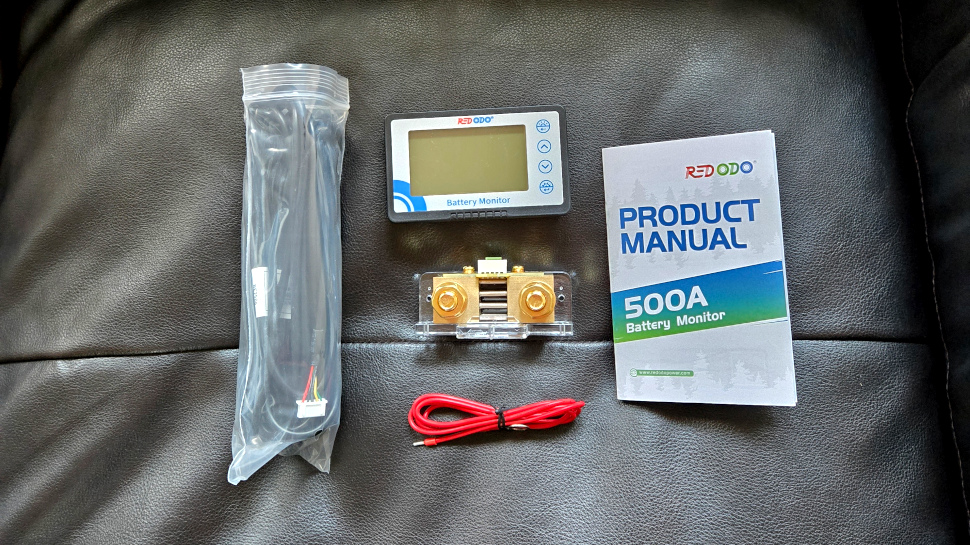
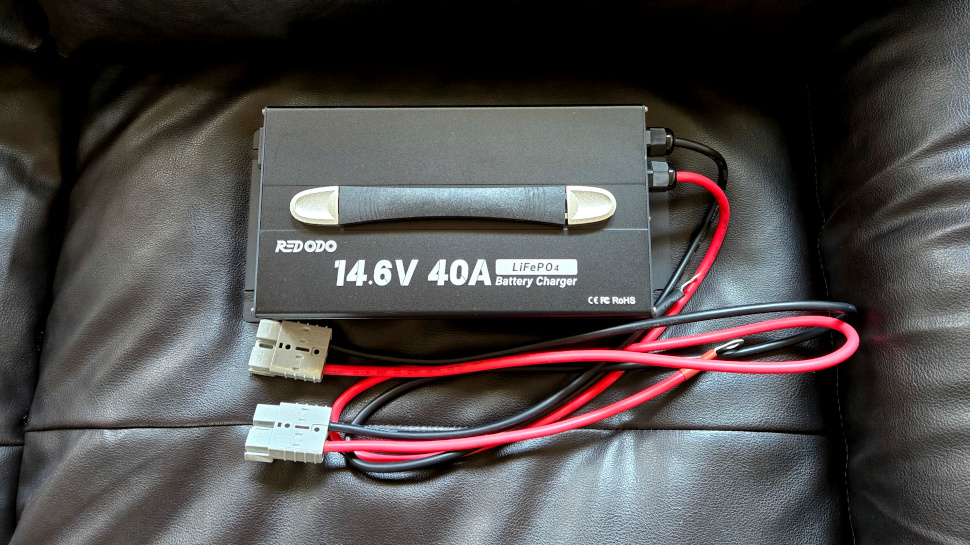
Several accessories are required to use the lithium battery. Redodo’s battery monitor provides voltage, current, and cell capacity information, and protects against over-discharging with an alarm. The illuminated LCD screen is suitable for reading in dark conditions. The 12V battery charger we tested is a 40A unit that is very noisy and charges slightly above the recommended rate.

Redodo 165 Ah Battery charger

(Image credit: Future)

Redodo 165 Ah Battery: In Use

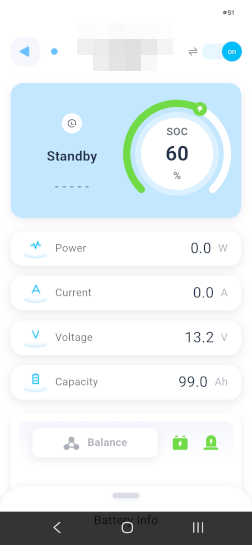
Redodo’s mobile app, available on both Android and iOS platforms, connects to the battery via Bluetooth using a QR code. The charge level, output voltage, current, and power are all available in real-time. The unit’s Bluetooth module can be turned off using the app, thereby saving energy. Bluetooth is automatically enabled when the battery is charging.

Installation consists of connecting wires to the battery terminals, charger, AC inverter, and monitor, with all except the latter connected in parallel. The monitor has a low-side sensor that connects in series to the negative battery terminal. The monitor supports up to 500A at its input and features a high-resolution display. Using the monitor is optional, as all critical battery information is also available in the mobile app.

The ideal setup is with solar panels and an AC inverter, which will initially bypass the battery entirely if enough solar power is available to the inverter. Any surplus energy is stored in the battery cells. Conversely, the battery provides additional power if the solar panels are insufficient to power connected appliances. A modular design is advantageous if the user eventually wants to double or triple the output power or change battery capacity.

The Redodo 12V battery uses Lithium Iron Phosphate (LFP) chemistry, which offers higher thermal stability than conventional lithium-ion chemistry, reducing the risk of thermal runaway. The 165A BMS enforces over 20 protections, including overcharge, overcurrent, and short-circuit cutoffs, as well as a low-temperature charging lockout at 0°C to prevent cell damage. The IP65-rated ABS enclosure adds water and dust resistance, making it well-suited for marine and outdoor installations.

Redodo 165 Ah Battery app

(Image credit: Future)

Redodo 165 Ah Battery: Competition

We tested the LiTime 320Ah battery some time back, and its smaller 165Ah sibling is equivalent to the current Redodo unit under test. The LiTime offering comes with similar Bluetooth connectivity and specifications but costs 10% more.

Redodo 165 Ah Battery front

(Image credit: Future)

Redodo 165 Ah Battery: Final Verdict

The Redodo 12V 165Ah lithium battery fits well in a versatile modular power solution, offering exceptional capacity in a compact format.

Backed by an LFP chemistry, a solid BMS, Bluetooth monitoring, and expandability up to 33kWh, it is well-suited for RV, marine, and off-grid applications.

While a full system can be expensive due to inverter and charger accessories, the long cycle life and upgrade flexibility make it a great long-term investment.

Buy the Redodo solution if you expect to increase capacity or power later.

Don’t buy the Redodo solution if you are looking for a turnkey solution.

We've rated the best rugged phones.


from Latest from TechRadar https://ift.tt/BX6cUZC

New blue, oat and green colors for the Ninja Auto...

  • New blue, oat and green colors for the Ninja AutoBarista Pro
  • It is an automatic espresso machine with separate user profiles
  • Its list price is $949.99 / £899.99 (about AU$1,735)

The Ninja AutoBarista Pro Fully Automatic Espresso Machine is a new, multi-talented coffee maker that delivers excellent espresso, drip coffee and a kind of rapid cold brew for making cold drinks — and now it's available in three new colors.

The original black and stainless steel finish has been joined by versions in Midnight Blue, Oat Milk and Vista Green. They're all fairly sober colors, so for example the Vista Green is a dark, slightly metallic jade green, and that means they look subtle and classy rather than garish — which is fitting as these are premium products.

The big benefit of the new shades is that they don't have stainless steel's fingerprint magnetism: I've had many stainless steel appliances and they've all been a bit of a pain to keep shiny and pristine.

Other than the colors, the new models are identical to the original, and that's no bad thing. This is a clever coffee maker that solves a particular pain point for couples and shared kitchens.

A machine of many talents

New colors for the Ninja AutoBarista Pro

(Image credit: SharkNinja)

As my caffeinated colleague Karen Freeman wrote when about the Ninja AutoBarista Pro, it's ideal for people who have completely different tastes in coffee. You can easily switch between beans and ground coffee, and you can create two different user profiles to store your brewing preferences. And setting up profiles is really simple.

We like this coffee machine a lot. In our Ninja AutoBarista Pro review we praised its "one-touch simplicity", good looks and of course, its coffee. "The espresso is the real deal," we wrote. "A true 9-bar espresso brew with crema."

The only real downside is its size: it's a pretty hefty appliance, coming in at just under 18 x 11 x 16 inches and weighing nearly 40lbs / 18kg. It's very solidly built, however, so it's likely to last a very long time.

I don't have this particular model but I do have a similarly multi-talented coffee maker from Philips, the LatteGo 5500. I think with machines like these there's an initial novelty period where you want to make all the coffees, but after that you tend to settle for a couple of favorites unless you're entertaining. And that's why we're so focused on the quality of the Ninja's espresso, because of course that's the core of all your coffee creations. In our tests the AutoBarista Pro delivered excellent espresso every time, and now it does it while matching your kitchen decor too.

The Ninja AutoBarista Pro currently retails at $949.99 / £899.99 / about AU$1,735.


from Latest from TechRadar https://ift.tt/RrCcYZ4

With alert volumes running into the hundreds of t...

With alert volumes running into the hundreds of thousands, security teams have built habits around what to ignore. And attackers have learned to exploit them.

For years, security operations centers (SOCs) have dealt with sorting through the noise of security alerts by prioritizing vulnerabilities based on severity level.

As the enterprise technology stack became more complex with a growing number of endpoints, cloud infrastructure, and multiple identity systems, it became impractical, if not impossible, for SOCs to address every single alert that got flagged.

As a result, most teams have adopted an approach where they focus their efforts on mitigating the medium- and high-severity alerts and dismissing or deprioritizing those flagged as lower risk.

However, just because a threat is deemed “low risk” doesn’t mean it’s “no risk.” Recent large-scale analysis of enterprise security alerts found that around 1% of all incidents can be traced back to alerts initially categorized as low severity.

For an average enterprise with 450,000 alerts per year, this translates to approximately one real threat slipping by each week. Although the percentage sounds small, it does represent a number of real threats that are being dismissed instead of being addressed by security teams.

These findings challenge the current best practice of prioritizing alerts based on severity level. They raise a critical question for today’s security teams: how can they realistically consider low-severity alerts while managing the high volume of alerts they’re receiving every day?

Real Threats Are Hiding in the Noise

Companies get hundreds of thousands of security alerts every year, and that number can rise to over a million for the largest enterprises. At this scale, security teams might be dealing with thousands of alerts every single day, so it’s no surprise that several recent studies have found that over half of alerts are never even reviewed.

Given this volume, triaging alerts by severity has been a necessity to sort through the noise. Instead, SOCs focus their efforts on the threats that appear most impactful and urgent. This makes sense, of course, as it would be unwise (and potentially dangerous) to ignore a critical alert in favor of a low-risk anomaly that likely will never amount to anything.

However, when these low-severity alerts are ignored, they create the opportunity for real threats to persist undetected.

Attackers Favor Stealth

Threat actors would prefer to sneak in and remain hidden, quietly carrying out their attacks for as long as possible. Instead of launching high-impact attacks that would immediately raise alarm bells, they gain access and try to remain undetected so that they can move laterally throughout a network, escalating privileges and extracting data over time without raising suspicion.

Severity classifications don’t always reflect this reality. Alerts are typically categorized based on a number of factors, including how critical an affected system is, the impact if that system were to go down, known threat actor activity, and how confident the security system is that malicious activity is taking place.

For example, detection of mass file encryption might be categorized as a high-severity alert because it indicates ransomware execution, whereas a suspicious PowerShell command might be low severity because it could just as easily be legitimate activity from an admin. Yet in practice, that PowerShell command could be from an attacker downloading payloads, establishing persistence, or running recon within the environment.

In many cases, major security incidents are the result of a string of multiple low-severity actions that don’t appear malicious individually. This allows the attacker to continue conducting their activities for weeks or even months without being noticed.

Rethinking Alert Triage in the SOC

The challenge for modern SOCs is not only to work faster but to work with more complete information. Treating alerts as isolated events, each evaluated on its own merits and severity score, is a structural limitation that threat actors have learned to exploit.

Low-severity alerts rarely tell a complete story on their own. A login anomaly, a suspicious script execution, a privilege change, each one individually may be inconclusive or entirely benign. But when those signals appear across the same user, system, or time window, they describe something far more concerning. The ability to surface that pattern depends on whether the investigation goes looking for it.

This requires two shifts in how security teams operate. The first is contextual. Alerts need to be analyzed against what else is happening in the environment, not just against the criteria that triggered the original detection. The second is coverage. Teams cannot build a complete behavioral picture if a large portion of signals never get examined at all. When low-severity alerts are systematically skipped, the picture has gaps, and those gaps are where attackers persist.

The practical implication is that alert triage can no longer rely solely on human capacity to determine what gets investigated. The volume problem is real, and severity-based prioritization exists for good reason. But the teams best positioned to catch early-stage threats are those that have found ways to extend consistent investigative coverage across the full alert stream, not just the top tier, and correlate what they find into a coherent view of attacker behavior over time.

The question is no longer whether low-severity alerts deserve attention. The data shows they do. The question is how to build an operation that can actually give it to them.

We feature the best antivirus software.

This article was produced as part of TechRadar Pro Perspectives, our channel to feature the best and brightest minds in the technology industry today.

The views expressed here are those of the author and are not necessarily those of TechRadarPro or Future plc. If you are interested in contributing find out more here: https://www.techradar.com/pro/perspectives-how-to-submit


from Latest from TechRadar https://ift.tt/x35MWhe

Easemate.ai launched in 2025 with a simple pitch:...

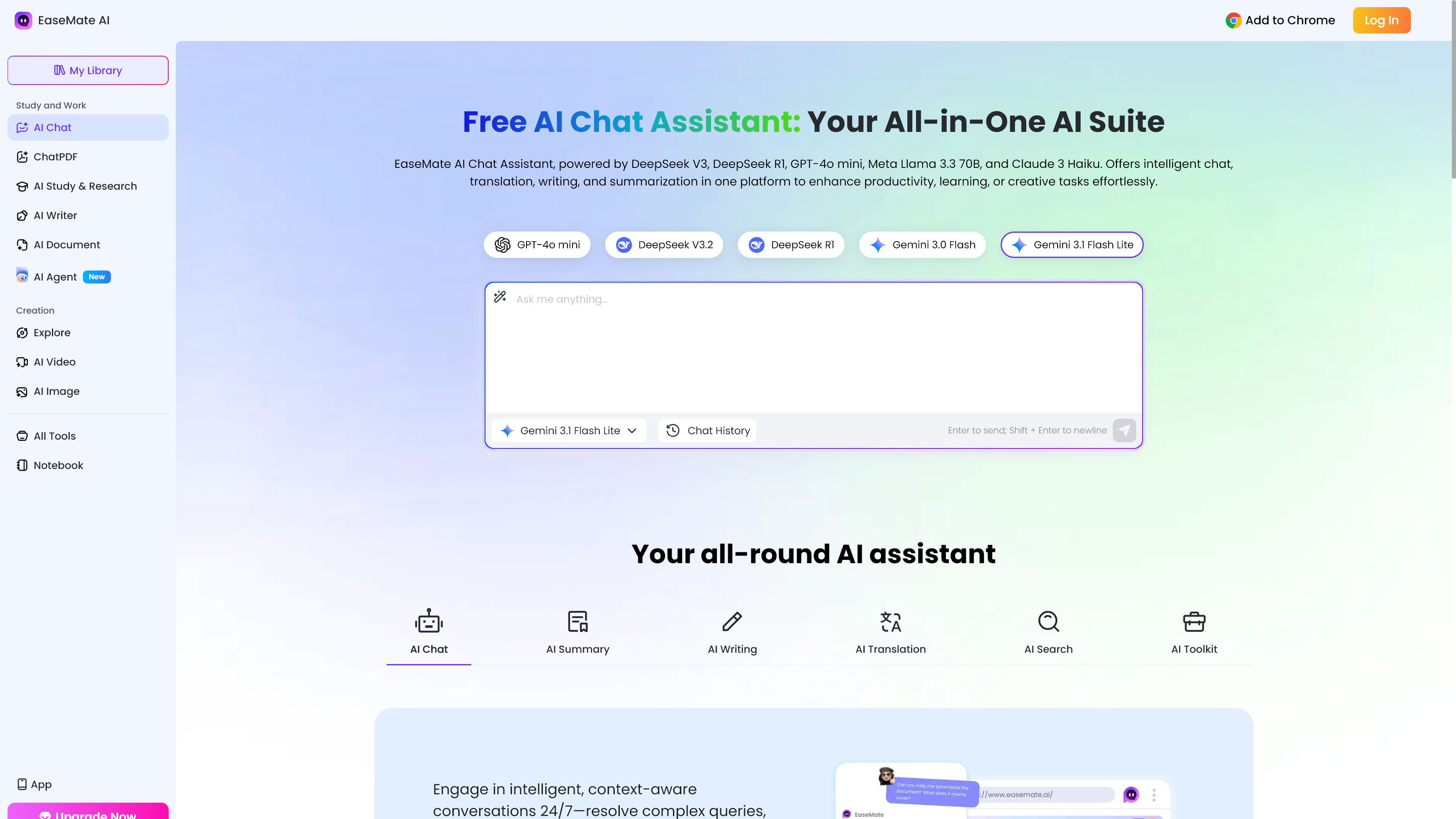
Easemate.ai launched in 2025 with a simple pitch: one platform for everything AI.

It doesn't make you choose between a chat assistant, an image generator, or a video tool. You get all three, alongside study utilities, document readers, and image editing features. The range of supported models is equally wide, covering GPT, Gemini, Claude, DeepSeek, Grok, Kimi K2, and Qwen 3 on the chat side alone.

The creative side is where things get particularly ambitious. Easemate integrates image models including Nano Banana, Midjourney, Flux Kontext, GPT-4o, and Seedream, with a video catalogue stretching to Sora 2, Google Veo 3, Kling, Seedance, and Runway. Few platforms at this price point give you that many models in one place.

We've been reviewing B2B software and AI platforms at TechRadar Pro since 2012. Easemate sits in a crowded but useful category of multi-model AI aggregators that we've tracked closely. You can also check out our AI tool roundup for 2026 and deep dives into platforms like OpenClaw or Moltbook.

What is Easemate.ai?

Easemate.ai is a web-based AI platform that consolidates multiple AI models and task-specific tools into a single subscription.

Rather than routing you to one underlying model, it lets you switch between GPT, Gemini, Claude, DeepSeek, and others depending on what you need, without juggling separate accounts.

The platform divides its offering into four main areas: AI Chat, AI Study & Research, AI Photo, and AI Video. Within those, you'll find tools for ChatPDF, document summarization, math and science solvers, flashcard generation, image-to-video conversion, and YouTube transcript extraction.

It targets a broad user base (students, solo creators, freelancers, and small businesses) rather than positioning itself as a developer tool or enterprise solution. If you want a single dashboard that covers daily AI tasks without managing multiple subscriptions, Easemate's pitch is worth considering.

Easemate.ai: At a glance

Attribute

Notes

Underlying model(s)

Multi-model: GPT (various), Gemini, Claude 3 Haiku, DeepSeek, Grok 4, Kimi K2, Qwen 3 for chat; Nano Banana, Midjourney, Flux Kontext, Wan, Kling, Seedream and more for image/video

Best for

Students, solo creators, and small businesses needing all-in-one AI access

Distinguishing functions

Multi-model chat, ChatPDF, image generation, video generation, math/science solvers, AI writing tools, face swap, YouTube summarization

UI features

Browser-based interface, desktop and mobile (iOS and Android); no-login trial available for select tools

Subscription costs

Basic (free), Lite ($8.90/month intro, then $9.90/month), Pro ($19.90/month intro, then $24.90/month)

API pricing

No public API; consumer-facing platform only

Buy it if…

  • You want multi-model AI chat without juggling accounts. Easemate puts GPT, Gemini, Claude, DeepSeek, and Grok 4 in one place, which saves real time if you regularly compare outputs across models.
  • You need creative tools alongside a chat assistant. The combination of image generators and video models in one subscription is hard to match at Easemate's price point.
  • You're a student or researcher on a budget. The free tier includes 30 sign-up credits, daily check-in bonuses, and up to 200K AI chat tokens per day.

Don't buy it if…

  • You need consistent professional image or video output. Users report a "prompt drift" issue where the platform ignores specific instructions, alters faces, or changes scenes unexpectedly.
  • Reliable customer support matters to you. Support is online-only and has drawn criticism for being slow to resolve credit-related problems.
  • You want granular model control. Access to Veo 3 and Sora 2 comes through Easemate's own interface rather than direct API access, which limits parameter customization.

My time with Easemate.ai

Getting started on Easemate.ai is frictionless. The platform lets you try select tools without an account, and signing up takes under a minute. Once logged in, the 30 free credits appeared immediately, and the interface guided me clearly toward the main tool categories. For a platform with this many features, the navigation stayed surprisingly tidy.

Where I hit friction was in creative generation. I ran several image prompts through Nano Banana and Flux Kontext and found outputs solid roughly two-thirds of the time. There were noticeable cases where the platform deviated from my descriptions, and rerunning the same prompt sometimes produced very different results. Video tools showed similar inconsistency.

The value case is real at the Lite tier, though. For $8.90 in the first month, rising to $9.90 after that, you get 1,200 credits, access to up to 120 images and 60 videos per month, and multi-model AI chat. That's a fair deal for casual creative work or students managing multiple AI tasks, as long as you aren't expecting the precision of a dedicated tool.

Easemate.ai: Features

The AI Chat section covers GPT (multiple versions), Gemini, Claude 3 Haiku, DeepSeek, Grok 4, Kimi K2, and Qwen 3. For most conversational tasks (drafting, translating, summarizing), having that range in one tab is useful. The daily free token limit of 200K is also more generous than most comparable platforms.

The study and research tools are well-executed and clearly the original backbone of the platform. Math, physics, and chemistry solvers work step-by-step, making them practical for students rather than just returning a final answer. Flashcard and quiz generators, mind maps, and AI Scholar round out a toolkit that serves academic workflows more carefully than most multi-purpose AI platforms do.

On the image side, the model selection is broad: Nano Banana, Midjourney, Flux Kontext, GPT-4o, and Wan 2.5 are all accessible on paid plans. Nano Banana produces good commercial-style images; Flux Kontext handles text-in-image prompts reasonably well. The consistency problem persists, particularly with prompts involving specific faces or complex scenes.

Document tools perform well. ChatPDF, Chat Doc, and Chat PPT let you upload files and query them conversationally, with OCR support for scanned content. The YouTube summarization tool is a genuine highlight: paste a link and get structured notes with timestamps, which worked better than expected in testing.

Easemate.ai: User experience

The interface is clean and well-organized. Tool categories sit in a top navigation bar, each expanding into a dropdown with clearly labeled options. First-time users shouldn't need a tutorial to find their way around, and the browser-based experience works consistently across devices.

The credit system is where the UX gets murky. Different tools consume different credit amounts, and it's not always clear how many you're spending before you generate. A failed generation still costs credits, which user reviews flag repeatedly. Easemate's team has acknowledged this in public responses, but the system itself hasn't changed.

Easemate.ai: Customer support

Easemate offers support via email at support@easemate.ai and through a help portal on the website. There's no live chat, phone line, or priority tier for paid subscribers. Documentation covers pricing and credits at a surface level but doesn't go deep enough for troubleshooting edge cases.

User perception is mixed. As of early 2026, Easemate held an overall rating of 2.0 to 3.0 out of 5 stars with most review aggregators, with positive feedback on ease of use offset by complaints about reliability and support responsiveness. More recent reviewers show a wider range of experiences — solo creators praise the video output quality, while others report credits consumed by failed generations with no satisfying resolution.

Easemate interface and chat

(Image credit: Easemate)

Easemate.ai: Pricing

  • Basic (free): 30 sign-up credits, daily check-in bonuses, up to 200K AI chat tokens per day, limited image and video access
  • Lite ($8.90/month intro, then $9.90/month): 1,200 credits, up to 120 images and 60 videos per month, full model access; annual billing drops this to $7.49/month intro, then $8.49/month
  • Pro ($19.90/month intro, then $24.90/month): 3,000 credits, up to 300 images and 150 videos; annual billing drops to $16.90/month intro, then $20.9/month

The free tier is actually usable for light AI chat and occasional image generation — it's not a locked demo. Lite is the sweet spot for individuals. Easemate also sells one-time credit packs that never expire, ranging from 500 credits at $4.90 up to 15,000 credits at $104.90, with discounts of 10–30% depending on bundle size. There's no API access or developer-tier pricing.

Easemate.ai alternatives you should consider

  • ChatGPT Plus: At $20/month, you get GPT-4o, o4-mini, and DALL-E 3 in a more mature, reliable environment. A better choice if text generation and image creation are your primary needs.
  • Perplexity Pro: Covers multi-model chat with web search grounding and document uploads. Weaker on creative generation but more dependable for research-heavy workflows.
  • Adobe Firefly: Produces commercially safe, high-consistency image output with better prompt fidelity than Easemate's image tools, though it lacks the platform's broad AI chat and video coverage.

How I tested Easemate.ai

  • Tested AI chat tools across GPT, Gemini, Claude, and DeepSeek for writing, summarizing, and translating tasks, comparing output quality and response speed across models.
  • Generated images and video clips using Nano Banana, Flux Kontext, Kling, and Veo 3 with a range of prompt types to assess consistency and prompt adherence.
  • Used document and study tools, uploading multi-page PDFs and PowerPoint files to test ChatPDF accuracy, and running math and science problems through the step-by-step solvers.

My testing involved hands-on use of Easemate.ai across its four main tool categories over several sessions, combined with a review of third-party user feedback on Trustpilot and review platforms to benchmark real-world reliability against my own observations. Pricing details were verified directly against the official Easemate.ai pricing page.


from Latest from TechRadar https://ift.tt/evKGkuP

When I think of Enola Holmes , one word springs t...

When I think of Enola Holmes, one word springs to mind: naff. Average, run-of-the-mill, mundane, as our friends across the world might put it instead.

It's been four years since the sequel and six years since the original movie came to Netflix, and I have no bearing on where it sits culturally. As an avid internet user in my pre "I have a job reviewing film and TV" days, the Millie Bobby Brown-led franchise felt like a complete flop. But look at the trilogy from a critic's perspective, and it's been a solid entry into the streamer's canon.

Watching Enola Holmes 3, I finally get it. As Sherlock's little sister takes on her wildest case — Sherlock (Henry Cavill) himself being kidnapped — I understand the brief writer Jack Thorne is trying to fulfil... a harmless one.

Suitable for all the family thanks to its genuinely fun and compelling (though not exactly unexpected) narrative, Enola Holmes 3 has all the hallmarks of a solid three-star movie. In fact, it's the most three-star movie to ever three-star.

Can you guess the ending? Yes. Do you care? Probably not. Will you look at your phone occasionally while streaming it, or maybe get started on those pesky household chores you keep putting off? I'd put money on it. Will you lose the storyline or interest if you suddenly pop out to make a coffee and keep the TV running? Not in the slightest.

It's safe storytelling at its most entertaining, and I felt a little like I imagine a baby does when a sensory YouTube video presents them with dancing fruit. Gripped, unmoving, but ultimately numb to what's actually going on.

Enola Holmes 3 must have been an actor's dream working holiday — like Mamma Mia! without the singing

If you have an account on X/Twitter or Instagram and are into pop culture, you have probably seen the pictures of the cast wrap party for the 2008 movie version of Mamma Mia! — which involved the likes of Meryl Streep and Colin Firth getting drunk and doing karaoke in Croatia.

In my mind's eye, Enola Holmes 3 had the same effect on its cast. Set and filmed in Malta, the exciting action sequences, picturesque heartfelt scenes walking along the coast, and frequent galivanting around the capital Valette likely amounted to a similar jovial spirit (and imagine a wrap party abroad with a Netflix budget).

The cast is just as stoic as they ever have been, with standout Helena Bonham Carter as a vagrant outsider, a veritable thrill. They're having fun, so we're having fun along with them, with the ingenious use of animated title cards to explain Sherlock lore, a shrewd interactive touch.

It's not particularly taxing or sophisticated as far as storytelling is concerned, but the existence of this IP wouldn't work if it tried to be. Let's stick with tried and tested easy-on-the-eye action, please.

Netflix needs to stop casting actors with 'iPhone face' in its period dramas

Millie Bobby Brown stands in a room on fire

(Image credit: Netflix)

Before I come to my main gripe, let me make clear that Millie Bobby Brown is a) beautiful and b) absolutely doesn't deserve to have her appearance critiqued by the internet.

Instead, I wish that the costume and make-up departments had paid closer attention to its continuity, particularly around 'iPhone face' (the theory that someone cast in a period drama has clearly seen an iPhone).

As Brown has matured over the last six years, it's understandable that she'd want make-up that matches where she is in life. The result is that, unlike the previous two movies, she's got a full face of easily identifiable foundation, contour, and lip liner, which definitely wouldn't have been the case in the late 1800s.

Add to this that wider shots show Brown wearing gel acrylic nails — whereas close-ups show her slightly dirtied yet authentic natural nailbeds — and the illusion of a genuine period drama is ruined.

Continuity seems to be a wider issue across Enola Holmes 3, such as shots spliced together in a single scene not properly keeping track of whether someone's eyes have just been opened or closed. Much like the harmless safety of the narrative, it's this lack of attention to detail that keeps the franchise cocooned in its middling category, though armchair detectives might enjoy trying to spot said mishaps.

Still, it all adds to the light-hearted spirit of the piece, doesn't it? How likely is it that Sherlock, the Sherlock Holmes, could really be kidnapped anyway? Just roll with it, as the saying goes.


from Latest from TechRadar https://ift.tt/w8f3vj9