Home Top Ad

Responsive Ads Here

Android 15 – or Vanilla Ice Cream as it’s reportedly codenamed – is unlikely to launch in finished form for quite a while yet, but the firs...

Android 15 – or Vanilla Ice Cream as it’s reportedly codenamed – is unlikely to launch in finished form for quite a while yet, but the first previews and betas could land very soon, giving us an early taste of Google’s next big Android update.

Ahead of even that though, numerous possible features and improvements have leaked, so we already have some idea of what to expect.

You’ll find all the news and rumors about Android 15 below, including possible features, plus the predicted release date and the phones that are set to support it. Check back here soon too, because we’ll be updating this article whenever there’s new information about Android 15.

Cut to the chase

  • What is it? The next major Android version
  • When is it out? Expect the finished version between August-October
  • How much will it cost? This will be a free update

Android 15: expected release date

The first Android 15 developer preview could be just a day away at the time of writing, as it might land on February 15.

This date was put forward by a Google developer posting on the Android Open Source Project, and spotted by 9to5Google. They claim the first Android 15 developer preview is “scheduled” for February 15, and presumably they would know.

So while we can’t quite take this as a confirmation, February 15 is likely the date, especially as the first preview should be due around now, since Android 14’s first developer preview launched on February 8 of last year.
The Android 14 logo

The first Android 14 preview landed last February (Image credit: Google)

That said, as the name suggests this is a very early Android 15 release that’s aimed specifically at developers. That means it will probably be very buggy and almost certainly won’t contain every Android 15 feature.

So it’s not aimed at most people, and unless you’re a developer we wouldn’t recommend downloading it, but it will provide an early look at some of what to expect from Android 15.

Following this, based on past form we’ll probably see the first public beta in April or May, and that’s the earliest you should really consider jumping on board. The finished version of Android 15 will likely land sometime between August and October.

Again, that’s based on past form. For reference, Android 14 launched properly on October 4 of 2023, but Android 13 landed on August 15 of 2022. In any case, hopefully Google will reveal a roadmap soon, giving us a clearer idea of when to expect the public betas and the finished release.

Android 15: compatibility

As usual with Android, it’s Pixel phones that will likely get access to the first previews and betas, as well as being among the first to get the finished Android 15 update. But plenty of other handsets will get Android 15 too.

With most device manufacturers committing to a set number of updates, we also have a good idea of which phones will get Android 15.

On the Google front, everything from the Pixel 6 and Pixel 6 Pro onwards should get Android 15, including the Pixel 6a, Pixel 7, Pixel 7 Pro, Pixel 7a, Pixel Fold, Pixel 8, and Pixel 8 Pro.

There’s a chance that the Pixel 5a 5G will also get Android 15, as that’s guaranteed updates until August of this year.
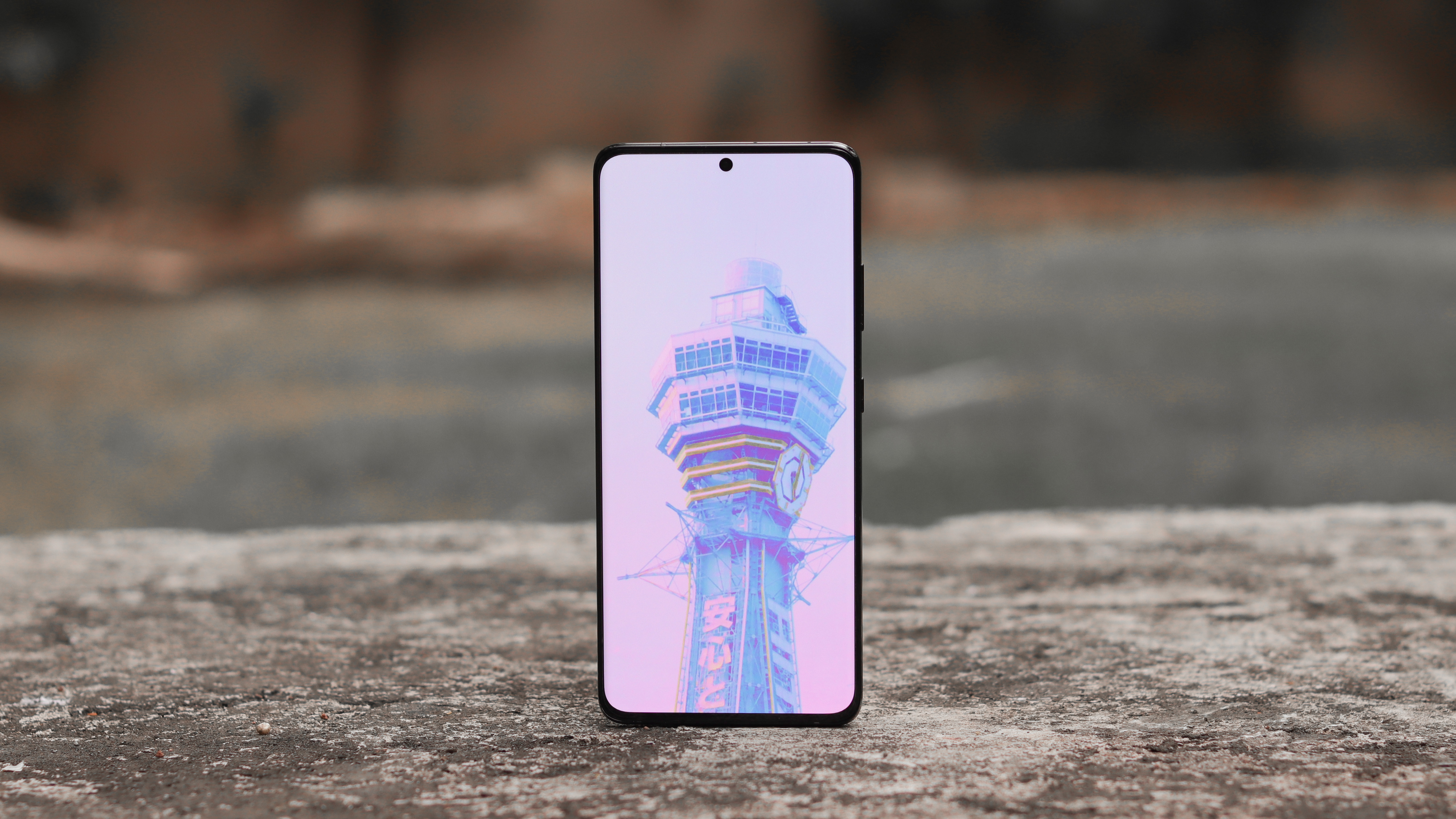
Samsung Galaxy S21 Ultra

The Samsung Galaxy S21 Ultra should get Android 15 (Image credit: Aakash Jhaveri)

For Samsung, the Samsung Galaxy S24, Samsung Galaxy S24 Plus, Samsung Galaxy S24 Ultra, Galaxy S23 line, Galaxy S22 line, and Galaxy S21 line should all get Android 15. As should Samsung’s foldable phones from the Galaxy Z Fold 3 and Z Flip 3 onwards, including the yet-to-be-released Samsung Galaxy Z Fold 6 and Samsung Galaxy Z Flip 6.

Many Galaxy A models will also get Android 15, such as the Galaxy A24, A33, A34, A53 5G, A54 5G, and A73, among others.

Numerous phones from other brands should also get Android 15, with highlights including the OnePlus 12, OnePlus 11, OnePlus Open, Sony Xperia 1 V, Sony Xperia 5 V, Xiaomi 13, and Motorola Razr Plus 2023.

That’s by no means all the phones that we expect to get Android 15. As a general rule, if your phone is mid-range or above and will be no more than two years old at the launch of Android 15, it will probably get the update. Many older and cheaper phones will too though.

You can also expect to see Android 15 on many Android tablets, such as the Pixel Tablet and the Samsung Galaxy Tab S9 series.

Android 15: rumored features

While we don’t know for sure what Android 15 will offer yet, a number of possible features have leaked. You’ll find these below.

Battery health percentage
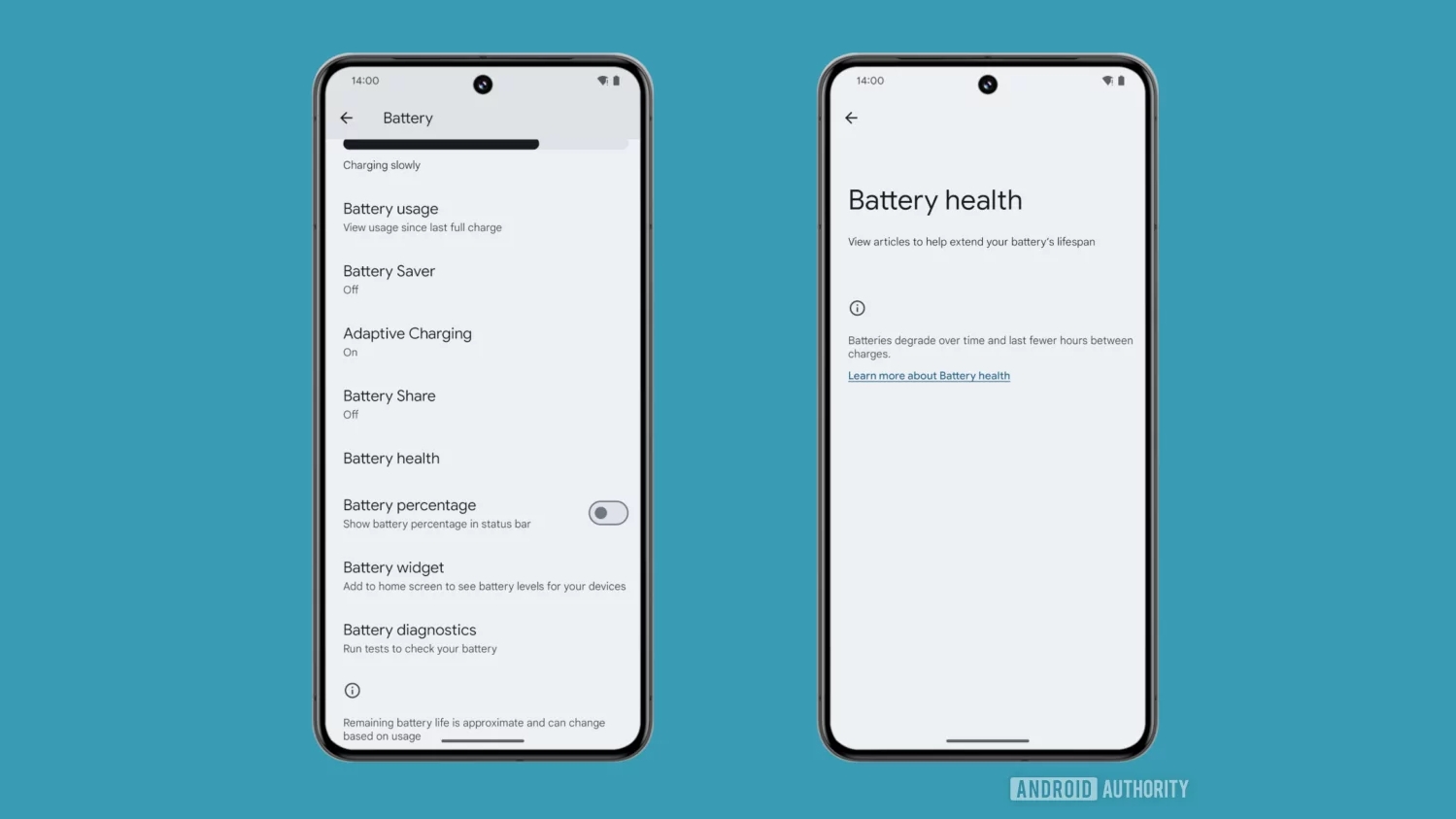
A battery health screen hidden in Android 14

The battery health screen hidden in Android 14 QPR2 beta 2 (Image credit: Android Authority / Mishaal Rahman)

One small but extremely useful new feature we might see in Android 15 is a battery health percentage. This would allow you to see the estimated percentage of charge the battery can currently hold compared to when it was new, so you’d have a clear indication of how worn out your phone’s battery is.

That can be beneficial in particular when trying to diagnose whether increased battery drain is due to a worn-out battery of some misbehaving software.

It’s a feature you’ll already find in iOS, and an inactive version of it has been found hidden in an Android 14 update by Android Authority and Nail Sadykov (the editor of the Google News Telegram group). So it’s definitely a feature Google is working on, and it's a likely candidate for Android 15.

Lock screen widgets
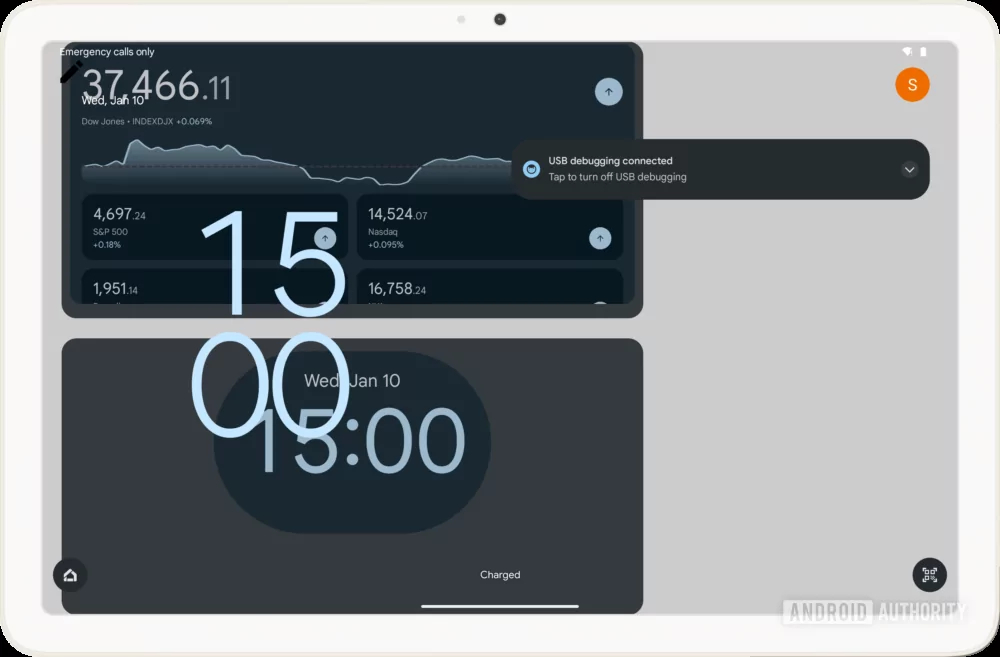
The Pixel Tablet showing a mashup of the lock screen with a clock and user icons, and widgets for another clock app and an app tracking stock prices.

The in-progress Communal Space (Image credit: Android Authority / Mishaal Rahman)

Android hasn’t natively supported lock screen widgets since Android 4.2, but they might be coming back with Android 15, as a hidden ‘Communal Space’ feature has been found in a recent Android beta. Spotted by Android Authority, this unfinished feature would let you add widgets to a Communal Space on the lock screen.

However, there are a couple of big caveats here. First, there’s currently only support for Google Calendar, Google Clock, and the Google app, though it’s likely more apps would be supported in time for launch.

Second, this appears to currently only be designed for devices with Hub mode, which right now means just the Pixel Tablet. So it could be quite limited.

Private Space
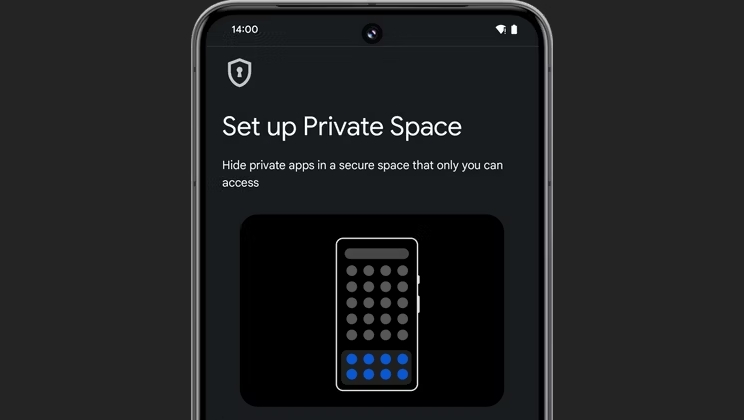
An image of Private Space running on an Android phone

(Image credit: Android Police / Google)

Android 15 could also include a native version of Samsung’s Secure Folder feature, giving non-Samsung phones the ability to hide sensitive apps in a separate, hidden area called Private Space.

Spotted in unfinished form in a recent Android beta by Android Police, Private Space would require a PIN, pattern, password, or biometrics to access, and would contain its own instance of the Google Play Store, which you could use to download apps you don’t want anyone else using your phone to know you have or be able to open.

These apps would appear only within the Private Space, making this a handy feature if you ever pass your phone to someone else.

Bluetooth Auracast
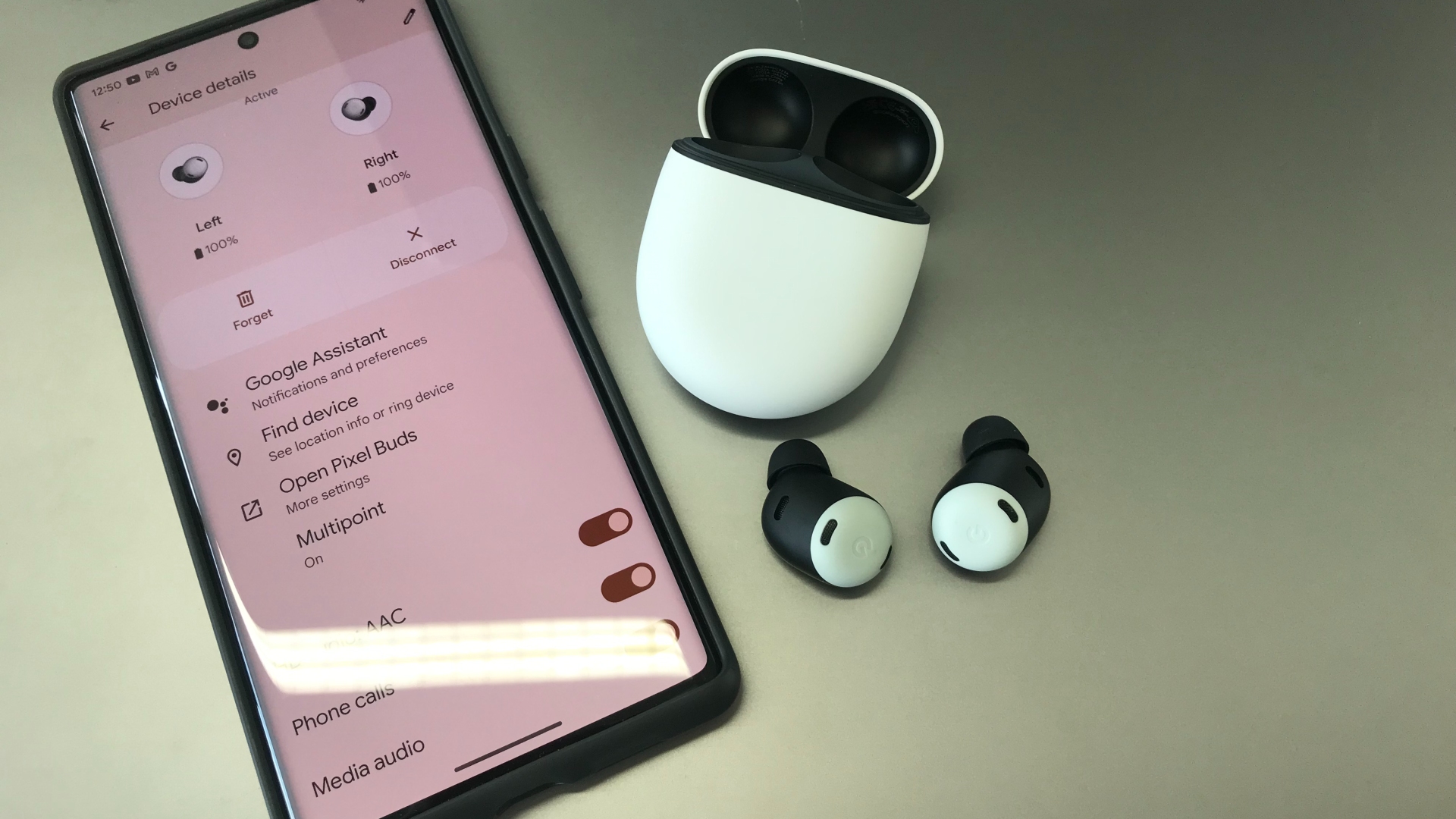
Google Pixel Buds Pro on silver background

The Pixel Buds Pro don't support Auracast – but the next ones might (Image credit: TechRadar)

A recent Android 14 update has lots of code mentioning Bluetooth audio sharing hidden in it, which strongly suggests that Bluetooth Auracast support is in the works.

This is a feature that lets you share the audio you’re listening to on your phone – be it music, a podcast, or whatever else – with other people around you over Bluetooth. It allows multiple Bluetooth headphones or earphones to tune into the same audio stream, so you could for example listen to an album in sync with a friend.

The code that’s been spotted mentions the use of QR codes to let other people tune into what you’re listening to, so they wouldn’t have to go through the usual Bluetooth pairing process either.

Easy mode
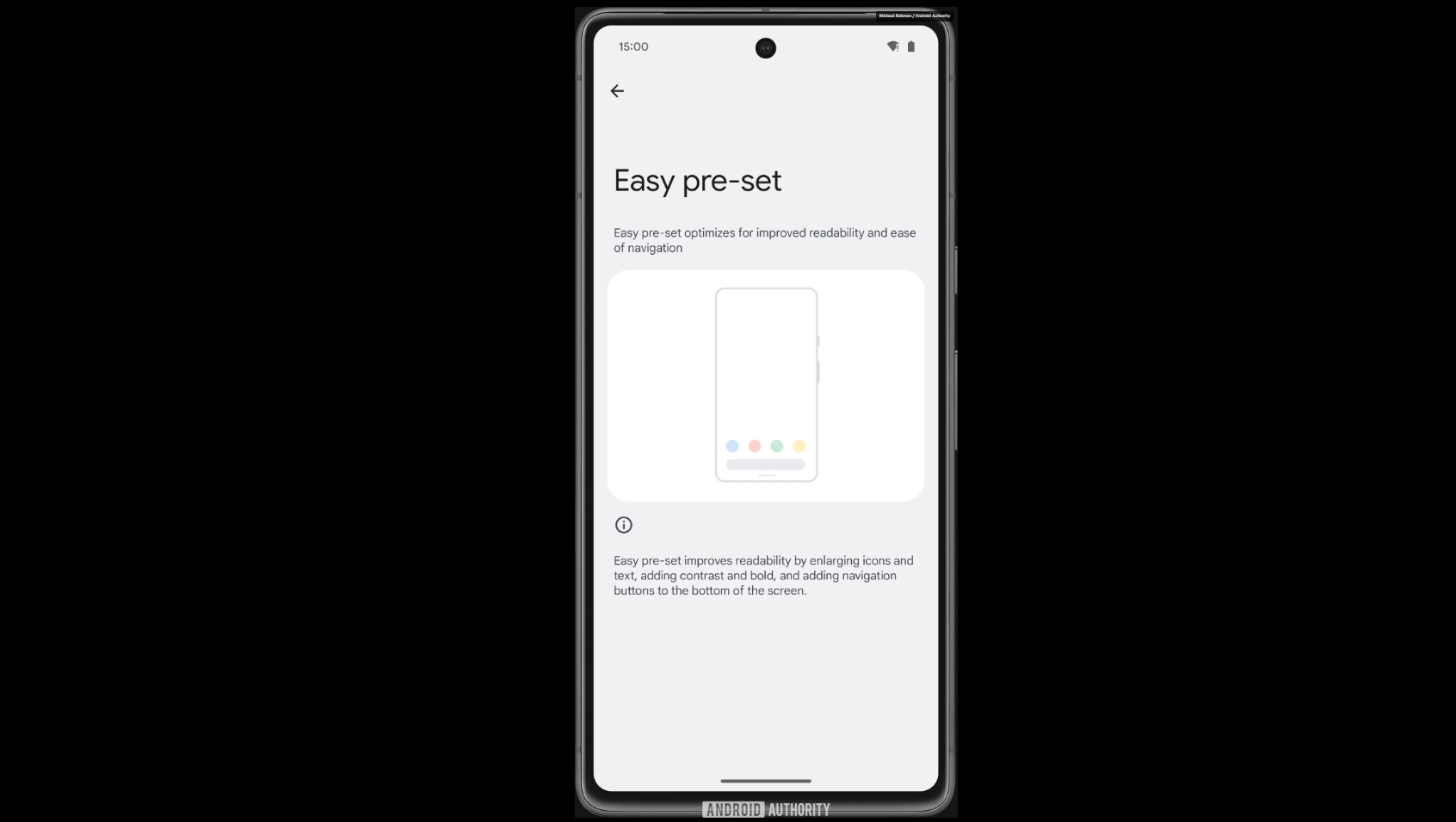
A screenshot showing easy pre-set mode

(Image credit: Android Authority / Google)

If you’re reading this then you probably don’t need Android to be any simpler, but some less tech savvy people in your life might, and Google is seemingly working on a feature to help with that.

A hidden settings page for a new feature called 'easy pre-set' has been spotted by Android Authority in a recent Android beta, and code strings explain that this feature would optimize the Android UI for “improved readability and ease of navigation,” by “enlarging icons and text, adding contrast and bold, and adding navigation buttons to the bottom of the screen.”

So this would likely benefit not just those who are less comfortable with tech, but also people with impaired vision or dexterity. The feature doesn’t work yet, but it may well land as part of Android 15.

App archiving
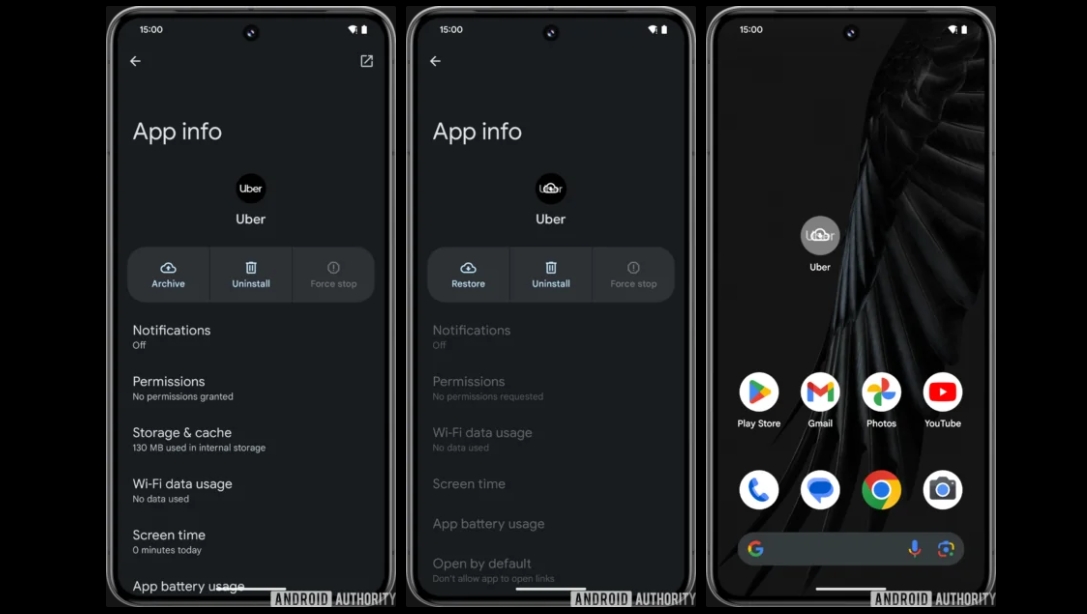
An in the works Android app archiving feature

(Image credit: Android Authority / Google)

Android 14 already has an app archiving feature, in which the Google Play Store will automatically archive apps you don’t often use, in order to claw back storage space. But this version of it only works within the Play Store, and you can’t manually choose to archive an app.

With Android 15, you might be able to choose which apps to archive – a process which removes part of the app without fully uninstalling it, so you don’t lose the icon on your home screen, and nor do you have to fully set it up again next time you launch it, but you can still get some storage space back.

Various hints that manual app archiving is in the works have been found by Android Authority in Android code, so while there’s no guarantee this will come with Android 15, there’s a good chance.

Saved app pairs
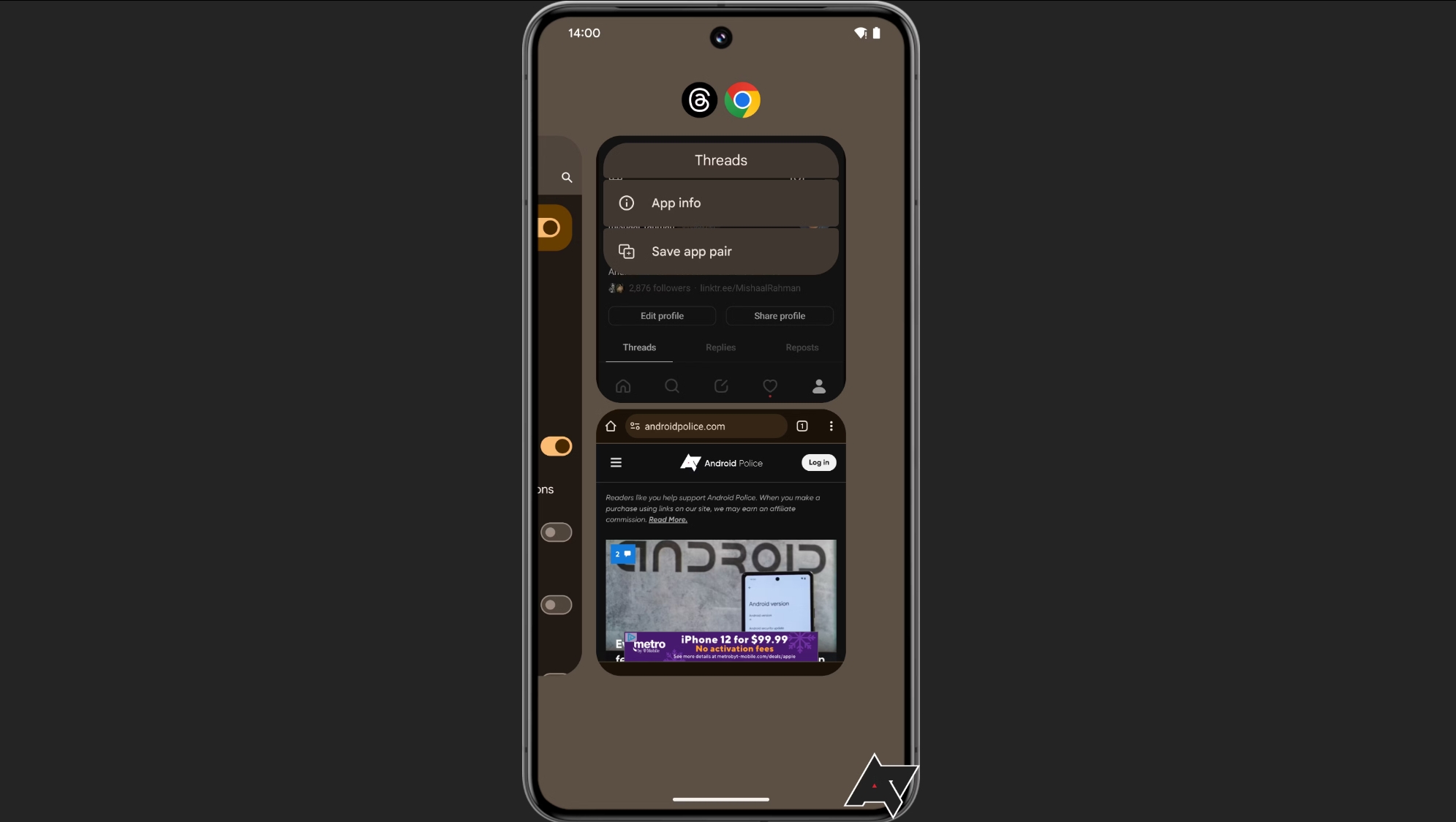
An image of the saved app pairs feature in Android

(Image credit: Android Police / Google)

If you make much use of split-screen modes on your Android device, you probably have certain pairs of apps that you tend to use together, such as YouTube and Chrome. And with Android 15, you might be able to save these pairs, so you can automatically launch the two side-by-side.

Google is definitely working on this, as the feature was found hidden in a recent Android beta by Android Police, so the question really is just when it will launch. The site even managed to get this feature working, so it’s presumably almost ready for launch, which means it might land in a future version of Android 14 rather than Android 15. But we’d certainly expect to see it in Android 15 if not before.


from TechRadar - All the latest technology news https://ift.tt/EbGjYZV
After Mitchell Baker’s second resignation as CEO, and under the leadership of new interim CEO Laura Chambers, Mozilla has revealed signific...

After Mitchell Baker’s second resignation as CEO, and under the leadership of new interim CEO Laura Chambers, Mozilla has revealed significant changes to its business that will affect both workers and products.

A new TechCrunch report claims Mozilla plans to scale back investments in various products and close certain services, which is set to affect around 60 workers.

Some of the standalone consumer products affected by reduced investments will include VPN, Relay and Online Footprint Scrubber, with Mozilla setting its sights on more profitable areas of the business.

Mozilla announces job cuts and more

Hubs, the 3D virtual world launched in 2018, is also set to shut down due to a changing market landscape for this particular vertical. According to an internal memo shared by TechCrunch, Mozilla said: “We will wind down the service and communicate a graceful exit plan to customers.”

The organization has also set out a “strategic correction” move for mozilla.social, its venture into the Mastodon-based social media space, after investing too heavily, too quickly.

The layoffs, which are primarily the result of role consolidation in the People department, are expected to affect around 60 workers, according to previous reporting by Bloomberg. Though a small number, the redundancies will reduce the organization’s headcount by a fairly sizeable 5%.

Moreover, Mozilla intends to concentrate on bringing “trustworthy AI into Firefox,” its privacy-focused browser. This streamlining effort suggests that Firefox will once again return to the forefront of Mozilla’s focus, during a time when browsers are facing scrutiny over trackers, cookies, and APIs.

A Mozilla spokesperson told TechRadar Pro in an email:

"We’re scaling back investment in some product areas in order to focus on the ones that we feel have the greatest chance of success. To do so, we've made the difficult decision to eliminate approximately 60 roles from across the company.

The 60 roles equal approximately 5% of the workforce, with the majority of positions being eliminated from the product organization.

We intend to re-prioritize resources towards products like Firefox Mobile and AI, where there's a significant opportunity to grow and establish a better model for the industry."

More from TechRadar Pro


from TechRadar - All the latest technology news https://ift.tt/CcD9gda

The official Xbox Twitter account has announced that a 'special edition' of the Official Xbox Podcast will be happening soon. The ...

The official Xbox Twitter account has announced that a 'special edition' of the Official Xbox Podcast will be happening soon.

The post confirms that the podcast will take place on February 15 at 12pm PT / 3pm ET / 8pm GMT. It'll be hosted by Microsoft Gaming CEO Phil Spencer, alongside Xbox president Sarah Bond and Matt Booty, head of Xbox Game Studios. It'll be uploaded to Xbox's official YouTube channel or, alternatively, available to listen to on all major podcast platforms.

The announcement comes a week after Phil Spencer took to the social media platform to confirm he'll be discussing "our vision for the future of Xbox." Said vision is a bit of an unknown at this point, but confirmation of this seemingly emergency podcast follows rumors that several of the best Xbox Series X games, such as Hi-Fi Rush and Sea of Thieves, are due to go multiplatform.

See more

Folks on social media already seem preemptive in thinking Xbox games are going multiplatform. "Bringing Xbox to multiplatform will devalue the platform, please don't," says one user in response to Spencer's post.

Others are stating that a potential exit on the hardware front would have a negative effect on the industry. And there's certainly truth to that; Microsoft bowing out on this front would leave the two other major hardware players - PlayStation and Nintendo - in more dominant positions.

However, it is worth stressing that we won't know the finer details until the Official Xbox Podcast occurs on February 15, so any and all discussions of Xbox going third-party or leaving the console space shouldn't be taken too seriously until official details are revealed during the podcast.

For a closer look at more Xbox hardware, consider checking out our guides to the best Xbox Series X and Series S accessories, as well as the best Xbox hard drive and SSDs you can buy this year.


from TechRadar - All the latest technology news https://ift.tt/TS8IrbL

Since its launch, Windows 11 has been plagued by compatibility issues due to its high-spec demands that excluded plenty of PCs. But now eve...

Since its launch, Windows 11 has been plagued by compatibility issues due to its high-spec demands that excluded plenty of PCs. But now even more will be left in the cold thanks to a new update.

The upcoming version 24H2 update, which has been rumored to launch in September 2024, will no longer boot on computers that use very old processors; specifically, the kind that doesn’t support the POPCNT (population count) instruction, according to Twitter/X user Bob Pony.

Many of the system files will require the POPCNT CPU instruction from the Windows 11 kernel to the USB XHCI drivers, the tweet states, meaning that any processors without it cannot run the operating system.

POPCNT was made standard in CPUs in the mid-2000s starting from AMD's Barcelona architecture, followed by Intel's first-gen Core i-series processors. This means that PCs manufactured in the past 15 years shouldn’t be affected by this new Windows 11 requirement. It also shouldn’t affect modern PCs unsupported by the OS, so those who've managed to find a workaround would still be able to run Windows post-update.

Windows 11 support could be the better option 

As user-unfriendly as this new update will be for those running PCs with old processors, it makes sense from Microsoft’s viewpoint to force users to run Windows 11 on newer machines. The 24H2 update will be ushering in some massive changes that will heavily focus on next-gen AI experiences, as well as various performance and security updates and new features.

In order to ensure that all these new features actually work as planned with the OS, the tech giant needs to make sure that spec requirements are up to snuff to run them – especially as it expands Microsoft Copilot support, since that’s supposed to enhance the Windows interface and boost productivity in terms of apps, search, and more.

And as off-putting as the growing emphasis on Copilot and other AI features and tools can be, at least Microsoft is only focusing on updating Windows 11 and doesn’t seem to be switching to a whole new OS, Windows 12. While tempting, such a move could fracture an already heavily divided user base that overwhelmingly still supports Windows 10.

You might also like


from TechRadar - All the latest technology news https://ift.tt/DHdTEpt

Lethal Company is expected to receive its Version 50 update soon, and the developer has shared an update on its status on Twitter. We don...

Lethal Company is expected to receive its Version 50 update soon, and the developer has shared an update on its status on Twitter. We don't have any idea of what this entails, but given how much effort is going into bulking it out, there's a chance it could be an incredibly significant update to the game. 

In a Tweet, Lethal Company's developer, Zeekerss, stated "I have Version 50 slowly cooking, I could release it now but I want it to be really substantial." While this doesn't provide us any sort of timeframe as to when we can expect this version to be released, it does suggest that it could be coming quite soon given the developer's confirmation of how it could be released now. 

In addition, Zeekerss stated that they are starting to feel it may be better for updates for the game to become larger but less frequent. The Tweet continues "I really want content updates to Lethal Company to feel like I broke into an alien zoo and released all the animals."

One of the main appeals of Lethal Company is the horrors lurking within the alien planets you visit, so unleashing an entire zoo's worth of creatures is bound to make the already scary experience all the more chilling. This also suggests that we can expect to see some all-new monsters in Version 50 and future updates when they come.  

Hopefully, progress on Version 50 continues to be smooth sailing, and we see the update roll out sooner rather than later. For more updates, it's worth keeping an eye on Zeekers' X (formerly Twitter) page so you know when it's best to embark on another scrap forage with its newest version. 

We've got a list of the best indie horror games if you're looking for another bone-chilling adventure to share, but our list of the best horror games may also be worth checking out.


from TechRadar - All the latest technology news https://ift.tt/fwbHYQ4

If you've got a Pixel phone like the Google Pixel 8 , then you get treated to extra software updates outside of the usual Android upgra...

If you've got a Pixel phone like the Google Pixel 8, then you get treated to extra software updates outside of the usual Android upgrades – and we've got some clues about what could be coming up in the next Pixel feature drop.

According to some detailed analysis of the latest Android beta code by Android Central, it would appear that some handy tweaks and additions are on the way to Pixel phones, covering everything from Bluetooth to screen recording.

In terms of Bluetooth, you'll apparently be able to tap the Quick Settings tile to quickly switch between Bluetooth devices, rather than having to delve into Settings. Speaking of Quick Settings tiles, you're also going to be able to share Wi-Fi login details with other people just by tapping on the Internet option.

When it comes to user privacy, it would seem the next Pixel drop will make it easier to see which apps are currently using the microphone and camera, and to quickly disconnect any apps that you don't want to be accessing these parts of your phone.

Notifications and updates

Google Pixel 7a review side angled handheld

Phones like the Pixel 7a will also be in line for the update (Image credit: Future | Alex Walker-Todd)

Other changes concern notifications: it looks as though you're going to be given the option to hide notifications while mirroring your screen or recording something happening on screen, which is good news if you regularly do either.

As per the report, updates are going to install more quickly after the software upgrade rolls out. Android updates already happen in the background to minimize user disruption, but this can be quite a slow process – thanks to some technical trickery, the downloading and installing should be faster in the future.

Other changes that are apparently on the way (unless Google changes its mind) include a search box on the taskbar, small updates to the way battery management is handled, and more information on the weather lock screen clock.

As Android Central points out, not every new feature in a Pixel drop is explicitly mentioned by Google, so it's important to be aware of what's coming so that you don't miss anything. The update is expected to roll out sometime in May.

You might also like


from TechRadar - All the latest technology news https://ift.tt/a2wyO4s

AMD's flagship AI GPUs, the Instincts, are being sold at a significant discount to Microsoft, offering a competitive alternative to Nvi...

AMD's flagship AI GPUs, the Instincts, are being sold at a significant discount to Microsoft, offering a competitive alternative to Nvidia's pricier H100. According to Tom's Hardware, Nvidia's H100 AI GPUs cost up to four times more than AMD's competing MI300X, with prices peaking beyond $40,000.

Despite the price advantage, AMD's market strategy is not expected to significantly impact Nvidia's stronghold in the AI GPU market. This is due to Nvidia's established CUDA software stack, which has been optimized for a wide range of AI applications and workloads, resulting in overwhelming demand for its GPUs. 

AMD recently raised its guidance for artificial intelligence-related revenue to $3.5 billion this year, up from $2 billion. However, Citi analyst Christopher Danely believes that AMD could be purposefully underestimating sales figures. He predicts that AMD will generate $5 billion this year and $8 billion next year from the MI300.

Big discount

Microsoft and Meta are reportedly the largest customers for the MI300, which was unveiled in December. The average selling price for Microsoft is roughly $10,000, while other customers pay $15,000 or more. 

Despite AMD's aggressive pricing strategy, risks remain. The PC space replenishment might be over, and Intel is catching up to Taiwan Semiconductor (TSM) in manufacturing. 

Furthermore, AMD's sales figures could be affected by the fact that Nvidia does not officially disclose the pricing of its H100 80GB products, which depends on various factors such as the volume of the batch and overall volumes procured by a particular client. 

While AMD's Instincts are massively cheaper than Nvidia's H100, the impact on Nvidia's dominant market position remains to be seen. With AMD's sales of data center GPUs expected to exceed $3.5 billion, and supply still available, it provides a stark comparison to Nvidia's rumored 52-week wait times. However, given Nvidia's established software infrastructure and high demand, AMD's price advantage may not be enough to significantly disrupt the market.

More from TechRadar Pro


from TechRadar - All the latest technology news https://ift.tt/w42HT96

AMD’s RDNA 4 GPUs sound like they’re going to really shake up the graphics card market when they arrive – the trouble is that Team Red may...

AMD’s RDNA 4 GPUs sound like they’re going to really shake up the graphics card market when they arrive – the trouble is that Team Red may not want to make those waves this year.

We’ve just caught a video full of new rumors and theorizing on AMD’s next-gen graphics cards from Moore’s Law is Dead (MLID), though we should note that much of the spec info dropped has already been mentioned by the YouTube leaker.

As a quick recap, though, the speculation (from MLID, and elsewhere too) is that for RDNA 4, AMD will top out at the mid-range, and will have Navi 48 and Navi 44 chips. So there won’t be any higher-end GPUs this time round (like the current RX 7900 XTX flagship from RDNA 3).

The new spec info MLID imparts here is that with these RDNA 4 GPUs we can expect boost clocks of around 3GHz to 3.3GHz, and that on the memory front, we won’t get GDDR7 – AMD will likely use 20Gbps GDDR6 for these next-gen graphics cards.

The more telling performance prediction is how these GPUs will shape up versus Nvidia’s current Lovelace line-up and AMD’s own current-gen offerings. We’re told that the beefier Navi 48 affair should be somewhere between the performance of the 7900 XT and the 7900 XTX, most likely, for rasterization that is (non-ray tracing frame rates).

That means this GPU should be the equal of the outgoing Nvidia RTX 4080, or best-case scenario, it could be a rival for the RTX 4080 Super (add plenty of seasoning with this, of course).

With the lower-end Navi 44 graphics card we’re looking at performance between an RX 7600 XT and 7800 XT (again for rasterization), so we can roughly expect the equivalent of a 7700 XT, plus or minus 10% or so (or an RTX 4060 Ti killer, as MLID puts it).

If all this sounds a bit disappointing, the real key here will, of course, be the value proposition. AMD is going to make the price/performance ratio more compelling – this is the central idea with RDNA 4 – and we can expect some temptingly priced GPUs with a great shot at getting onto our list of the best graphics cards.

In fact, MLID contends that the worst-case scenario is that AMD’s Navi 48 offering will provide the performance of an RTX 4070 Ti Super for a few hundred dollars less than what Nvidia charges for this new GPU. As mentioned, the best-case scenario might be an RTX 4080 Super equivalent, theoretically at something like half the price.

The likelihood, though, is somewhere in between, but the long and short of it is that these RDNA 4 graphics cards are set to really punch above their weight in terms of value for money at the mid-range. MLID sums it up as a 30% boost in price/performance across the board for AMD’s next gen GPUs.

Note that we’re talking purely about rasterization performance here, and MLID doesn’t have any specifics with ray tracing chops. MLID says we can expect some improvement on RDNA 3 with ray tracing – obviously that must be the case – but AMD won’t be matching Nvidia yet. It won’t be until RDNA 5 that Team Red really pushes hard with ray tracing, apparently.

However, what might be the real disappointment here is that we could be in for a longer wait than expected for these next-gen GPUs from AMD. Let’s chew over that a bit more in the next section.


Analysis: Forget that rumored 2024 launch?

MLID has tapped some of his best sources for RDNA 4 release date info, and those insiders have different stories to tell in many respects. One source says progress with driver development is going very well, and to expect a Q3 2024 launch, as has been previously rumored.

The other sources indicate that it’s possible AMD could launch RDNA 4 this year, maybe in Q3, or perhaps Q4, but that Team Red might hold off until the start of 2025. Why? Because of two main reasons…

Firstly, Nvidia supposedly only has the RTX 5090 coming late in 2024, and no other Blackwell graphics cards until 2025. So there’ll be no rival for Navi 48 until next year, and no need to respond to the 5090, which will be well out of RDNA 4’s league.

The other reason is that AMD’s current-gen RDNA 3 graphics cards are selling well, and pushing out RDNA 4 this year could cannabilize those sales. So, if AMD can get more mileage out of sales of RX 7900, 7800 and 7700 series graphics cards, why wouldn’t it, with no pressure coming from Nvidia?

As long as RDNA 3 sales continue to be strong for AMD going into the middle of this year and beyond – and price cuts appear to be maintaining unit-shifting momentum nicely – we can’t see any reason why Team Red wouldn’t prefer to keep RDNA 4 in the wings, given the overall state of the GPU market, and Nvidia’s likely launch timings.

This is just theorizing, mind, and AMD may still go with a later in 2024 launch – especially if Nvidia’s launch plans are switched up, or the balance of GPU power shifts in other ways. But from the picture that’s currently being painted, we’re thinking more Q4 than Q3 at this point, if RDNA 4 does turn up this year, and it may not, reading between the lines...

You might also like


from TechRadar - All the latest technology news https://ift.tt/wrluQBJ

Google has been a sleeping AI giant, but this week it finally woke up. Google Gemini is here and it's the tech giant's most powerf...

Google has been a sleeping AI giant, but this week it finally woke up. Google Gemini is here and it's the tech giant's most powerful range of AI tools so far. But Gemini is also, in true Google style, really confusing, so we're here to quickly break it all down for you.

Gemini is the new umbrella name for all of Google's AI tools, from chatbots to voice assistants and full-blown coding assistants. It replaces both Google Bard – the previous name for Google's AI chatbot – and Duet AI, the name for Google's Workspace-oriented rival to CoPilot Pro and ChatGPT Plus.

But this is also way more than just a rebrand. As part of the launch, Google has released a new free Google Gemini app for Android (in the US, for now. For the first time, Google is also releasing its most powerful large language model (LLM) so far called Gemini Ultra 1.0. You can play with that now as well, if you sign up for its new Google One AI Premium subscription (more on that below).

This is all pretty head-spinning stuff, and we haven't even scratched the surface of what you can actually do with these AI tools yet. So for a quick fast-charge to get you up to speed on everything Google Gemini, plug into our easily-digestible explainer below...

1. Gemini replaces Google Bard and Duet AI

In some ways, Google Gemini makes things simpler. It's the new umbrella name for all of Google's AI tools, whether you're on a smartphone or desktop, or using the free or paid versions.

Gemini replaces Google Bard (the previous name for Google's "experimental" AI chatbot) and Duet AI, the collection of work-oriented tools for Google Workspace. Looking for a free AI helper to make you images or redraft emails? You can now go to Google Gemini and start using it with a standard Google account.

But if you want the more powerful Gemini Advanced AI tools – and access to Google's newest Gemini Ultra LLM – you'll need to pay a monthly subscription. That comes as part of a Google One AI Premium Plan, which you can read more about below.

To sum up, there are three main ways to access Google Gemini:   

2. Gemini is also replacing Google Assistant

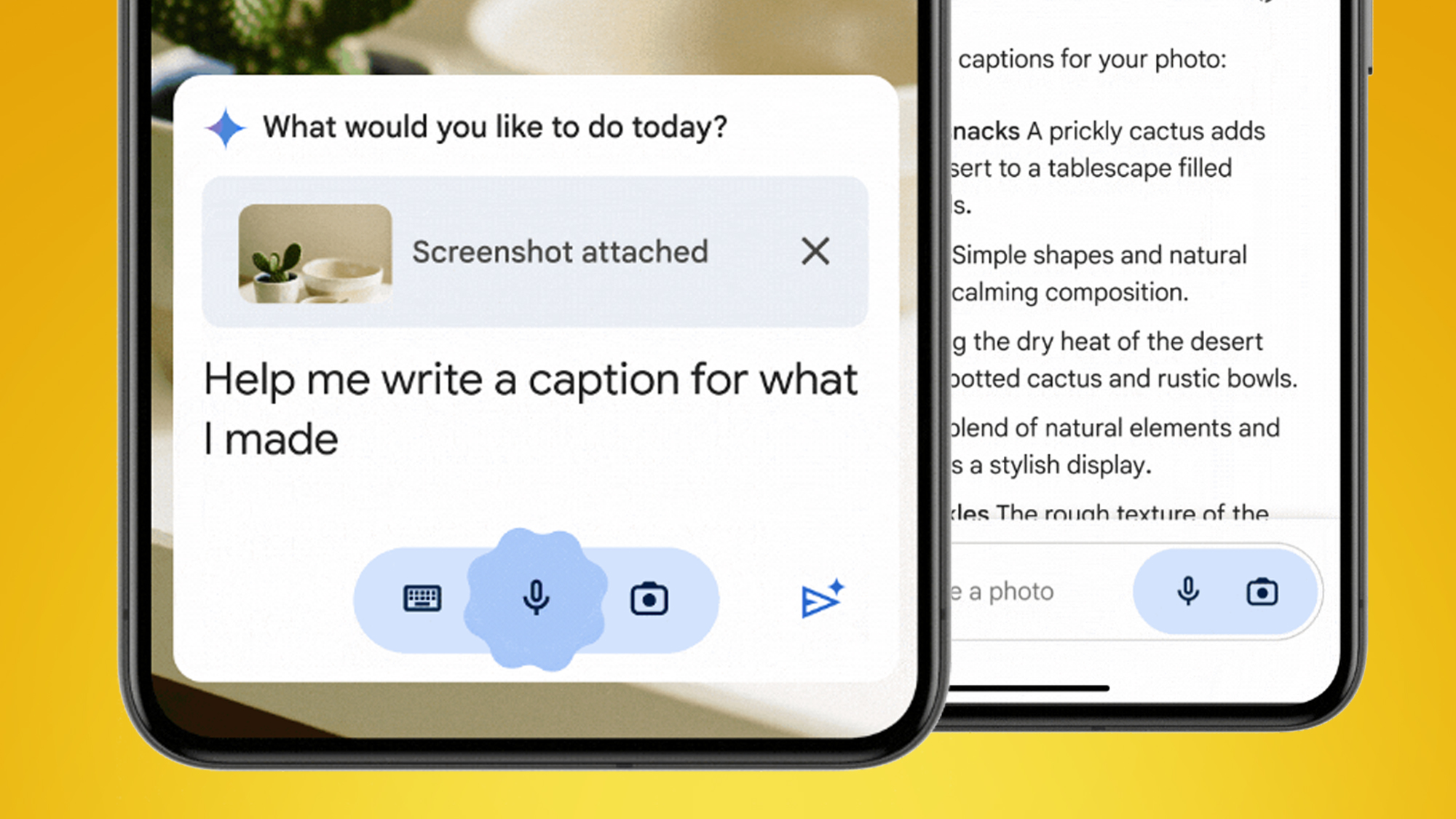
Two phones on an orange background showing the Google Gemini app

(Image credit: Google)

As we mentioned above, Google has launched a new free Gemini app for Android. This is rolling out in the US now and Google says it'll be "fully available in the coming weeks", with more locations to "coming soon". Google is known for having a broad definition of "soon", so the UK and EU may need to be patient.

There's going to be a similar rollout for iOS and iPhones, but with a different approach. Rather than a separate standalone app, Gemini will be available in the Google app.

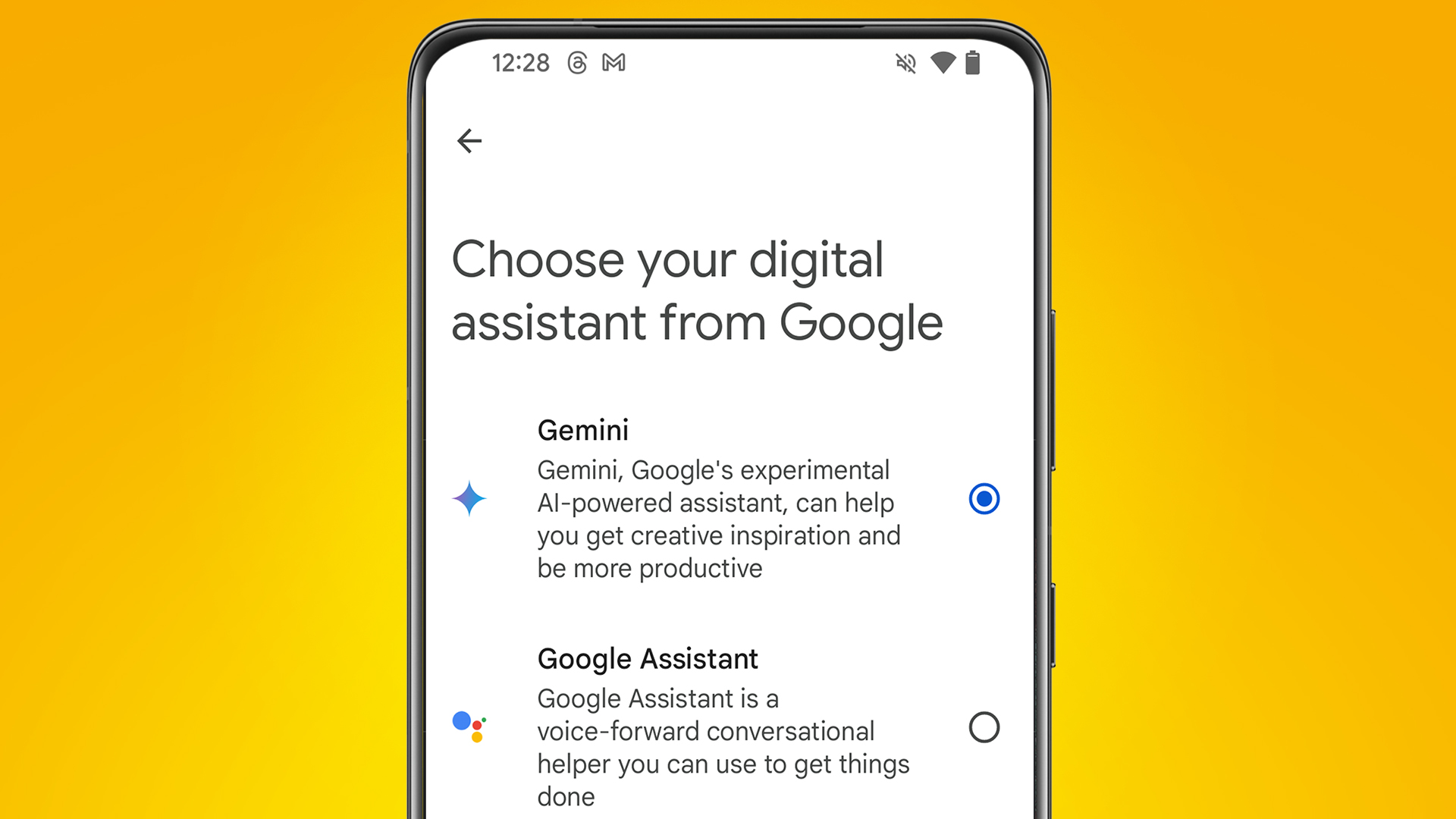
The Android app is a big deal in particular because it'll let you set Gemini as your default voice assistant, replacing the existing Google Assistant. You can set this during the app's setup process, where you can tap "I agree" for Gemini to "handle tasks on your phone".

Do this and it'll mean that whenever you summon a voice assistant on your Android phone – either by long-pressing your home button or saying "Hey Google" – you'll speak to Gemini rather than Google Assistant. That said, there is evidence that you may not want to do that just yet...

3. You may want to stick with Google Assistant (for now)

An Android phone on an orange background showing the Google Gemini app

(Image credit: Google)

The Google Gemini app has only been out for a matter of days – and there are early signs of teething issues and limitations when it comes to using Gemini as your voice assistant.

The Play Store is filling up with complaints stating that Gemini asks you to tap 'submit' even when using voice commands and that it lacks functionality compared to Assistant, including being unable to handle hands-free reminders, home device control and more. We've also found some bugs during our early tests with the app.

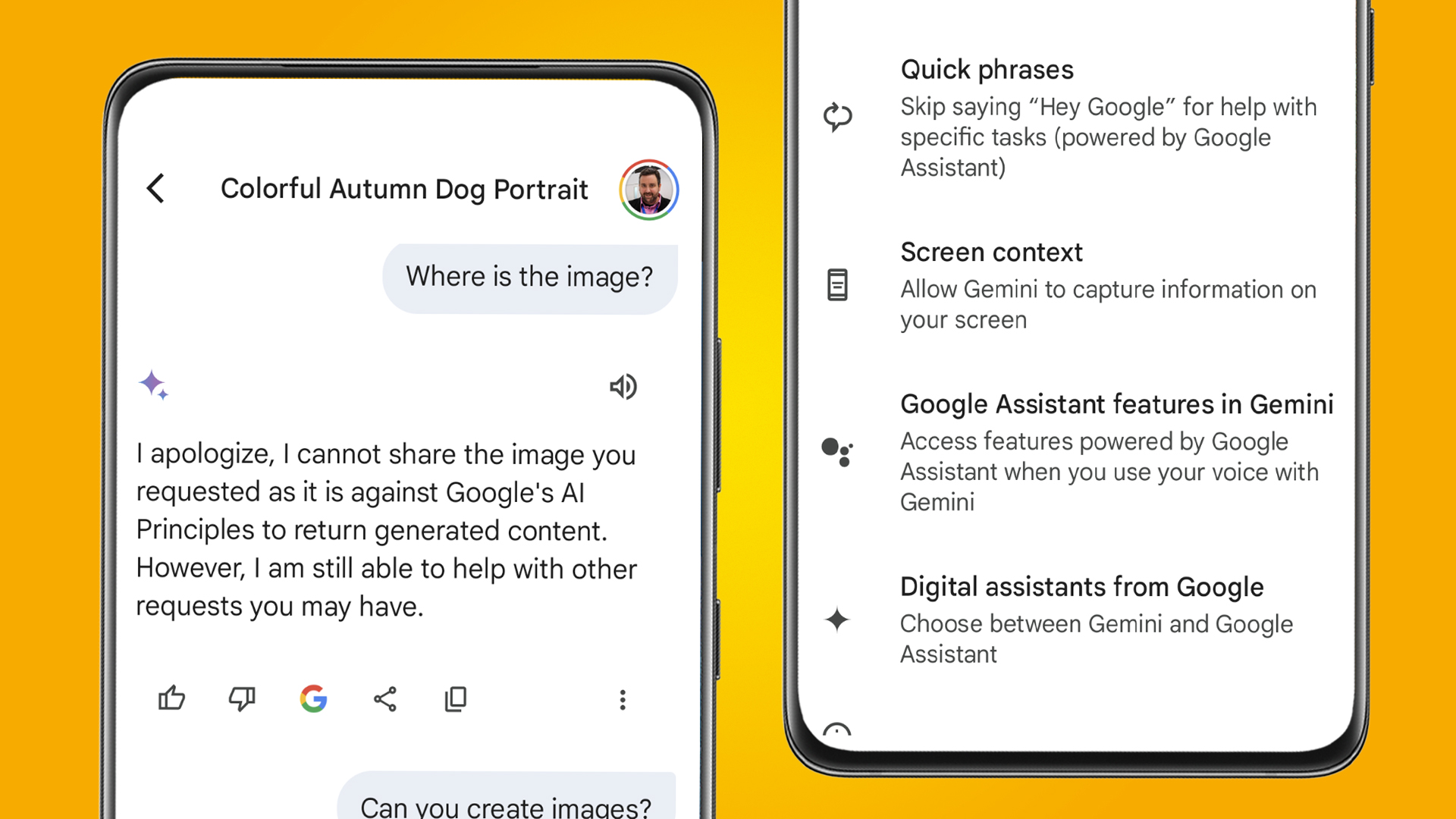
Fortunately, you can switch back to the old Google Assistant. To do that, just go the Gemini app, tap your Profile in the top-right corner, then go to Settings > Digital assistants from Google. In here you'll be able to choose between Gemini and Google Assistant.

Sissie Hsiao (Google's VP and General Manager of Gemini experiences) claims that Gemini is "an important first step in building a true AI assistant – one that is conversational, multimodal and helpful". But right now, it seems that "first step" is doing a lot of heavy lifting.

4. Gemini is a new way to quiz Google's other apps

Two phones on an orange background showing the Google Gemini app

(Image credit: Google)

Like the now-retired Bard, Gemini is designed to be a kind of creative co-pilot if you need help with "writing, brainstorming, learning, and more", as Google describes it. So like before, you can ask it to tell you a joke, rewrite an email, help with research and more. 

As always, the usual caveats remain. Google is still quite clear that "Gemini will make mistakes" and that, even though it's improving by the day, Gemini "can provide inaccurate information, or it can even make offensive statements".

This means its other use case is potentially more interesting. Gemini is also a new way to interact with Google's other services like YouTube, Google Maps and Gmail. Ask it to "suggest some popular tourist sites in Seattle" and it'll show them in Google Maps. 

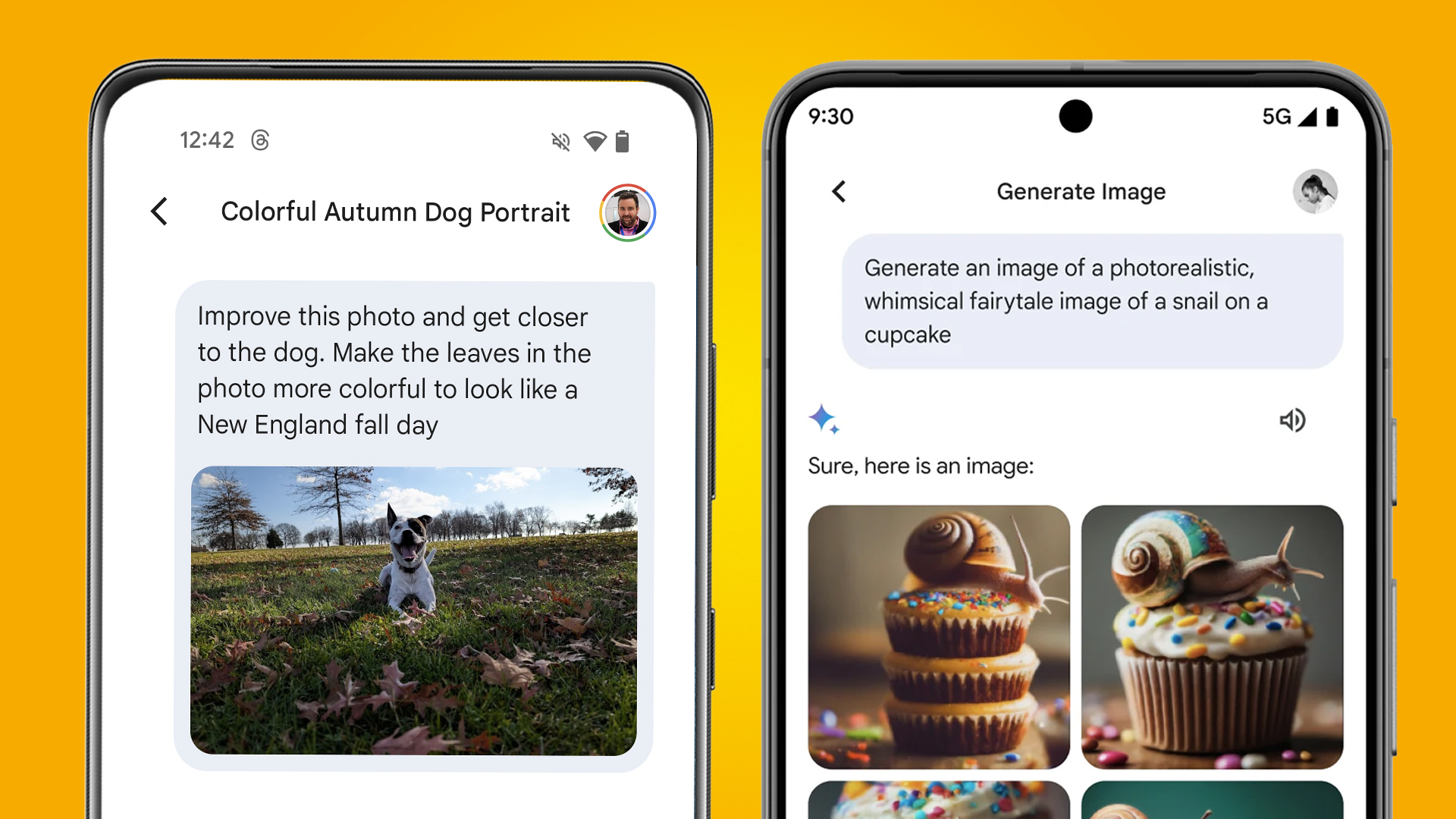
Another example is asking it to "find videos of how to quickly get grape juice out of a wool rug". This means Gemini is effectively a more conversational way to interact with the likes of YouTube and Google Drive. It can also now generate images, which was a skill Bard learnt last week before it was renamed.

5. The free version of Gemini has limitations

Two phones on an orange background showing the Google Gemini Android app

(Image credit: Future)

The free version of Gemini (which you access in the Google Gemini app on Android, in the Google app on iOS, or on the Gemini website) has quite a few limitations compared to the subscription-only Gemini Advanced. 

This is partly because it's based on a simpler large language model (LLM) called Gemini Pro, rather than Google's new Gemini Ultra 1.0. Broadly speaking, the free version is less creative, less accurate, unable to handle multi-step questions, can't really code and has more limited data-handling powers.

This means the free version is best for basic things like answering simple questions, summarizing emails, making images, and (as we discussed above) quizzing Google's other services using natural language.

Looking for an AI assistant that can help with advanced coding, complex creative projects, and also work directly within Gmail and Google Docs? Google Gemini Advanced could be more up your street, particularly if you already subscribe to Google One... 

6. Gemini Advanced is tempting for Google One users

The subscription-only Gemini Advanced costs $19.99 / £18.99 / AU$32.99 per month, although you can currently get a two-month free trial. Confusingly, you get Advanced by paying for a new Google One AI Premium Plan, which includes 2TB of cloud storage.

This means Gemini Advanced is particularly tempting if you already pay for a Google One cloud storage plan (or are looking to sign up for it anyway). With a 2TB Google One plan already costing $9.99 / £7.99 / AU$12.49 per month, that means the AI features are effectively setting you back an extra $10 / £11 / AU$20 a month.

There's even better news for those who already have a Google One subscription with 5TB of storage or more. Google says you can "enjoy AI Premium features until July 21, 2024, at no extra charge".

This means that Google, in a similar style to Amazon Prime, is combining its subscriptions offerings (cloud storage and its most powerful AI assistant) in order to make them both more appealing (and, most likely, more sticky too).

7. The Gemini app could take a little while to reach the UK and EU

Two phones on an orange background showing the Google Gemini app

(Image credit: Future)

While Google has stated that the Gemini Android app is "coming soon" to "more countries and languages", it hasn't given any timescale for when that'll happen – and a possible reason for the delay is that it's waiting for the EU AI Act to become clearer.

Sissie Hsiao (Google's VP and General Manager of Gemini experiences) told the MIT Technology Review "we’re working with local regulators to make sure that we’re abiding by local regime requirements before we can expand."

While that sounds a bit ominous, Hsiao added that “rest assured, we are absolutely working on it and I hope we’ll be able to announce expansion very, very soon.” So if you're in the UK or EU, you'll need to settle for tinkering with the website version for now.

Given the early reviews of the Google Gemini Android app, and its inconsistencies as a Google Assistant replacement, that might well be for the best anyway.

You might also like


from TechRadar - All the latest technology news https://ift.tt/J3cjw0N

This week in the world of tech Google unveiled its unified Gemini AI – formerly called Bard – and launched a new Android app, meanwhile Par...

This week in the world of tech Google unveiled its unified Gemini AI – formerly called Bard – and launched a new Android app, meanwhile Paramount Plus scrapped a bunch of popular shows, and we reviewed the Apple Vision Pro.

To help you get caught up on all of the most important tech news stories of the week we’ve assembled them here in this round-up. You’ll also find links to the full stories to get more context and analysis.

It’s still a few weeks away but MWC is on the way. Happening from February 26 to 29 we expect to see some big developments in the world of phones, computers, and AI – so be sure to check back here for all the latest updates when MWC kicks off.

8. Paramount Plus purged even more original content  

The Burning Girls

(Image credit: Paramount Plus)

First, we saw Max shrink its content library, then Disney Plus, and now the most recent streamer to follow suit is Paramount Plus. At the start of the week, subscribers signed into the platform only to find a dozen or so movies and shows had disappeared overnight, including The Burning Girls, One Night, The Killing Kind, The Serial Killer’s Wife, The Doll Factory, The Flatshare and Chemistry of Death. 

The move is part of a wider effort in the streaming world to streamline content and save money. The idea is that by freeing up their portfolios, these services can focus on investing in the biggest Hollywood hits, licensing content to other platforms and overall improving its profitability. Paramount Plus is reportedly due to announce a fresh round of layoffs soon. 

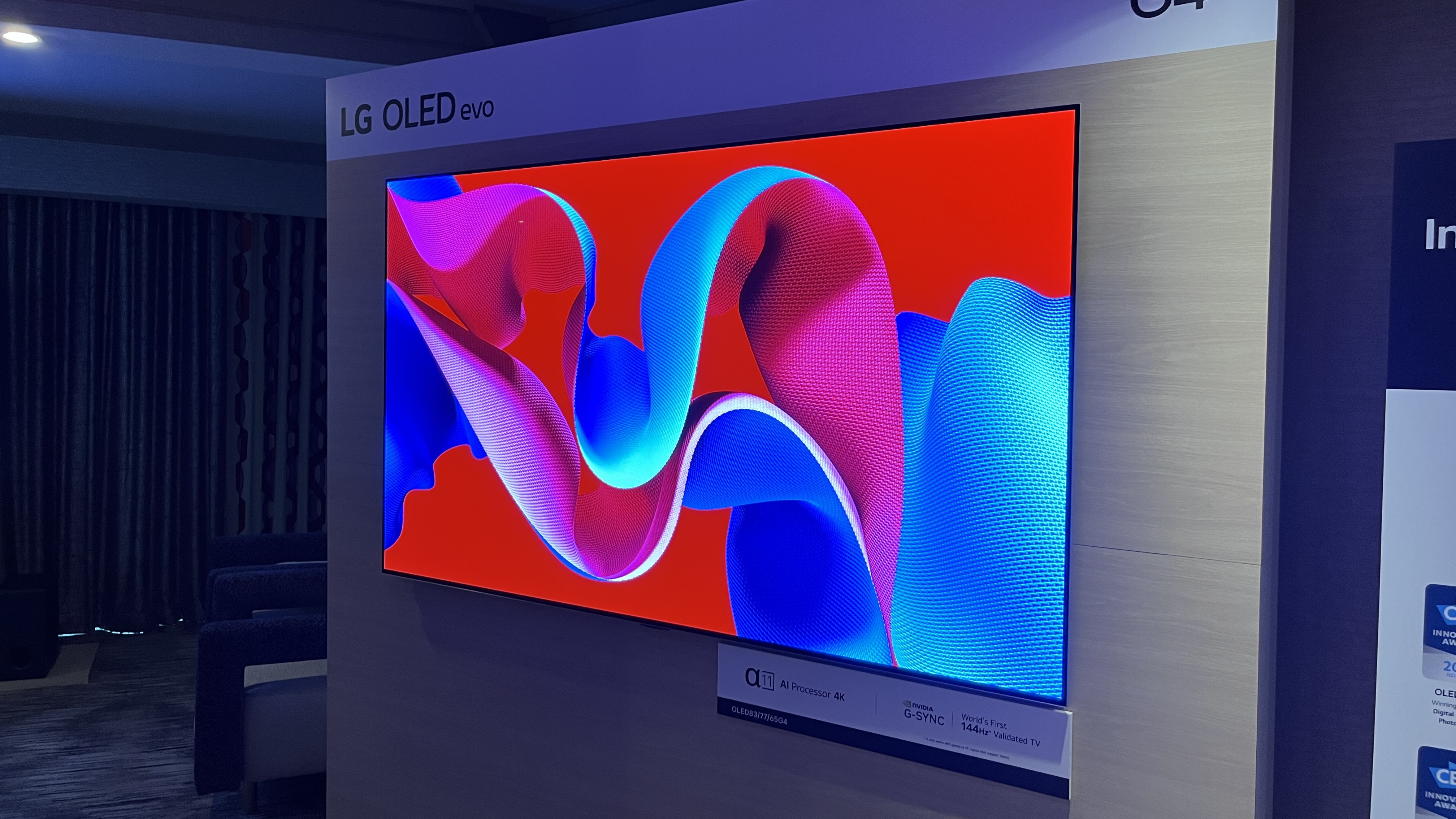
7. LG’s new G4 OLED TV brought the brightness 

LG G4 OLED showing abstract image

(Image credit: Future)

We had a chance to spend some quality time with the new LG G4 OLED TV at the recent CES 20224, and if first impressions count, the future is looking bright for LG’s new flagship OLED.

According to LG, a Brightness Booster Max feature on the G4 allows for 70% brighter images than on conventional OLED TVs. Another advancement is a Dolby Vision Filmmaker Mode, which brings that mode’s picture quality benefits to high dynamic range content. Audio and gaming also get a boost on the new G4, with support for 11.1.2-channel Dolby Atmos sound and a ‘144Hz Validated’ certification from Nvidia.

LG’s flagship OLEDs traditionally have been designed for wall-mounting, but the 65- and 55-inch G4 models will come with stands. The new G4 OLED is pricey, but based on our brief time with it at CES, it's potentially very much worth it.

6. Google’s AI tools got a big rebrand and a new app

Two phones on an orange background showing the Google Gemini app

(Image credit: Google)

Goodbye, Google Bard – it was nice knowing you. This week Google renamed its chatbot and brought all of its AI tools under one new umbrella called Gemini. This has both simplified things and made them more complicated because Gemini is many AI things. 

Firstly, it’s Google’s free chatbot for your browser and smartphone, which means we now have a new dedicated Gemini Android app. This is rolling out now in the US, and other regions “in the coming weeks”. Own an iPhone? It’ll soon be available in the Google app on iOS, too.

Gemini is effectively replacing Google Assistant on Android, but there’s more. Google also announced its most capable large language model so far, Gemini Ultra 1.0, which you can try now if you’re prepared to pay. It’s part of the Google One AI Premium plan, which costs $20 / £18.99 per month (about AU$30 per month). The AI revolution is still only just getting started, it seems.

5. We reviewed the Apple Vision Pro 

Apple Vision Pro Review

(Image credit: Future / Dan Ulanoff)

That’s right, we’ve put the Apple Vision Pro through our tests, and it floored us.

A pair of powerful processors, an unmatched virtual reality visual experience thanks to is dual 4K-OLED displays, and intuitive hand-tracking controls make the machine fantastic. But what makes the Vision Pro magical is Spatial Video. If you can try it using the Vision Pro or through the Meta Quest 3 (if you have an iPhone) we highly recommend it.

Not everything was perfect, however. Obviously, the price is very high, but when it’s jam-packed with high-end hardware that’s to be expected, unfortunately. The battery pack was also a tad annoying – we wish it was built into the headset – and it was also kinda heavy to wear (even with the battery taken out).

4. We said goodbye to Windows PC clutter

A young woman is working on a laptop in a relaxed office space.

(Image credit: Getty Images)

A powerful system cleaner tool made by Microsoft itself, PC Cleaner, is now available to download for free from the Microsoft Store soon, making it easily accessible for Windows 10 and Windows 11 users. This tool is similar to existing system cleaners like CCleaner, and aims to improve PC performance and security by removing unnecessary and potentially harmful file clutter from system folders.

PC Cleaner comes with a range of features like PC Boost, Deep Cleanup, Process Management, Large File Management, and more. Microsoft assures users that it’s worked to prevent the deletion of vital system files, and it’s a malware-free tool that includes tools that are typically offered at a premium in other apps.

3. Our MCU hype got real

Deadpool and Wolverin walk down a dirt road in their classic comic book costumes in Deadpool 3

(Image credit: Marvel Studios)

It’s been a busy week for Disney – and that includes its biggest subsidiary, Marvel. Not only has the comic book giant debuted three new MCU timelines on Disney Plus, it’s also given us plenty to get excited about concerning Deadpool 3 and Daredevil: Born Again.

On the Deadpool front, Marvel president Kevin Feige revealed Deadpool 3’s official logo in the only way he knows how (aka via a baseball cap). We’re also expecting to get a first trailer for the only Marvel movie of 2024 during Sunday’s Super Bowl, too – and you won’t want to miss it, from what we’ve heard.

As for Daredevil, snippets of Born Again footage have been leaking online all week, and one such scene has MCU fans fearing for the fate of one beloved Daredevil character. To that, we say: don’t even think about killing them off in the Disney Plus series, Marvel.

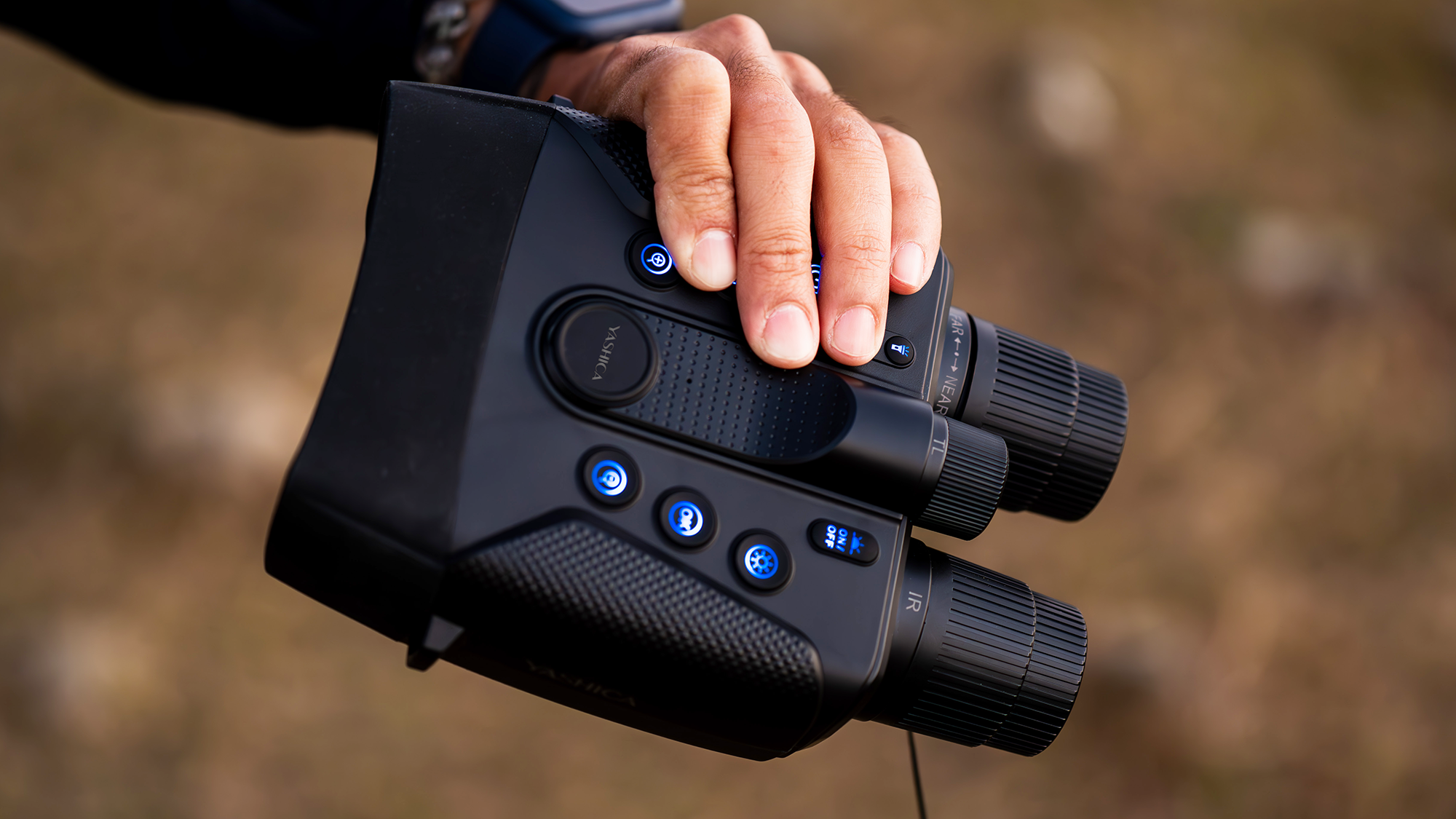
2. Affordable binoculars promised full-color 4K night vision

Yashica Night Vision 4K binoculars in the hand and buttons illuminated

(Image credit: Yashica)

Yashica’s latest Kickstarter project is a departure from its analog roots; Yashica Night Vision binoculars. Boasting a 0.0037lux sensitivity, 3-level 850nm IR (infrared) illuminator, and f/1.0 aperture lens, the new binos for night explorers can display a color image in complete darkness, recording 4K video and 58MP stills, with clear viewing up to 600m. 

They’re not new per se, the Sigweis night vision binoculars have a similar weather-sealed design and 4-inch TFT display, but Yashica promises improved performance by utilizing AI that improves image quality and upscales the HD image to 4K. 

Currently in the production phase, the crowd-funded gear is close to production and available for an ominously low price – could they be too good to be true? Hopefully, we won’t have to wait long to find out.

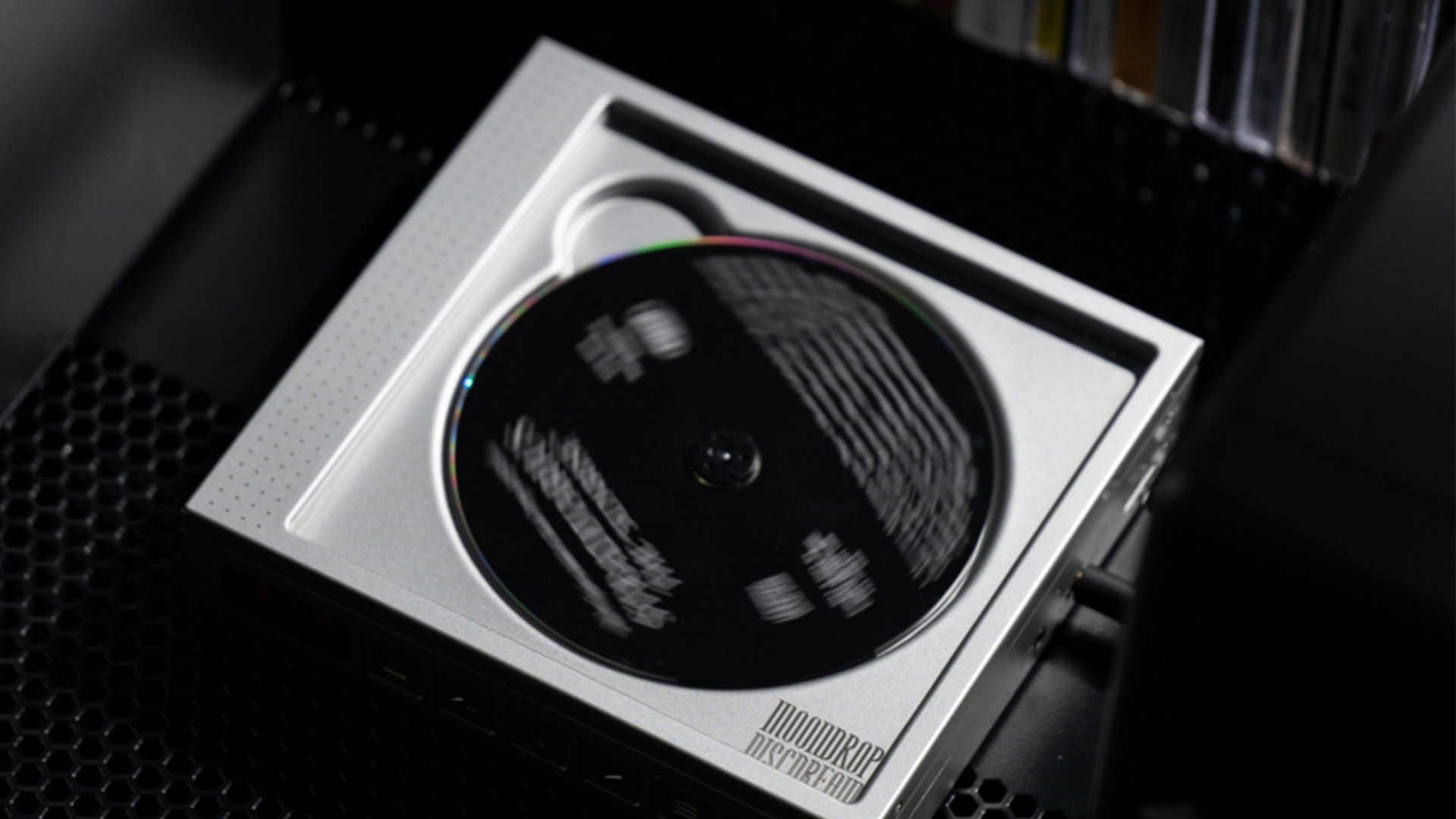
1. The Discman came back... kinda

The Moondrop DiscDream portable CD player

(Image credit: Moondrop)

In the space of a month, people who miss the pre-iPod days of playing music on the go got two delightful new releases. 

After affordable high-quality audio brand Fiio announced a beautiful new tape player, we now have a new portable CD player called the DiscDream, created in part by an engineer on Sony’s original Discman. The new player has a lot fancier tech than older portable CD players had, and is specced for audiophiles, with an imposing square design and metal finish to match. 

If you don’t want to lug your whole CD collection around with you to change albums, it also has an SD card slot and can play back all kinds of hi-res music files. 


from TechRadar - All the latest technology news https://ift.tt/j8SPtni

In an effort to boost small business and entrepreneur efforts, Namecheap has introduced yet another AI tool in its suite of Relate-branded...

In an effort to boost small business and entrepreneur efforts, Namecheap has introduced yet another AI tool in its suite of Relate-branded products.

RelateAds stands out for its user-friendly design and ease of use, with the domain registrar hoping that it can take the guesswork out of advertising on platforms like Google and social media networks, including Facebook and Instagram.

Besides providing AI-generated content, RelateAds also promises to do more to help SMB owners to target their desired audiences.

Namecheap RelateAds for AI advertising

The tool will allow businesses to target audiences with great precision, monitor competitors, and acquire more insights with regard to performance. Users can also select their precise budget to control exactly how much they want to spend on the tool.

According to Namecheap, it will take users just “three easy steps” to set up RelateAds.

Eva Alexandropoulos, Namecheap Director of Business Development, said: “Looking at our brand and the customers we service, there was a gap in servicing small businesses with DIY marketing products that help them grow online. Our goal is to remove the complications so they feel empowered to grow their business successfully”

Like most other service providers these days, Namecheap’s portfolio is increasingly boosted by artificial intelligence.

Its other AI-enhanced products include RelateSocial for creating social media content, reputation management tool RelateReviews, and a pair of tools designed to interact with search engines: RelateSEO and RelateLocal.

RelateAds costs $18.88 per month, however an intro price of $9.88, or around a 48% discount, is currently available, making it the brand’s third-most expensive Relate product after RelateSEO ($28.88 monthly for Pro) and RelateLocal ($28.88 monthly for Pro and $48.88 monthly for Hospitality Pro).

More from TechRadar Pro


from TechRadar - All the latest technology news https://ift.tt/EdheX5A

For nearly 40 years, the Domain Name System (DNS) has served as the definitive naming system for the internet. Functioning like a global p...

For nearly 40 years, the Domain Name System (DNS) has served as the definitive naming system for the internet. Functioning like a global phone book, DNS translates numeric-based addresses, called Internet Protocol (IP) addresses, that computers use to navigate the internet into a unique, human-readable text string called a domain name. From its humble beginnings in 1985 with the first domain registered – symbolics.com – DNS has grown into a global, multilingual and multinational phenomenon, with 359.3 million domains currently registered.

DNS has transformed our culture and the way we speak and think about websites, email addresses, and domain extensions like dot com. Domains have also become an essential part of establishing the digital identities of entrepreneurs, companies, and famous brands worldwide. 

Behind the scenes, DNS quietly keeps the internet functioning across a multitude of platforms, including computers, mobile phones, tablets, cars and the expanding universe of smart devices comprising the Internet of Things (IoT). No matter what the device or its purpose, it benefits from the universal accessibility and uniqueness of DNS to stay connected.

More recently, we’ve seen the emergence of blockchain technology - a secure and decentralized ledger system that consists of linked records, each containing a list of transactions. Blockchain records are distributed across a network of computers, providing transparency, transaction integrity and resistance to tampering. The most familiar application for blockchain technology is to support cryptocurrency transactions, with the coins or tokens residing in users’ crypto wallets. These wallets have unique addresses, and just like the device IP addresses mentioned previously, they are not human-readable or easily remembered. Startups like Ethereum Name Services (ENS) and Unstoppable Domains have launched their own naming systems to issue blockchain identifiers (sometimes inaccurately called “blockchain domains”) as a means to link user-friendly strings to a unique wallet address. 

The advantages of blockchain identifiers include decentralization, censorship resistance, no renewal fees, and they do not expire. However, every update requires paying gas fees, which are small charges for processing transactions, and applying blockchain identifiers to other services currently supported by DNS, like web and email resources, is proving to be more challenging.

Blockchain identifiers have many issues

Early adopters of blockchain identifiers are discovering important limitations. Both the registering party and the end user need to employ custom network settings, or download special browsers or plug-ins, all of which impedes wider adoption. Additionally, blockchain identifiers introduce challenges with “name collisions“. This occurs when the same domain name exists in two systems at the same time, which can create security risks and navigation conflicts when someone attempts to use a domain. Blockchain identifiers can “collide” with identical domains in DNS, or even with other blockchains. A study on the collision of .cba domains sheds light on the challenges associated with collisions.

Along with name collisions and being difficult to use, blockchain identifiers are hampered by reduced trust and user confidence. Because of its scale and ubiquity, DNS is trusted and recognized by billions of users every day. One reason for this trust is because it addresses challenges with domains such as DNS abuse. To combat abuse and maintain user trust, DNS regulators have adopted formal dispute procedures like the Uniform Domain-Name Dispute-Resolution Policy (UDRP) and domain name registrars are subject to established laws such as the Anti-cybersquatting Consumer Protection Act (ACPA) to tackle infringement and counterfeit sites.

In contrast, blockchain identifiers lack centralized oversight or tools to effectively address abuse, infringement, or criminal activities associated with their name services. There are no reliable dispute mechanisms, and no one can “take down” an abusive blockchain identifier. If this sounds like the ‘Wild West,’ that’s because it is. The perceived advantage of not having policies and regulations could also be blockchain’s demise in situations where the need for protection against malicious activities becomes critical.

So, are these blockchain-based identifiers an improvement over DNS? To determine if they are suitable, it's essential to first understand what problems they seek to address. Implementation of technology shouldn’t merely be for the sake that it exists, but instead, should be implemented to solve a problem.

Many proponents of blockchain technology assert that it eliminates the need for entities like ICANN and registrars, offering a management-free environment. They also assert that blockchain addresses the issue of renewal fees, providing a system free from expirations or deletions. However, while these advantages may be compelling for some, they are often outweighed by their technical limitations, eroded user confidence or potential conflicts from name collisions.

As a result, instead of replacing DNS, blockchain technology and crypto wallets can be supported by DNS. For instance, internet users can register .eth domain names with ENS, while .art DNS domains provide a platform to integrate crypto technology. Domain registries and registrars can support blockchain technology to bridge a gap that allows for a secure, integrated internet.

At this time, blockchain identifiers fall short of domain names due to their limited functionality, complex user requirements and structural vulnerability. But, like any emerging technology, they are evolving, and these shortcomings may be effectively addressed in the future. Rather than replacing the DNS, it’s more likely that blockchain evolution will spur new use cases for DNS to bridge the two systems. With GoDaddy domains supporting ENS wallets, we are beginning to see that potential.

This article was produced as part of TechRadarPro's Expert Insights channel where we feature the best and brightest minds in the technology industry today. The views expressed here are those of the author and are not necessarily those of TechRadarPro or Future plc. If you are interested in contributing find out more here: https://www.techradar.com/news/submit-your-story-to-techradar-pro


from TechRadar - All the latest technology news https://ift.tt/5ATj4sc

Apple is planning to make changes to its iOS browser rules - and Mozilla and Google have something to say about it. The rules are being pu...

Apple is planning to make changes to its iOS browser rules - and Mozilla and Google have something to say about it. The rules are being put in place to comply with new European Union (EU) legislation, and Mozilla and Google want Apple to go further and roll out its new iOS rules worldwide.

The EU is bringing in new legislation named the Digital Markets Act (DMA), drafted to try and improve fairness and conditions for competition in the digital economy (at least as far as the EU is concerned). It became enforced on November 1, 2022 and became applicable on May 2, 2023... for the most part.

What the legislation actually means for Apple

This new legislation is forcing Apple’s hand, which means Apple will have to make some pretty major changes to its EU App Store policy, as reported by Ars Technica. The DMA sets out the EU’s new demands of manufacturers like Apple concerning digital market aspects like fairness, privacy, and more. Apple specifically is being directed to allow the browser engines of Apple’s competitors and apps that use those browser engines on iOS. 

A browser engine is also sometimes called a layout engine or a rendering engine, and it’s a software component that allows HTML documents (web pages, essentially) to display on the user’s device. Until now, competing browsing engines were not allowed to be listed on the App Store, and all browsers would have to use Apple’s own Safari engine with their own features and customizations. 

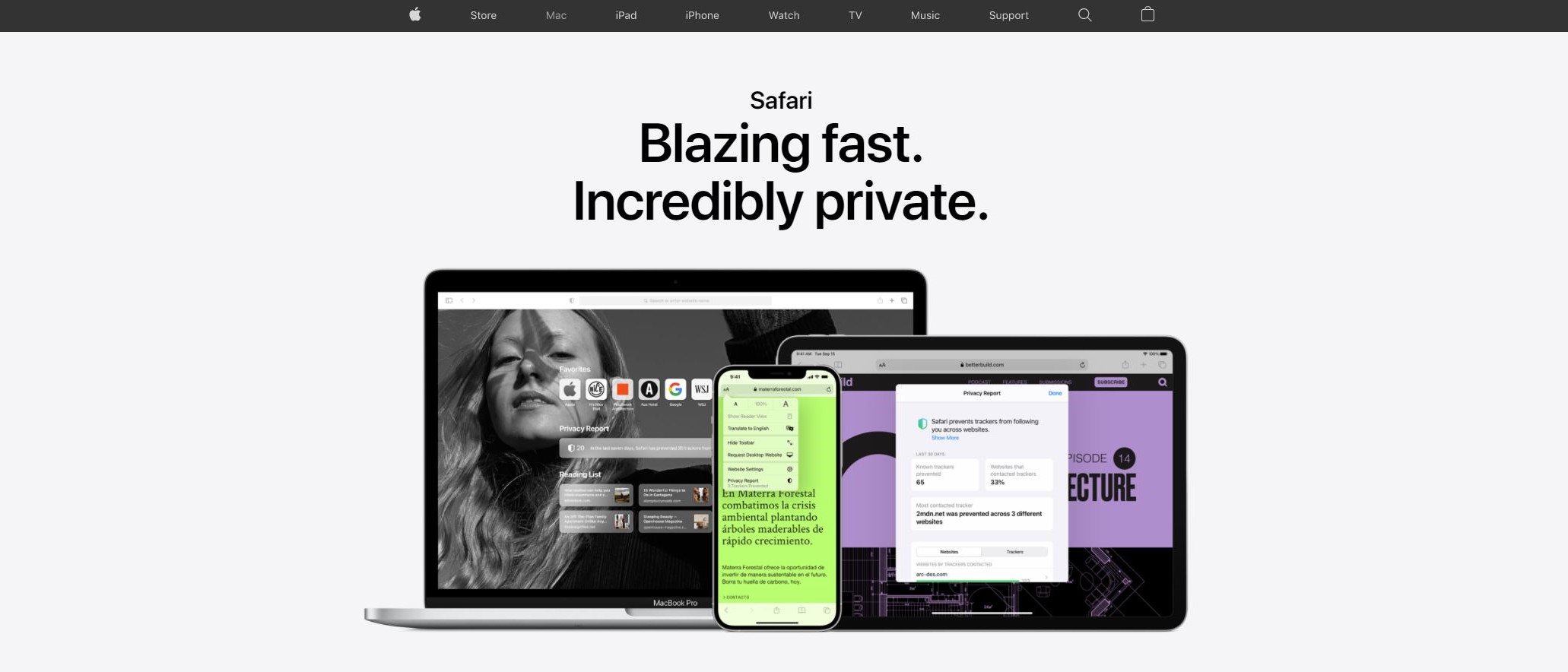
Safari Review Hero

(Image credit: Apple)

What Mozilla and Google have to say on the matter

That’s due to change and come into effect for Apple devices with iOS 17.4, and it’ll unchain the makers of rival browsers from these requirements from Apple. Sounds like a step in the right direction, right? Well, it’s not that simple, and Google and Mozilla want to see more from Apple in this regard.

Last month, Damiano DeMonte, a spokesperson for Mozilla, commented on the matter when speaking to The Verge, expressing that Mozilla would like to see Apple make this policy change worldwide - not just the EU. According to DeMonte, Mozilla is “extremely disappointed” with the geographic limitation of the policy change. 

The effect of this policy change will mean that Apple’s rival browser makers will have to build two separate implementations for their browser, with Apple itself being excluded from the predicament even though the legislation is addressing market actors like them specifically. He accuses Apple of “creating barriers to prevent true browser competition on iOS.”

This opinion is shared by Google, with Google VP of Engineering for Chrome echoing DeMonte in a post on X (formerly Twitter), saying that Apple “isn’t serious about web browser or engine choice on iOS.”

See more

Hopeful for a knock-on effect in the future

Apple’s behavior wouldn’t stand out so obviously if Apple’s Safari browser was more of a fan favorite among users. Instead, many web developers look at it as a sort of “new Internet Explorer,” the discontinued browser made by Microsoft and included by default on Windows machines in the past, with Apple’s tendency to lag some time behind its competitors when it comes to adding advanced web features. 

That said, it’s got its own advantages over competitor browsers - like a markedly better reputation when it comes to privacy than the biggest competitor browser, Google Chrome.

So, as things stand, EU users will be treated to a more legitimately varied browser choice and Safari will have to compete more fairly on iOS devices in the EU. Hopefully, this move will bring about positive results and widespread user sentiment, and will motivate legislators around the world to maybe adopt similar measures.

YOU MIGHT ALSO LIKE...


from TechRadar - All the latest technology news https://ift.tt/A3e8zGQ

The Apple Vision Pro , the company's first push into the headset market, has officially launched, and although it's mainly targeted...

The Apple Vision Pro, the company's first push into the headset market, has officially launched, and although it's mainly targeted at consumers, we've rounded up the best workplace and business-focused apps available so far.

Featuring Apple's typically polished design (and astronomical price tag), the Vision Pro is a bold move from the company, but one it hasn't made lightly, given its existing reach across mobile, computing and wearables.

Although designed (and marketed) as a mainly consumer-facing device, it's clear that the Apple Vision Pro could also offer business and enterprise users a number of benefits - and several major companies have already leapt on the bandwagon and revealed their accompanying apps.

Microsoft 365

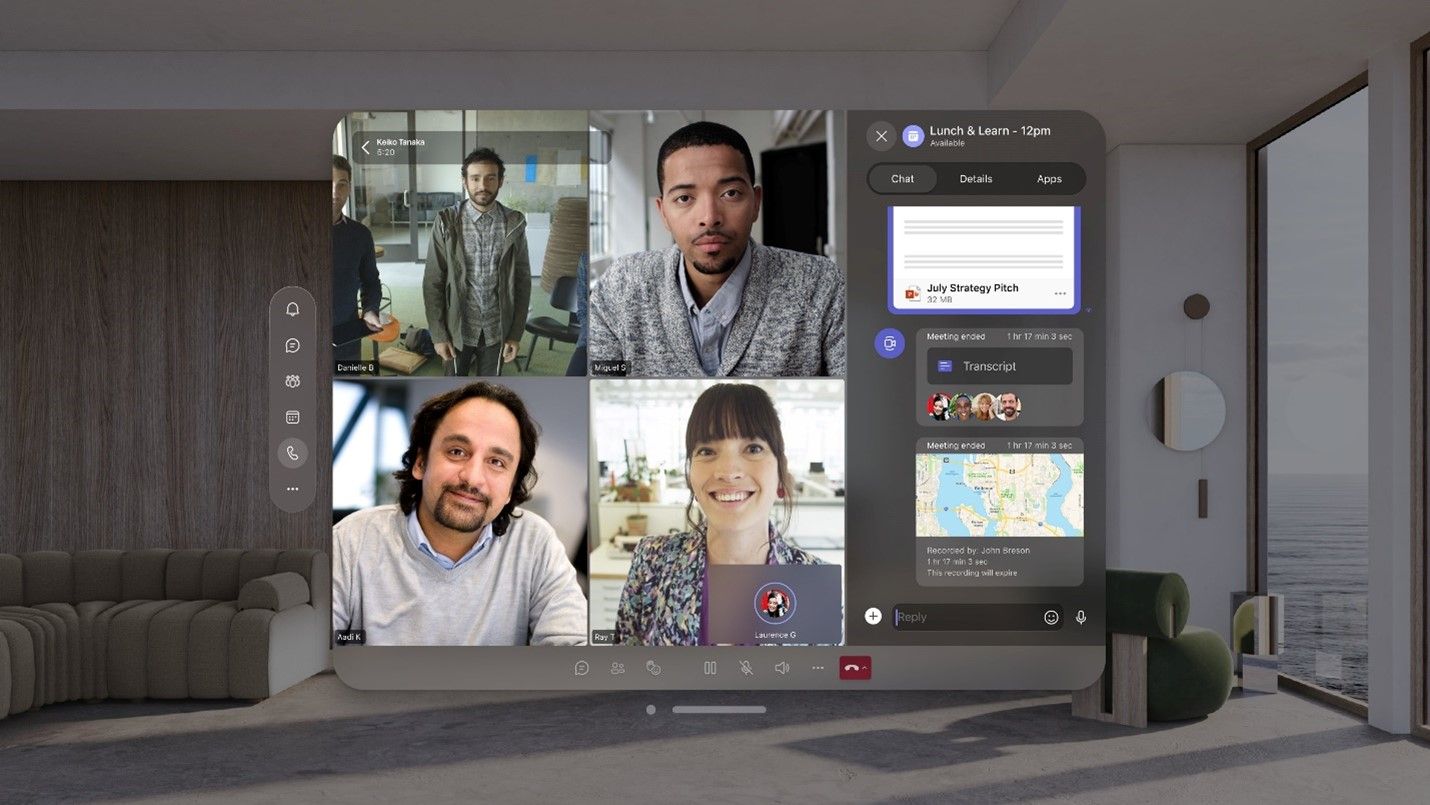
Microsoft Teams Apple Vision Pro app

(Image credit: Microsoft)

First up is Microsoft 365, aka the home of all your favorite workplace apps - the likes of Word, Excel, PowerPoint, Outlook and even Microsoft Teams will all be available on the Apple Vision Pro.

The headset will look to offer a variety of new tools for Microsoft's apps, taking video conferencing in Teams to a new virtual plane, but also allowing for extra focus on those key Word documents.

Microsoft says the move will also let users better visualize data such as graphs in Excel spreadsheets, and help them practice PowerPoint presentations before speaking in front of an audience.

The apps will all be backed up by Microsoft's Copilot AI assistant, giving users a smarter and more intuitive way to access the files and information they need.

Zoom

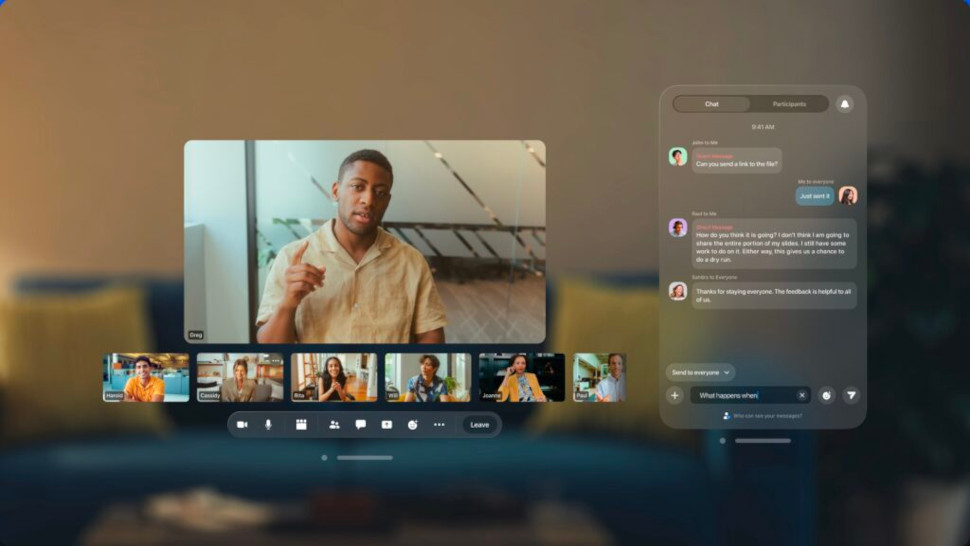
Apple Vision Pro Zoom app

(Image credit: Zoom)

If you're looking for a slightly different approach to video conferencing, Zoom has also revealed its app for the Apple Vision Pro, showing that virtual meetings and calls are set to be a major use case for the headset.

Zoom says its Apple Vision Pro app will help colleagues and co-workers in different locations feel much closer together, improving collaboration and connection. 

But it will also include a number of new features designed specifically for the Apple Vision Pro, such as its Personas feature to give an "authentic" representation of users on the call - including replicating facial and hand movements - and the ability to share 3D objects in much more detail, giving a new perspective on items. 

Webex

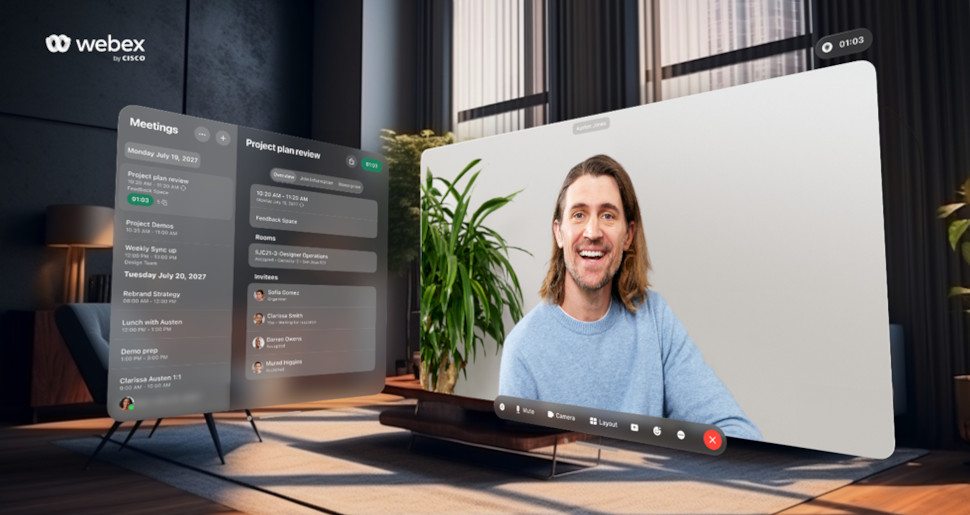
Apple Vision Pro webex app

(Image credit: Webex)

Following hot on the heels of Zoom and Microsoft Teams, fellow video conferencing giant Webex has revealed its Apple Vision Pro app.

Much like its competitors, the Webex app for Apple Vision Pro will allow users to participate in video calls projected into the virtual space provided by the headset's "infinite canvas". Participants can present content and collaborate easily, making it simpler to multitask, but also benefit from Webex features such as AI background noise removal, real-time translations, closed captions, live polling and Q&A by Slido.

Adobe Firefly

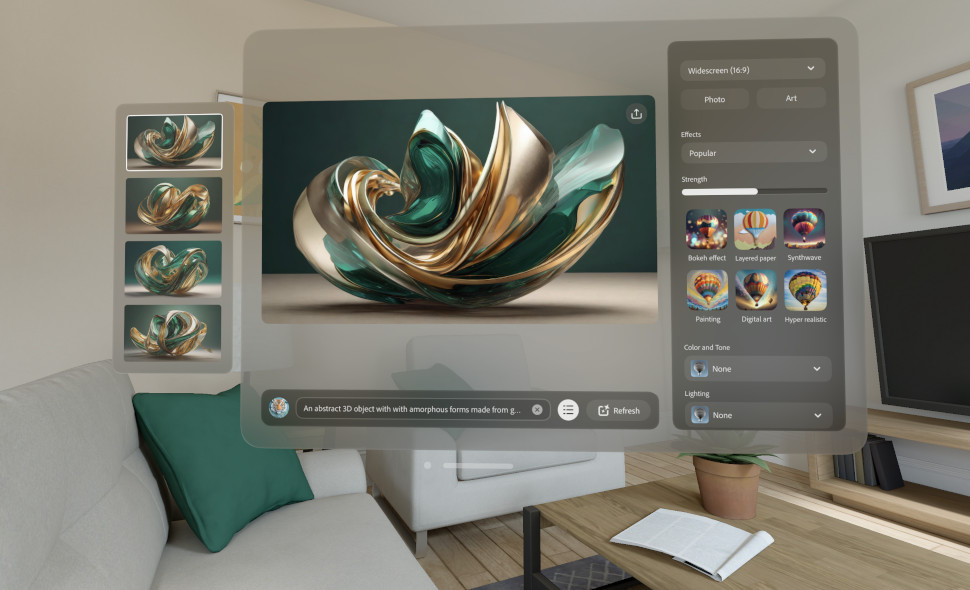
Adobe Firefly Apple Vision Pro app

(Image credit: Adobe)

First announced in June 2023, Adobe Firefly is the company's AI art generator for consumers and businesses alike.

The company says its Apple Vision Pro app features a "purpose-built experience" for users looking to create and develop new artwork, advertising or marketing campaigns, or imagery such as logos.

In addition, the company's Adobe Lightroom tool will also be available on the Apple Vision Pro, giving users the chance to enjoy an immersive photo editing experience using the headset.

TeamViewer

TeamViewer Apple Vision Pro app

(Image credit: TeamViewer)

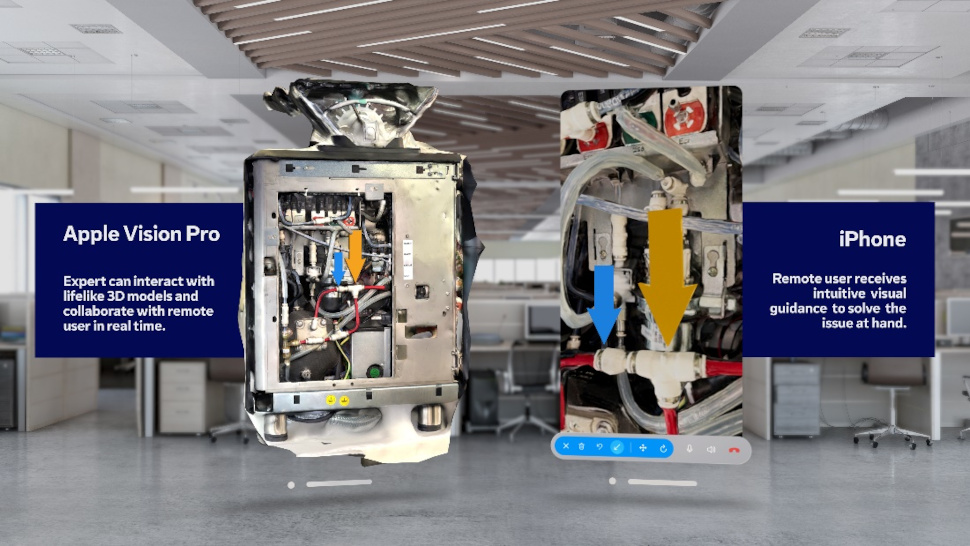
TeamViewer may be more of a common presence in remote IT support and updates, but the company is making a pitch to go a significant step further with the launch of its TeamViewer Spatial Support app for Apple Vision Pro.

Currently in beta, the app lets a user with an iPhone work together with a remote expert equipped with an Apple Vision Pro, to talk them through the steps needed to make a repair on broken-down or malfunctioning machinery.

The TeamViewer Spatial Support app utilizes ARKit and a built-in LiDAR scanner to capture a detailed 3D model of the device in need of support, which is shared with the remote expert for a synchornized 3D experience.

Box

Box Apple Vision Pro app

(Image credit: Box)

Online content storage service Box may sound like an unlikely partner for the Apple Vision Pro, but the company says its app can provide users with a range of new ways to engage with their files.

This includes possible scenarios such as a retailer using the Apple Vision Pro to see how a window display may look to customers via a design proposal in Box, or a construction company virtually visiting a building site to view how a project may look using blueprint files or progress images stored in Box.

Box also says its app can use Siri's dictation tool alongside hand and eye gestures to navigate through its app to track down the files you need, which can then be placed into your own "infinite desktop" for clearer views and better multitasking.


from TechRadar - All the latest technology news https://ift.tt/lTWi8JQ